
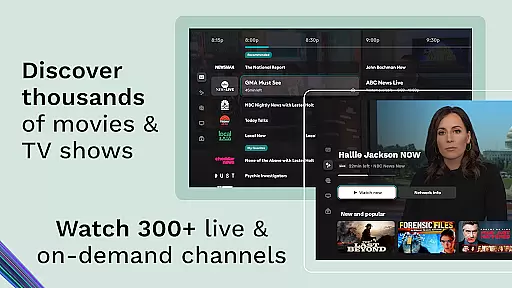
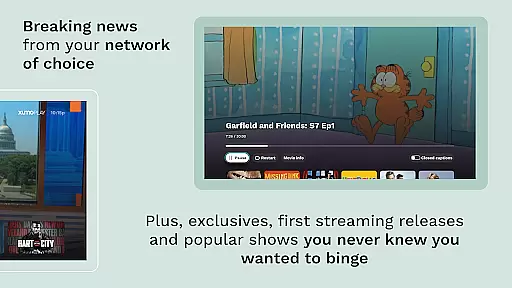
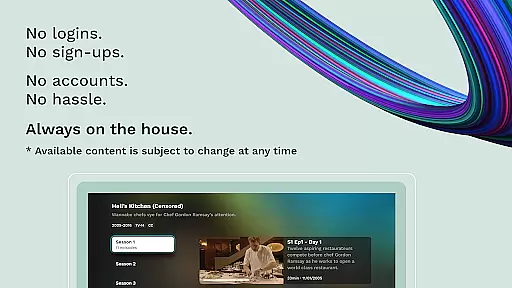
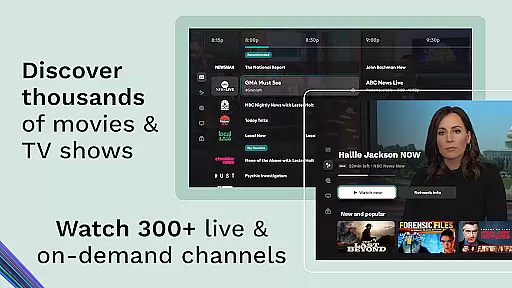
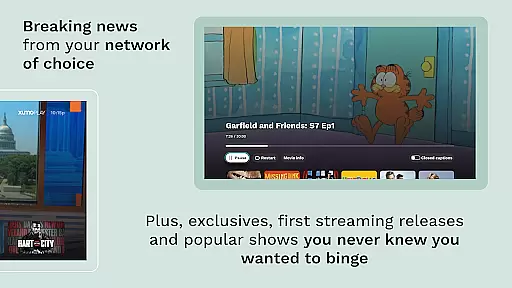
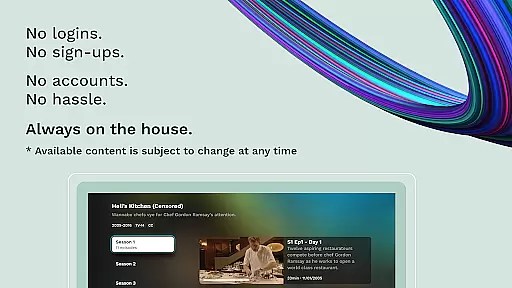
Xumo Play is a free streaming service that offers over 350 live channels and 15,000 on-demand titles, including movies, TV shows, news, and sports. The app provides personalized recommendations based on your viewing habits, ensuring an intuitive navigation experience. With no subscription or login required, Xumo Play makes it easy to enjoy premium content across various genres anytime and on any device.
From exclusive movies to complete TV series, the platform covers 26 genres such as Local News, Weather, Action & Drama TV, Westerns & Country TV, Latino, Crime TV, Game Shows & Daytime TV, Horror & Sci-Fi, and more. Whether you're catching up on favorite shows or exploring new ones, Xumo Play has something for everyone.
Xumo Play stands out with its extensive library of free content. It includes over 1,000 movie titles spanning every genre, making it perfect for film enthusiasts. Additionally, users can access live, breaking news from top national and local networks without needing subscriptions or logins.
The app also excels in niche genres like Crime, Westerns & Country TV, offering binge-worthy channels organized by interest. Families will appreciate the selection of free family-friendly movies and TV shows available on 13+ on-demand channels. Personalized recommendations enhance user engagement by suggesting content tailored to individual preferences.
Xumo Play stands out in the Entertainment category by offering an extensive range of content that caters to diverse interests. With over 350 live channels and 15,000 on-demand titles, the platform ensures users have access to a wide array of genres including movies, TV shows, news, sports, and more.
The service is designed to provide fresh and engaging content regularly. Subscribers can enjoy new and exclusive movies every month, reconnect with favorite shows, or explore something different. This constant update keeps the user experience dynamic and engaging.
Moreover, Xumo Play's integration of personalized recommendations enhances content discovery based on individual watch habits. By analyzing viewing patterns, it suggests relevant programs, ensuring users are always presented with options aligned with their preferences.
User engagement is a critical factor for any entertainment platform, and Xumo Play excels in this area through its intuitive navigation and comprehensive offerings. The app's design prioritizes ease of use, allowing viewers to quickly find what they want, whether itu2019s catching up on breaking news or diving into binge-worthy series.
Retention strategies are embedded within the platform's structure. Features like personalized recommendations not only enhance content variety but also encourage longer viewing sessions. Users can easily skip ahead or choose from multiple genres, maintaining interest and reducing churn.
Additionally, Xumo Play's commitment to providing free, high-quality programming without subscriptions or logins removes barriers to consistent usage. This accessibility fosters loyalty among users who appreciate the flexibility and freedom to stream anytime, on any device.
User-friendly interface
Wide variety of genres
No subscription fees
Personalized recommendations
Extensive on-demand library
Limited original content
Ads between streams
Occasional buffering issues
Regional restrictions apply
Interface may feel cluttered

Tarot & Oracle Card Readings
 4.50
4.50
Play games. Earn real rewards. Cash out in 3hours via PayPal or gift cards.
4.40
SpiritWave is paranormal ITC application.
5.00
NFL, NBA, NHL, MLB, local sports coverage, shows, movies & news!
3.20
Just play games to earn gift cards. Keep playing, keep earning.
4.50
Raise Christmas Magic with daily missions, magical scanners, and kindness.
4.0
Geooh GO is the most feature rich geocaching app available today.
4.50
Explore the unknown!
3.00
Stream, Watch, Chat. Live.
4.00
The OFFICIAL PeeWee Purpdrank Soundboard!
4.80
Scan sets, track your builds, and enjoy intuitive digital instructions.
4.70
Hand-drawn, cartoon OC creator - original character creator
4.70
Rain and lightning effects for your Philips Hue lights
4.30
Fire effects for your Philips Hue lights
4.20
Start EVP/Spirit Box tonight: real EMF, offline, recording. One-time purchase.
4.10
Stream videos to VIDAA & VEWD TVs from Hisense, Sharp, Skyworth, Vestel & TiVo
3.00
With the Steam Mobile App, you can take Steam with you anywhere.
3.00
Ultimate VR movie player for android mobile videos
4.0
Control your AWTRIX 3 easily
4.4


User Reviews