
BeadStudio is a versatile digital platform that allows users to create intricate fuse bead designs before transferring them to physical pegboards. This app caters to a wide audience, from children to professional artists, enabling them to explore creative ideas and patterns in various settings like the comfort of their home or while traveling. The app supports all major fuse bead brands including Hama Beads and Perler Beads, offering tools for photo-to-bead conversion and custom palette creation.
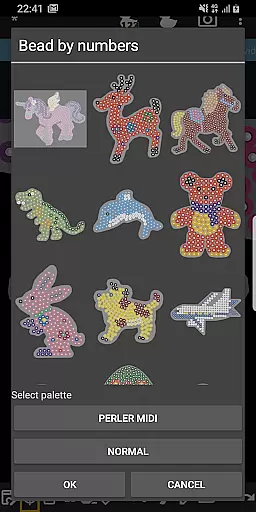
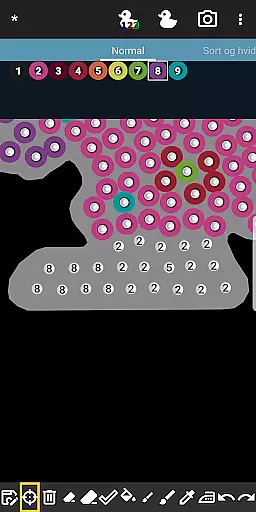
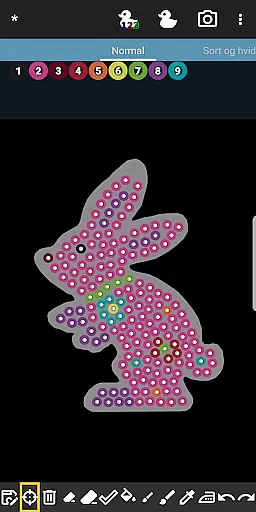
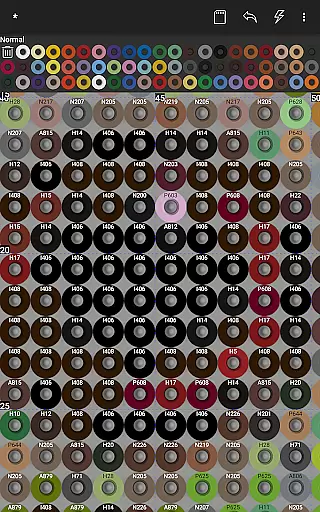
One standout feature is the Bead By Numbers tool, which provides an engaging experience akin to Paint By Numbers. Users can select from a variety of pre-designed figures and animals, each peg numbered for easy reference. This not only helps improve motor skills in kids but also serves as a meditative activity for adults. With its user-friendly interface, BeadStudio makes it simple to design complex patterns and transform them into tangible art pieces, making it a valuable tool for both recreation and professional use.
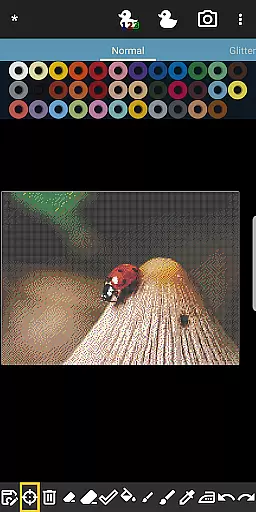
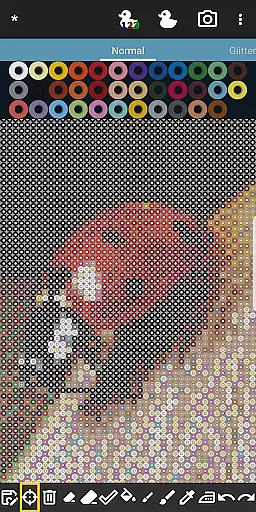
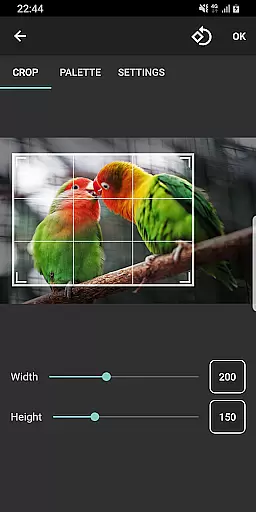
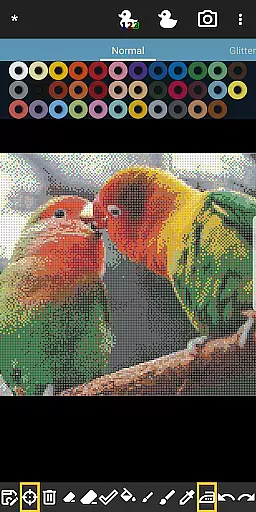
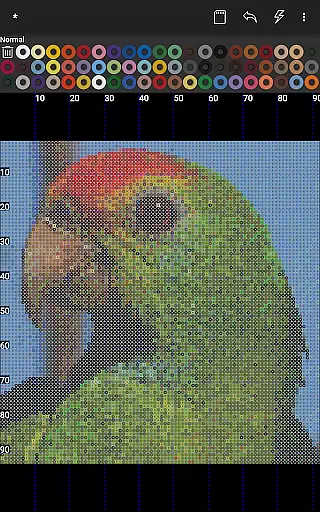
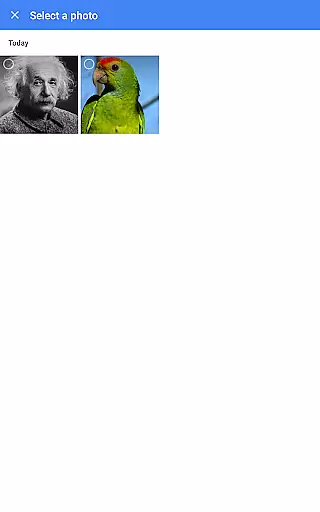
BeadStudio boasts a comprehensive set of features designed to enhance creativity and precision in fuse bead projects. The built-in photo to bead conversion tool allows users to transform any image into a bead pattern using specific brands and colors of beads available to them. This feature is particularly useful for creating photorealistic artworks or personalized designs such as family portraits or landscapes.
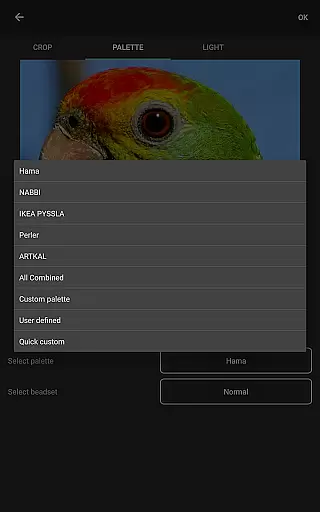
In addition to supporting multiple fuse bead brands, BeadStudio offers the flexibility to mix different types of beads within a single custom palette. This means if you need a particular color from one brand to complete your design with another, it's effortlessly achievable. The app also includes various templates and shapes, alongside powerful editing tools like undo/redo and eraser functions, ensuring a seamless design process. Whether you're crafting Christmas ornaments, jewelry, or intricate pixel art, BeadStudio provides the tools necessary to bring your creative visions to life.
BeadStudio stands out in the Entertainment category by offering a diverse range of content that caters to various age groups and skill levels. From simple designs for kids to photorealistic artworks for adults, the app provides an extensive array of creative possibilities.
The application supports all major brands of fuse beads, including Hama Beads, Perler Beads, Artkal Beads, Nabbi Beads, and Pyssla Beads. This compatibility allows users to experiment with different types of beads within a single custom palette, ensuring endless creative combinations.
One of the key features is the built-in photo to bead conversion tool, which transforms personal photos into bead designs using the exact brand and colors of beads available to the user. This feature not only enhances content variety but also keeps the creative inspiration fresh and personalized.
Additionally, BeadStudio includes entertaining and meditative activities like Bead By Numbers, akin to Paint By Numbers, providing ready-to-use figures and shapes such as bunnies, unicorns, and dinosaurs. This function stimulates creativity and helps improve motor skills, particularly beneficial for younger users.
User engagement is a critical factor for apps in the Entertainment category, and BeadStudio excels by offering features that encourage prolonged usage. The app's versatility in supporting freehand artworks, figures, and photorealistic designs ensures that users have multiple reasons to return regularly.
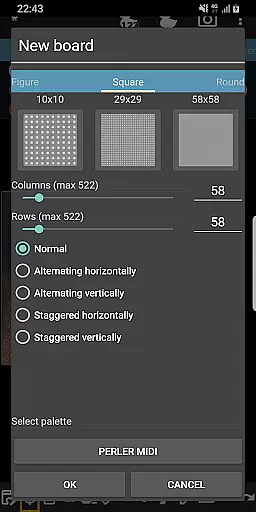
The simplicity of creating new designs is comparable to finger painting, making it accessible for both kids and adults. Users can choose from standard rectangular boards or various readymade templates, shapes, and figures, facilitating continuous experimentation and learning.
Mistakes are part of the creative process, and BeadStudio addresses this with practical tools like undo/redo and an eraser feature. These functionalities enhance the user experience by allowing creators to refine their work without frustration, thus promoting longer engagement sessions.
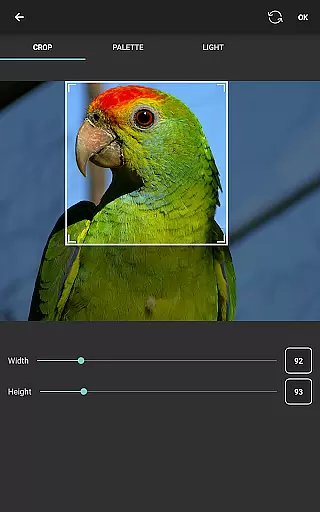
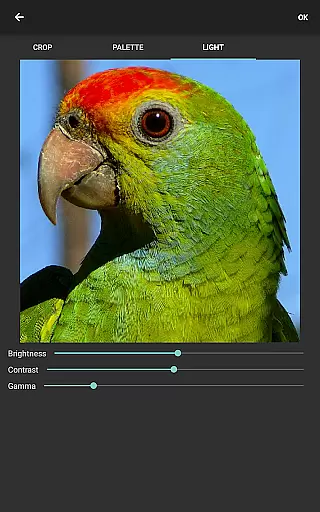
Moreover, the ability to generate boards from photos adds another layer of engagement. Users can control many aspects of the image before conversion, such as dithering, coloring, and lighting, ensuring that each project remains unique and captivating. This ongoing innovation helps retain users by consistently delivering new and exciting ways to interact with the app.
User-friendly interface
Supports multiple brands
Custom palette creation
Photo to bead conversion
Engaging Bead By Numbers
Requires internet connection
Limited offline functionality
External storage permission
Premium features may cost
Learning curve for beginners

Rain and lightning effects for your Philips Hue lights
 4.30
4.30
Heroclix search units with multi filter , team builder, collection manager.
4.40
Stream over 80 hours of exclusive mashups and remixes by DJ Rehab.
4.3
Classic dynamic pixel art from Mark Ferrari.
4.70
The JBL Portable app works with JBL portable Bluetooth speakers.
4.60
Just play games to earn gift cards. Keep playing, keep earning.
4.50
Unleash Your AI Imagination
4.60
Neon Christmas Tree Animated: Festive Wear OS watch face with fitness info
4.0
With the Steam Mobile App, you can take Steam with you anywhere.
3.00
The OFFICIAL PeeWee Purpdrank Soundboard!
4.80
Find out if you're on Santa's Naughty or Nice List with this magical scanner!
4.60
Everything FOX in one place. Watch FOX News, NFL, MLB, TV shows and more.
4.50
Practice and master your ESP and intuition with five mode trainer.
4.20
Music visualizer and party effects for Hue
3.90
Necrophone is spirit box ghost hunting app made for spirit communication.
3.70
Watch whatever you want, whenever you want, wherever you want.
3.30
With the credits you earn play more games
2.90
A wonderful collection of the most beautiful sounds of animals and birds
4.5
Music visualizer and party effects for your Nanoleaf devices
4.4


User Reviews