
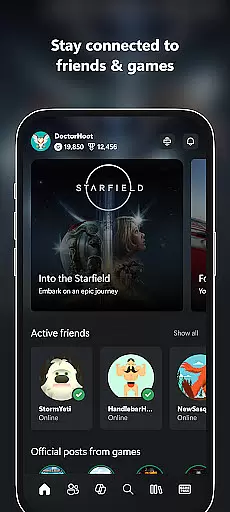
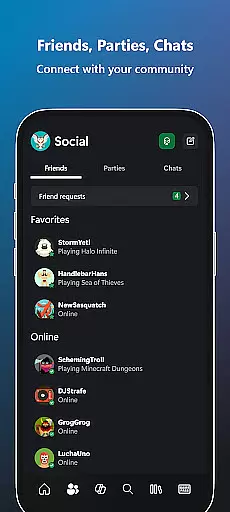
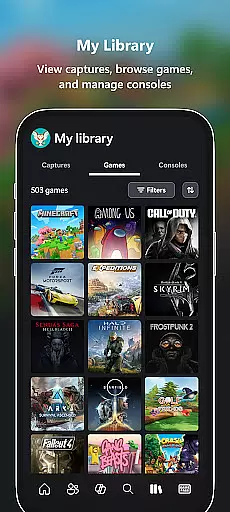
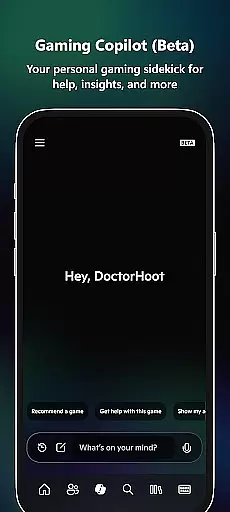
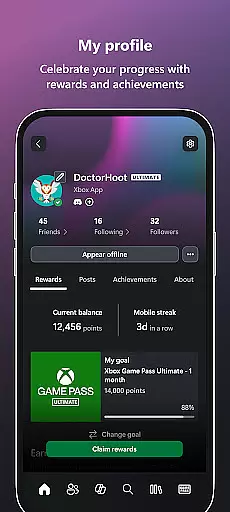
Xbox is a comprehensive entertainment app that keeps you connected to your gaming world across devices. The app allows users to stay in touch with friends through integrated voice and text chat, regardless of whether they are on console or PC. It provides real-time notifications for game launches, party invites, and messages, ensuring you never miss important updates.
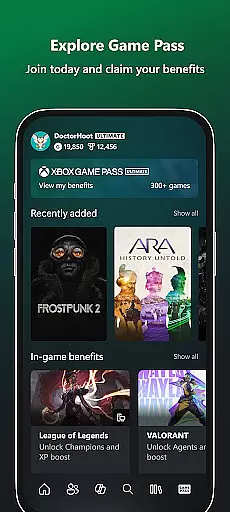
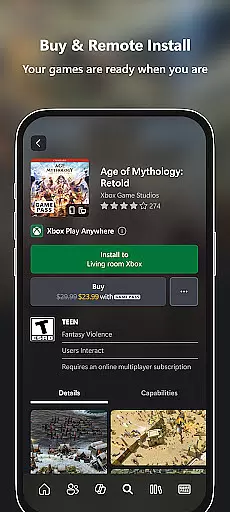
One standout feature is the ability to purchase games and add-on content directly within the app, streamlining the gaming experience. With access to the Game Pass catalog, users can explore and download new titles, while Gaming Copilot offers personalized recommendations and in-game assistance. This makes the Xbox app an essential tool for gamers who want seamless access to their favorite content.
The app also supports easy sharing of game clips and screenshots to popular social networks, allowing users to showcase their best gaming moments. Whether you're managing your gaming library, connecting with friends, or exploring new content, the Xbox app delivers a unified and convenient experience for all your gaming needs.
The Xbox app boasts a variety of features designed to enhance the gaming experience. One key feature is its cross-platform functionality, enabling users to engage in voice and text chat with friends on both console and PC. This ensures uninterrupted communication, no matter where your friends are playing.
Another notable feature is the seamless integration with the Game Pass service. Users can browse the extensive catalog, view available Perks, and even redeem them without leaving the app. Additionally, the app's built-in store allows for effortless purchasing of games and add-ons, which can be downloaded directly to your console for immediate access when you're ready to play.
Gaming Copilot serves as a personal assistant, offering tailored recommendations, gameplay insights, and help with overcoming challenges. This innovative feature empowers players to improve their skills and enjoy a more engaging experience. Together, these features make the Xbox app a versatile and indispensable tool for modern gamers.
In the realm of digital entertainment, content variety and freshness are paramount for user engagement. The Xbox app excels in this area by offering a dynamic range of features that cater to gamers' multifaceted interests. From integrated voice and text chat with friends on various platforms to notifications about new game launches and messages, the app ensures users are always in the loop.
Moreover, the Xbox app provides access to the Game Pass catalog, allowing users to explore and experience a wide array of gaming titles. This constant influx of new and exciting games keeps the content fresh and engaging. Additionally, the Gaming Copilot (Beta) feature acts as a personal gaming sidekick, offering recommendations, help, insights, and more, thus enhancing the overall freshness and appeal of the app's offerings.
The ability to buy games and add-on content directly within the app further enriches the content variety. Users can effortlessly expand their gaming library without leaving the app, ensuring they have continuous access to new experiences. This seamless integration of diverse functionalities underscores the app's commitment to providing fresh and varied content that meets the evolving needs of its users.
User engagement duration and retention are critical metrics for evaluating the success of any entertainment platform. The Xbox app addresses these aspects through its comprehensive suite of features designed to keep users connected and invested in their gaming journey. By enabling users to stay connected with friends via voice and text chat, regardless of whether they're on console or PC, the app fosters a sense of community and belonging.
Notifications play a pivotal role in maintaining user engagement. The app alerts users to new game launches, party invites, messages, and other important updates, ensuring they remain actively involved in the gaming ecosystem. Furthermore, the ease of purchasing games and add-on content directly from the app enhances convenience, encouraging users to spend more time exploring and acquiring new gaming experiences.
The inclusion of the Gaming Copilot (Beta) adds another layer of engagement by providing personalized assistance and insights. This feature helps users overcome roadblocks, level up their gameplay, and get unstuck with in-game assistance, thereby increasing both the duration and quality of user engagement. Overall, the Xbox app's strategic focus on fostering long-term user retention is evident in its thoughtful design and robust feature set.
User-friendly interface
Seamless cross-platform chat
Integrated Game Pass catalog
Effortless game purchasing
Personalized Gaming Copilot
Limited offline functionality
Requires Xbox Live account
Occasional connectivity issues
Some features locked behind subscription
Heavy reliance on internet connection

Fun brain twisting challenge with trending Whirlpool Filter.
 4.70
4.70
Practice and master your ESP and intuition with five mode trainer.
4.20
Come and watch short dramas, reels with diverse genres!
4.40
Series,Películas y Telenovelas
4.50
Fetch money rewards all just for playing games. Cash out for gift cards in app.
4.50
Experience the video editing experience brought by our intuitive interface
4.10
Unleash Your AI Imagination
4.60
Himnario LLDM - Fast and Easy to read , updated Hymnal 2019 Edition Official
4.20
Earn Real Rewards Playing Fun Mobile Games & Easy Cash Out - PayPal & Gift Cards
4.40
Pathfinder 2e initiative tracker with bestiary, HP, reaction, conditions, etc
4.80
The JBL Portable app works with JBL portable Bluetooth speakers.
4.60
Premium version to enjoy your favorite anime
4.60
Create melty bead designs by numbers, photos or your imagination
4.40
Binge-worthy short dramas on DramaRush—engaging stories that fit your day.
3.90
Daily immersive workout plan: Body warm up & finger yoga exercises
3.80
Connect. Discover. Control.
3.60
With the credits you earn play more games
2.90
EVP Recorder / Voice Recorder for ghost hunting, to communicate with ghosts.
4.0
Control your AWTRIX 3 easily
4.4


User Reviews