
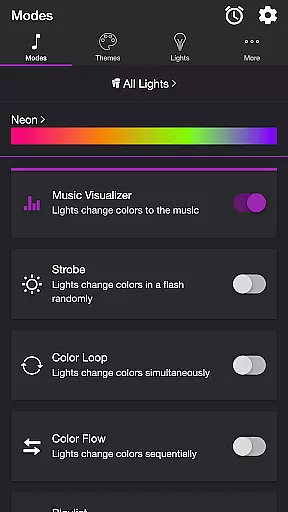
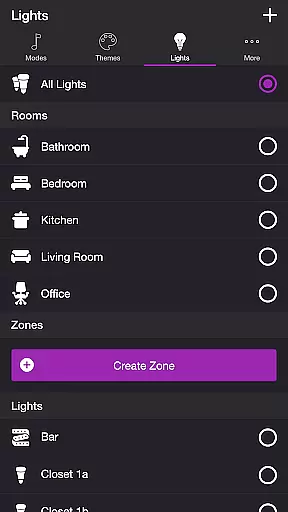
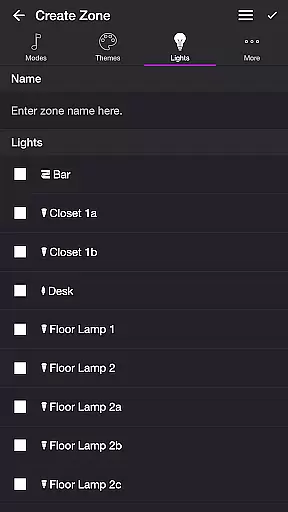
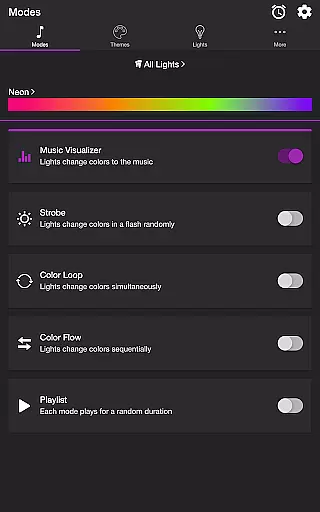
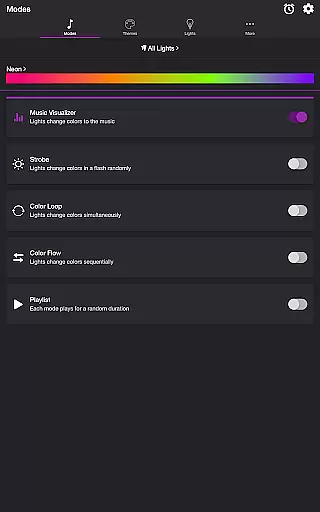
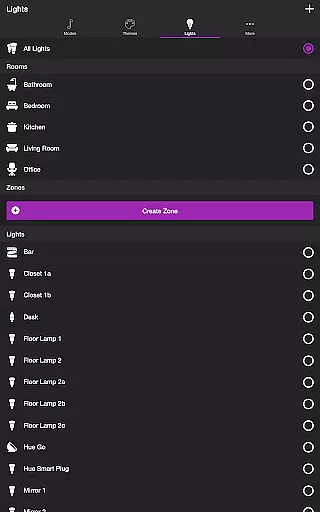
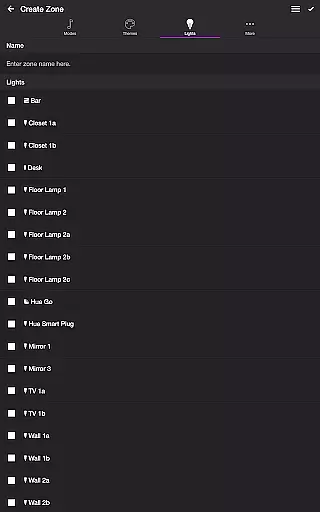
Soundstorm for Hue is an entertainment application that transforms your Philips Hue lights into a dynamic party experience. The app allows users to sync their smart lights with music, creating vibrant visual effects that pulse and flash to the beat of favorite songs. With a requirement of a Hue Bridge, it offers multiple modes including Music Visualizer, Strobe, Color Loop, Color Flow, and Playlist, each providing unique ways to enjoy light shows.
Beyond its core functionality, Soundstorm for Hue provides extensive customization options through various themes and settings. Users can adjust brightness, transition effects, and even frequency detection to tailor the experience to their preferences. Whether you're hosting a lively gathering or simply looking to enhance your space with colorful ambiance, this app delivers both fun and functional lighting solutions.
One of the standout features of Soundstorm for Hue is its diverse range of modes designed to cater to different moods and occasions. The Music Visualizer mode listens to ambient sounds via the device's microphone and translates them into color changes in real-time. For those who prefer a more traditional light show, the Strobe mode flashes colors randomly, while Color Loop and Color Flow offer sequential color changes across lights. The Playlist mode cycles through these effects, ensuring a varied and engaging experience.
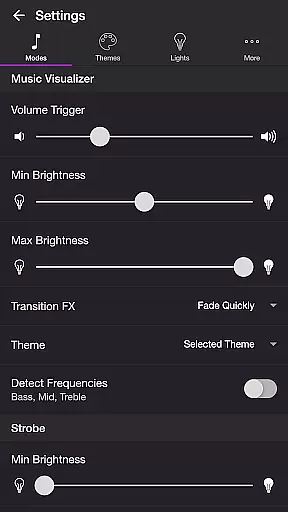
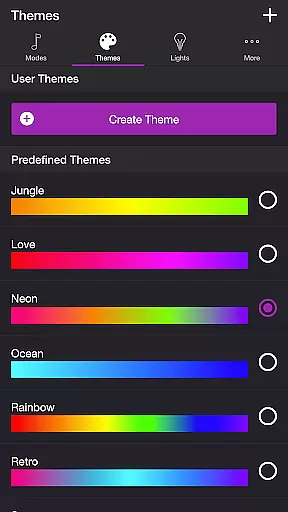
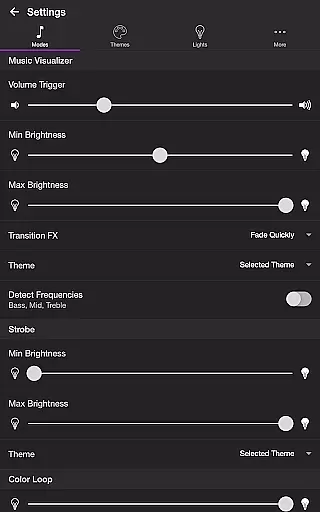
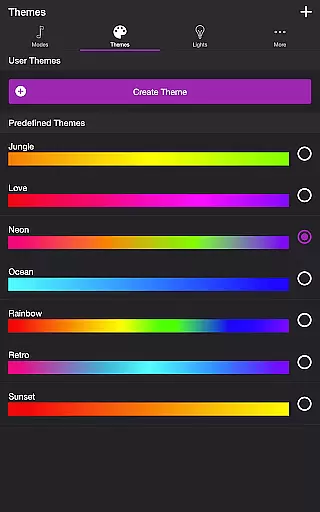
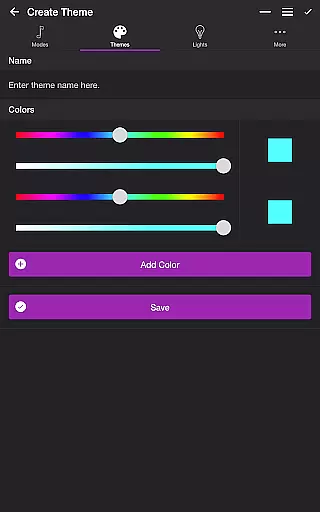
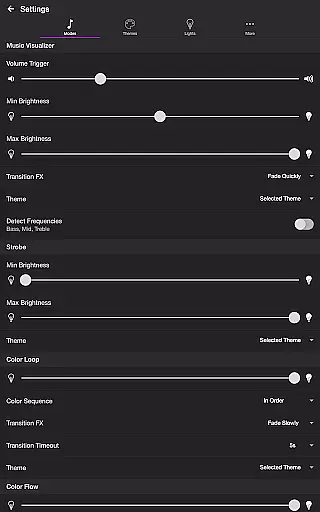
In addition to its impressive light effects, the app also includes robust settings for fine-tuning the experience. Users can modify volume triggers, brightness levels, and transition effects within each mode. Themes allow further personalization by letting users select predefined color schemes or create their own. These granular controls ensure that every user can craft a personalized light show that perfectly matches their desired atmosphere.
Soundstorm for Hue offers a diverse range of content through its various modes and themes, ensuring users have multiple entertainment options. The app features several unique modes such as Music Visualizer, Strobe, Color Loop, Color Flow, and Playlist, each providing distinct light shows that sync with music or operate independently.
The Music Visualizer mode listens to ambient sounds and adjusts Philips Hue lights accordingly, creating an immersive audio-visual experience. With customizable settings like volume triggers, brightness levels, and transition effects, users can tailor the visualizer to their preferences. This ensures that every use feels fresh and engaging, adapting to different musical tastes and party atmospheres.
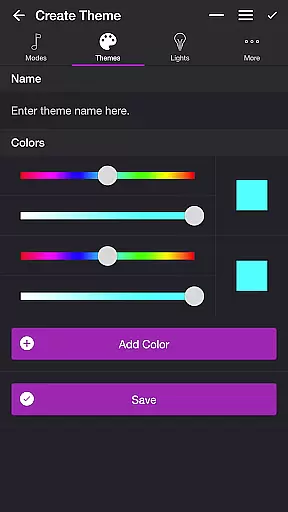
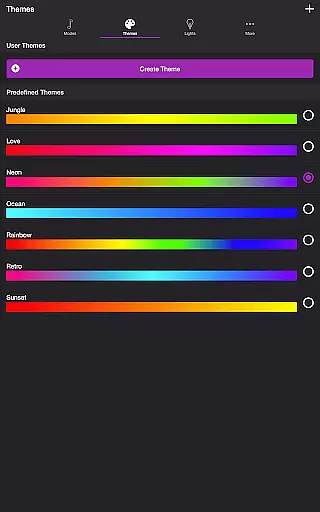
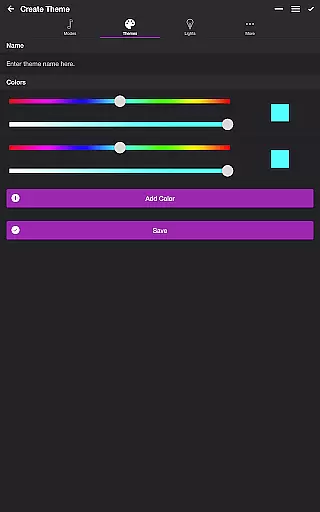
In addition to dynamic modes, Soundstorm for Hue includes predefined themes and allows users to create custom ones. These themes dictate the color schemes used in each mode, adding another layer of personalization. Users can modify existing themes or build new ones from scratch, keeping the visual content varied and aligned with individual aesthetics.
Furthermore, the Playlist mode cycles through different modes at random intervals, preventing any sense of repetition. By allowing users to toggle specific modes and set duration ranges, this feature maintains a lively and unpredictable environment. Such continuous variation keeps the entertainment value high, making Soundstorm for Hue a versatile tool for enhancing any occasion with vibrant lighting displays.
User engagement duration and retention are critical factors for any entertainment app, and Soundstorm for Hue excels in these areas by offering deeply interactive and customizable experiences. The app's ability to transform Philips Hue lights into responsive visualizers encourages prolonged usage during parties and gatherings, where users want to maintain an energetic atmosphere.
With features like the Music Visualizer mode, which reacts to live audio input, users remain engaged as they watch their lights pulse and flash in sync with music. The adjustable settings for bass, mid, and treble frequencies allow fine-tuning of light effects, catering to different genres and tempos. This adaptability not only enhances user satisfaction but also promotes longer sessions as people experiment with various configurations.
Soundstorm for Hue further boosts retention by enabling detailed customization of themes and light sequences. Users can personalize every aspect of the light show, from selecting specific colors and transition effects to reordering lights for sequential modes. This level of control fosters a sense of ownership and investment in the app, encouraging repeat usage and exploration of new setups.
Additionally, practical features such as the Sleep Timer and automatic start/stop settings contribute to sustained engagement. By allowing users to schedule when their light shows begin and end, the app integrates seamlessly into daily routines without requiring constant manual intervention. These thoughtful functionalities ensure that Soundstorm for Hue remains a staple entertainment tool, consistently delivering value and maintaining user interest over time.
User-friendly interface
Wide range of customization
Vibrant light effects
Multiple operational modes
Seamless integration with Philips Hue
Requires Hue Bridge
Microphone access needed
Limited to Philips Hue system
No offline functionality
Premium feature lock-in

Heroclix search units with multi filter , team builder, collection manager.
 4.40
4.40
Stream Online TV - Watch Live IPTV Playlist & Channel with Built-In Player
4.50
Catalog & tracker of your DVD, Blu-ray & Digital Movie and TV Collection Library
4.80
Create and play realistic-looking mock Emergency Alert System messages.
4.30
NFL, NBA, NHL, MLB, local sports coverage, shows, movies & news!
3.20
The classic game of rock, paper, scissors
4.5
Start EVP/Spirit Box tonight: real EMF, offline, recording. One-time purchase.
4.10
Catch the latest episodes of The Voice or live stream NFL games with The NBC App
4.20
Watch New Episodes & Live TV
3.80
Triple A is a highly complex, kinetic, and interactive visualizer.
4.50
Geooh GO is the most feature rich geocaching app available today.
4.50
Browser for Chromecast to stream webvideos, online movies, IPTV & HD livestreams
4.40
Rain and lightning effects for your Philips Hue lights
4.30
Fire effects for your Philips Hue lights
4.20
Build and Share AI
4.20
Your choice of 350+ networks plus movies and full TV series on-demand.
3.70
Binaural Brainwave Doses for Every Imaginable Mood
3.60
Stream over 80 hours of exclusive mashups and remixes by DJ Rehab.
4.3
Raise Christmas Magic with daily missions, magical scanners, and kindness.
4.0


User Reviews