
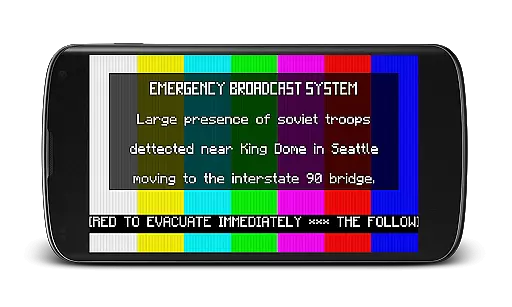
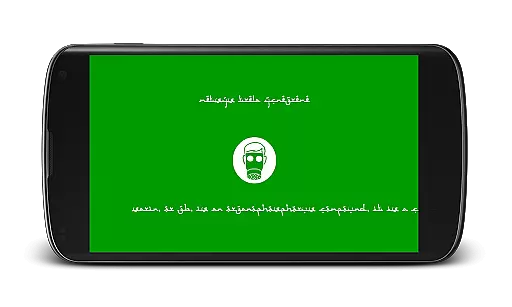
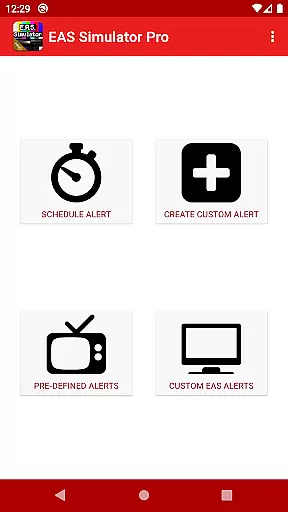
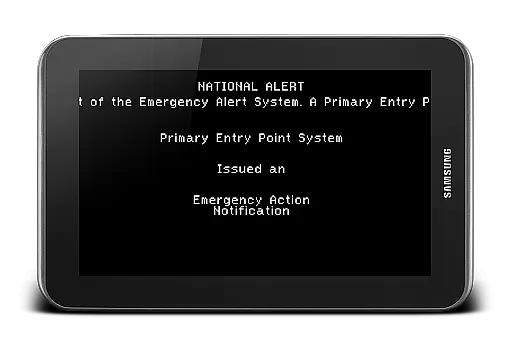
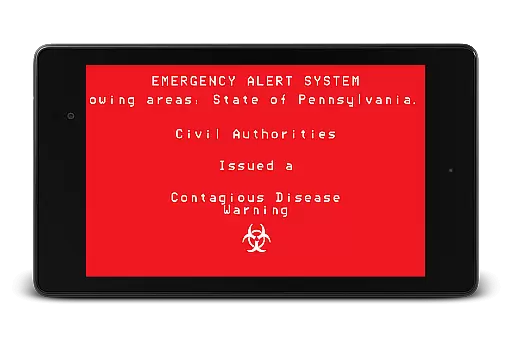
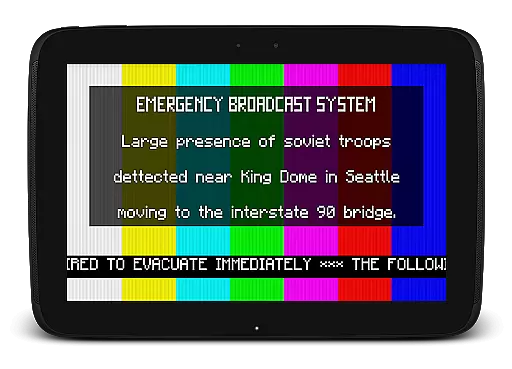
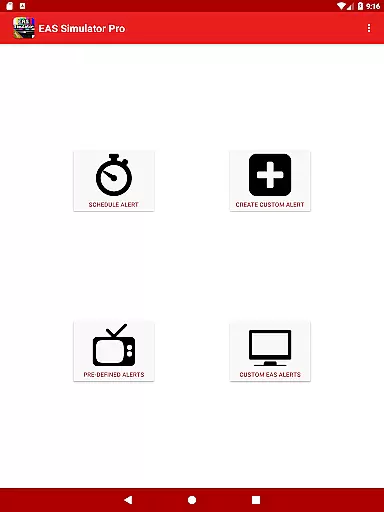
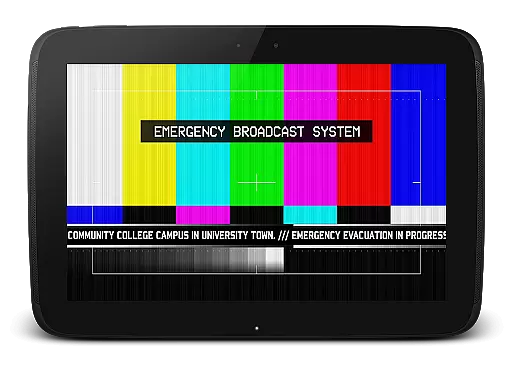
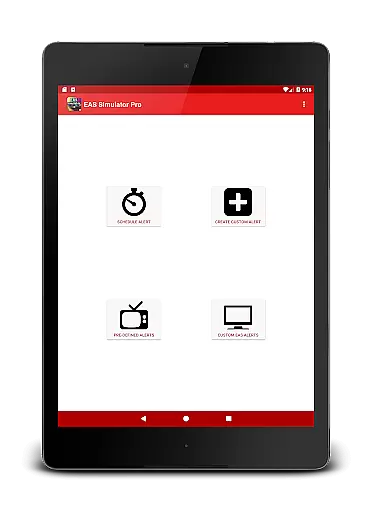
EAS Simulator Pro is a unique entertainment application that allows users to simulate realistic Emergency Alert System messages on their Android devices. The app provides an immersive experience for users who want to create mock emergency scenarios, including natural disasters, nuclear attacks, and even zombie apocalypses. With its robust feature set, the app caters to both enthusiasts and professionals seeking to conduct drills or simply engage in creative role-playing.
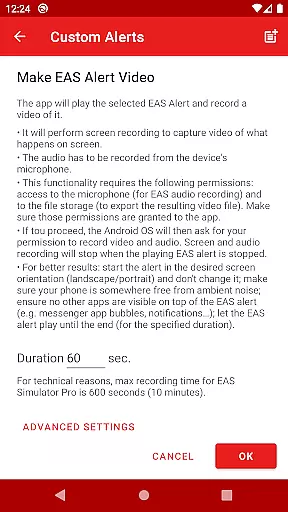
One of the standout features of EAS Simulator Pro is its ability to convert these alerts into video format using screen recording and microphone audio. This functionality makes it an ideal tool for creating content related to emergency preparedness or fictional disaster scenarios. Whether you're a content creator looking for authentic emergency broadcast simulations or someone interested in exploring various emergency situations, this app offers a comprehensive solution with real-life and fictional pre-defined alerts.
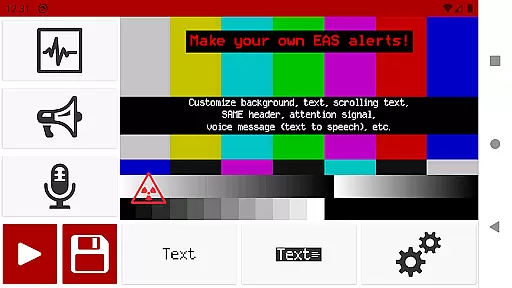
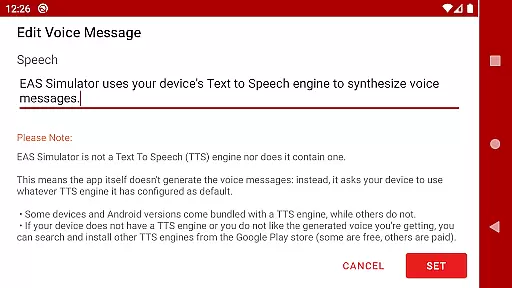
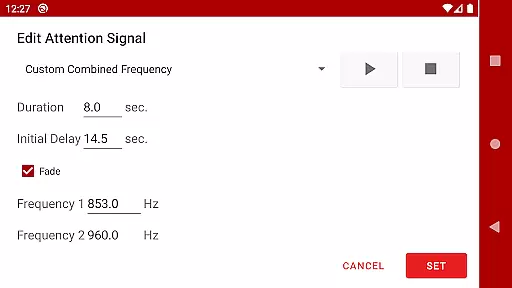
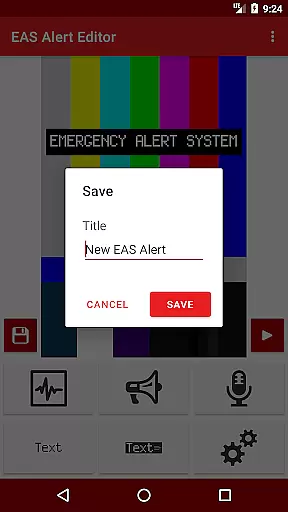
The app boasts an impressive array of features designed to provide a realistic and customizable emergency alert experience. Users have full access to the Emergency Alert System alert editor, enabling them to create and save their own custom alerts without any limitations. This includes options for backgrounds similar to TV alerts, static or blinking texts, scrolling texts like a news ticker, SAME headers with authentic beeping sounds, attention signals such as tornado sirens, and voice messages generated by the device's Text to Speech engine.
In addition to creating alerts, users can schedule them to play at specific times, even if the device is locked. This scheduling capability is perfect for conducting drills, executing pranks, or enhancing role-playing scenarios. Furthermore, the app supports exporting and importing alerts as files, allowing users to back up their creations or share them with others who use either the Demo or Pro versions of EAS Simulator. These features collectively ensure that users have a versatile tool for simulating a wide range of emergency situations.
In the realm of digital entertainment, content variety and freshness are paramount to maintaining user engagement. EAS Simulator Pro excels in this area by offering a diverse array of pre-defined alerts that cater to both real-life scenarios and thrilling fictional situations. From simulating natural disasters like flash floods and tornadoes to enacting a North Korean nuclear attack or a zombie apocalypse, the app provides an extensive selection designed to captivate users' imaginations.
Moreover, the application allows for the creation and saving of custom alerts without limitations, ensuring that content remains fresh and personalized. This feature empowers users to continuously explore new emergency scenarios, limited only by their creativity. By integrating realistic Emergency Alert System messages with innovative user-generated content, EAS Simulator Pro guarantees an ever-evolving experience that keeps pace with current events and pop culture references.
The scheduled alert function further enhances content freshness by enabling automatic playback at designated times, even if the device is locked. This ensures that users can partake in drills or immerse themselves in role-playing activities without manual intervention, thus preserving the element of surprise and realism. With these capabilities, EAS Simulator Pro not only entertains but also educates, preparing individuals for potential real-world emergencies through engaging simulations.
User engagement duration and retention are critical metrics for evaluating the success of entertainment applications. EAS Simulator Pro addresses these aspects by providing features that encourage prolonged interaction and repeated use. The app's ability to convert EAS alerts into videos using screen recording and microphone audio offers a unique way for users to share their creations, thereby increasing time spent within the app as they fine-tune their productions for export.
Additionally, the inclusion of voice messages generated by the deviceu2019s Text to Speech engine adds another layer of personalization, prompting users to experiment with different voices and tones. This customization capability fosters a deeper connection between the user and the app, leading to increased session lengths as users tweak their alerts to perfection. Furthermore, the option to schedule alerts serves as a reminder mechanism, drawing users back into the app at specified intervals and contributing to higher retention rates.
By combining rich content variety with interactive features such as exporting/importing alerts and scheduling playback, EAS Simulator Pro creates an ecosystem where users are incentivized to return frequently. Whether it be for educational purposes, creative expression, or simply indulging in playful pranks, the app successfully cultivates a loyal user base eager to engage with its multifaceted offerings over extended periods.
User-friendly interface
Highly customizable alerts
Realistic simulation capabilities
No ads
Export/import functionality
Requires TTS engine for voice
Video export may not work on all devices
Scheduled alerts show as notifications on newer OS versions
Paid version only
Permissions needed for full functionality

Watch whatever you want, whenever you want, wherever you want.
 3.30
3.30
Exclusive Short Drama Video! All in HD. Bringe trending reels & enjoy drama time
3.80
EVP Recorder / Voice Recorder for ghost hunting, to communicate with ghosts.
4.2
Pathfinder 2e initiative tracker with bestiary, HP, reaction, conditions, etc
4.80
Triple A is a highly complex, kinetic, and interactive visualizer.
4.50
The Xbox app keeps you connected to your gaming community.
4.50
The classic game of rock, paper, scissors
4.0
Catch the latest episodes of The Voice or live stream NFL games with The NBC App
4.20
Original short dramas with diverse genres for a rich viewing experience!
4.80
Stories that spark in seconds.
4.80
Exclusive creator communities
4.70
Just play games to earn gift cards. Keep playing, keep earning.
4.50
Geooh GO is the most feature rich geocaching app available today.
4.50
* Multiple Matches * Intuitive UI * Scoring Made Easy!
4.40
Best of icon for christmas
4.30
Official KennysGifs Stickers
4.20
Binge-worthy short dramas on DramaRush—engaging stories that fit your day.
3.90
Explore the unknown!
3.00
With the credits you earn play more games
2.90


User Reviews