
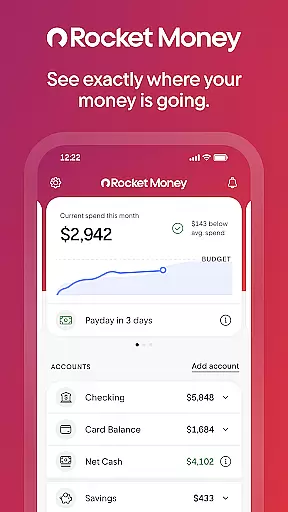
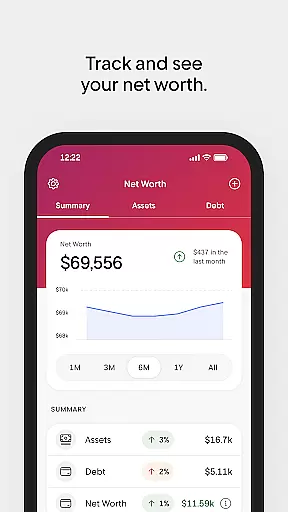
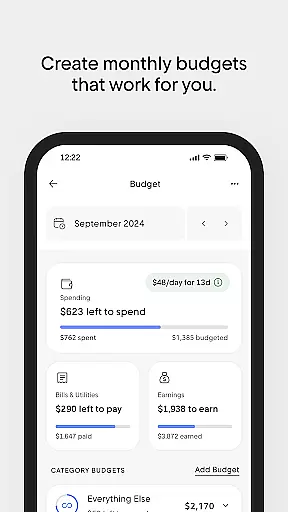
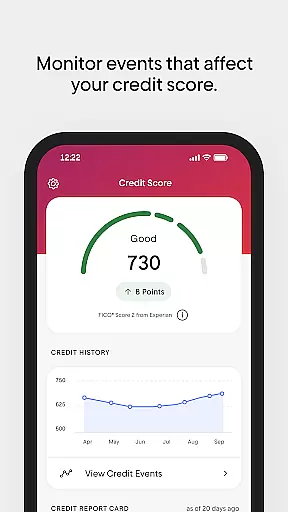
Rocket Money is a comprehensive personal finance application designed to help users take control of their financial lives. With over 5 million members, this app offers tools for subscription management, bill negotiation, expense tracking, budgeting, automated savings, net worth monitoring, and credit score tracking. Rocket Money stands out with its all-in-one approach, consolidating various financial management tasks into a single platform.
The app's key strength lies in its ability to simplify complex financial tasks. Users can easily cancel forgotten subscriptions, lower bills through professional negotiation, and set up personalized budgets that work for their lifestyle. The automated savings feature allows users to effortlessly grow their savings, while the net worth tracking provides a clear picture of their overall financial health. These features are secured with bank-level security protocols, ensuring user data remains protected.
Whether you're looking to save more, spend less, or simply gain better visibility into your financial situation, Rocket Money provides practical solutions. Its intuitive interface and powerful features make it particularly useful for individuals seeking to streamline their financial management and achieve better control over their money.
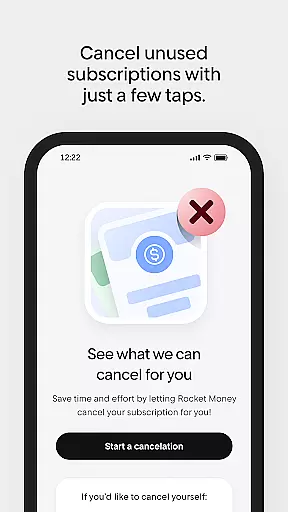
Rocket Money distinguishes itself through its diverse range of innovative features tailored to modern financial management needs. One of its standout capabilities is the subscription management tool, which automatically detects and helps users cancel unnecessary subscriptions directly from the app interface. This feature alone can save users hundreds of dollars annually by eliminating forgotten recurring charges.
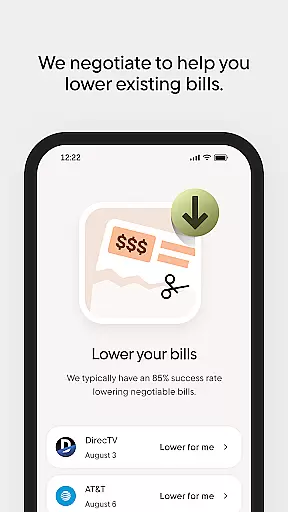
The app's bill negotiation service represents another significant advantage. Rocket Money's concierge team actively identifies opportunities to lower users' existing bills and negotiates with service providers on their behalf. This hands-on approach ensures users consistently receive the best possible rates for their essential services. Additionally, the app's advanced budgeting system enables users to create customized spending plans that automatically categorize expenses and monitor progress toward financial goals.
Other notable features include the automated savings system, which simplifies wealth accumulation through customizable saving schedules, and the comprehensive net worth tracker that consolidates assets, debts, and investments into a single view. The credit score monitoring feature provides regular updates and insights into users' credit profiles, helping them maintain optimal financial health. All these features are delivered through a secure platform that meets stringent banking industry standards.
Account and fund security is a critical aspect of any financial application, ensuring that users' personal and financial information remains protected. Rocket Money employs bank-level security measures to safeguard your data, providing peace of mind while managing subscriptions, bills, and savings within the app.
The app's robust privacy protocols include advanced encryption and secure authentication processes, which prevent unauthorized access and keep your financial activities confidential. By linking all your accounts in one place, Rocket Money simplifies your financial management without compromising on security.
Users benefit from continuous monitoring features that help detect and alert them to any unusual account activities. This proactive approach to security empowers you to take immediate action if needed, further protecting your funds and personal information from potential threats.
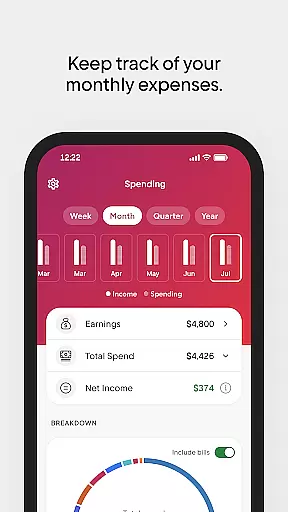
A seamless transaction experience is essential for maintaining user engagement and trust in a finance app. Rocket Money offers an intuitive interface that allows users to effortlessly manage subscriptions, track expenses, and set up budgets that align with their financial goals.
The app provides real-time notifications for every transaction, keeping you informed about your spending habits and helping avoid overdrafts. With just a few taps, you can cancel unwanted subscriptions or negotiate better rates on existing bills directly through the app.
By automating savings and offering tools to grow net worth, Rocket Money ensures that each financial interaction is not only efficient but also contributes positively towards long-term financial health. This comprehensive approach enhances the overall transaction experience, making it easier than ever to stay in control of your finances.
User-friendly interface
Comprehensive financial tools
Effective bill negotiation
Automated savings system
Bank-level security
Premium features require subscription
Limited international support
Occasional syncing issues
Basic features may overwhelm beginners
Some services have additional fees

Expenses, Bills, Budget and Accounts - All seamlessly integrated in one app!
 3.80
3.80
The DailyPay app lets you access earned wages before your next payday.
4.70
Debt pay off. Build credit history. AI budget tool. Loan offers.
4.60
Your insurance, anytime, anywhere
4.00
Easy budgeting planning on a calendar!
4.80
Keep track of your subscriptions with no limitations
4.80
Amazing Financial Calculator. Based on HP 10bII, but easier to use!
4.40
SuperQi, Your all-in-one Super App.
1.30
Send money and bitcoin easily. Invest, bank and do more with your money
4.70
Check EBT, SNAP, WIC balances, manage food stamps, and save money with benefits
4.80
No credit checked needed.
4.80
Wells Fargo Mobile allows you to access your investment and bank accounts.
4.80
Managing your money just got easier. Get the new Mobile app.
4.70
Manage your credit card account with the Credit One Bank mobile app.
4.70
NFC mobile payment app Use your phone as a contactless bank card
4.00
Bank better with our new app
3.80
Bitcoin gpu app helps you remote mine using your cell phone easily .
3.60
Secure Amex Account Access: View Balance, Make Payments, Redeem Rewards & more
3.60
StockTiles lets you view prices & charts of your favorite stock assets
2.30


User Reviews