
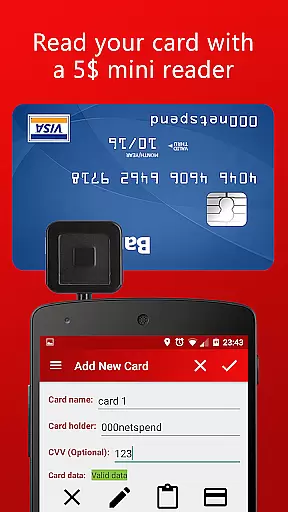
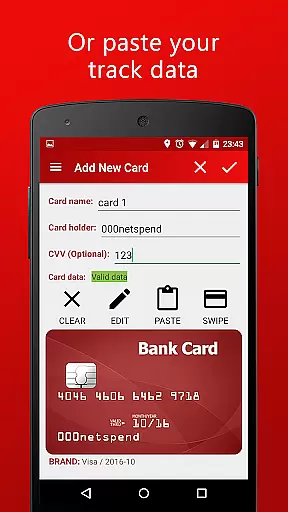
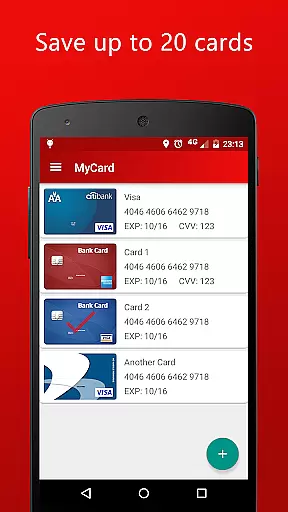
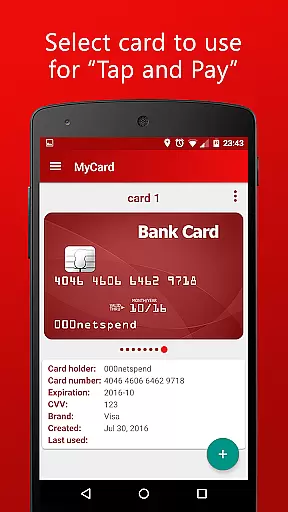
MyCard is a cutting-edge NFC mobile payment application designed to revolutionize the way you handle transactions. This app allows users to save their card track data and make payments in stores equipped with contactless card readers directly through their mobile phones. With support for up to 20 stored cards, MyCard offers both convenience and flexibility. Cards can be added either via a mini magnetic stripe reader or by manually entering the track data. The app operates offline, ensuring that your financial information remains private and is not shared with other applications. Designed for Android 4.4 or higher, this finance tool requires an NFC-enabled device, providing a seamless and secure payment experience without the need for internet connectivity.
The true value of MyCard lies in its ability to simplify the payment process while maintaining top-notch security standards. Whether you're at your local grocery store or traveling abroad, as long as your phone is unlocked and within range of a contactless reader, you can complete purchases swiftly. This makes it particularly beneficial for those who prefer carrying less physical clutter but still want immediate access to multiple payment methods. By transforming your smartphone into a digital wallet, MyCard ensures that all your essential cards are always at your fingertips, ready for use whenever needed.
One of the standout features of MyCard is its compatibility with various methods of adding card information. Users have the option to utilize a mini magnetic stripe reader connected to their phone or manually input the track data if they already possess it. This dual approach caters to different user preferences and situations, enhancing overall usability. Additionally, the app supports storing up to 20 individual cards, allowing users to manage multiple accounts efficiently. Each card entry includes detailed information such as cardholder name, expiration date, and last four digits of the card number, making identification straightforward.
Security is paramount in any financial application, and MyCard excels in this area by operating entirely offline. There's no internet access required, which significantly reduces the risk of data breaches or unauthorized access. Furthermore, the app does not share information with other installed applications, ensuring that sensitive financial details remain isolated and protected. To use the mobile payment feature, devices must meet specific requirements: Android version 4.4 or higher and NFC capability. These technical specifications guarantee optimal performance and reliability during transactions. Overall, MyCard combines ease of use with robust security measures, setting a new standard for mobile payment solutions.
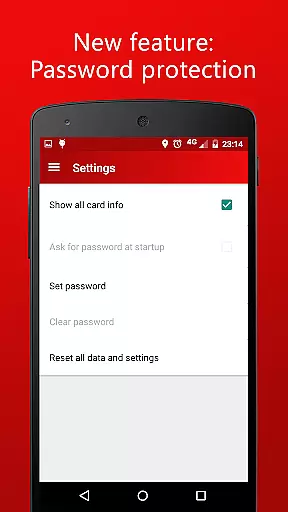
Account and fund security is paramount in any financial application, especially one that deals with payments. MyCard ensures the safety of your financial data by not requiring internet access, which minimizes the risk of online breaches.
The app stores track2 magnetic stripe data securely on your device, ensuring that sensitive card information remains solely on the user's phone. With no sharing of information with other apps, users can be confident that their payment details are isolated from potential threats present in other applications.
Furthermore, the necessity for the device to be unlocked during transactions adds an additional layer of security, confirming that only the rightful owner can initiate a payment. This approach to security provides peace of mind for users who want to make contactless payments using their mobile phones.
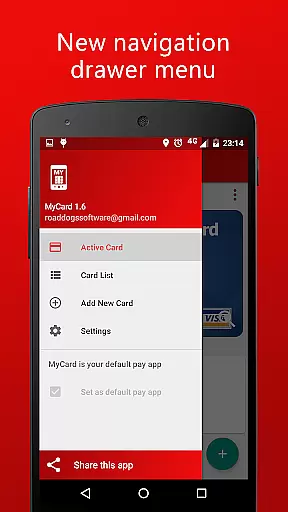
A seamless transaction experience is crucial for any payment app, and MyCard delivers this through its intuitive NFC mobile payment functionality. Users can store up to 20 cards and select which one to use, offering convenience and flexibility right at their fingertips.
Adding cards is straightforward, either through a mini magnetic stripe reader or by manually entering track data. This ease of adding cards streamlines the setup process, allowing users to quickly start making purchases with their phones.
Moreover, the requirement of Android 4.4 or higher and NFC compatibility ensures that transactions are not only swift but also reliable. The combination of modern technology and user-friendly features makes every transaction with MyCard a smooth and efficient experience.
User-friendly interface
Offline functionality
Secure transactions
Multiple card storage
Flexible card addition
Limited OS compatibility
No cloud backup
Requires external reader
Device unlock needed
NFC dependency

Expenses, Bills, Budget and Accounts - All seamlessly integrated in one app!
 3.80
3.80
Currency Converter, Exchange Rates, Widgets
4.90
Currency Converter supports all currencies of the world.
5.00
Manage your Discover account conveniently from anywhere.
4.80
PayMe helps you claim money from settlements on companies that harmed you.
4.80
Manage and cancel subscriptions, lower bills, track expenses, create budgets.
4.60
“Money Manager” is an optimized application for personal asset management.
4.70
Read and extract public data on NFC Contactless banking card (VISA, MasterCard
4.30
Amazing Financial Calculator. Based on HP 10bII, but easier to use!
4.40
Simple & secure international money transfers - for personal & business needs.
4.80
Secure, simple money transfer app. Send money to Mexico and worldwide fast.
4.80
Pay rent on your schedule.
4.70
Early payday cash advance up to $150 a day with a max of $1,000 per pay period
4.70
Managing your money just got easier. Get the new Mobile app.
4.70
No credit check, no interest, no worries.
4.70
Early payday & cash advances with no-fee mobile banking!
4.60
Access State Farm accounts, policies, ID cards and more
4.60
Our Chase Mobile App makes it easy for you to bank on the go 24/7.
4.60
All your crypto & stocks in one secure and trusted app.
4.40


User Reviews