
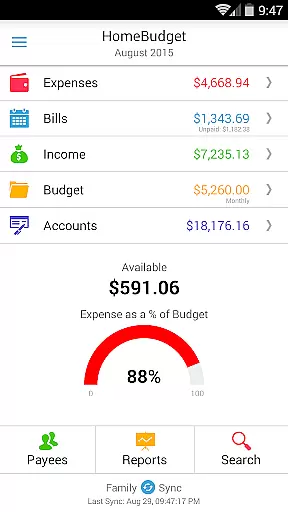
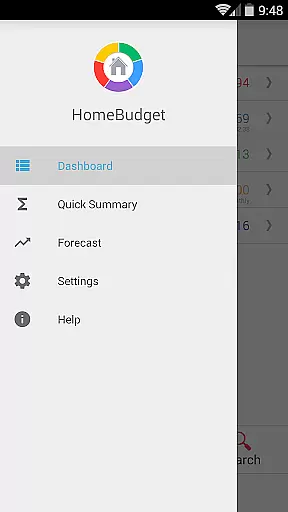
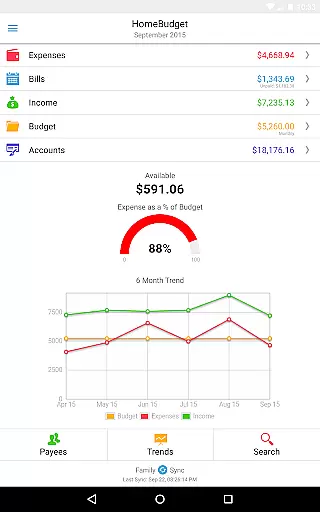
Home Budget with Sync is a comprehensive financial management application designed to help users track expenses, income, bills, and account balances across multiple platforms. Available on Android, iPhone/iPad, Windows, and Mac OS, this app offers instant data synchronization between devices, ensuring that your financial information is always up-to-date regardless of the device you use. The app stands out with its integrated feature set, allowing seamless transitions from bill payments to expense tracking and account balance adjustments.
One of the key features of Home Budget with Sync is Family Sync, which allows multiple devices within a household to exchange financial information automatically over the air. This ensures that all family members are working within the same budget and have access to the latest financial data. Whether you're managing personal finances or coordinating with family members, Home Budget with Sync provides the tools necessary for effective financial planning and analysis.
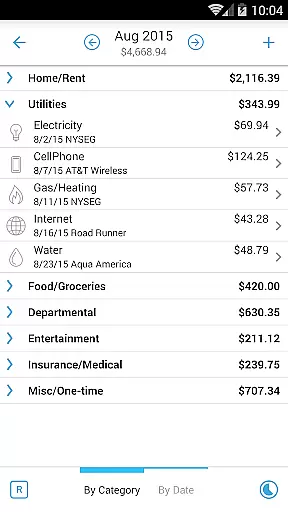
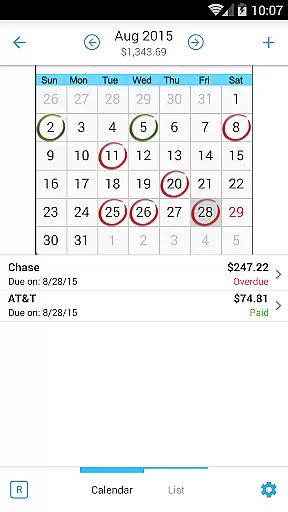
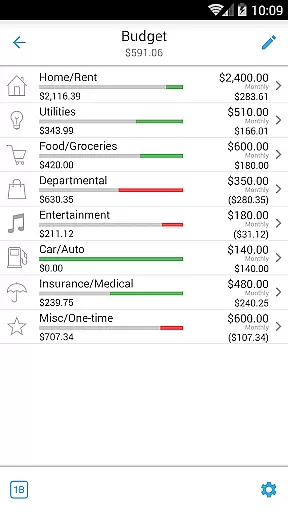
Home Budget with Sync offers an extensive range of features tailored to simplify and enhance personal financial management. Users can create, edit, and delete expenses, income, and recurring bills, with the ability to associate these entries with specific accounts and payees. The app supports detailed tracking through categorized expenses, budget setting, and visual analysis via charts and graphs. Additionally, it includes advanced functionalities such as attaching receipt images, searching past entries, and setting bill reminders.
The app's Family Sync feature enables automatic synchronization among multiple devices in a household, promoting collaborative financial management. With support for various account types including checking, savings, credit, and debit, users can accurately track their financial transactions and balances. Furthermore, Home Budget with Sync provides robust reporting tools, exporting options, and security measures like password protection and data backup, making it an indispensable tool for anyone looking to gain better control over their finances.
Account and Fund Security is a critical aspect of any financial management application. Home Budget with Sync ensures the protection of user data through advanced security measures. The app provides password protection, allowing only authorized access to sensitive financial information.
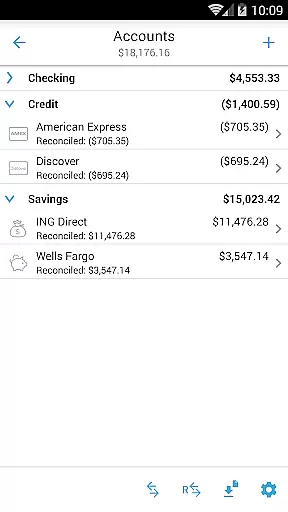
The application supports various account types including Checking, Savings, Credit, Debit, and Cash. Each transaction made through the app automatically adjusts the account balance, ensuring accurate tracking of funds. This real-time balance update helps users maintain a clear overview of their financial status.
Additionally, Home Budget with Sync offers backup and restore functionality for complete application data, including all receipts. This feature guarantees that users will not lose their financial records even if they switch devices or experience technical issues.
By combining these security features with seamless synchronization across multiple devices, Home Budget with Sync delivers a secure and reliable platform for managing personal finances. Users can confidently track expenses, income, and bills while knowing their data is protected against unauthorized access.
A smooth transaction experience is essential for effective financial management. Home Budget with Sync excels in this area by providing an integrated set of features that streamline expense and income tracking. Users can create, edit, and delete expenses, income, and recurring transactions effortlessly.
The app allows users to associate accounts and payees with transactions, offering a comprehensive view of their financial activities. With the ability to attach photo images of receipts and search expense entries, users can easily manage and verify their transactions. The inclusion of a large numeric keypad with automatic decimal point placement enhances the ease of data entry.
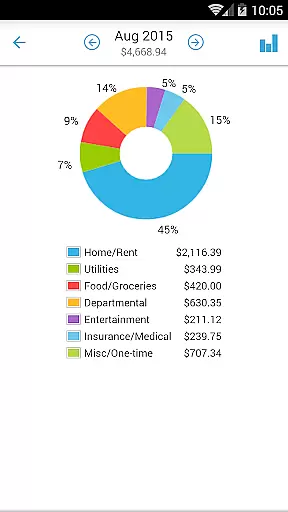
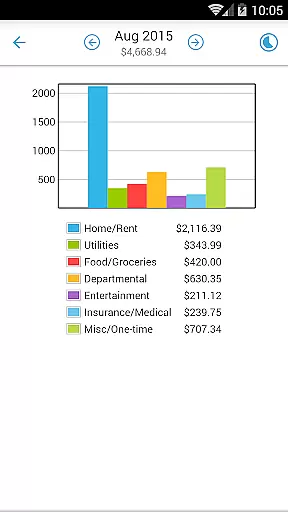
Home Budget with Sync also supports budgeting and analysis of expenses and income through charts and graphs. These visual tools help users understand their spending patterns and make informed financial decisions. The trend chart for the last six months and pie/bar charts for expense breakdown provide valuable insights into personal finance management.
Furthermore, the Family Sync feature enables automatic synchronization of multiple devices within a household. This ensures that all family members have access to the same financial data, promoting collaborative budgeting and financial planning. Overall, Home Budget with Sync delivers a seamless and informative transaction experience.
User-friendly interface
Comprehensive budgeting tools
Real-time data sync
Family financial collaboration
Detailed financial reports
Separate purchase per platform
No free full version
Limited cross-platform sync
Occasional sync issues
Advanced features require learning

Currency Converter, Exchange Rates, Widgets
 4.90
4.90
Download the MySynchrony App to manage your accounts securely and conveniently!
4.60
Earn cash & save money daily. Access instant cash advances* - no credit check!
4.50
Payday cash advance & Instant cash advance: Borrow money instantly, Get cash now
4.60
Easily invest, save, and plan—all in one app.
4.60
No credit checked needed.
4.80
Loan Calculator, Mortgage Calculator, Compound Interest Calculator
4.70
StockTiles lets you view prices & charts of your favorite stock assets
2.30
Manage budget, save money, or file tax. Build, track & improve your credit score
4.40
Wells Fargo Mobile allows you to access your investment and bank accounts.
4.80
Navigate your unique financial path confidently with help from Credit Karma.
4.70
Play for fun, earn for real. Collect rent by owning virtual land & get cashback
4.60
Get a cash advance instantly. File taxes & cover unexpected bills in minutes.
4.60
Manage and cancel subscriptions, lower bills, track expenses, create budgets.
4.60
The simplest way to budget, bank, save and invest.
4.50
All your crypto & stocks in one secure and trusted app.
4.40
Put crypto to work & earn rewards. Stake crypto like Ethereum, Solana & Cardano
4.40
Change the way you money with Credit Genie
4.30
Registration of your debts and Mdionatk and assembled, as well as a significant reports
4.30


User Reviews