
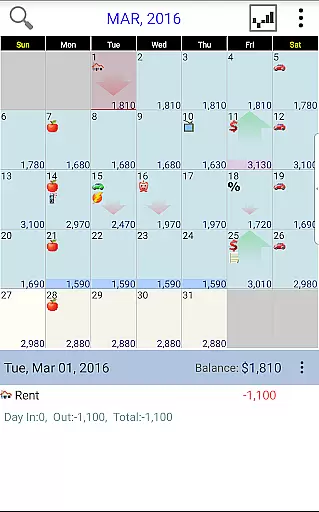
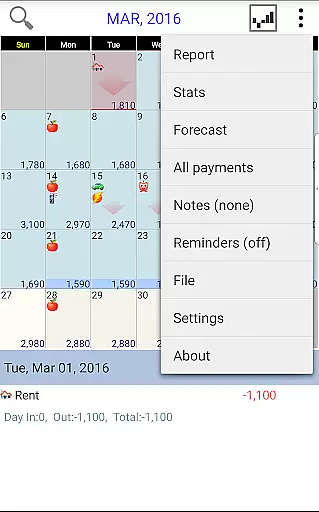
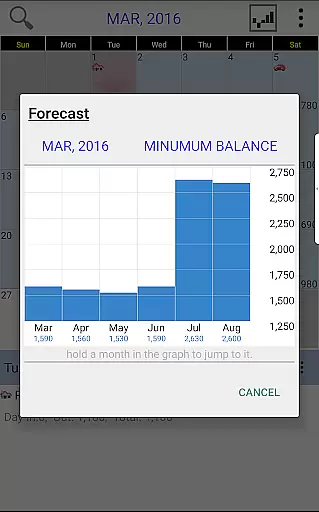
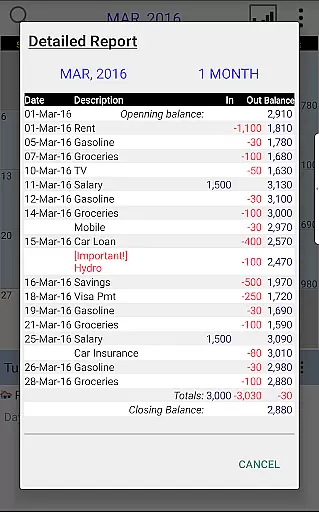
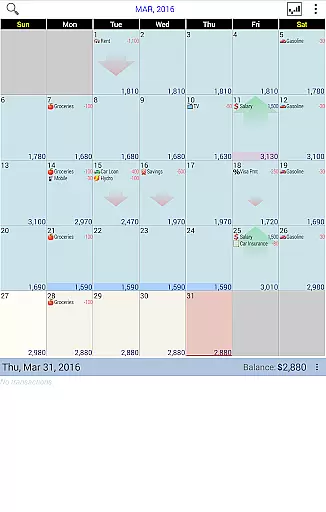
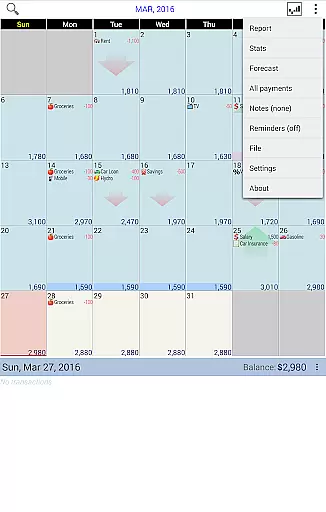
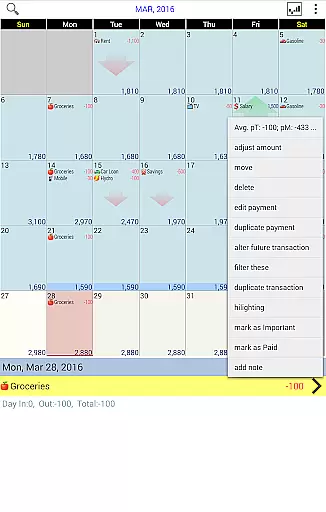
Budget Calendar is a comprehensive financial planning tool designed to simplify budget management through its intuitive calendar-based interface. Unlike traditional ledger systems, this application visually represents all transactions on a calendar, allowing users to easily track and adjust their payments. Each transaction can be customized with unique icons for quick identification, and entries can be moved between dates to accommodate changing needs. The app provides clear statistics and reports across multiple months, enabling users to maintain an accurate budget balance that reflects their actual financial situation.
One of the standout features of Budget Calendar is its cross-platform compatibility. The smartphone version uses a file format that's fully compatible with desktop versions (available as a separate purchase), ensuring seamless synchronization of data across all devices. Users can leverage Google Drive for real-time syncing between smartphones, tablets, and PCs, creating a unified financial management experience. Whether you're planning monthly expenses or preparing for future expenditures, Budget Calendar offers the tools needed to stay financially organized and in control.
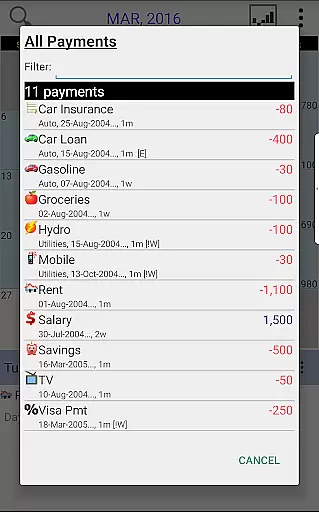
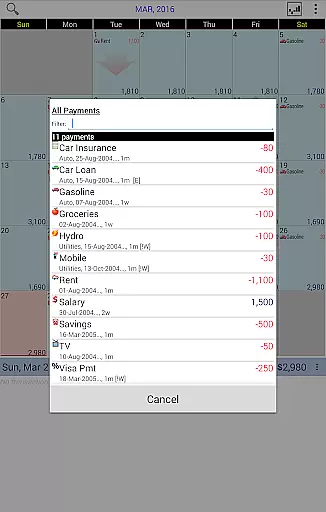
Budget Calendar distinguishes itself through several innovative features that enhance the budgeting experience. The application's core functionality revolves around its visual calendar system, which replaces complex ledgers with an easy-to-navigate interface. This system allows users to view upcoming payments, track past transactions, and adjust their budget with simple drag-and-drop operations. The customizable icon system for each transaction entry helps users quickly identify different types of expenses and income sources at a glance.
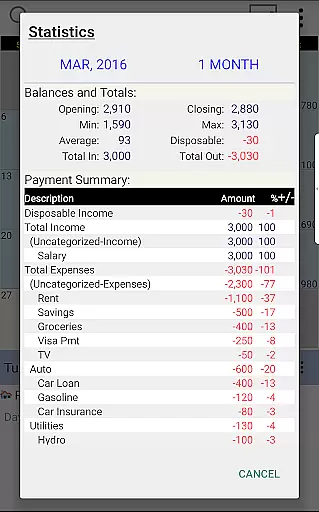
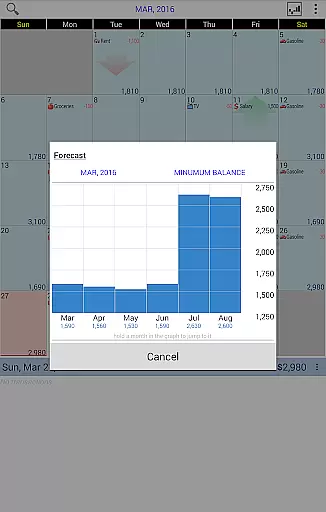
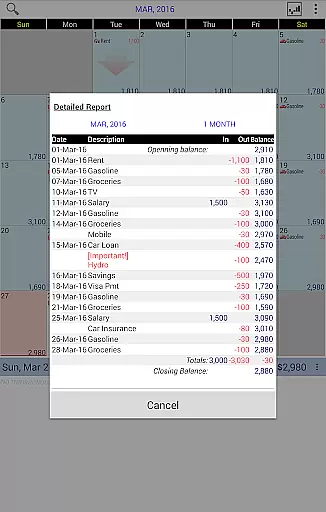
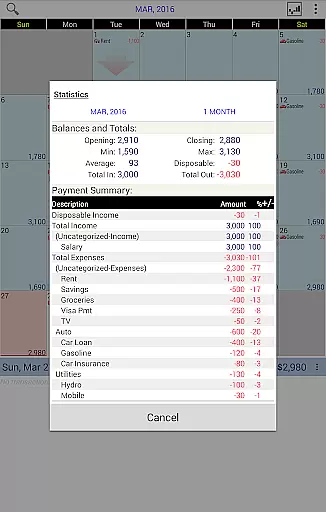
Advanced reporting capabilities are another key feature of Budget Calendar. The application generates detailed statistical reports that cover single or multiple months, providing valuable insights into spending patterns and financial trends. Users can experiment with different budget scenarios using the TRIAL desktop version before committing to the full purchase. Additionally, the app's robust synchronization features, powered by Google Drive integration, ensure that financial data remains consistent across all devices, from smartphones to desktop computers. This comprehensive feature set makes Budget Calendar a versatile tool for both casual budgeters and serious financial planners.
Budget Calendar ensures robust account and fund security through its secure syncing feature with Google Drive. This allows users to safely back up and access their financial data across multiple devices without compromising personal information.
The application employs industry-standard encryption protocols when transferring data between devices and PCs, ensuring that sensitive budgeting and transaction details remain protected from unauthorized access.
Additionally, the unique icon system for each payment entry not only enhances user experience but also adds a layer of obfuscation against automated data scraping attempts, making it harder for malicious actors to interpret transaction details.
Users can confidently adjust their budget balance and plan future expenditures knowing that their financial information is safeguarded against common digital threats.
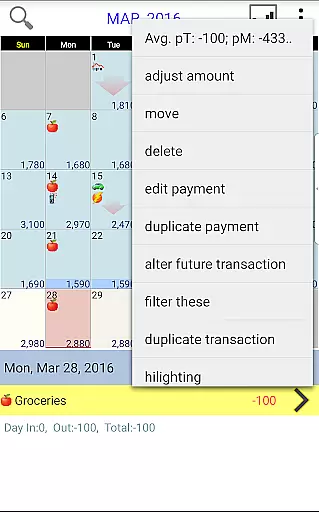
Budget Calendar revolutionizes the transaction experience by presenting all financial activities on an intuitive calendar interface, as opposed to traditional ledger systems. This visual approach enables users to easily track and manage payments with remarkable clarity.
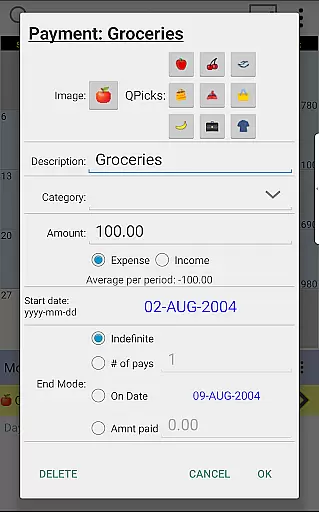
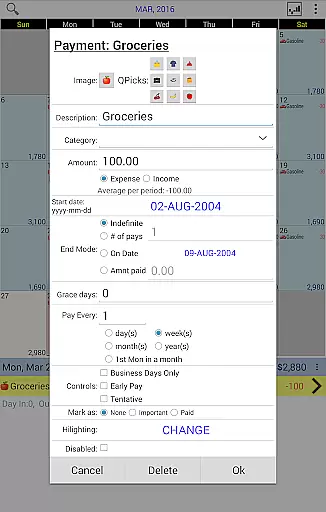
Each transaction can be customized with unique icons, providing quick visual cues about the nature of each payment. The ability to effortlessly move transactions between dates offers unparalleled flexibility in managing cash flows according to changing needs.
The application's comprehensive statistics and reporting features give users clear insights into their spending patterns across single or multiple months, facilitating better financial decision-making.
Furthermore, the seamless compatibility between smartphone and desktop versions (available through separate purchase) ensures a consistent and enhanced transaction management experience across all devices.
User-friendly calendar interface
Customizable transaction icons
Cross-platform compatibility
Google Drive sync support
Detailed financial reports
Desktop version costs extra
Limited free trial period
No automatic transaction import
Manual data entry required
Basic mobile features only

Currency Converter, Exchange Rates, Widgets
 4.90
4.90
Debt pay off. Build credit history. AI budget tool. Loan offers.
4.60
Early payday & cash advances with no-fee mobile banking!
4.60
Manage and cancel subscriptions, lower bills, track expenses, create budgets.
4.60
Change the way you money with Credit Genie
4.30
Get up to 500, get paid early, earn interest and find work with no hidden fees.
4.40
Banking, Budgeting & Investing
4.60
Currency Converter (200+ currencies) with live exchange rates and offline mode.
4.70
StockTiles lets you view prices & charts of your favorite stock assets
2.30
Currency Converter supports all currencies of the world.
5.00
Manage your Discover account conveniently from anywhere.
4.80
PayMe helps you claim money from settlements on companies that harmed you.
4.80
Wells Fargo Mobile allows you to access your investment and bank accounts.
4.80
“Money Manager” is an optimized application for personal asset management.
4.70
Loan Calculator, Mortgage Calculator, Compound Interest Calculator
4.70
Download the MySynchrony App to manage your accounts securely and conveniently!
4.60
Make Real Cash by Playing Games! Fetch Playful Rewards, Win & Triumph
4.50
Earn money as a tester with Testerup, get cash testing apps and games
4.20
The PayPal app is the secure way to send and receive money, shop and pay in 4.
4.20


User Reviews