
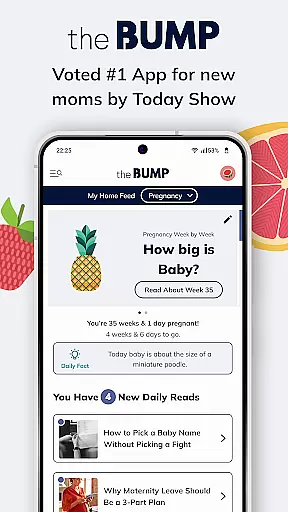
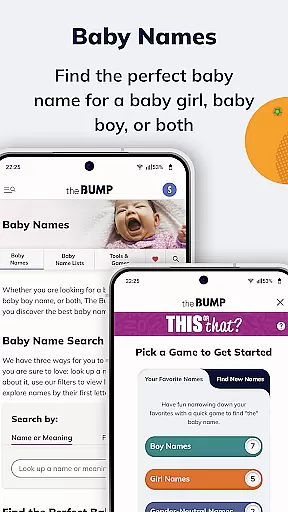
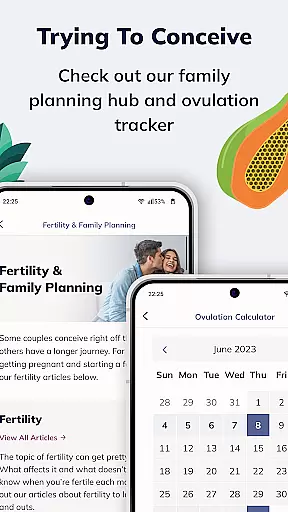
The Bump's Pregnancy App & Baby Tracker is a comprehensive tool designed for expecting and new parents, offering unique features not found in other baby apps. This app provides essential tools for conception, pregnancy, birth, and postpartum phases, including an ovulation tracker, due date calculator, and breastfeeding log.
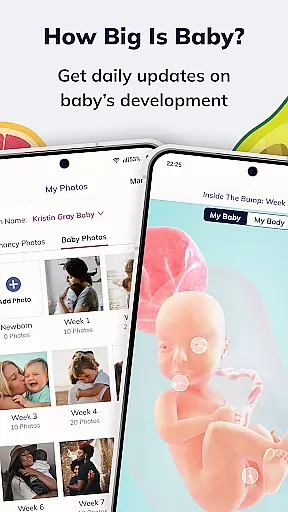
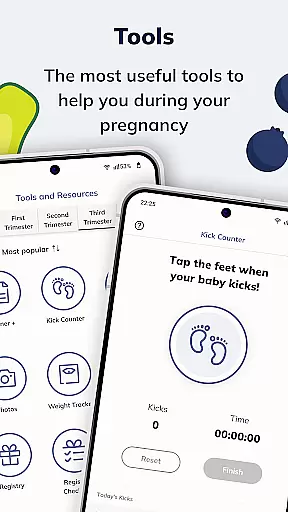
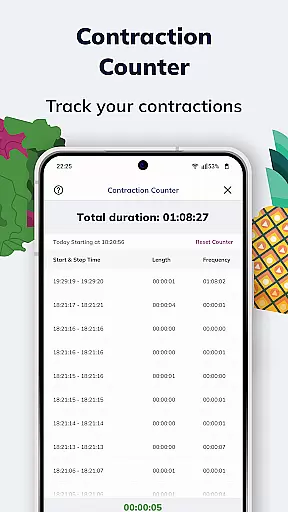
With its 3D interactive baby growth tracker, users can visualize their baby's development weekly, comparing it to produce sizes for a fun and shareable experience. The contraction timer and kick counter ensure that parents can actively monitor their pregnancy progress while staying informed about their baby's well-being.
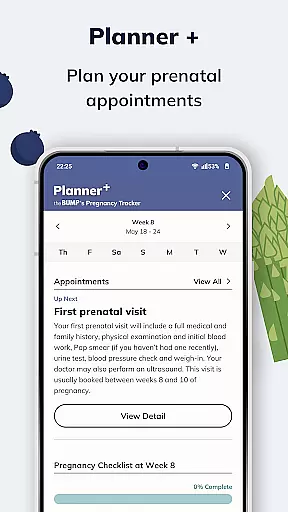
This app stands out by integrating daily advice from award-winning editorial staff, a planner for prenatal visits, and even a baby registry with top products reviewed by other parents. It's the ultimate companion for documenting your journey from pregnancy to your child's first year.
The Bump app offers a variety of distinctive features tailored to support parents through every stage of pregnancy and early parenthood. One standout feature is the 3D interactive baby growth tracker, which provides week-by-week visualizations of fetal development, making it both educational and engaging.
In addition to tracking baby's size, the app includes practical tools like the contraction timer and kick counter, ensuring that parents are well-prepared as they approach childbirth. The breastfeeding tracker simplifies logging feeding sessions, pumping amounts, and diaper changes, helping maintain organization during hectic times.
Another highlight is the daily advice section, delivering timely content relevant to each week of pregnancy. Coupled with the Planner+ feature for managing prenatal appointments and the extensive baby registry, these functionalities collectively create a robust support system for new parents navigating this significant life change.
When it comes to parenting apps, the credibility of content and expert validation are paramount for ensuring that users receive accurate and reliable information. The Bumpu2019s pregnancy app stands out in this aspect by providing a comprehensive suite of tools curated by award-winning editorial staff and experts in the field.
The app offers daily advice tailored to the specific week of pregnancy, covering topics ranging from combating morning sickness to preparing for prenatal doctor visits. This ensures that expecting parents have access to timely, relevant, and medically sound information throughout their journey.
In addition to expert-driven articles, The Bump includes features like the 3D interactive baby growth tracker and a planner for prenatal checkups. These tools not only engage users but also provide them with scientifically-backed insights into their baby's development and what to expect at each stage.
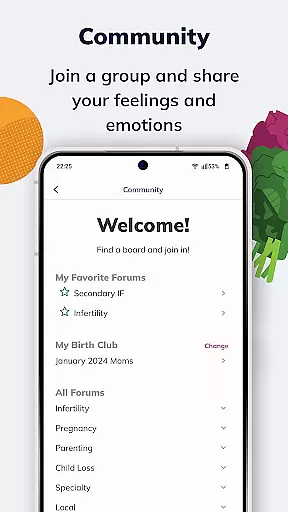
By integrating real-world experiences through product reviews and parent stories, the app further enhances its credibility. Users can trust that the advice and recommendations they receive are validated by both experts and a community of parents who have faced similar situations.
Tracking a baby's growth accurately is crucial for new parents, and The Bump excels in offering precise and engaging tools for this purpose. The app provides an interactive experience with its 3D baby growth tracker, allowing parents to visualize their baby's progress in a fun and relatable way.
This feature compares the baby's size to familiar objects like fruits, making it easier for parents to understand developmental milestones. Additionally, the app tracks fetal movements with its kick counter, giving parents peace of mind by monitoring their baby's activity levels regularly.
Beyond pregnancy, The Bump continues to support growth tracking with newborn logs for feeding and diaper changes. These tools help establish routines and ensure that parents can keep up with their infant's evolving needs effectively.
Overall, the combination of innovative visualization techniques and practical logging features makes The Bump an invaluable resource for tracking every step of a child's early growth journey with confidence and precision.
User-friendly interface
Comprehensive pregnancy tools
Daily expert advice
Interactive baby growth tracker
Extensive baby registry options
Some features may require account creation
Limited offline functionality
Premium features come at a cost
Notifications can be overwhelming
Privacy concerns with personal data

Sleep better with white noise app! Discover rain sounds, fan noise and more.
 4.70
4.70
The Baby’s Bounty App is your hub to register for our diaper banks in Nevada
3.70
Keep Your Family Safe with Pollog Family Assistants
4.10
Protect kids online safety through GPS tracking,screen time control,app blocking
4.20
Learn according to the age of your child and consult with other moms.
4.20
Live Location, Alerts & 2-Way Voice for Kids and Adults with Special Needs
4.60
Keep track of your stored breastmilk
4.40
Save money on diapers. Get the Pampers Rewards app.
3.90
FamilyAlbum helps you share, save, and remember your child's special moments.
4.80
SENSORYSOOTHE and SENSORSAFE: Making car seats smarter and families safer.
4.70
GPS tracker app: Simple GPS phone tracker for fast family location tracking
4.60
Free symptom & med tracker with expert-reviewed tips.
4.30
Fake call application designed for parents and adults to discipline their children through the children's police.
4.20
Magic chalkboard coloring and drawing!
4.20
Family parental control app: limit screen time, block apps, GPS tracker.
4.20
Limit screen time, Block Apps & Games, Monitor with Parental control app
4.20
Educational resource for parents to inspire creativity in their children.
4.00
Discover fun videos, kids songs, bedtime stories and games
3.60
AI Motion Video Maker & Ideas
4.3


User Reviews