
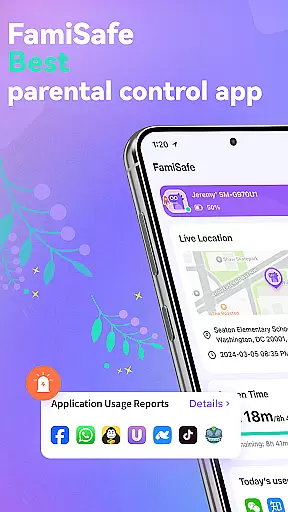
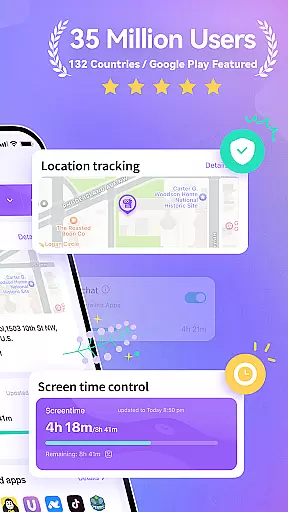

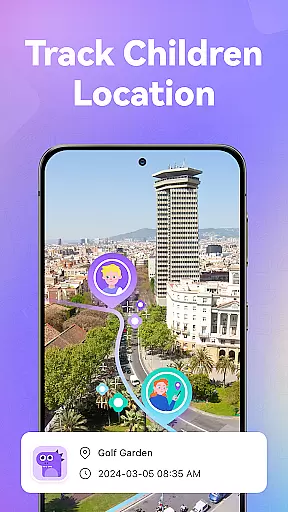
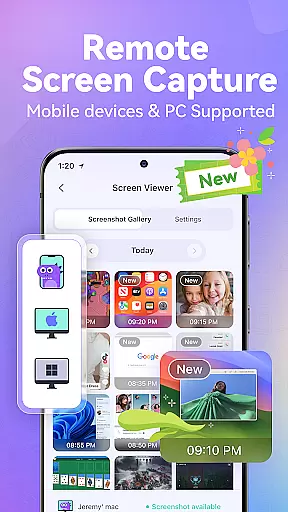
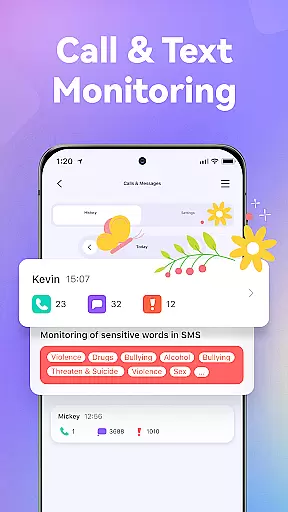
FamiSafe is a comprehensive parental control app designed to help parents ensure their children's digital safety. The application offers real-time monitoring of online activities, including app usage and website visits, while also providing detailed insights into calls and messages for potential risks. With its GPS location tracking feature, parents can easily locate their children and review historical movements.
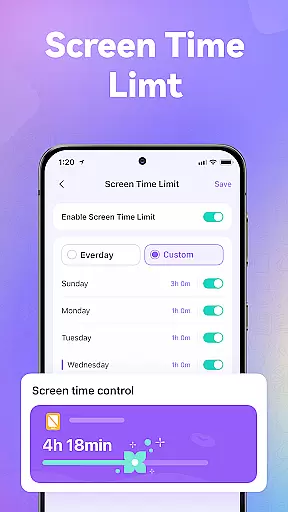
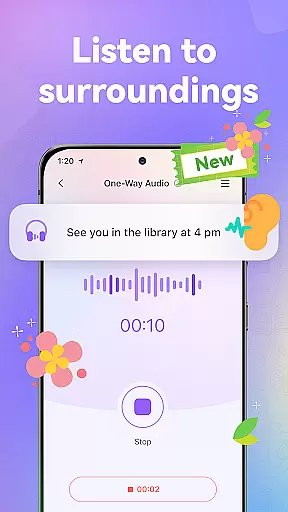
The app includes robust screen time management tools that allow customization of device usage schedules, ensuring a healthy balance between screen time and other activities. FamiSafe also features content filtering capabilities, blocking inappropriate websites and apps while promoting age-appropriate material. Additionally, innovative functions like remote screen capture and one-way audio monitoring provide extra layers of security, making it an essential tool for modern parenting.
FamiSafe stands out with its diverse range of features tailored for parental control. One key aspect is its ability to monitor online behavior comprehensively; parents can track time spent on individual apps and receive alerts about potentially harmful content on platforms like YouTube and TikTok. The call and message monitoring system uses keyword detection to flag suspicious communications, adding another level of protection against cyberbullying or predatory behavior.
Another significant feature is the precise GPS location tracking, which provides live updates and location history. This ensures parents are always informed about their child's whereabouts. Screen time controls offer flexible scheduling options, allowing different rules for weekdays versus weekends. Furthermore, the app blocker efficiently filters out adult content and addictive games, creating a safer digital environment. Advanced functionalities such as remote screen capture and ambient sound monitoring empower parents to make informed decisions regarding their child's safety.
In the realm of parenting, the credibility of content and validation by experts is paramount. FamiSafe u2013 Parental Control App stands out by offering features that are not only designed by tech experts but also align with child safety standards advocated by child psychologists and safety organizations. The app's ability to monitor online activities, screen time control, and sensitive words detection has been recognized by reputable entities, marking it as a trusted tool for parents.
FamiSafe ensures content credibility through its sophisticated monitoring systems that oversee children's digital footprints across various platforms. By detecting potentially harmful keywords and images, the app provides an additional layer of security, ensuring that children are not exposed to inappropriate content. This feature is crucial for maintaining a safe digital environment and is endorsed by family health and safety councils.
Expert validation of FamiSafe comes from its accolades and recognition in the industry. As a National Parenting Product Awards Winner and recommended product for school kids, it reassures parents of its effectiveness. These endorsements reflect the app's commitment to supporting parents in nurturing their children's digital habits responsibly.
Tracking a child's growth accurately in the digital world involves understanding their online behavior and guiding them towards healthy usage patterns. FamiSafe excels in this area by providing precise tools for parents to monitor and manage their children's digital consumption effectively. Its accurate GPS location tracker and detailed activity reports offer insights into where and how children spend their time online.
The app's growth tracking capabilities extend to managing screen time and setting appropriate limits. By allowing customization of screen time schedules, FamiSafe empowers parents to establish boundaries that promote balanced lifestyles. This functionality supports accurate tracking of a childu2019s development in terms of digital discipline and responsibility.
Furthermore, FamiSafe's panic button and one-way audio features provide mechanisms for immediate response during emergencies. Parents can receive SOS alerts and listen to their child's surroundings, ensuring timely intervention when necessary. Such features underscore the app's dedication to not just track but actively safeguard a child's growth trajectory in today's interconnected world.
Comprehensive Monitoring
Real-Time Location Tracking
Customizable Screen Time
Advanced Content Filtering
Trusted by Organizations
Paid Subscription Required
Complex Setup Process
Limited Free Features
Occasional Sync Issues
High System Requirements

Cherish every beat - capture your baby's heart sounds with our app
 4.30
4.30
3D Baby size, Fruit comparisons, Smart Checklist, Trending Names & Training.
4.90
Join over 1MM parents & professionals who've used OFW to navigate co-parenting
4.40
Pinardin - Smart Parental Control, Online Safety & GPS Tracking!
4.80
GeoLog - Real-Time Location Tracker
4.40
Speech Therapy Exercises For All!
4.40
App/Game blocker & GPS tracker
4.50
Advanced baby tracking, expert sleep help & parenting support for every stage.
4.80
The Most Trusted Co-Parenting App.
4.60
All-In-One Pregnancy Tracker, Your Baby's Milestones, Growth Stages & Parenting.
4.90
Track baby’s development & growth week by week with BabyCenter’s pregnancy app!
4.90
Daily Routine & Timer for kids, ADHD, & Autism
4.80
Track Pregnancy, Baby Feeding, Sleep, Diaper Changes, Postpartum Health & More!
4.80
Pregnancy+ App has helped 80m moms track their pregnancy with info & support!
4.80
Live Location, Alerts & 2-Way Voice for Kids and Adults with Special Needs
4.60
Keep track of your stored breastmilk
4.40
Find unique + popular baby names for your little peanut.
4.30
FamilyMode helps you manage your family’s digital lives—at home or on the go.
4.30
Happiest Baby App replaces the SNOO App (the mobile companion to SNOO & SNOObie)
3.20


User Reviews