
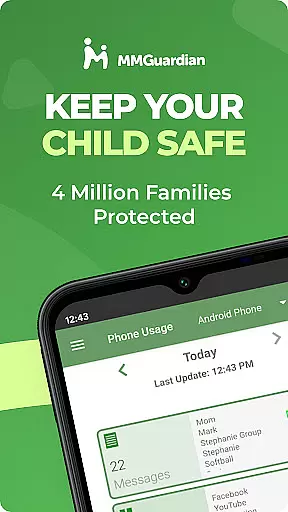
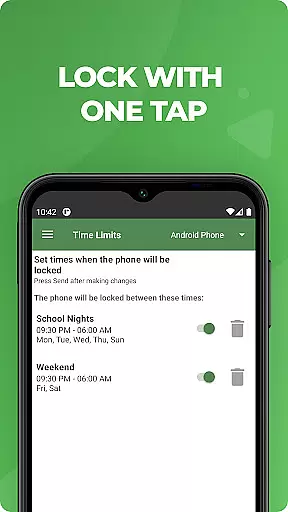
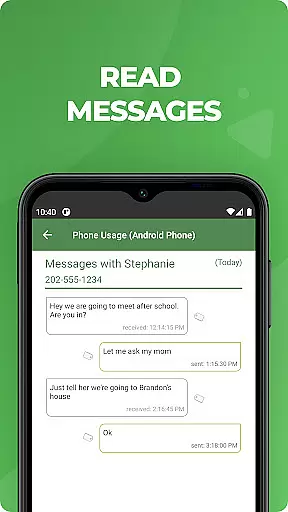
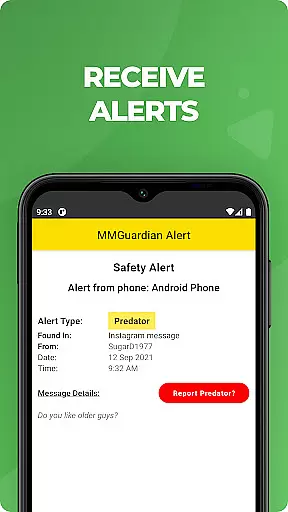
MMGuardian Parental Control is a comprehensive parental monitoring solution designed to ensure children's online safety. This app, installed on the parent's phone, works in tandem with a corresponding child app to provide real-time monitoring and control over various digital activities. Parents can remotely manage screen time, block inappropriate apps and games, filter web content, and receive safety alerts.
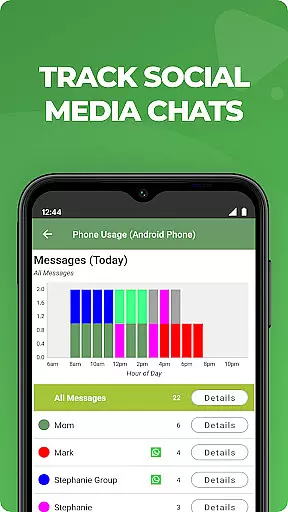
The application's key strength lies in its ability to monitor both traditional SMS messages and social media chat communications across platforms like Facebook Messenger, WhatsApp, and Snapchat. It employs advanced algorithms to detect potential dangers such as cyberbullying, sexting, or suicidal thoughts through text analysis. The app also includes GPS tracking functionality for locating children's devices and provides detailed reports on their digital activities.
This parental control solution is particularly valuable for modern families where digital device usage is prevalent among children. By combining real-time monitoring with preventive measures, MMGuardian helps parents maintain a safe digital environment while fostering open communication about responsible technology use.
MMGuardian Parental Control distinguishes itself through several advanced features that cater specifically to parental monitoring needs. The application's most notable capability is its comprehensive message monitoring system, which covers both traditional SMS texts and popular social media platforms including WhatsApp, Instagram, and TikTok. This multi-platform coverage ensures parents receive alerts about potentially dangerous conversations regardless of the communication channel used.
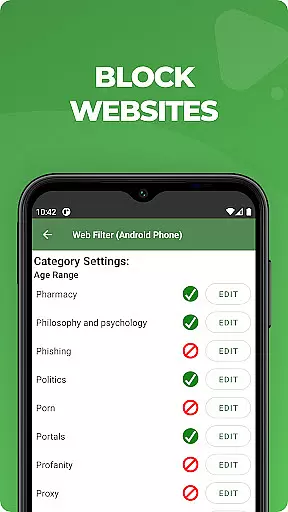
The app implements sophisticated content filtering mechanisms that automatically flag messages containing keywords related to cyberbullying, sexting, or other concerning behaviors. These filters work in conjunction with web browsing monitors that track children's online activities and generate detailed reports for parents. The implementation includes real-time alert notifications sent directly to the parent's device when suspicious activity is detected.
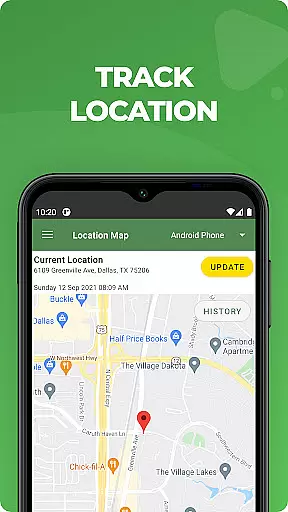
Additional technical features include remote device management capabilities such as instant phone locking/unlocking, precise GPS location tracking, and customizable screen time restrictions. The application maintains constant synchronization between the parent and child apps through secure cloud infrastructure, ensuring all monitoring data is updated in real-time while maintaining privacy compliance standards.
When it comes to parenting apps, the credibility of content and expert validation are paramount. MMGuardian Parental Control stands out by offering advanced monitoring features developed with input from child safety experts. The app's algorithms are designed to detect potential risks in text messages and social media interactions, providing parents with reliable alerts on sensitive topics.
The app employs a comprehensive filtering system that screens for keywords and phrases associated with drugs, cyberbullying, and other dangers. This feature is regularly updated based on the latest research and trends in online behavior, ensuring that the alerts parents receive are both accurate and timely. By maintaining this level of diligence, MMGuardian establishes itself as a trustworthy tool in the realm of digital parenting.
Parents using MMGuardian can rest assured that the app's monitoring capabilities are backed by a solid understanding of the challenges children face online. The developers have worked closely with psychologists and educators to fine-tune the app's detection mechanisms, making sure they align with current best practices in child protection. This collaboration ensures that the app not only identifies potential threats but also supports healthy digital habits.
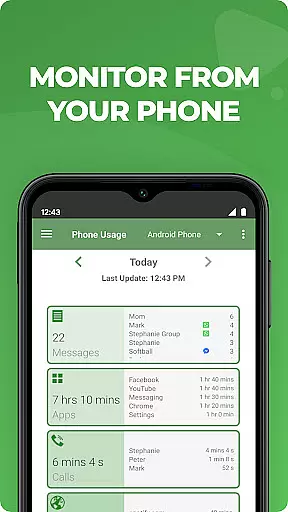
While MMGuardian Parental Control focuses primarily on safety features, its growth tracking accuracy offers valuable insights into children's digital behavior patterns. The app provides detailed reports on various aspects of device usage, including screen time duration, application preferences, and web browsing history. These metrics help parents understand their children's evolving interests and habits in the digital space.
The reporting system is designed to present data in an easily digestible format, allowing parents to track changes over time. By analyzing these patterns, caregivers can identify potential issues such as excessive use of certain applications or unusual browsing behavior. This information enables parents to have informed discussions with their children about responsible device usage.
Furthermore, MMGuardian's tracking accuracy extends to location monitoring, providing parents with precise GPS data about their child's whereabouts. The combination of behavioral analytics and location tracking creates a comprehensive picture of a child's digital and physical activities. This dual approach to monitoring helps parents maintain a balanced perspective on their children's overall development while ensuring their safety both online and offline.
Comprehensive monitoring
Real-time alerts
Multi-platform support
Detailed activity reports
Remote device management
Paid subscription required
Complex setup process
Limited iOS functionality
Privacy concerns possible
Technical issues reported

Cherish every beat - capture your baby's heart sounds with our app
 4.30
4.30
Little loved one's monitoring, Sleep tracking and Parenting content.
3.80
A Coloring for the Whole Family! Discover the Joy of Family Love Through Colors!
3.60
A simple way to track your baby’s breastfeeding, diaper changes, sleep patterns.
4.90
Protect kids online safety through GPS tracking,screen time control,app blocking
4.20
Watching baby, helping parents
4.10
Speech Therapy Exercises For All!
4.40
Monitor screen time and build healthy habits with Family Safety
3.90
FamilyAlbum helps you share, save, and remember your child's special moments.
4.80
3D Baby size, Fruit comparisons, Smart Checklist, Trending Names & Training.
4.90
Track baby’s development & growth week by week with BabyCenter’s pregnancy app!
4.90
Pregnancy+ App has helped 80m moms track their pregnancy with info & support!
4.80
Family GPS locator app — child location tracker. GPS kids tracker, family safety
4.70
Block apps, set screen time limits, and customize usage schedules
4.50
It is a screen time management tool for games and mobile applications
4.50
Reliable phone tracker by number & locate phone app. Protect your family.
4.50
Join over 1MM parents & professionals who've used OFW to navigate co-parenting
4.40
Findnumber: Real-time location tracker for ultimate family security
4.20
Screen Time, App and Web Block & Monitoring, Location Tracker
3.60


User Reviews