










Pinardin is a comprehensive parental control application designed to help parents ensure their children's safety in the digital world. The app offers real-time location tracking, digital habit monitoring, and various security features such as Live Monitoring, App Block, and Sensitive Content Detection. With Pinardin, parents can foster healthy phone usage habits while maintaining peace of mind about their child's online activities.
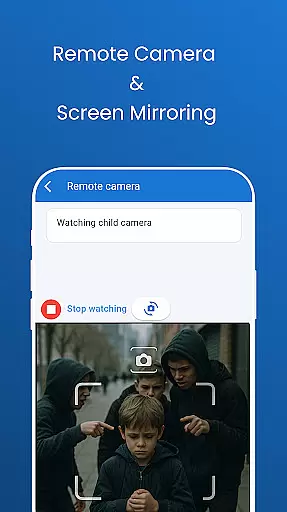
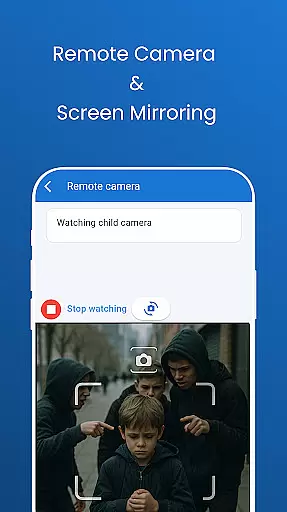
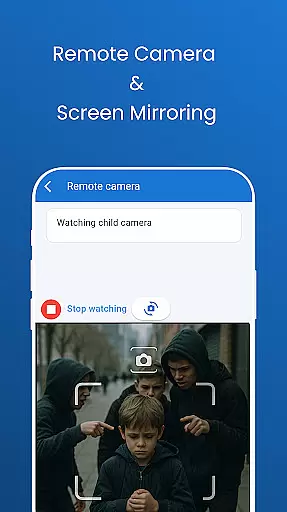
The app provides powerful tools like remote camera access and one-way audio monitoring, allowing parents to see and hear what's happening around their child in real time. It also includes automated screenshots, live location tracking with geo-fencing, and social media monitoring across platforms like TikTok, YouTube, and WhatsApp. These features work together to create a secure environment for children both online and offline.
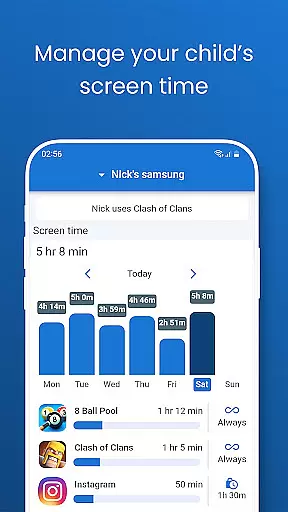
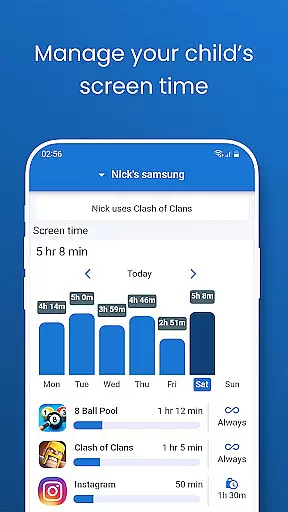
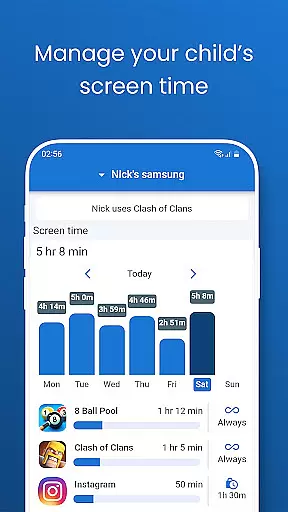
Pinardin stands out by promoting family bonds rather than secretive surveillance. It requires the child's knowledge and consent for installation, ensuring transparency and trust. By offering tools like screen time limits and bedtime mode, Pinardin helps parents guide their children toward responsible digital behavior while safeguarding their privacy according to GDPR policies.
Pinardin boasts an impressive array of features tailored for modern parenting challenges. One standout feature is its Live Monitoring capability, which includes remote camera access and one-way audio. This allows parents to instantly identify emergencies and stay connected with their child's surroundings at any time, providing unparalleled peace of mind.
In addition to live monitoring, Pinardin offers automated screenshot functionality that lets parents view their child's phone screen directly on their device. This feature helps monitor app usage, spot unsafe applications, and guide children toward healthier digital habits. The app also excels in location tracking, using high-precision GPS to provide real-time updates and customizable geo-fencing alerts.
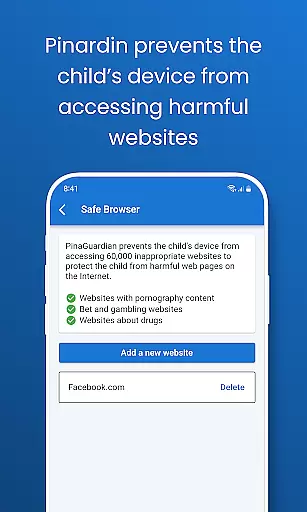
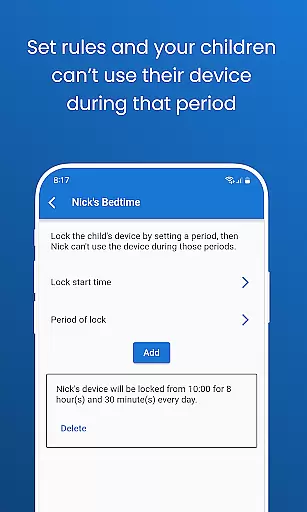
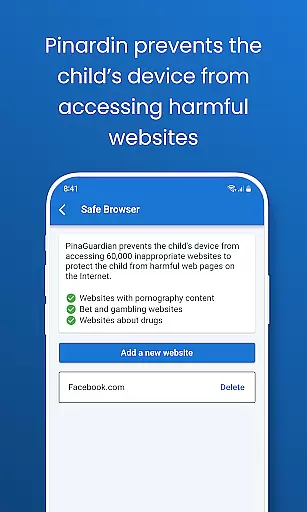
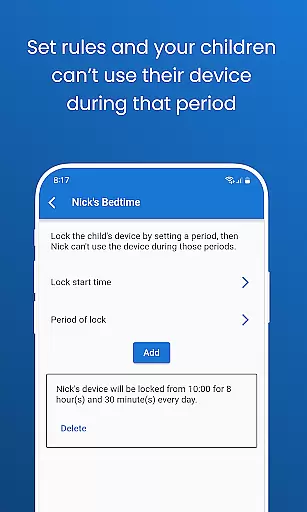
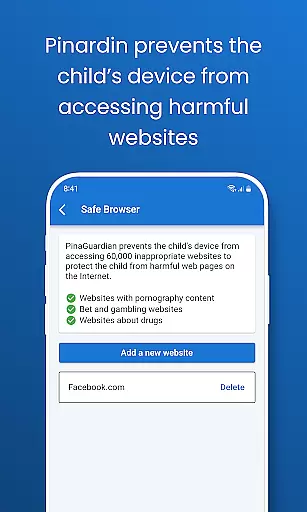
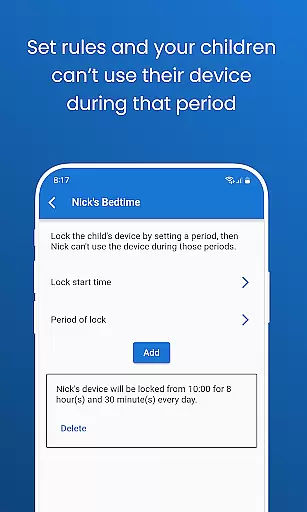
Another key aspect is its robust content monitoring system. Pinardin scans social media platforms including TikTok, Instagram, and Telegram for sensitive content while offering website blocking capabilities to filter inappropriate sites. Combined with screen time controls and bedtime mode, these features empower parents to create a balanced digital environment where children can thrive without excessive screen exposure.
Pinardin stands out in the parenting category through its commitment to content credibility and expert validation. The app provides features like social media monitoring, website blocking, and sensitive content detection, all of which are designed with the input of child safety experts.
The app's functionality is not only about tracking but also about fostering a safe digital environment for children. With tools such as Live Monitoring and App Block, parents can trust that their children's online activities are being safeguarded against harmful content and interactions.
Parents using Pinardin can be confident that the app's features have been vetted for effectiveness and safety. This ensures that the controls and monitoring options provided are reliable and beneficial for nurturing healthy digital habits among children.
By prioritizing privacy and adhering to strict data protection policies, including GDPR compliance, Pinardin reinforces its dedication to credible parenting solutions. This approach empowers parents to make informed decisions regarding their children's digital well-being.
Growth tracking accuracy is a pivotal feature of Pinardin, allowing parents to monitor their children's development in the digital world accurately. Through precise GPS location tracking and activity reporting, the app delivers detailed insights into a child's daily movements and online behaviors.
With Pinardin, parents receive real-time alerts and customizable geo-fencing capabilities, ensuring they are always aware of their child's whereabouts. These features provide peace of mind by acting as a virtual guardian that watches over children around the clock.
The app goes beyond mere location tracking by offering comprehensive digital habit monitoring. Automated screenshots and app notification syncs enable parents to guide their children towards responsible device usage without intrusive oversight.
Pinardin's growth tracking extends to promoting healthy routines with functions like Bedtime Mode and screen time limits. By setting clear boundaries for device use during rest hours or study periods, it helps maintain a balanced lifestyle for children as they grow digitally and personally.
Real-time location tracking
Comprehensive social media monitoring
Transparent privacy policy
Customizable screen time limits
Remote camera and audio access
Requires child's consent
Premium features need subscription
Limited free trial period
Dependent on internet connection
Setup process may be complex

Comprehensive Parental Control & Child Safety — Hear & Protect Your Child World
 4.30
4.30
Educational resource for parents to inspire creativity in their children.
4.00
Track Pregnancy, Baby Feeding, Sleep, Diaper Changes, Postpartum Health & More!
4.80
Parental Control including Screen time control, GPS tracking, App/Game blocker.
3.90
Play activities, milestones, expert-led classes, baby tracker, and more!
3.00
Protect kids online safety through GPS tracking,screen time control,app blocking
4.20
Fun Ideas for Parents
4.70
Lullabies, Night Light & Age-based Routines to help your baby fall asleep
4.4
Track pregnancy health and wellness with pregnant tracker from healthcare advice
4.4
All-In-One Pregnancy Tracker, Your Baby's Milestones, Growth Stages & Parenting.
4.90
Track your labor contractions
4.90
Introduce real food to baby with First Foods® Database, baby led weaning BLW
4.80
The Most Trusted Co-Parenting App.
4.60
Block apps, set screen time limits, and customize usage schedules
4.50
Find unique + popular baby names for your little peanut.
4.30
Pregnancy and baby formula tips for moms, plus Enfamil coupons & cash back
4.10
Keep Your Family Safe with Pollog Family Assistants
4.10
Affirmations | Stories | Bible
4.10
SemLog aims to raise awareness among families and their children
3.40


User Reviews