
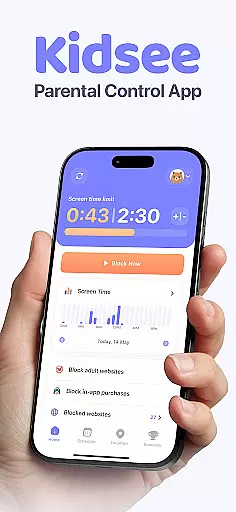
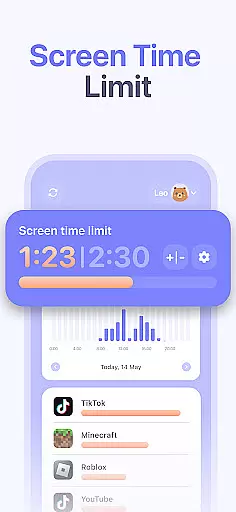
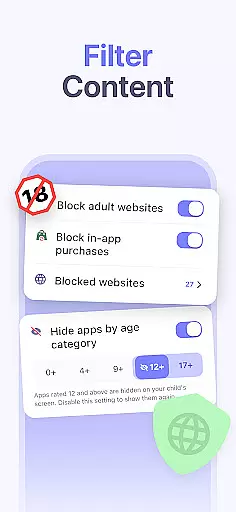
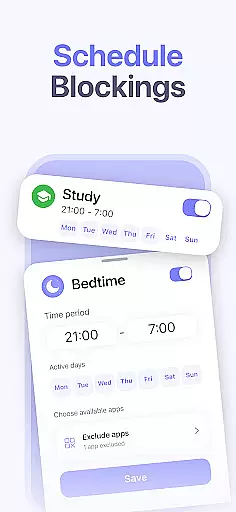
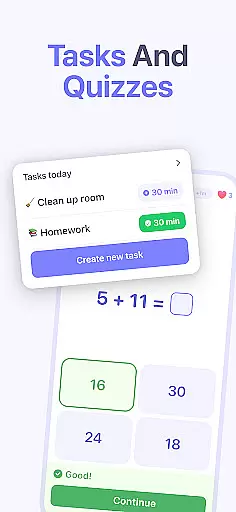
Kidsee Parental Control is a comprehensive family safety solution designed to help parents manage their children's digital habits while ensuring their safety. The app offers flexible screen time controls, allowing parents to set daily limits, block specific apps, and create custom schedules for different times of the week.
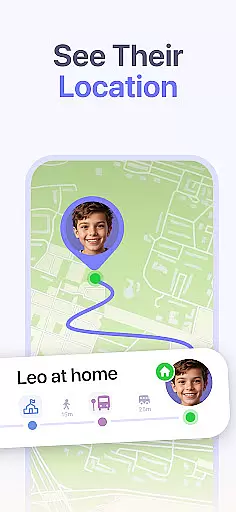
In addition to screen time management, Kidsee provides real-time GPS tracking and location history, giving parents peace of mind about their child's whereabouts. The app also helps protect children online by automatically blocking adult content and enabling parents to manually add websites to the block list. With support for multiple child devices and cross-platform compatibility, Kidsee is an all-in-one solution for modern families.
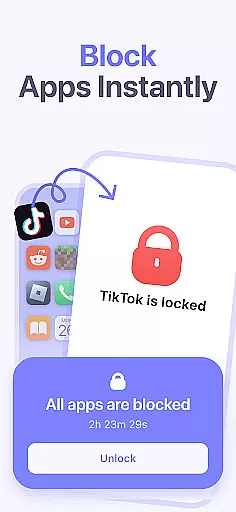
Kidsee stands out with its robust feature set tailored for parental control. The app allows instant remote locking of apps on a child's device, supports setting daily time limits for overall screen use or specific applications, and enables creating detailed schedules based on the day of the week.
The GPS tracking functionality provides real-time location updates and maintains a history of visited places. Parents can monitor phone battery levels to maintain connection reliability. Additionally, Kidsee facilitates blocking inappropriate content, in-app purchases, and unwanted websites, promoting healthier digital habits among children.
Designed for convenience, Kidsee lets parents manage up to 10 child devices from a single account, supporting both Android and iOS platforms. This versatility makes it an essential tool for families looking to guide their children's technology use responsibly.
When it comes to parenting apps, the credibility of content and expert validation are paramount. Kidsee Parental Control App ensures that all features are designed with the guidance of child psychologists and digital safety experts. This guarantees that the app not only helps in managing screen time but also promotes healthy digital habits among children.
The app provides tools for setting flexible screen time limits, blocking inappropriate content, and monitoring location, all of which are grounded in research-based recommendations. These functionalities are continuously reviewed by a panel of experts in child development and cybersecurity to ensure they meet the highest standards of safety and efficacy.
Parents can trust Kidsee to deliver accurate information and reliable controls that support their efforts in guiding their children's online behavior. The app's commitment to expert validation means that every feature is crafted to enhance family safety while respecting the privacy and autonomy of each child.
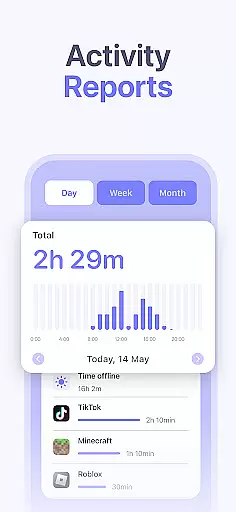
Growth tracking accuracy is essential for understanding a child's development over time. Kidsee offers precise tracking of app usage, screen time, and location history, providing parents with detailed insights into their child's digital habits. This data empowers parents to make informed decisions about their child's technology use.
The app meticulously records when and how long a child uses specific apps or visits certain locations. With this level of detail, parents can identify patterns and adjust settings to encourage healthier behaviors. For instance, if a child spends too much time on social media, parents can set specific time limits or block access during school hours.
Kidsee's growth tracking tools are designed to be both comprehensive and user-friendly. By presenting clear and actionable data, the app enables parents to foster an environment where children can thrive both online and offline. This focus on accuracy ensures that parents have the most up-to-date and relevant information at their fingertips.
Comprehensive parental controls
Real-time GPS tracking
Blocks adult content effectively
Supports multiple child devices
User-friendly interface
Requires constant internet
Premium features need subscription
Limited without AccessibilityService API
Location tracking needs permissions
Some features are Android-specific

Cherish every beat - capture your baby's heart sounds with our app
 4.30
4.30
Family GPS locator app — child location tracker. GPS kids tracker, family safety
4.70
A simple way to track your baby’s breastfeeding, diaper changes, sleep patterns.
4.90
Watching baby, helping parents
4.10
Join over 1MM parents & professionals who've used OFW to navigate co-parenting
4.40
Track your labor contractions
4.90
Track pregnancy health and wellness with pregnant tracker from healthcare advice
4.1
Speech Therapy Exercises For All!
4.40
The Most Trusted Co-Parenting App.
4.60
Introduce real food to baby with First Foods® Database, baby led weaning BLW
4.80
Live Location, Alerts & 2-Way Voice for Kids and Adults with Special Needs
4.60
With BabyCam you can monitor your baby using your mobile phone, tablet, PC or TV
4.40
Real-time family location with consent, check-ins & SOS—private by default.
4.40
FamilyMode helps you manage your family’s digital lives—at home or on the go.
4.30
Magic chalkboard coloring and drawing!
4.20
The 10 development leaps of your baby | newborn milestones & leap days tracker
4.10
Save money on diapers. Get the Pampers Rewards app.
3.90
Little loved one's monitoring, Sleep tracking and Parenting content.
3.80
A Coloring for the Whole Family! Discover the Joy of Family Love Through Colors!
3.60


User Reviews