
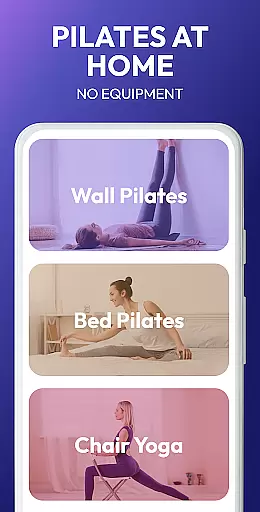
Pilates Workout at Home is a comprehensive fitness application designed specifically for women seeking an effective weight loss solution through Pilates exercises. This app focuses on core strengthening, flexibility enhancement, and overall body toning using low-impact workouts suitable for all fitness levels.
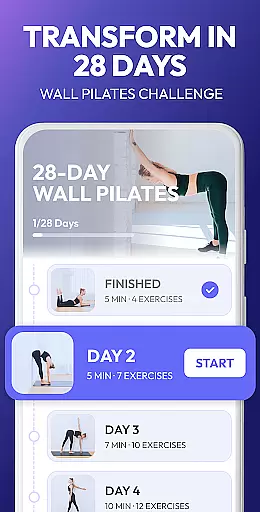
One of the standout features of this app is its use of wall Pilates, which provides support and resistance during workouts. The app offers personalized weight loss plans, targeted exercises for different muscle groups, and requires no equipment, making it convenient for home or outdoor use. With detailed video instructions and a smart progress tracker, users can ensure proper form while monitoring their fitness journey.
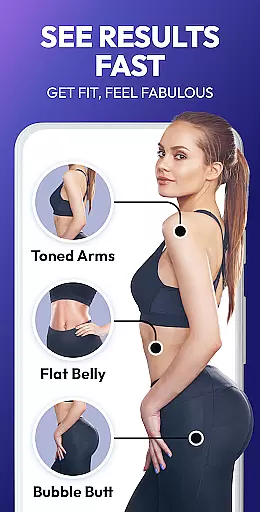
This app is particularly beneficial for women beginners who want to engage in belly workouts and full-body toning routines. By incorporating breathing exercises and promoting relaxation, Pilates Workout at Home not only helps with weight loss but also improves posture, relieves pain, and boosts energy levels.
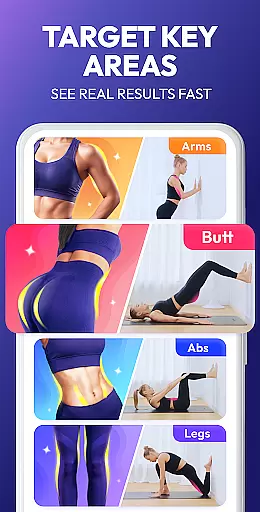
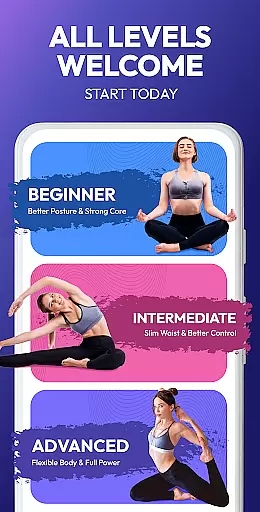
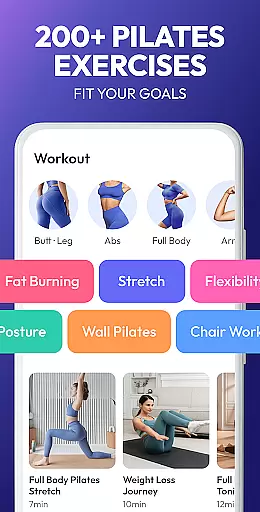
The Pilates Workout at Home app stands out due to its diverse range of features tailored to enhance user experience. It includes personalized weight loss plans designed by experts, focusing on target areas such as abs, chest, buttocks, legs, and arms. These plans cater to both beginners and experienced enthusiasts, ensuring inclusivity.
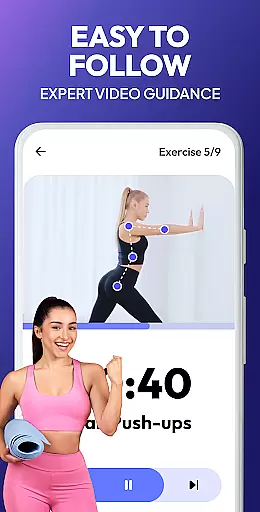
A key feature is the expert-designed workout plans that require no equipment, allowing users to practice Pilates anytime and anywhere. Detailed video instructions guide users through each exercise, ensuring correct form and technique. Additionally, the app incorporates a smart progress tracker and daily reminders to keep users motivated and consistent in their routines.
Other notable features include various workouts aimed at meeting all fitness needs, from weight loss to pain relief. The app promotes overall well-being by enhancing flexibility, improving posture, relieving pain, and boosting energy through specialized breathing exercises. This holistic approach ensures users achieve both physical and mental health benefits.
Personalized planning in fitness applications like Pilates Workout at Home represents a revolutionary approach to individual health management. This feature uses advanced algorithms to analyze user data, such as fitness level, personal goals, and past workout history, to create tailored exercise plans.
The app's personalized planning stands out by adapting dynamically to the user's progress. As users engage with the app, it continuously refines its understanding of their capabilities and adjusts the difficulty and type of exercises accordingly. This ensures that each session is optimally challenging yet achievable, promoting consistent improvement.
For users, this means an exercise regimen that evolves with their fitness journey, preventing plateaus and keeping motivation high. The app provides clear guidance on performing each exercise, ensuring safety and effectiveness. With personalized planning, users can achieve their fitness goals more efficiently, whether they aim for weight loss, muscle toning, or increased flexibility.
This level of customization not only enhances user engagement but also significantly boosts the likelihood of long-term adherence to a fitness routine. By offering a bespoke experience, Pilates Workout at Home empowers users to take control of their health with a plan that feels uniquely theirs.
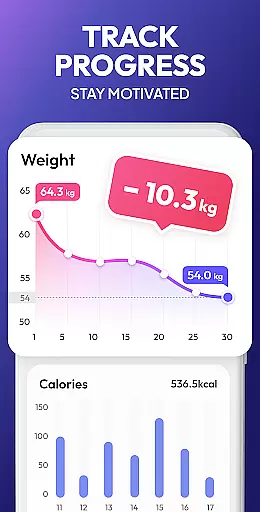
Progress visualization is a critical component in fitness apps, transforming abstract achievements into tangible milestones. In Pilates Workout at Home, this feature leverages data analytics to present users with clear, visual representations of their fitness journey, highlighting improvements in strength, flexibility, and overall health.
The app employs various visualization tools, such as graphs and charts, to depict progress over time. These visuals are not just limited to physical achievements but also encompass consistency in practice and mastery of Pilates techniques. Users can easily track how their dedication translates into measurable outcomes, fostering a sense of accomplishment.
For the user, progress visualization serves as a powerful motivator. Seeing tangible results encourages continued effort and commitment to personal fitness goals. It demystifies the path to achieving desired outcomes, making the process more transparent and rewarding. Additionally, these insights allow users to identify areas needing more focus, optimizing their workout strategy.
By integrating comprehensive progress visualization, Pilates Workout at Home not only tracks but celebrates every step forward. This approach cultivates a positive feedback loop, enhancing user satisfaction and retention. Ultimately, it transforms the solitary act of exercising into a shared journey of growth and achievement.
User-friendly interface
Personalized plans
No equipment needed
Detailed video guides
Smart progress tracking
Limited advanced options
Occasional ads
Basic free version
Internet required
Few social features

Control your sleep in real-time wearing Garmin device
 3.60
3.60
Power-lifting, weightlifting and Wendler 531 app to track your workout program.
4.90
Sync your activities of the most popular sports tracking services
2.70
Meditation app, head space app provides calm music to help you meditate & sleep
5.00
When the night comes, we prepare your eyes for deep, sweet dreams
4.70
A brain game that moves you
4.70
Make sense of your health data.
3.80
Track sleep cycle, relax with white noise, sleep sounds & smart alarm clock
3.80
Point, scan, and unlock truth in every bite.
4.50
Medbridge GO gets you moving - get back to doing what you love, faster!
4.90
Effortlessly and naturally release anxiety by harnessing the power of your brain
4.60
Personal Measurements - Track your gains!
4.50
Period Tracker, the easiest way to track your periods!
4.50
Binaural Beats - Fully Customizable Waves - Pure Sound - No Loops
4.50
50 HD sounds to help you relax during the day and sleep great at night!
4.40
Grow with self-tests and personal routine.
4.30
Monitor, analyze, track, and convert blood sugar & help you control diabetes.
4.10
Enjoy the Gluten Free living with the best app. SCAN the barcodes & SEARCH.
3.60
The Wear OS BeechBand app is designed to alleviate anxiety and other conditions
4.5


User Reviews