
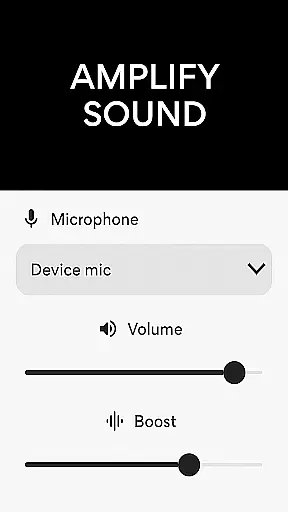
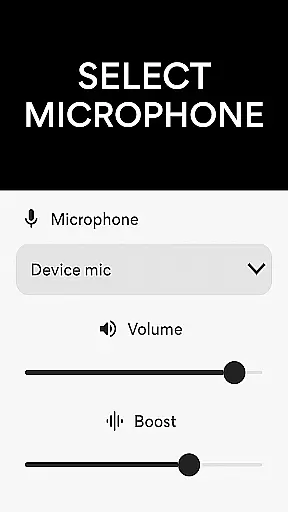
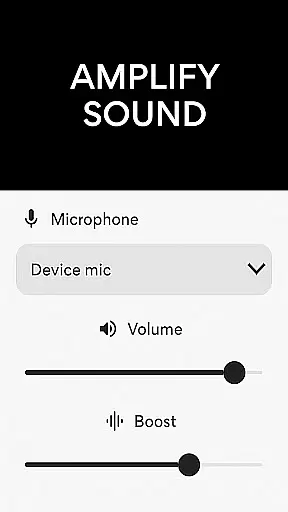
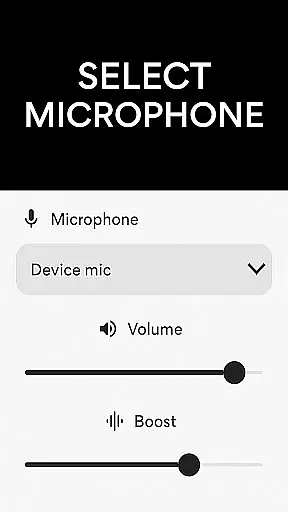
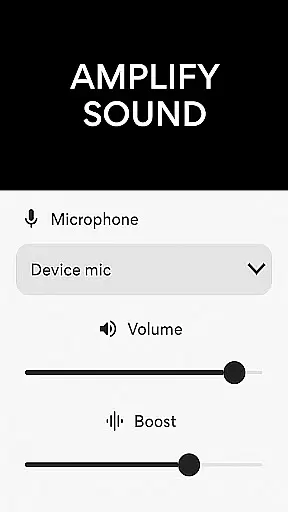
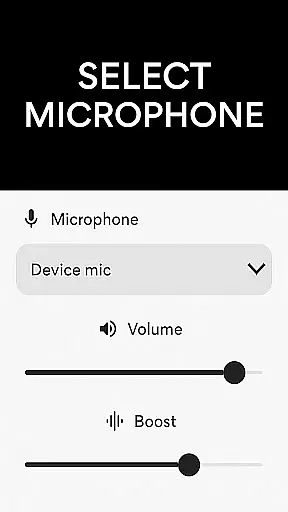
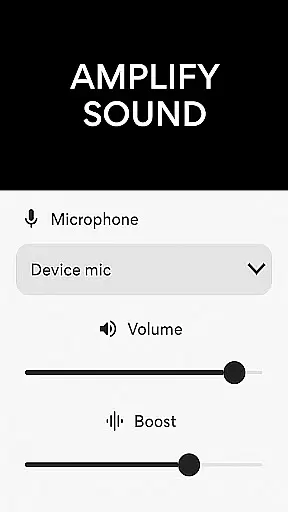
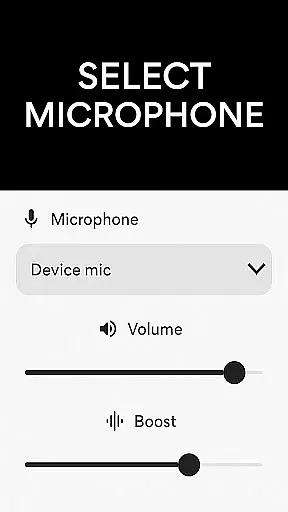
Microphone Amplifier is a specialized audio enhancement application designed for medical and hearing assistance purposes. This innovative app transforms your Android device into a powerful megaphone voice amplifier, making it an essential tool for individuals with hearing challenges. The application provides multiple microphone options including phone mic, headset mic, or Bluetooth mic, allowing users to select the most suitable audio input source.
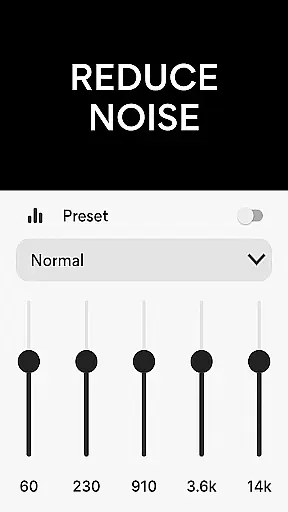
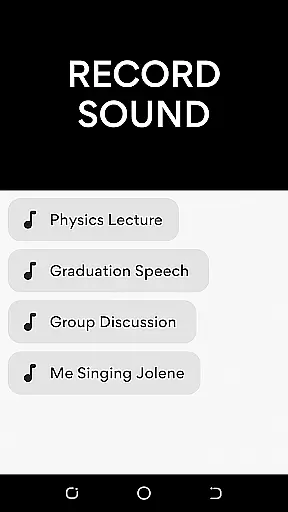
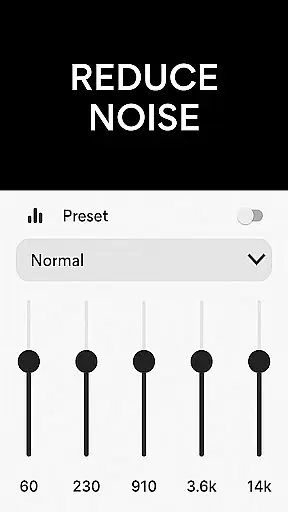
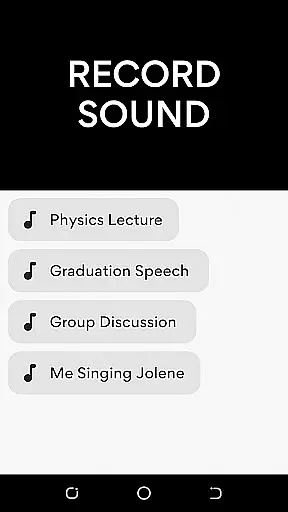
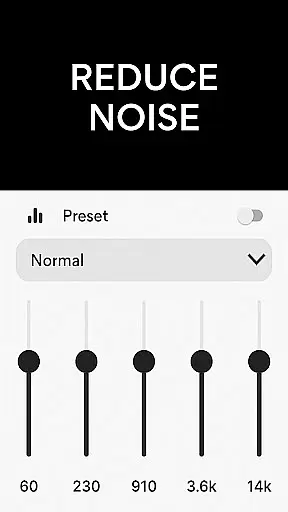
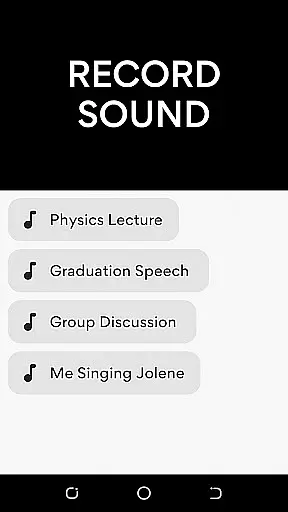
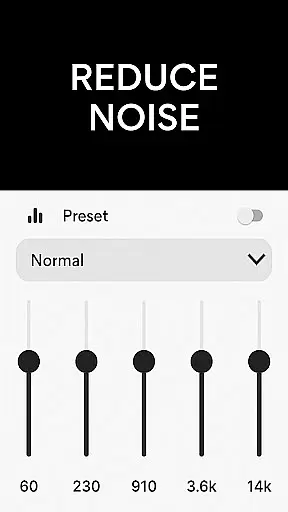
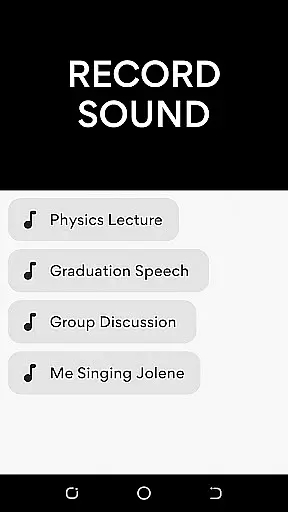
The app's core functionality lies in its advanced sound processing capabilities. It features professional-grade noise reduction and echo cancellation technologies that ensure crystal-clear sound quality. Users can customize sound frequencies according to their specific needs while enjoying amplified audio projection. The built-in MP3 recorder enables seamless audio capture with enhanced clarity, making it particularly valuable in clinical settings and patient consultations.
This application proves especially beneficial in medical environments where clear communication is crucial. Doctors can utilize the app during patient examinations to amplify subtle body sounds, while healthcare professionals can benefit from its ability to project voices clearly across distances in large hospital spaces. The wireless connectivity feature allows for unrestricted movement while maintaining high-quality audio transmission.
Microphone Amplifier distinguishes itself through several remarkable features that enhance its medical utility. The app's Audio Amplifier Hearing Aid functionality offers three distinct microphone options, enabling users to choose between phone mic, headset mic, or Bluetooth mic based on their specific requirements. This flexibility ensures optimal sound capture in various medical scenarios, from bedside consultations to operating theaters.
A standout characteristic is its sophisticated noise reduction system combined with echo cancellation technology. These features work in tandem to eliminate background interference while maintaining the integrity of primary audio sources. The Sound Amplifier Listening Device component allows precise frequency customization, enabling medical professionals to adjust audio parameters according to different clinical environments and patient needs.
The integration of MP3 recording capabilities with volume amplification creates a comprehensive audio solution. Medical practitioners can document patient interactions, record important medical information, or capture environmental sounds with exceptional clarity. The Mic To Speaker Sound Enhancer feature facilitates wireless audio transmission, providing mobility and convenience during medical procedures. Additionally, the app's ability to function as a live microphone audio booster makes it invaluable for medical lectures and training sessions.
In the medical field, ensuring the credibility of content is paramount for user trust and safety. The Microphone Amplifier app positions itself as a tool that not only amplifies sound but also enhances clarity and reduces background noise, which are crucial in medical environments where clear communication can be vital. This commitment to quality and precision echoes the rigorous standards required in medical content.
The app's features such as noise reduction and echo cancellation are akin to the meticulous peer-review processes that medical literature undergoes. Just as medical experts scrutinize research for accuracy and relevance, the Microphone Amplifier app filters out unnecessary auditory information, providing users with a clear, focused sound experience that can be critical in healthcare settings.
For healthcare professionals relying on this app, the assurance that each feature has been designed with attention to detail means they can concentrate on their primary tasks without worrying about miscommunication. The app's dedication to enhancing sound clarity parallels the medical community's dedication to delivering accurate, reliable information.
Teleconsultations have become an integral part of modern healthcare, necessitating tools that ensure high-quality audio transmission. The Microphone Amplifier app serves as an essential aid in this context, offering functionalities like volume control and echo cancellation that are pivotal for effective telemedicine consultations. These features help maintain the integrity of the spoken word, ensuring that every diagnosis or consultation is communicated without distortion.
With its ability to connect wirelessly and amplify sound through Bluetooth, the app facilitates seamless communication between healthcare providers and patients. This ease of integration into existing technology mirrors the adaptability required in telehealth services, where diverse platforms must work together to deliver uninterrupted care.
Moreover, by allowing customization of sound frequencies and providing a noise reduction feature, the Microphone Amplifier app ensures that teleconsultations are not only heard but understood clearly. This level of audio precision supports healthcare professionals in delivering consultations that are as informative and reliable as face-to-face interactions, thereby upholding the quality expected in telemedicine services.
User-friendly interface
Multiple mic options
Noise reduction tech
Customizable settings
Wireless capability
Battery consumption
Bluetooth dependency
Premium features
Learning curve
Device compatibility

A comprehensive medical disease app.
 5.00
5.00
Amplify surrounding sounds, conversations, TV or lectures for louder hearing.
4.70
Download the PulsePoint app and use your CPR skills to save a life!
4.60
Enables quick access to medical data and contacts in case of emergency (ICE)
4.70
Be more confident prescribing homeopathy at home for your family.
4.80
Enjoy 200%+ volume booster with bass booster, equalizer and headphone supported.
4.60
Zepbound & Mounjaro support & resources for savings, tracking & more
3.90
Voice pitch monitor for speech therapy, LSVT, Parkinson's, singing & trans
4.30
700 questions, 2 full exams, Predictive Scoring—your key to NREMT success!
3.90
Spruce is the leading platform for HIPAA-compliant communication and care.
4.90
Log your symptoms in the MyZio app — the perfect companion to the Zio monitor!
4.60
PPP provides quick offline access to over 350 field treatment protocols.
4.60
Perform pure-tone audiometry and a speech intelligibility test on your phone.
4.50
The OptumRx app empowers you to become an advocate of your pharmacy benefits.
4.40
Download OctaApp for easy access to your plasma donation info
4.40
Control your hearing aids discreetly with the touch of a finger
4.30
Explore human anatomy with this rich learning experience.
4.00
Hearing aid app for Android solves your hearing problems.
4.00
HealtheLife lets you easily manage your health online.
3.20


User Reviews