
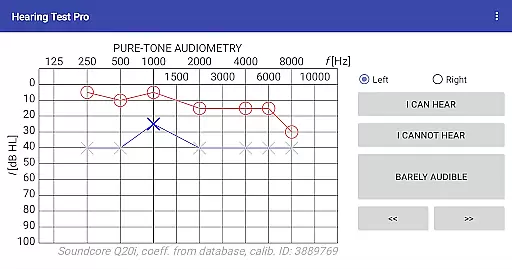
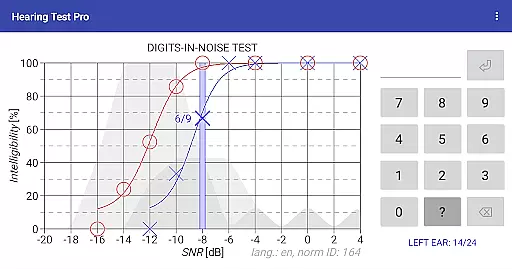
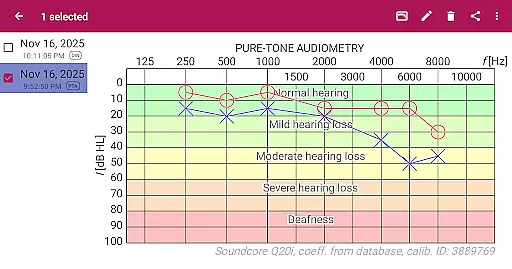
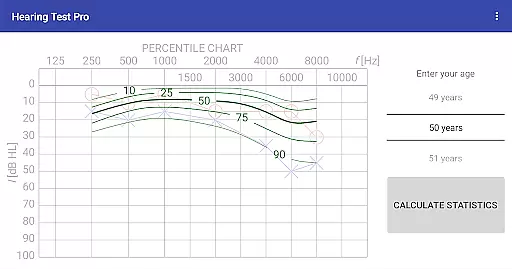
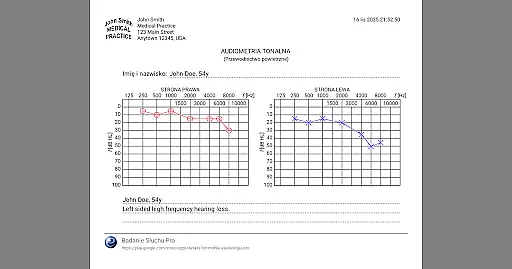
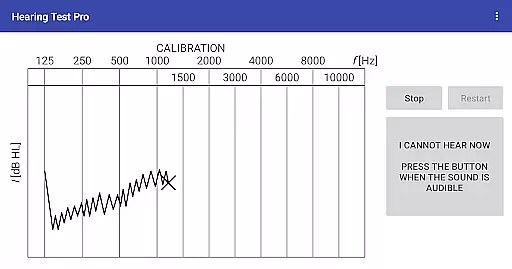
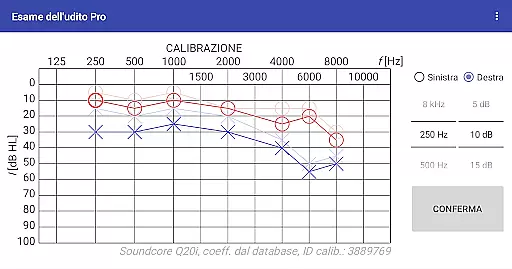
Hearing Test Pro is a professional-grade mobile application designed for users to conduct detailed hearing assessments. The app offers two primary testing methods: pure-tone audiometry and the digits-in-noise test (digit triplet test). Pure-tone audiometry evaluates the degree of hearing loss across different sound frequencies, identifying the quietest sounds detectable by the user. This establishes an accurate hearing threshold. The digits-in-noise test measures speech intelligibility by having users recognize spoken digits amidst background noise. These tests provide valuable insights into both hearing acuity and speech recognition abilities.
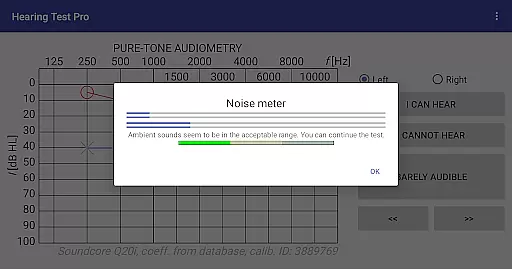
In addition to its core testing features, Hearing Test Pro includes advanced functionalities such as high-frequency audiometry, classification of hearing loss, and comparison with age-related norms. Users can also calibrate their devices, measure background noise levels, and adjust calibration coefficients based on clinical audiometer results. With options like result printing, note-taking, and cloud synchronization in the Pro version, this app serves as an essential tool for individuals monitoring their hearing health or professionals conducting diagnostic evaluations.
Hearing Test Pro stands out with its comprehensive suite of testing and analysis tools tailored for both personal and professional use. The app's pure-tone audiometry feature uses predefined calibration coefficients from a database, ensuring reliable results when using bundled headphones. For those seeking more precise control, manual stimulus adjustments are available in the Pro version. The digits-in-noice test uniquely assesses speech intelligibility, offering a practical evaluation of real-world hearing challenges.
Beyond basic testing, the app provides several advanced features. High-frequency audiometry allows for more detailed assessments, while automatic classification of hearing loss helps interpret results effectively. Users can compare their outcomes against age-related norms, adding context to their evaluations. Additional tools include a built-in noise meter for environmental sound measurement and robust calibration options that accommodate various headphone types. The Pro version further enhances usability with offline database access, cloud synchronization, and easy data recovery across multiple devices.
In the realm of medical applications, content credibility is paramount. Hearing Test Pro establishes its authority by offering scientifically-validated hearing assessments. The app includes pure-tone audiometry and digits-in-noise tests, both recognized methods for evaluating hearing acuity and speech intelligibility.
Each feature within the application is designed with expert oversight, ensuring alignment with clinical practices. For instance, the inclusion of high-frequency audiometry and classification of hearing loss adheres to professional standards used in audiology. This guarantees that users receive not just an approximation, but a reliable evaluation comparable to those conducted in clinical settings.
Users benefit from the app's meticulous approach to hearing assessment, which extends to calibration processes. By allowing device-specific adjustments and verification of calibration coefficients, Hearing Test Pro ensures accurate results tailored to individual devices. This level of precision reassures users that their test outcomes are credible and clinically meaningful.
While Hearing Test Pro does not directly facilitate teleconsultations, it enhances the quality of remote hearing assessmentsu2014a critical component of teleaudiology. By providing detailed and accurate test results, the app equips users and healthcare providers with essential data for effective consultations.
The Pro version features such as local database storage and synchronization further augment teleconsultation readiness. Users can maintain offline access to their results while also having the ability to share these across devices or with professionals seamlessly. This ensures that regardless of connectivity issues, vital information is always accessible for review during virtual appointments.
Moreover, additional functionalities like manual stimulus control in pure-tone audiometry empower users to conduct more personalized tests under different conditions. These capabilities contribute to a comprehensive understanding of oneu2019s auditory health, facilitating informed discussions between patients and healthcare providers during teleconsultations.
Comprehensive hearing tests
Accurate calibration options
Advanced speech recognition
Offline result storage
Cloud synchronization
Complex for beginners
Pro version is paid
Limited free features
Requires calibration
No instant results

MySafeRide simplifies booking and managing rides for health plan members.
 3.50
3.50
Behavioral Health Portal
4.70
A comprehensive medical disease app.
5.00
Sync your blood glucose device, log values automatically and tame your diabetes!
4.60
Search by insurance, see real-time openings & verified reviews, get care fast.
4.80
Over 1,200 review questions and 5 exams—pass the NREMT with EMT Review Plus!
4.10
This app is simply 1 book (also large app) and 17 other apps combined into 1
4.70
Pelvic Floor Muscle Exercises
4.80
Your pocket guide to following The Monash University Low FODMAP diet.
4.20
Live vet support by text/video
4.80
Be more confident prescribing homeopathy at home for your family.
4.80
Adaptive-learning flashcards and quizzes for the Top 250 Drugs
4.60
PPP provides quick offline access to over 350 field treatment protocols.
4.60
ASCCP Management Guidelines- There’s an app for that!
4.60
The official DSM-5-TR® app
4.50
Donating plasma just got easier with the BioLife Plasma Services mobile app.
3.90
An easy way to earn money donating plasma. Book a visit, sit back, and get paid.
3.80
Continuous Glucose Monitoring
3.40
A rapid reference for prehospital providers caring for pediatric patients.
4.4


User Reviews