
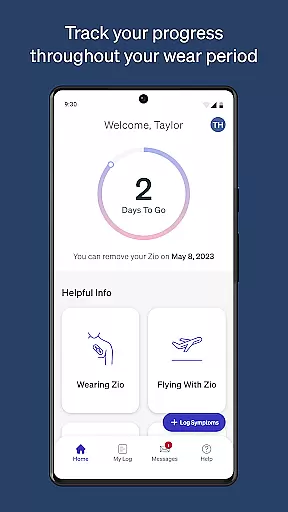
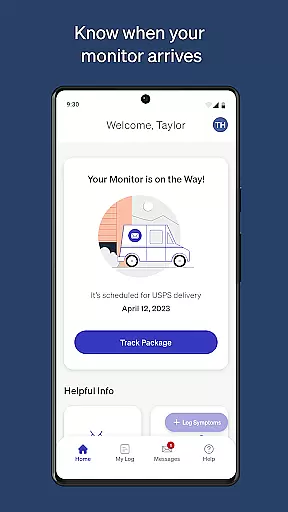
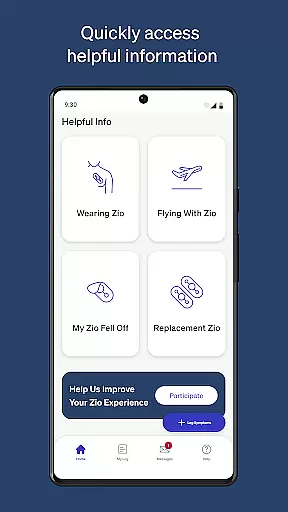
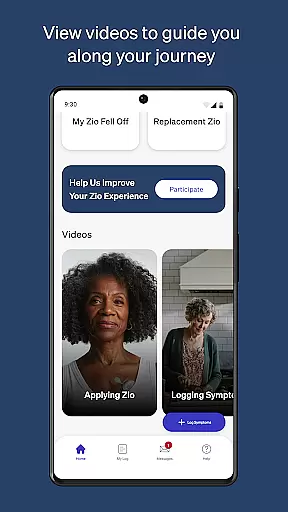
MyZio is a specialized medical application designed to complement the Zio ECG monitor. This app allows users to track the shipping status of their ECG monitors, log and manage symptoms, and access instructional content related to the Zio service. With its user-friendly interface, MyZio ensures patients can stay informed and engaged throughout their cardiac monitoring journey.
The app provides seamless integration with the Zio ECG monitor, enabling users to register their devices easily and begin symptom tracking without delay. Additionally, it offers valuable resources such as instructional videos that guide users through the monitoring process, enhancing their overall experience with the Zio service.
Designed for individuals using the Zio ECG monitor, MyZio serves as an essential tool for managing heart health. By offering real-time updates and educational materials, the app empowers users to take control of their monitoring process, ensuring they receive the maximum benefit from their cardiac monitoring experience.
MyZio boasts a range of features tailored to enhance the usability of the Zio ECG monitor. Users can create a MyZio account at any time, providing them immediate access to vital functionalities such as tracking the shipping status of their monitor. This feature ensures that patients are always aware of their device's location and delivery timeline.
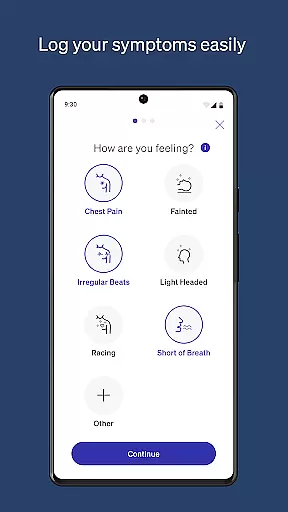
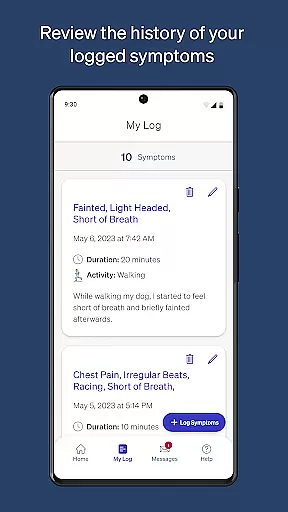
In addition to shipment tracking, MyZio enables users to register their Zio ECG monitors effortlessly and start logging symptoms right away. The ability to enter, view, and edit symptoms as needed makes it easy for patients to maintain accurate records of their health status. These capabilities ensure that healthcare providers receive comprehensive data to support diagnosis and treatment decisions.
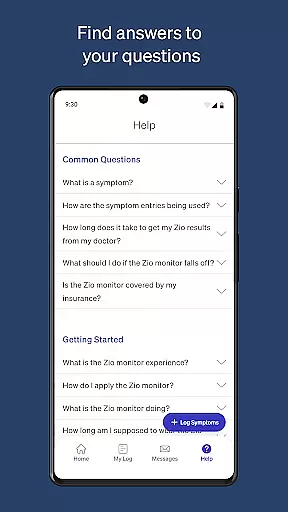
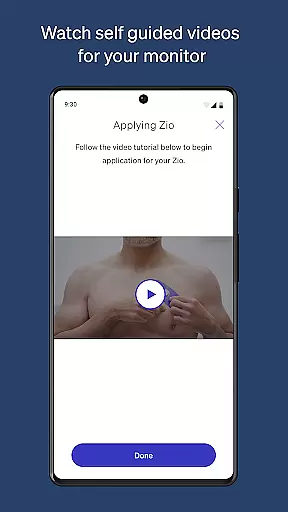
Another standout feature of MyZio is its repository of instructional videos and informational content about the Zio service. These resources help demystify the monitoring process, making it more approachable for users. By combining practical tools with educational materials, MyZio enhances patient engagement and adherence to monitoring protocols.
In the realm of mobile health applications, the credibility of medical content is paramount. MyZiou00ae establishes its authority by providing users with instructional videos and information about the Zio service directly through the app. This ensures that patients are well-informed about their Zio ECG monitor and how to utilize it effectively.
The app allows for meticulous symptom logging, enabling users to enter and manage their symptoms with ease. The ability to view and edit entries ensures accuracy and personal relevance, which is crucial when healthcare professionals later analyze this data. Such features are designed not only to inform but also to empower patients in managing their cardiac health.
MyZiou00ae further enhances its trustworthiness through expert validation of its content. With every piece of advice or informational video, users can be confident that they are receiving guidance that aligns with current medical standards and practices. This level of expert-reviewed content provides peace of mind for users relying on MyZiou00ae as a companion during their cardiac monitoring journey.
Teleconsultation has become an integral part of modern healthcare, and MyZiou00ae positions itself at the forefront by facilitating seamless communication between patients and healthcare providers. Although it does not offer direct teleconsultation services, the app's comprehensive tracking system for the Zio ECG monitor's shipping status ensures that patients can prepare for upcoming consultations without delay.
Once the device is registered via the app, users gain access to a suite of features aimed at enhancing their consultation experiences. They can log symptoms over time, creating a detailed record that can be invaluable during virtual or in-person appointments with doctors. This preparation can lead to more productive discussions and informed decision-making regarding patient care plans.
Moreover, the availability of instructional videos within MyZiou00ae serves as an ongoing educational resource. Patients can better understand their conditions and devices, leading to higher-quality interactions with healthcare professionals. By equipping users with knowledge and tools for effective symptom management, MyZiou00ae indirectly supports superior teleconsultation outcomes.
User-friendly interface
Real-time tracking updates
Comprehensive symptom logging
Instructional video library
Seamless device registration
Limited to Zio ECG users
Feature availability varies by region
No offline functionality
Requires internet connection
Symptom input can be manual

myVCA is your tailor-made guide to raising a healthy and happy pet.
 4.90
4.90
Modivcare members can book and manage trips.
4.50
Live vet support by text/video
4.80
Control your hearing aids discreetly with the touch of a finger
4.30
Conveniently receive lab results, schedule lab appointment and pay your bills
3.70
Care Simplified by MyChart
3.40
Take on apraxia and aphasia with a powerful video-driven speech therapy app.
4.60
Get your lab results on your smartphone with MyQuest.
4.40
Download OctaApp for easy access to your plasma donation info
4.40
A comprehensive medical disease app.
5.00
Search by insurance, see real-time openings & verified reviews, get care fast.
4.80
Manage your healthcare through the FollowMyHealth® Universal Health Record.
4.80
Remote, medical-grade heart care at your fingertips
4.70
Discover the source of pain with Muscle Trigger Point Anatomy.
4.70
Molina Members: My Molina. Manage your health anytime, anywhere!
4.30
Assess and treat left neglect more effectively in stroke and brain injury rehab.
4.30
Voice pitch monitor for speech therapy, LSVT, Parkinson's, singing & trans
4.30
Update medical records, view upcoming appointments, message your provider & more
3.80
Continuous Glucose Monitoring
3.40


User Reviews