
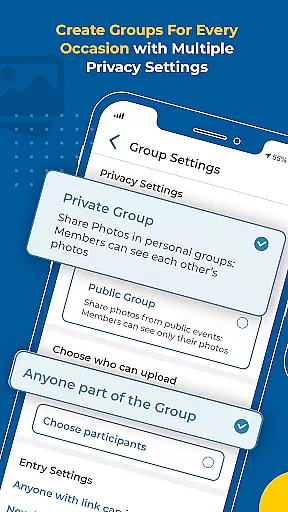


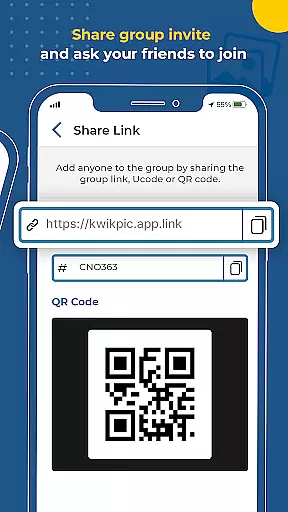
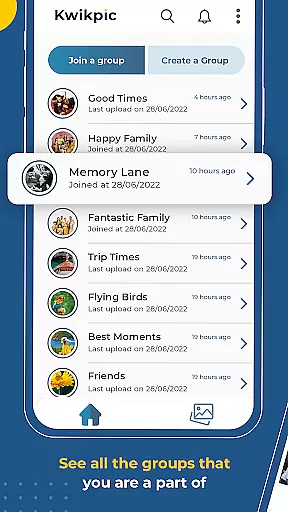

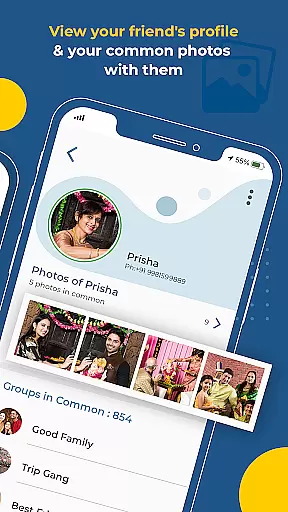
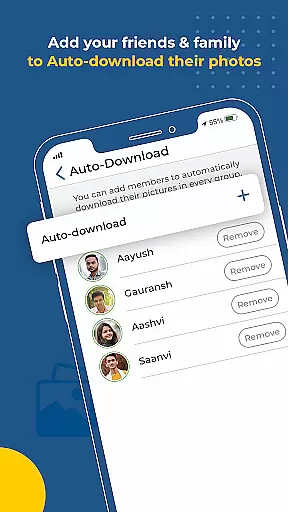
Kwikpic is an innovative photo management solution designed specifically for event enthusiasts and professional photographers. This app revolutionizes the way users handle event photos by combining AI-powered facial recognition with seamless sharing capabilities. The core functionality allows users to instantly upload, face match, tag, and notify individuals in photos without compromising image quality.
Beyond basic photo sharing, Kwikpic offers advanced features that make it indispensable for events of all sizes. Users can track detailed analytics including impressions and downloads while maintaining organized photo collections through automated sorting. Whether you're managing photos from weddings, conferences, or casual gatherings, Kwikpic streamlines the entire process, saving valuable time and effort.
The app's feature set distinguishes itself through cutting-edge technology and user-centric design. At its core, Kwikpic employs sophisticated AI algorithms for facial recognition, enabling automatic tagging and sorting of thousands of images. This functionality extends across multiple sources, allowing uploads directly from device galleries or cloud storage platforms like Google Drive.
Professional event organizers will appreciate the comprehensive analytics dashboard, providing insights into photo engagement metrics. The notification system ensures participants receive tagged images promptly, while group photo identification helps surface shared moments among attendees. These features collectively create a robust ecosystem for managing event photography efficiently and effectively.
Task creation and detail customization are essential features for any event management app. Kwikpic excels in this area by providing users with the ability to effortlessly organize and manage photos from various events such as weddings, conferences, or vacations.
The app leverages advanced AI technology to automate the sorting process. Users can upload images directly from their gallery or cloud storage platforms like Google Drive. Once uploaded, Kwikpic uses facial recognition to sort and deliver photos to respective individuals without any quality loss.
This feature saves users significant time and effort that would otherwise be spent manually sifting through hundreds of pictures. The intuitive interface allows users to customize details, ensuring each photo is accurately tagged and categorized.
By streamlining the photo management process, Kwikpic enhances user experience, making it easy to preserve and share memories with friends and family while also tracking important analytics such as impressions and downloads.
Reminder settings play a crucial role in ensuring users never miss an important moment captured in photos. Kwikpic offers robust reminder functionalities that keep users engaged and informed about their photo activities.
Upon uploading images, the app instantly matches faces, tags individuals, and sends notifications to everyone involved. This automatic notification system acts as a reminder for users to view, download, or share their pictures.
Additionally, Kwikpic provides analytics on total impressions and downloads, serving as periodic reminders of the reach and impact of shared photos. These insights help users understand how their images are being received and appreciated.
With these comprehensive reminder settings, Kwikpic ensures that users remain actively involved in managing and sharing their cherished memories, enhancing both personal and collaborative experiences within the app.
User-friendly interface
AI-powered recognition
High-quality uploads
Comprehensive analytics
Instant notifications
Requires stable internet
Premium features cost
Storage limitations
Occasional bugs
Learning curve

TV Garden is a video player to play your own TV streams from around the world!
 4.2
4.2
Create invitation cards for birthdays, weddings, Christmas and more.
4.80
The KRUU app - plan, celebrate, remember
4.80
The world's largest selection of tickets is now at your fingertips
3.90
The official app of the Carmel Christkindlmarkt!
4.5
Events, Meetings, Photo Shoots
4.50
Connect with an ecosystem of 5M+ eventgoers and organizers.
4.50
Freebie Games for Epic Games, Steam, Amazon, Rockstar etc.
4.40
TodayTix is the easiest way to get tickets to the best shows in your city.
4.90
Invitation card maker for birthday party & Wedding. Digital greeting card editor
4.90
Find EDM shows near you! See your favorite artists live, and discover new music.
4.90
Plan your wedding for free on the go: vendors, budget, website and checklists!
4.80
Discover events, experiences, and things to do near you - Anytime, Anywhere!
4.70
Text message invitations for birthday party, wedding, graduation, baby shower +
4.60
Invitation Card Maker, Design & share wedding, birthday & party invites fast
4.40
ETH Mining provides secure way to mine Ethereum & earn ETH in Cloud mining app
3.50
The Official App
4.1
Buy event tickets easily with our user-friendly App. Stay updated on hot events
4.5
Some connections are better kept private
4.3


User Reviews