
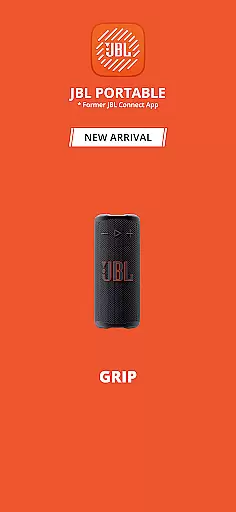
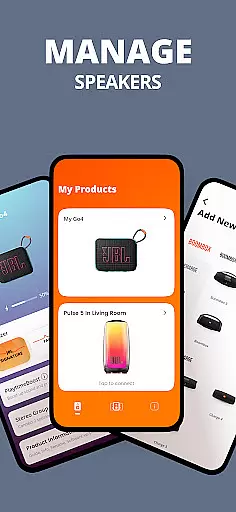
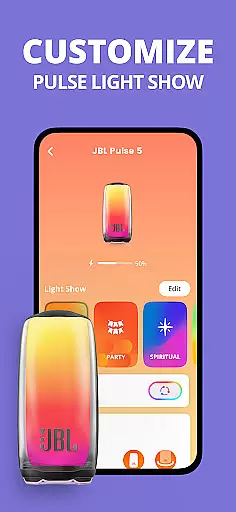
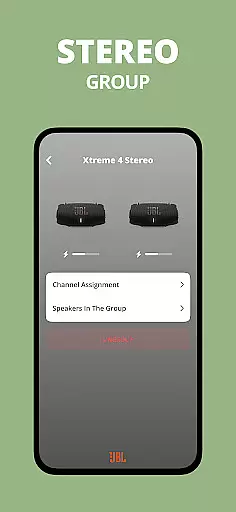
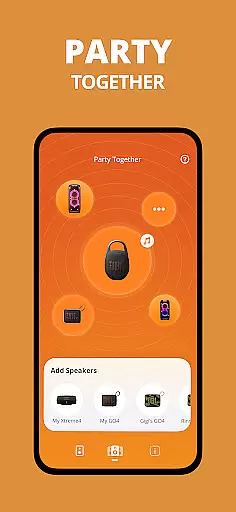
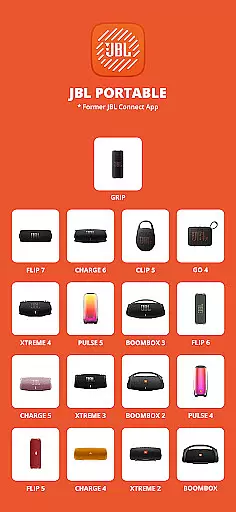
JBL Portable is an essential companion app designed to enhance your experience with JBL portable speakers. This application allows users to unlock advanced features and optimize their speaker performance. Compatible with a wide range of JBL models, it offers seamless connectivity for Stereo or Party modes, enabling users to amplify sound or create an immersive party atmosphere.
Through the app, users can personalize settings, receive software updates, and access dedicated product support. Whether you're using the compact Clip 5 or the powerful Boombox 4, JBL Portable ensures you get the most out of your device by providing intuitive controls and enhanced functionality.
The JBL Portable app boasts an array of innovative features tailored to maximize user convenience and audio performance. One standout capability is its seamless Bluetooth connectivity, which supports both Stereo mode for richer sound and Party mode for synchronized playback across multiple speakers.
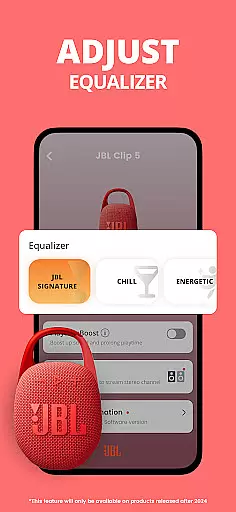
Users can directly control their speaker settings through the app interface, customizing equalizer presets and managing firmware updates. The app also provides instant access to customer support and troubleshooting resources, ensuring uninterrupted enjoyment of your JBL speaker system. These comprehensive features make JBL Portable an indispensable tool for optimizing your audio experience.
The JBL Portable app offers a diverse range of content options to enhance your speaker experience. With compatibility across multiple speaker models, users can access various features tailored to their specific device.
One standout feature is the ability to switch between Stereo and Party modes, allowing for amplified sound or an expanded audio experience during gatherings. This flexibility ensures that the content remains relevant and engaging for different user scenarios.
In addition to mode switching, the app provides regular software updates. These updates not only improve existing functionalities but also introduce new features, keeping the content fresh and up-to-date. Users can expect continuous enhancements that add value to their speaker usage.
User engagement is a key focus of the JBL Portable app, designed to keep users connected to their speakers for extended periods. The app's intuitive interface allows for easy personalization and control, encouraging frequent interactions.
By offering features like Stereo and Party modes, the app caters to both casual listeners and party hosts. This versatility helps maintain user interest across different settings and occasions, promoting longer usage sessions.
Furthermore, the app's commitment to providing consistent software updates and product support ensures that users remain engaged over time. Knowing that their device will continue to receive improvements and new features enhances user retention and satisfaction.
User-friendly interface
Wide device compatibility
Regular software updates
Enhanced audio controls
Dedicated customer support
Limited to JBL devices
Bluetooth connection issues
No desktop version
Drains speaker battery
Occasional bugs

Watch whatever you want, whenever you want, wherever you want.
 3.30
3.30
Rain and lightning effects for your Philips Hue lights
4.30
Simulation of Dashboard / Touch Screen for Tesla. (Works without actual Tesla).
4.5
A wonderful collection of the most beautiful sounds of animals and birds
4.3
Stream Movies & TV Series: Original Shows, Family Movies & New Releases Weekly
4.60
Time tracking, lap counting and much more for Carrera® Digital 132/124
4.80
Wodfix Air aggregates popular online content for you.
4.80
The Xbox app keeps you connected to your gaming community.
4.50
Stream live TV shows, sports, news, movies & more - all without cable.
3.00
SpiritWave is paranormal ITC application.
5.00
Stories that spark in seconds.
4.80
5 funny and lovely ponies waiting for you to style them!
4.80
Classic dynamic pixel art from Mark Ferrari.
4.70
Companion app for Elden Ring to track quests, bosses, progress and more.
4.70
Fetch money rewards all just for playing games. Cash out for gift cards in app.
4.50
Create melty bead designs by numbers, photos or your imagination
4.40
Fool your friends & Family with Fake ultrasound test report
3.60
Ultimate VR movie player for android mobile videos
4.4
See the frequencies! Watch the magic!
4.5


User Reviews