
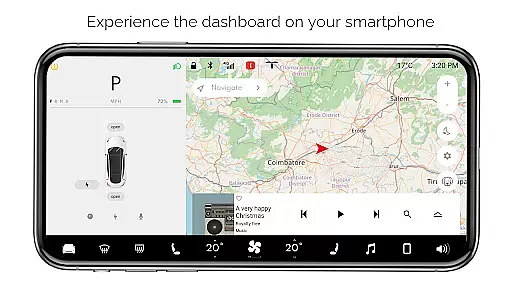
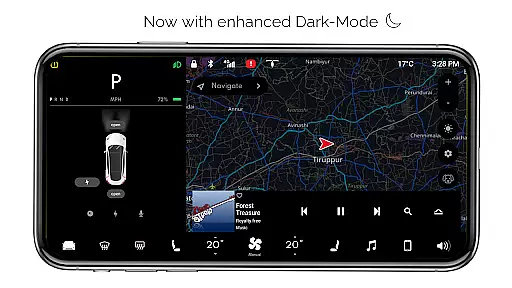
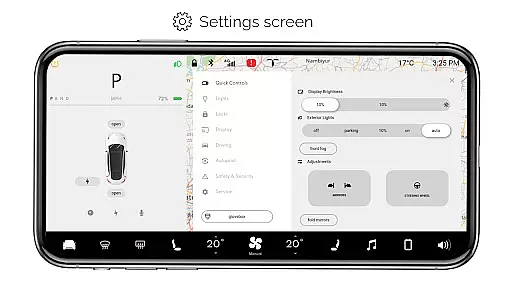
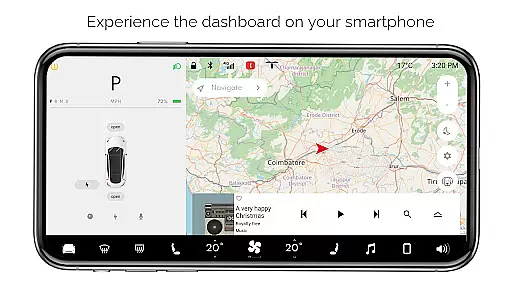
For Tesla is an innovative entertainment app that allows Tesla enthusiasts to simulate the native dashboard experience of a Tesla vehicle on their smartphones. This simulator offers users an interactive platform to explore various features without needing access to an actual car.
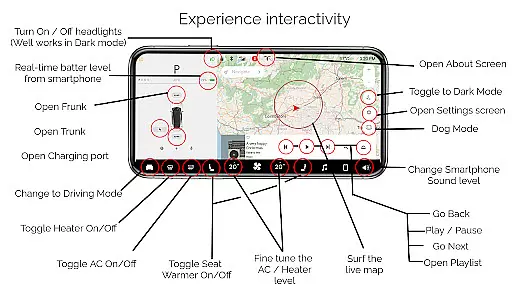
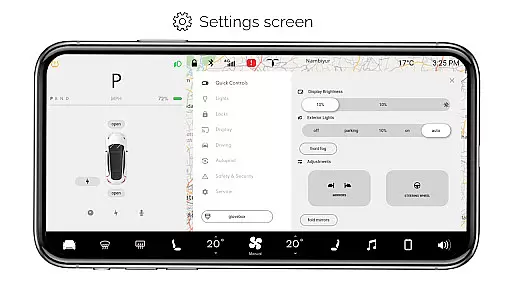
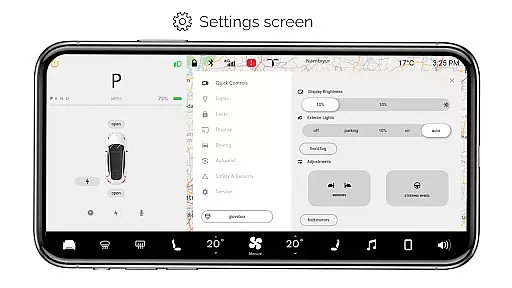
The app includes a range of functionalities such as interactive maps, headlight controls, temperature adjustments, and real-time battery monitoring. Users can also engage with driving modes, music players, and multiple settings screens. These simulated features provide a comprehensive overview of the Tesla dashboard environment, making it ideal for fans who want to familiarize themselves with Tesla's interface.
Whether you're a Tesla owner looking to understand your vehicle better or simply a tech enthusiast fascinated by Tesla's innovations, this app provides valuable insights and an engaging user experience.
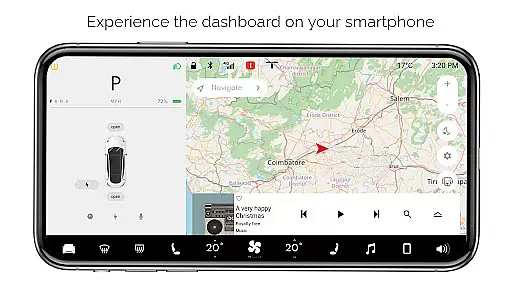
For Tesla stands out with its rich set of simulated features designed to replicate the Tesla dashboard experience. One of the key highlights is the interactive maps feature, which lets users locate and track their live position, providing a realistic navigation experience.
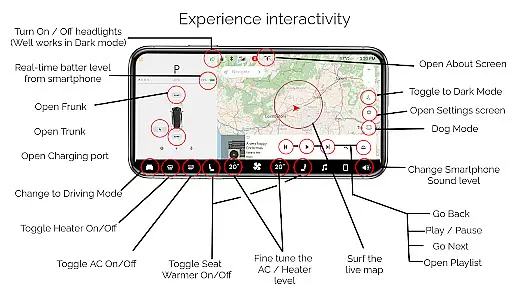
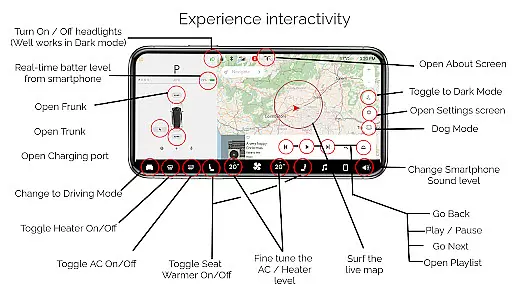
Users can control virtual headlights, adjust cabin temperatures, and monitor their smartphone's battery level as if it were a Tesla vehicle. The app also simulates opening and closing the trunk, frunk, and charging port, offering a hands-on feel of managing a Tesla car.
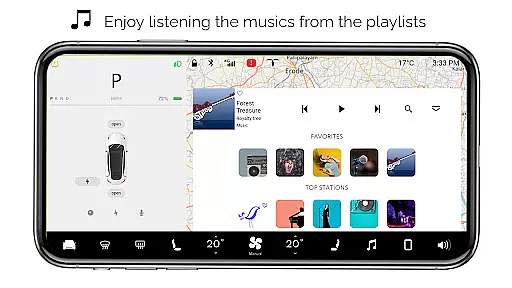
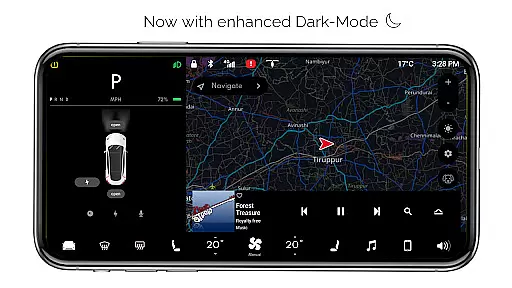
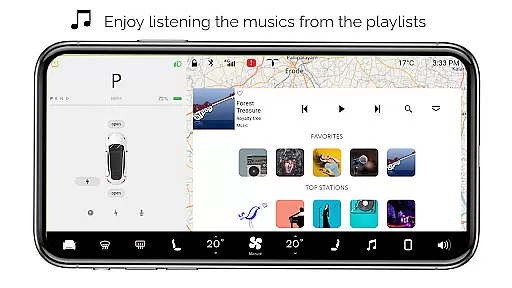
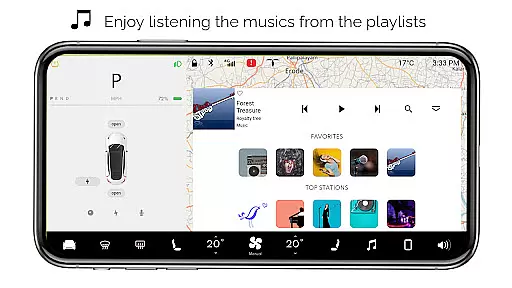
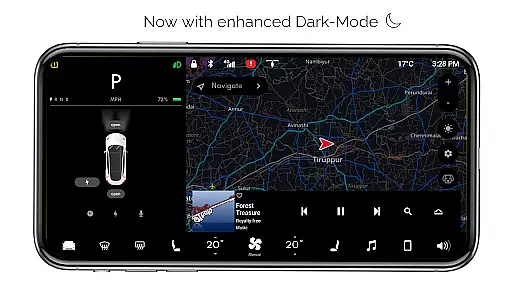
Additional features include driving mode snapshots, comprehensive settings screens, dark mode, dog mode, and an about screen detailing model information. An interactive music player with playlists enhances the overall experience, making For Tesla not just informative but also entertaining.
Content variety and freshness are crucial for maintaining user engagement in entertainment applications. For Tesla, this app offers a rich simulation of the Tesla dashboard experience with numerous interactive features.
The app includes an array of functionalities such as Interactive Maps, a Music player with playlists, Driving mode, and various car controls like turning headlights ON/OFF, fine-tuning temperature, and opening or closing the trunk, frunk, and charging port. These simulated features provide users with a broad spectrum of interactions that mirror the native Tesla system.
Users benefit from frequent updates and new feature additions that keep the content fresh and engaging. Although all features are simulated and not compatible with an actual Tesla vehicle, the app's dedication to providing a comprehensive Tesla-like experience ensures sustained interest and exploration.
This commitment to variety and regular updates enhances user retention by offering new experiences and keeping the content dynamic, which is vital for any top-tier entertainment application.
User engagement duration and retention are key indicators of an entertainment app's success. The For Tesla app captivates users by providing an immersive Tesla dashboard simulator, encouraging longer usage sessions.
With its wide range of interactive features, including real-time battery level monitoring, dark mode, dog mode, and an about screen, the app invites users to explore and interact extensively. Such features not only mimic the Tesla experience but also add an educational aspect, prompting users to spend more time within the app.
Retention is further bolstered by the app's efforts to simulate the native user experience of Teslau2019s dashboard features. While it's important to note that the app is fan-made and not connected to a real Tesla system, its design inspires continued use through detailed and thoughtful simulations.
By consistently updating the app and potentially adding new features, the developers can ensure that users remain engaged over time, solidifying the app's position as a go-to entertainment choice for Tesla enthusiasts.
User-friendly interface
Comprehensive simulation
Interactive maps
Realistic controls
Engaging music player
Limited real-world functionality
Some features inactive
No car integration
Purely for entertainment
Fan-made limitations

Ultimate VR movie player for android mobile videos
 4.1
4.1
Play games. Earn real rewards. Cash out in 3hours via PayPal or gift cards.
4.40
EVP Recorder / Voice Recorder for ghost hunting, to communicate with ghosts.
4.2
Real ghost box scanner with echo, reverb, EMF, & multi-stream channels.
3.80
Your choice of 350+ networks plus movies and full TV series on-demand.
3.70
Control your AWTRIX 3 easily
4.4
Binaural Brainwave Doses for Every Imaginable Mood
3.60
Original short dramas with diverse genres for a rich viewing experience!
4.80
Bold original series & hit movies that don't hold back.
4.40
Classic dynamic pixel art from Mark Ferrari.
4.70
Live TV, sports & holiday movies — stream on phone, tablet & TV
4.60
Your Avatar, Endless Fun
4.60
Triple A is a highly complex, kinetic, and interactive visualizer.
4.50
Series,Películas y Telenovelas
4.50
Binge-worthy short dramas on DramaRush—engaging stories that fit your day.
3.90
Browse popular images and videos from Reddit on Android TV!
3.90
Daily immersive workout plan: Body warm up & finger yoga exercises
3.80
Watch New Episodes & Live TV
3.80
A wonderful collection of the most beautiful sounds of animals and birds
4.1


User Reviews