
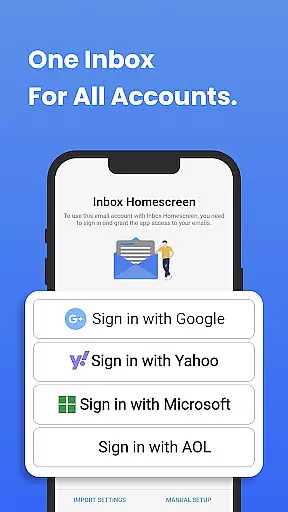
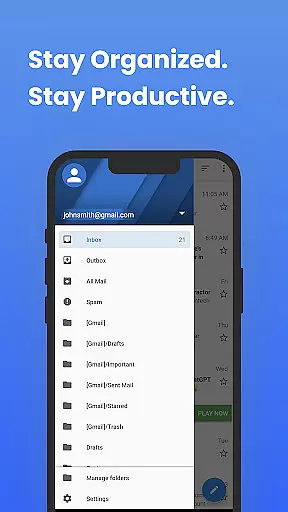
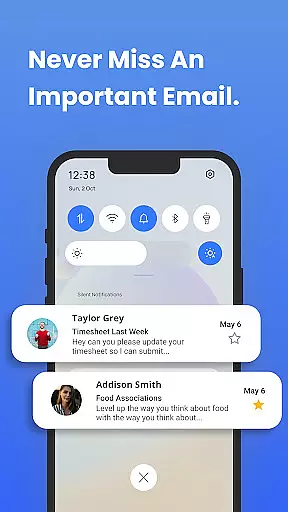
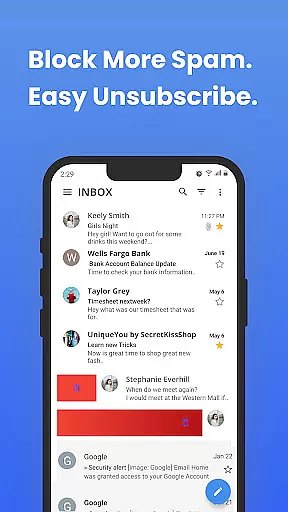
Inbox Homescreen is a communication app designed to streamline email management across multiple accounts. This app serves as an all-in-one email launcher, integrating seamlessly with services like Gmail, Outlook, and Yahoo. Users can send, receive, and organize emails efficiently while enjoying advanced features such as email filtering, prioritization, and scheduling. Its customizable interface allows users to personalize themes and layouts, enhancing both usability and visual appeal.
With its focus on productivity, Inbox Homescreen ensures that users stay organized by categorizing emails and highlighting important messages. Whether for personal or professional use, this app transforms the way users interact with their inboxes, offering a smoother and more efficient email experience.
Inbox Homescreen stands out with its robust feature set tailored for modern email management. One of its key strengths is the ability to consolidate multiple email accounts into a single platform, eliminating the need to switch between apps. The app supports advanced filtering options, enabling users to automatically sort emails into categories such as work, personal, or promotions. This helps maintain a clutter-free inbox and ensures critical emails are never overlooked.
Another notable feature is the ability to schedule emails for later delivery, which is particularly useful for professionals managing communications across time zones. Additionally, the app offers extensive customization options, allowing users to personalize their interface with various themes and layouts. These features collectively enhance user productivity and provide a highly tailored email management experience.
In the realm of digital communication, the speed and reliability of message delivery are paramount. Inbox Homescreen excels in providing real-time messaging capabilities that ensure your emails are sent and received instantly without delays. This immediacy is crucial for maintaining effective communication, whether for personal or professional purposes.
The app achieves this through seamless integration with major email services like Gmail, Outlook, and Yahoo. Such integration allows for an uninterrupted flow of messages across different platforms, ensuring that users can manage all their accounts from a single interface. The synchronization between these services and Inbox Homescreen is engineered to prioritize speed without compromising the integrity of the message delivery process.
For users, this means peace of mind knowing that their important communications are being delivered on time, every time. The reliability factor ensures that even during peak usage times or under poor network conditions, the app employs optimization techniques to maintain performance standards. This steadfastness in maintaining high-speed connectivity makes Inbox Homescreen a dependable tool for anyone relying on prompt email exchanges.
In today's interconnected world, the ability to share media effortlessly within communications has become indispensable. Inbox Homescreen recognizes this need by offering robust media sharing support that enables users to attach and send various file types such as images, videos, and documents with ease. This feature enriches the communication experience by allowing more dynamic interactions beyond plain text emails.
The application supports a wide range of file formats which enhances its versatility in handling different kinds of media content. Whether itu2019s sharing family photos or collaborating on work presentations, users can do so without worrying about format compatibility issues. Moreover, the app optimizes attachments for faster upload and download times while maintaining quality, thus streamlining the entire sharing process.
This focus on comprehensive media support not only simplifies how we exchange information but also boosts productivity by reducing the time spent troubleshooting technical hurdles associated with file sharing. With Inbox Homescreen's efficient media handling capabilities, staying connected through rich multimedia content becomes both intuitive and efficient.
User-friendly interface
Multi-account integration
Advanced filtering tools
Email scheduling capability
Customizable themes
Limited offline functionality
Requires Yahoo search
Privacy concerns with data
No built-in calendar
Premium features locked

BiP is a fast, secure, free messaging and HD video calling app!
 4.10
4.10
Enables Plus features of Quick Search.
4.2
We’re taking the yada yada out of wireless—now we’ve taken it out of your app.
4.70
Save 10% automatically on your first international mobile top up.
4.60
Browse fast on Opera Mini, with Data Saving, News, Football Scores, and Download
4.60
SMS & MMS Messaging App to easily send messages or schedule SMS on Chat
4.10
Google's fast and secure browser
4.10
Comprehensive and powerful scan tool app with enhanced functions
3.00
Weargram is an unofficial Telegram Client for Wear OS.
3.50
Manage BoostMobile Account
4.60
Build your web browser around you with private search, and more.
4.60
Get through your inbox faster with the mail app designed to simplify your life.
4.40
Simple tool for businesses to talk to their customers.
4.40
Our Black Friday sale is here. Unlock special discounts on Proton Mail now.
4.30
Chill zone on your phone: relax with fun reels & hype shorts!
4.20
SMS Messenger is a lightning-fast messaging app.
4.20
Send SMS and chat messages easily with a fast text messaging app for Android.
4.10
Caller ID, Spam Call & SMS Blocker
3.80
Pure modern IRC experience for Android
3.70


User Reviews