
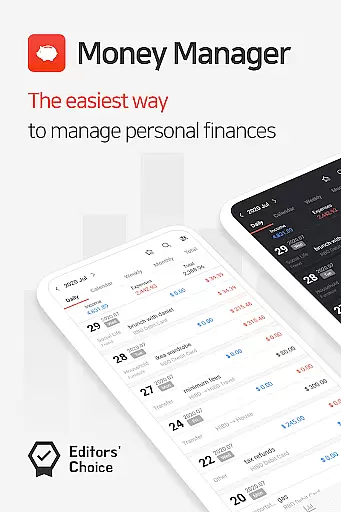
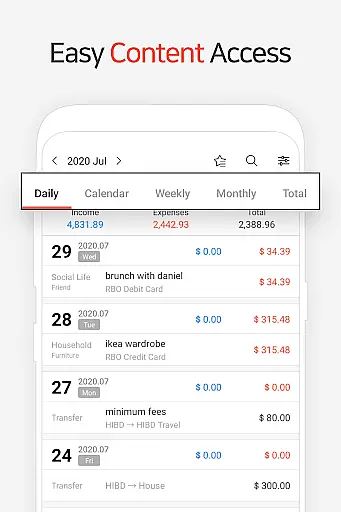
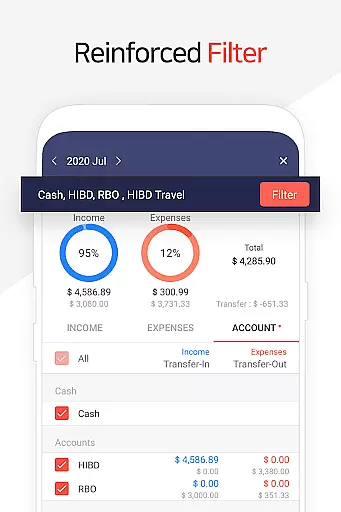
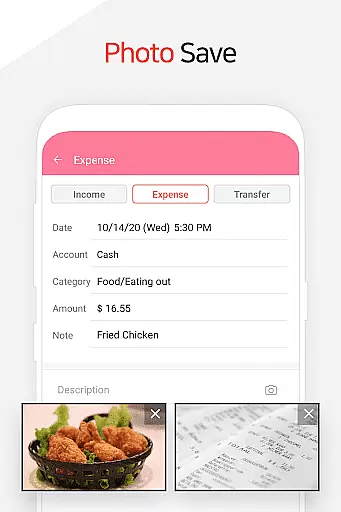
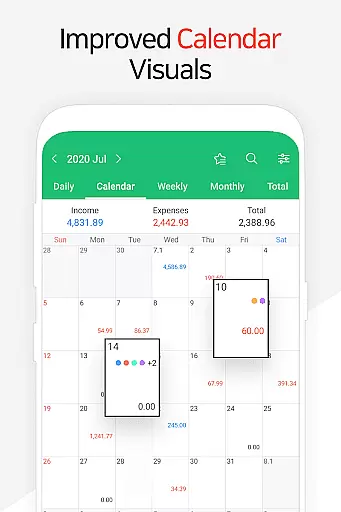
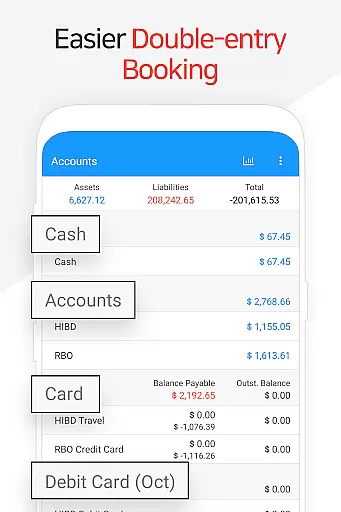
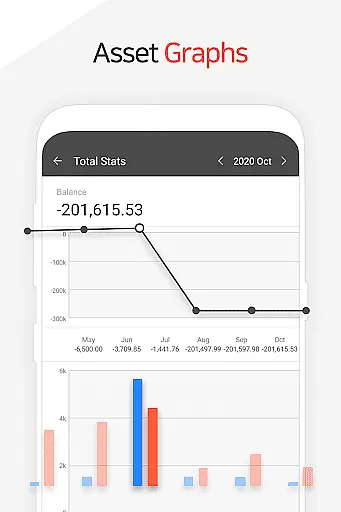
Money Manager is a comprehensive personal finance application designed to help users efficiently manage their assets and track financial activities. The app employs double-entry bookkeeping, ensuring accurate recording of income and expenses while automatically updating account balances. With its budget management feature, users can easily monitor spending against predefined budgets through intuitive graphs.
The application also offers advanced tools for managing credit and debit cards, including automatic payment tracking and scheduling. Users can securely access their financial data with the integrated passcode feature, while the instant statistics function provides real-time insights into spending patterns and asset changes. Supporting both PC and mobile platforms, Money Manager enables seamless synchronization and data management across devices, making it an essential tool for organized personal finance management.
Money Manager stands out with its robust set of features tailored for effective financial management. The PC manager functionality allows users to view and edit their financial data through Wi-Fi, offering advanced sorting options and graphical representations of account fluctuations. The app's double-entry bookkeeping system ensures precise financial tracking by automatically updating account balances upon entry of transactions.
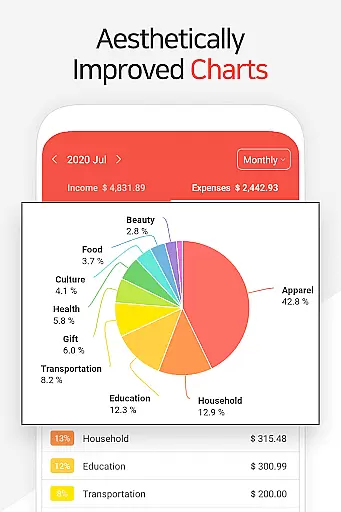
One of the key highlights is the budget management feature that visually represents spending against budgets using graphs. The card management system simplifies tracking payments and outstanding balances, while the passcode feature ensures secure access. Additional notable features include instant statistics for real-time expense tracking, bookmarking for frequently used entries, and complete backup/restore functionality supporting Google Drive integration. These features collectively provide users with a powerful toolkit for maintaining organized and secure financial records.
Account and fund security is a critical aspect of any financial management application. Money Manager ensures this through multiple layers of protection.
The app provides a passcode feature, allowing users to set up an additional layer of authentication. This ensures that only authorized individuals can access sensitive financial data.
Furthermore, the application supports secure backup and restore functionalities. Users can create backups in Excel format and store them on Google Drive, ensuring their financial information is safely preserved and easily recoverable.
These security measures give users peace of mind, knowing their personal asset data is protected against unauthorized access while maintaining easy access for management purposes.
A seamless transaction experience is essential for effective personal asset management. Money Manager excels in this area by offering intuitive features that simplify financial tracking.
Using double-entry bookkeeping, the app automatically updates accounts upon entering income or expenses. This method ensures accurate and real-time reflections of financial status without manual adjustments.
Additionally, the app includes functions for managing budgets, cards, and recurring payments. Visual graphs display budget versus expenditure, while card management tools track payment schedules and balances.
Such comprehensive transaction handling not only streamlines daily financial activities but also enhances overall user engagement with their financial health.
User-friendly interface
Accurate transaction tracking
Comprehensive budgeting tools
Secure passcode protection
Instant financial insights
Requires learning curve
Limited free features
Occasional sync issues
No investment tracking
Premium subscription cost

Expenses, Bills, Budget and Accounts - All seamlessly integrated in one app!
 3.80
3.80
Companies owe you money.
4.80
Pay rent on your schedule.
4.70
Need help before payday? Get cash advances with no interest or credit checks.
4.60
PayMe helps you claim money from settlements on companies that harmed you.
4.80
Get 250$ Cash Advance to solve emergencies instantly in loan app called LendMe
4.70
Navigate your unique financial path confidently with help from Credit Karma.
4.70
Make Real Cash by Playing Games! Fetch Playful Rewards, Win & Triumph
4.50
Pay, bank & build credit.
4.70
Currency Converter, Exchange Rates, Widgets
4.90
BA Financial Calculator PRO – Perfect for CFA/FRM/CPA and finance professionals
4.90
No credit checked needed.
4.80
Early payday & cash advances with no-fee mobile banking!
4.60
Real-time tracking: Stocks, Indices, Futures, Commodities, ETF, & Funds prices.
4.60
Get, Earn, and Save Money
4.30
Mine Bitcoin in the cloud! Earn BTC daily with high-speed mining power.
4.30
NFC mobile payment app Use your phone as a contactless bank card
4.00
Bank better with our new app
3.80
Bill Manager is a simple app to help you keep track of your upcoming bills.
4.4


User Reviews