
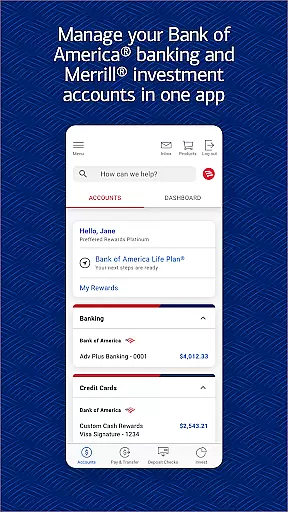
Bank of America Mobile Banking is a comprehensive financial management app designed for U.S.-based customers. It provides secure access to checking, savings, credit card, loan, and investment accounts. The app's core functionality includes account management, money transfers, bill payments, and check deposits.
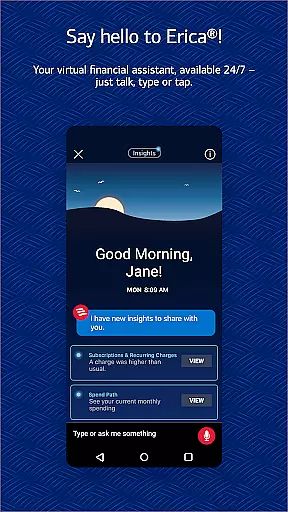
One standout feature is Erica, the virtual financial assistant, which helps users with transactions and provides valuable financial insights. The app also offers advanced security features like Touch ID/Face ID and fraud alerts. Users can manage investments through Merrill, view FICO credit scores, and utilize budgeting tools to track spending and create savings plans.
This application is particularly useful for individuals who need remote access to their financial portfolio. The combination of account management, investment tracking, and financial planning tools makes it an essential companion for Bank of America customers seeking to maintain control over their finances while on the go.
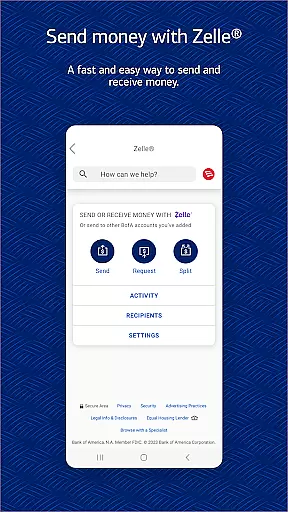
The Bank of America Mobile Banking app stands out with its robust set of features that cater to various financial needs. The account management system allows users to view balances, review activity, and activate/replace cards directly from their mobile devices. The integration with Zelle enables secure peer-to-peer payments using just a mobile number or email address.
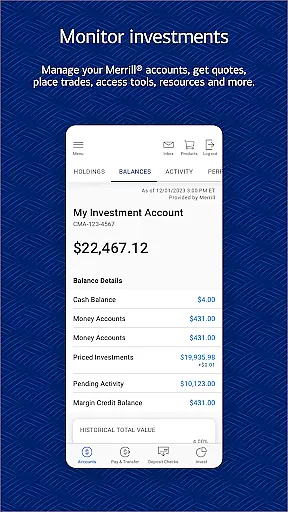
A key innovation is Erica, the AI-powered virtual assistant that goes beyond basic transactional capabilities by providing personalized financial insights and proactive alerts. The app's investment management features are equally impressive, allowing users to trade stocks, ETFs, and mutual funds while accessing real-time market data and securely communicating with advisors.
The app implements multiple layers of security including biometric authentication and fraud monitoring systems. These features work together to create a comprehensive mobile banking solution that addresses both everyday banking needs and more sophisticated financial management requirements.
Account and Fund Security is a critical feature of the Bank of America Mobile Banking app, ensuring that users can manage their finances with confidence. The app incorporates advanced security measures such as Touch ID and Face ID for biometric authentication, providing an additional layer of protection against unauthorized access.
The application also employs real-time monitoring to detect any suspicious or fraudulent activity on your accounts. If any irregularities are identified, you will be promptly notified, allowing you to take immediate action to secure your funds. This proactive approach helps mitigate risks associated with identity theft and financial fraud.
Furthermore, the Mobile Banking Security Guarantee assures customers that they will not be held liable for unauthorized transactions if reported within 60 days of appearing on their statement. This commitment reinforces trust in the platform and encourages users to engage actively with their financial management without fear of potential security breaches.
The Transaction Experience offered by the Bank of America Mobile Banking app is designed to provide users with a seamless and efficient way to handle their financial activities. With features like Zelle integration, customers can securely send and receive money using just a U.S. mobile number or email address, streamlining the process of transferring funds between individuals.
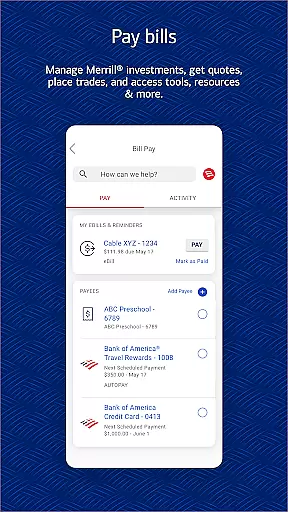
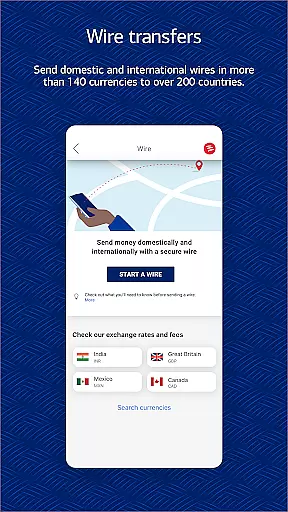
In addition to person-to-person payments, the app allows for effortless bill payments and transfers between Bank of America and linked Merrill accounts. These capabilities ensure that users have full control over their financial obligations and can easily allocate resources where needed, enhancing overall financial management.
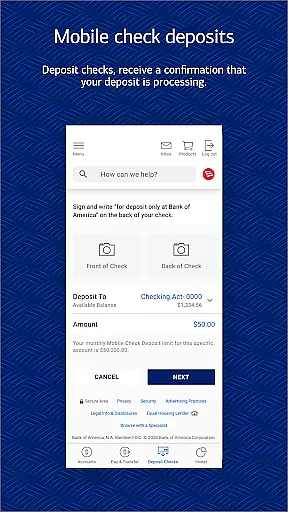
For added convenience, the Check Deposit feature enables users to deposit checks directly into their accounts by simply taking photos of them. This service provides instant confirmation of processing, reducing the need for physical branch visits and allowing users to conduct banking activities from virtually anywhere at any time.
User-friendly interface
Comprehensive account management
Advanced security features
Integrated investment tools
AI-powered financial assistant
Limited to Bank of America customers
Some features require enrollment
Investment risks involved
Occasional service outages
Device compatibility issues

Your insurance, anytime, anywhere
 4.00
4.00
Early payday & cash advances with no-fee mobile banking!
4.60
Get, Earn, and Save Money
4.30
Save, spend & get paid faster²
4.50
Earn cash back. Build credit.
4.60
“Money Manager” is an optimized application for personal asset management.
4.70
The US Debt Clock .org App gives you a Real-Time glimpse of US Financial Stats
4.60
Cash Advance, Credit Cards, Credit Lines, Score Monitoring, Saving, Budgeting
4.70
Navigate your unique financial path confidently with help from Credit Karma.
4.70
Currency Converter, Exchange Rates, Widgets
4.90
Keep track of your subscriptions with no limitations
4.80
Join 12M+ users. Instant cash advances, personal loans, build credit, save money
4.80
Play for fun, earn for real. Collect rent by owning virtual land & get cashback
4.60
Trade NFL, NBA, Crypto, Tech
4.50
All your crypto & stocks in one secure and trusted app.
4.40
BTC, Crypto, Stocks & Options.
4.20
Venmo is the fun and easy way to pay and get paid.
4.10
Expenses, Bills, Budget and Accounts - All seamlessly integrated in one app!
3.80
Secure Amex Account Access: View Balance, Make Payments, Redeem Rewards & more
3.60


User Reviews