
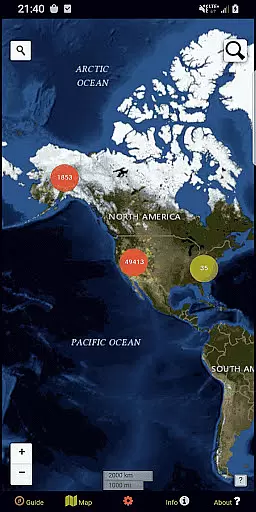
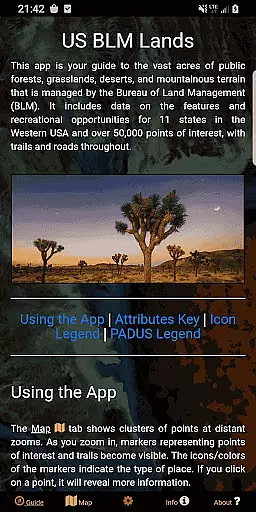
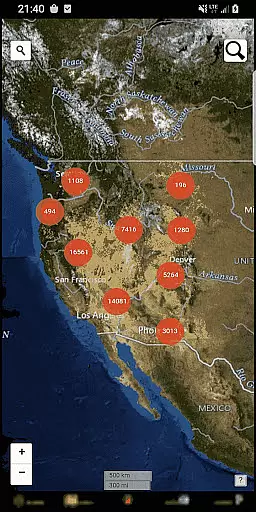
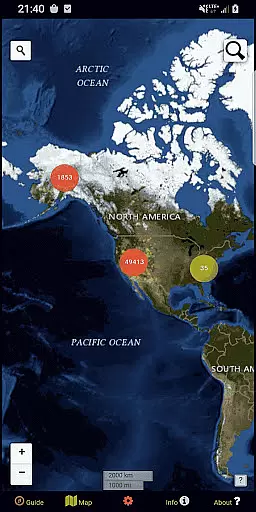
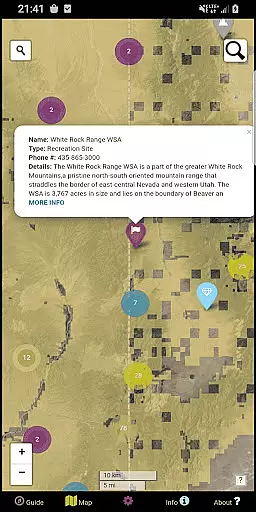
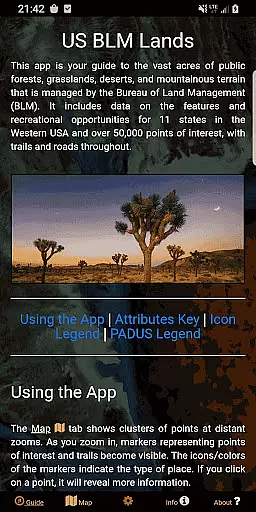
BLM Public Lands Map Guide USA is a comprehensive navigation tool designed specifically for exploring public Bureau of Land Management (BLM) properties across the Western United States. With over 52,000 recreational points mapped as of Summer 2024, this app provides users with detailed information on various categories such as campgrounds, hiking trails, access points, and more. The intuitive interface allows outdoor enthusiasts to easily locate points of interest, plan trips, and discover new areas to explore.
The app's key feature is its robust mapping system that includes color-coded icons for easy identification of different point categories. Users can switch between four distinct basemaps, download offline imagery, and enable geolocation services for enhanced navigation. Additionally, the custom My Points tool lets users create personalized markers with unique colors and icons, which can be exported for future use. Whether you're an experienced adventurer or simply looking to learn more about nearby public lands, this app offers valuable resources to optimize your outdoor experience.
By combining official BLM data with user-friendly functionalities, BLM Public Lands Map Guide USA serves as an essential companion for anyone interested in discovering the natural beauty and recreational opportunities within America's public lands. The app not only facilitates navigation but also promotes appreciation for the diverse landscapes and cultural heritage that define these protected areas.
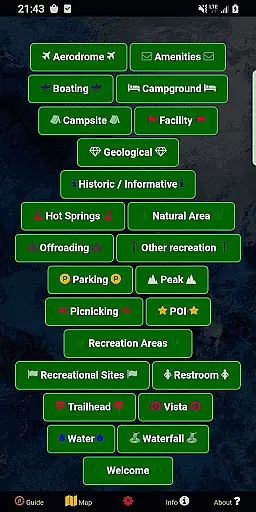
One of the standout features of BLM Public Lands Map Guide USA is its extensive database of over 52,000 recreational points, each categorized and symbolized with color-coded icons for easy differentiation. These categories include campgrounds, vista points, boating access, parking areas, and many others, providing users with a comprehensive overview of available amenities and attractions. The app also distinguishes property boundaries and includes some hiking trails and roads, making it easier to navigate through unfamiliar terrains.
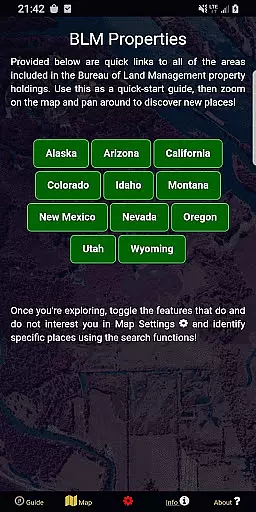
In addition to its rich dataset, the app offers several customization options to enhance user experience. Through the Map Settings screen, users can choose from four different basemaps, download offline imagery for areas without internet connectivity, and toggle specific point categories according to their preferences. The newly added My Points tool allows users to create personalized markers with unique colors and icons, which can then be exported for external use. This level of personalization ensures that each user can tailor the app to suit their individual needs and interests.
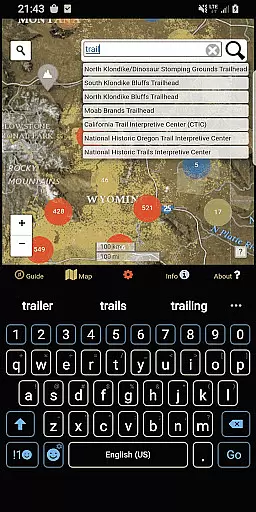
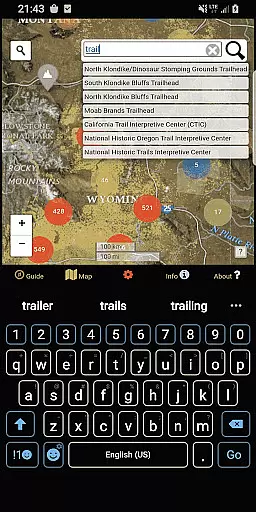
Another notable feature is the dual search functionality available on the Map screen. Users can search for addresses and towns using the left search tool, while the right search tool enables querying specific feature names within the database. This dual approach streamlines the process of locating desired destinations and gathering relevant information. Combined with the app's cluster system that simplifies viewing at distant zooms, these features make BLM Public Lands Map Guide USA an indispensable tool for both casual explorers and seasoned adventurers alike.
Map accuracy is essential for any navigation app, and BLM Public Lands Map Guide USA excels in this area. The app provides up-to-date data as of Summer 2024, featuring over 52,000 recreational points on Bureau of Land Management property.
These points are carefully categorized with color-coded icons, representing various features such as Access Points, Campgrounds, Vistas, and more. This meticulous categorization ensures users can easily identify and locate points of interest.
Additionally, the app distinguishes property boundaries and includes hiking trails and roads, enhancing the precision of the maps. Users can trust the accuracy of the information when planning their outdoor adventures.
With its comprehensive and detailed mapping features, BLM Public Lands Map Guide USA offers an invaluable tool for exploring the vast landscapes of the Western US with confidence.
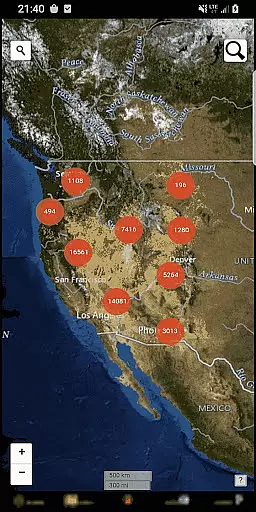
Effective route planning is a cornerstone of BLM Public Lands Map Guide USA, empowering users to optimize their navigational experience. The app's Map screen displays circle clusters that indicate point density, streamlining the process of identifying areas of interest.
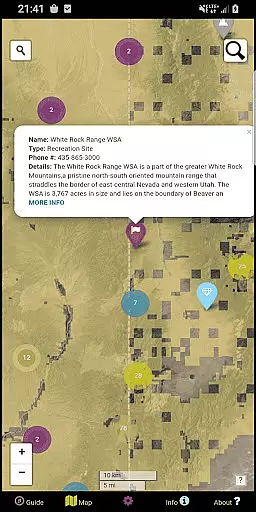
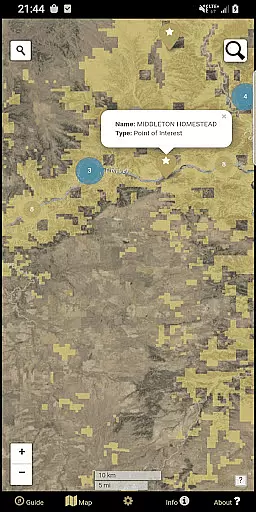
As users zoom in, individual points, trails, roads, and boundaries become visible, providing crucial details for planning routes. Each feature can be clicked to reveal names, locations, and other pertinent information, aiding in thorough trip preparation.
The app also offers two search tools on the Map screen. One allows users to look up addresses and towns, while the other queries feature names within the database, ensuring efficient access to desired destinations.
By delivering these sophisticated route planning capabilities, BLM Public Lands Map Guide USA enables adventurers to explore public lands with ease and precision, making every journey a well-planned expedition.
User-friendly interface
Extensive point database
Offline map support
Customizable markers
Dual search functionality
Limited to Western US
No real-time updates
Occasional data gaps
Requires storage space
Some features are complex

This app is military GPS coordinate systems helper. (MGRS, UTM & DMS Maps)
 4.80
4.80
Instant diesel discounts - save big with each fill up!
4.40
Airport parking, with airport shuttle (TPS shuttle), reservations, and Spot Club
4.80
Find EV & Tesla charging stations with PlugShare
4.70
Ride CTA, Metra & Pace: Manage your fares, buy Metra tickets, get arrivals.
3.00
Maps, Driving Directions & GPS navigation using directions app & GPS App
4.30
LIRR and Metro-North tickets and trips
4.80
Affordable rides and food delivery with incredible discounts in just one app.
4.50
Live Satellite view app for find GPS navigation Direction and live location map
3.70
Find shortest way and save energy . Distance and area calculator.
4.70
"Balad" is a map and navigator with a Persian voice assistant and a complete city guide
4.40
Route schedules, maps, and real-time tracking of MTA buses in New York City.
4.20
Navigate seamlessly with Real-Time Traffic, Offline Maps, and Voice Navigation.
4.10
Start your next adventure confidently using our Accurate Compass App
3.70
Gas Station & Fuel Rewards Points
3.70
Explore Earth with live GPS, satellite view & street navigation
3.60
Explore offline maps with radar, satellite view, and real-time alerts.
3.60
Off-Roading Navigation App With Trails, Public Lands, & Private Property Info
3.30
Turn your tablet or Android powered unit into a full blow Android Auto headunit.
2.30


User Reviews