
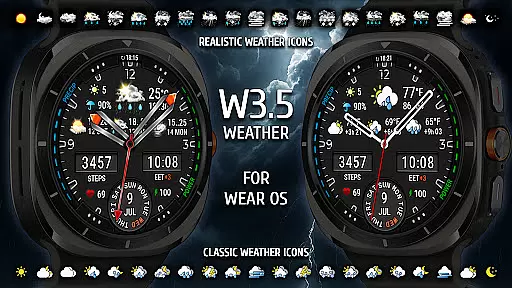
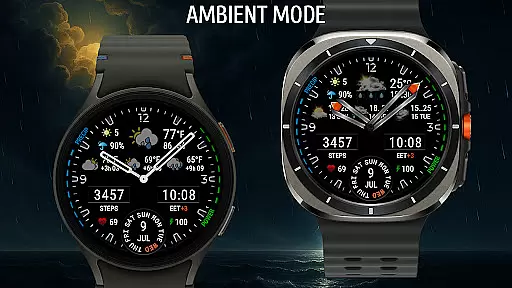
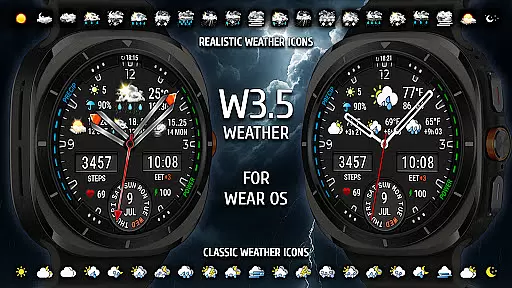
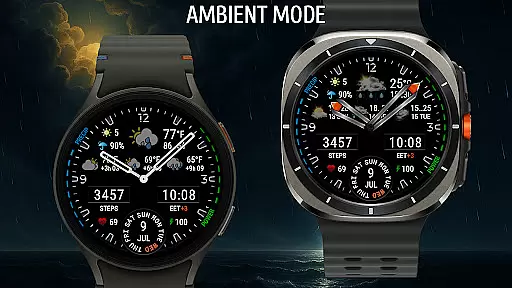
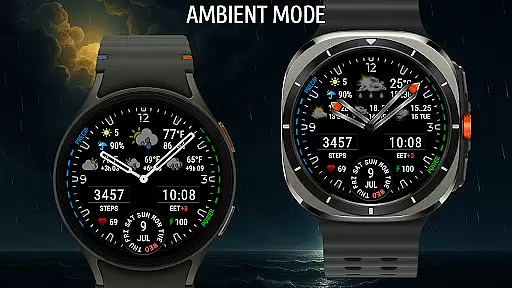
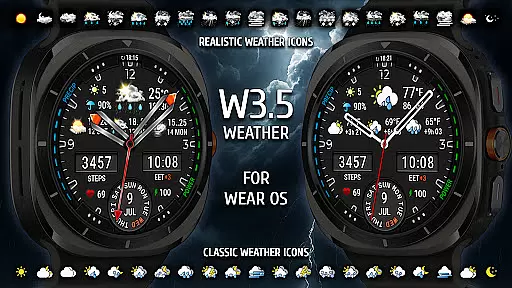
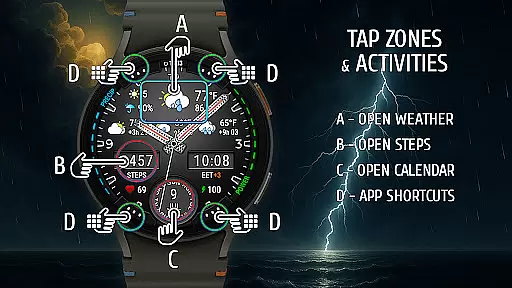
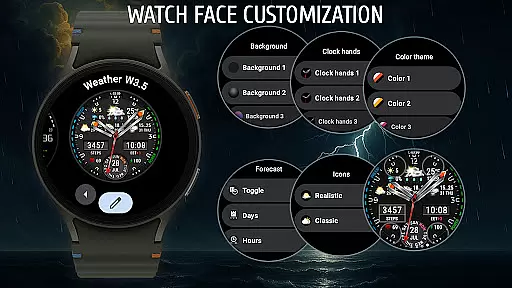
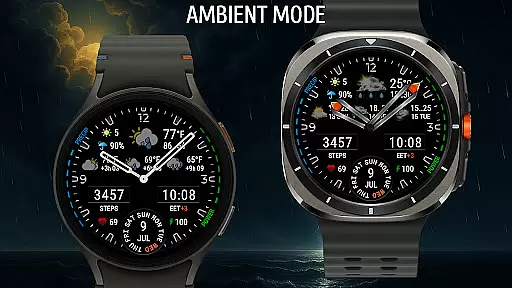
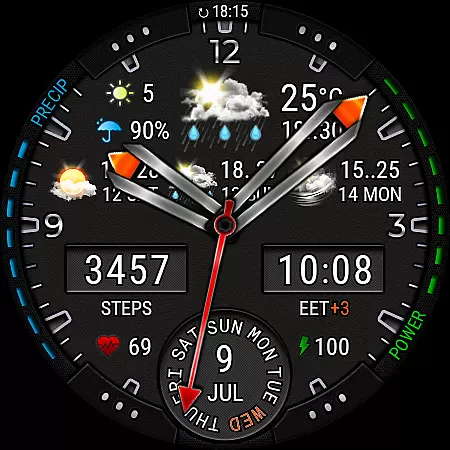
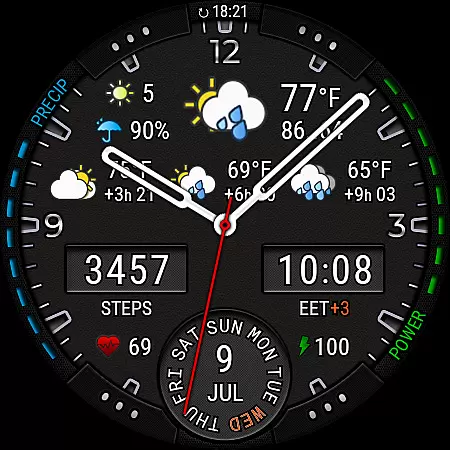
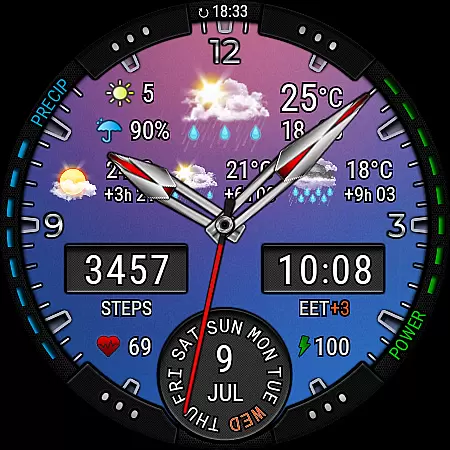
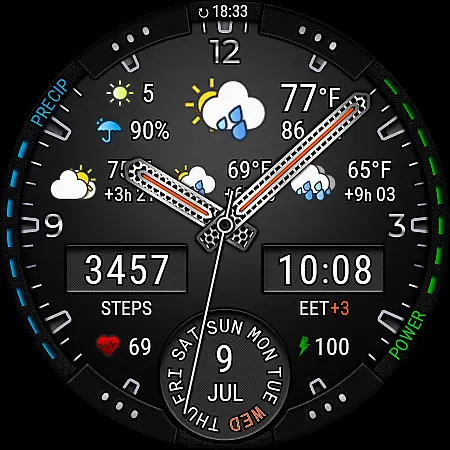
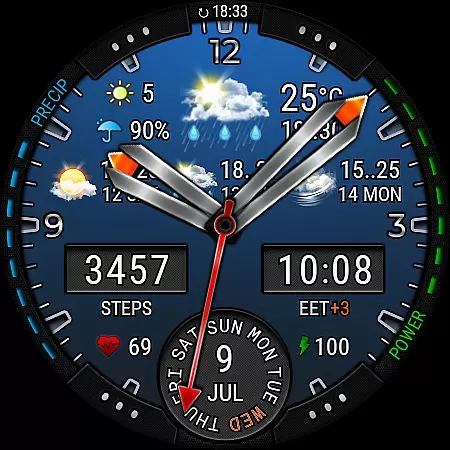
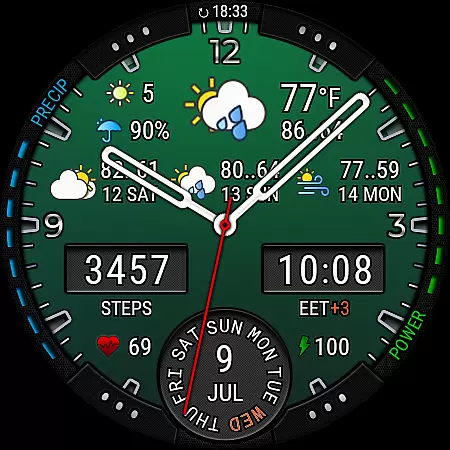
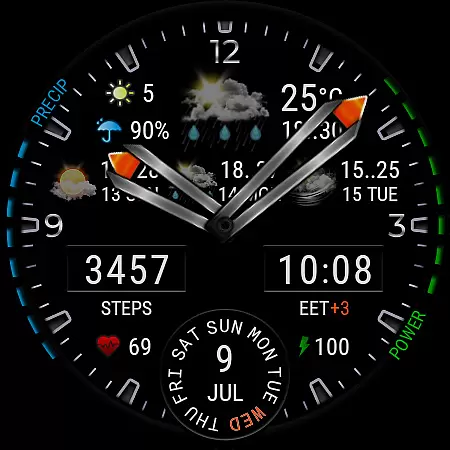
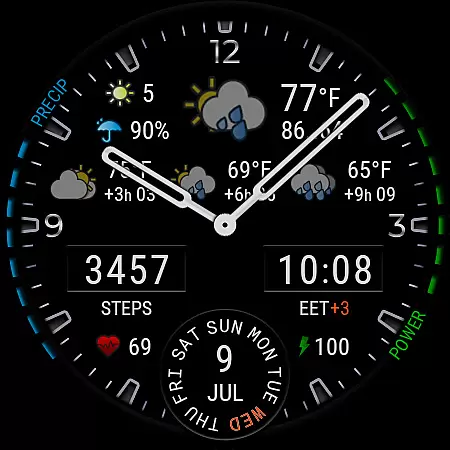
Weather Watch Face W3.5 is a premium smartwatch interface designed for users who value both aesthetics and functionality. This analog watch face combines classic design with modern weather-tracking features, making it ideal for Wear OS 5+ devices.
The app provides real-time weather updates, including temperature, precipitation chance, UV index, and a 4-day forecast. With customizable backgrounds, color themes, and analog hand styles, users can tailor the display to their preferences while accessing essential health stats like heart rate and step count.
Optimized for Galaxy Watch and Pixel Watch models, this app ensures clarity and precision on AMOLED screens. Whether you're monitoring daily weather or personal fitness metrics, Weather Watch Face W3.5 delivers critical information at a glance.
Weather Watch Face W3.5 stands out with its robust feature set tailored for smartwatch users. The app integrates live weather data powered by The Weather Channel, offering updates every few hours alongside a detailed 4-day forecast.
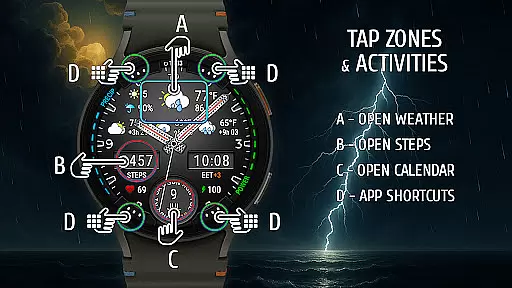
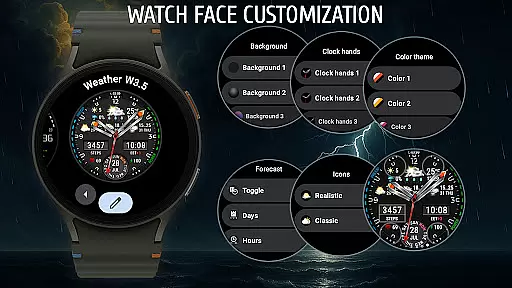
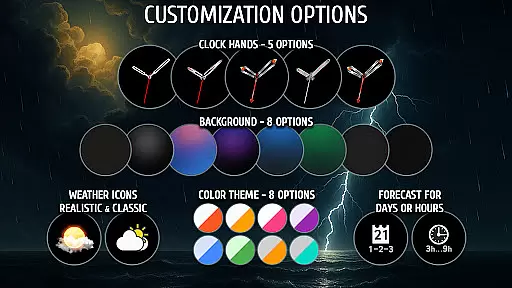
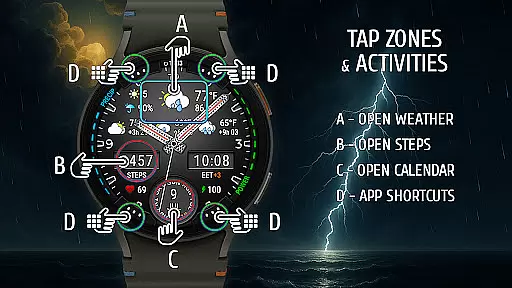
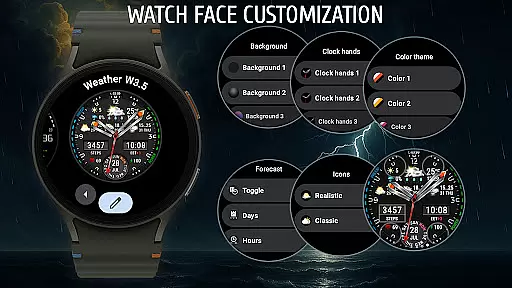
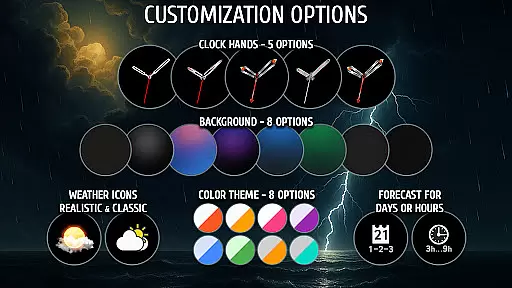
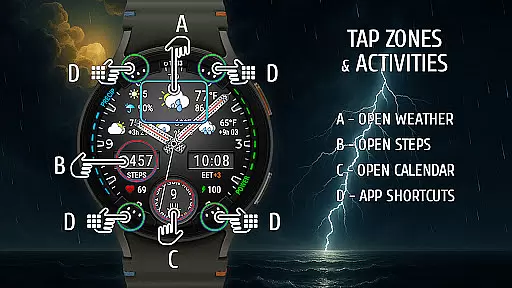
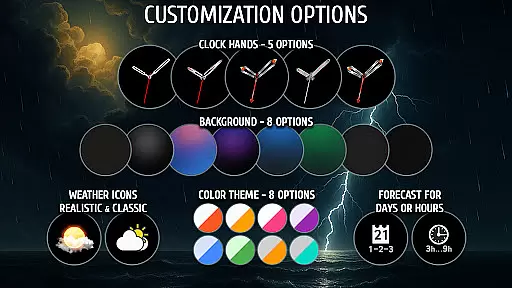
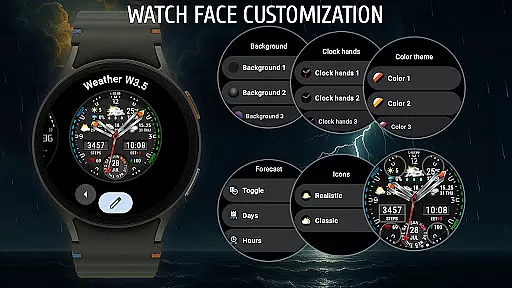
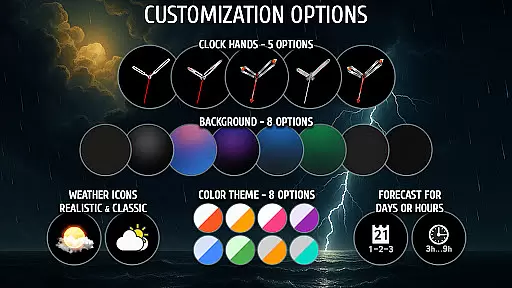
Customization is at the core of this app's appeal. Users can choose from 8 unique backgrounds, 8 color themes, and 5 analog hand styles. Additionally, the app supports up to 4 app shortcuts and includes complications for steps, heart rate, battery level, and more.
Designed for Wear OS 5+, the app leverages advanced APIs to ensure compatibility with the latest Galaxy Watch and Pixel Watch models. Its compact layout maximizes readability on AMOLED displays, providing an elegant yet functional experience.
Weather watch face W3.5 offers precise weather forecasting powered by The Weather Channel, ensuring users receive accurate and credible data directly on their smartwatch. This integration guarantees that the displayed information, such as temperature, precipitation chance, and UV index, is reliable for planning daily activities.
The analog design combines classic aesthetics with modern functionality, presenting real-time updates in a visually appealing manner. With features like a 4-day forecast and hourly intervals, users can trust the data shown on this watch face for both short-term and long-term planning.
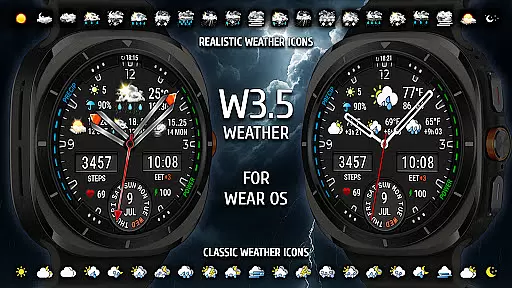
By focusing on clarity and precision, Weather watch face W3.5 ensures that even the smallest details, such as weather icons and forecast displays, are designed to offer maximum readability and accuracy. This attention to detail enhances user confidence in the data presented.
This weather watch face provides an extensive forecast range, displaying live updates, a 4-day outlook, and hourly forecasts at 3, 6, and 9-hour intervals. Such comprehensive coverage allows users to stay prepared for weather changes throughout the day and upcoming days.
Designed exclusively for Wear OS 5+, the app optimizes spatial design by integrating multiple data points into a compact layout suitable for AMOLED screens. Despite the detailed information provided, the interface remains clean and accessible at a glance.
Whether monitoring current conditions or planning ahead, Weather watch face W3.5 ensures users have all necessary weather information available directly on their smartwatch, enhancing convenience without compromising on detail or accuracy.
Real-time weather updates
Highly customizable design
Compatible with Wear OS 5+
Health and fitness tracking
Powered by The Weather Channel
Not compatible with older Wear OS
Limited to specific devices
Premium features may require payment
Complex setup for beginners
Dependent on external weather providers

A tool that provides real-time and 5-day weather info.
 4.2
4.2
The Weather Network TV App - Your weather when it really matters
2.90
NOAA radar, weather forecasts, hurricane tracking & customizable alerts.
4.50
Powerful US and worldwide earthquake feed with earthquake alerts and maps.
4.60
Storm Radar, Alerts & Live Weather Forecasts Right on Your Home Screen
3.70
14-day & 24-hour Forecast | Real-time Alert | Accurate & Fast
4.40
A professional, comprehensive and accurate weather forecast app
4.90
Magnetic Compass meets smart tech: Get directions and weather alerts seamlessly
3.30
Hyperlocal Forecasts, Live Radar, Severe Weather alerts & Homescreen Widgets
4.30
Powerful US and worldwide earthquake feed with earthquake alerts and maps.
4.70
My Aurora Forecast is the app for Northern Lights and Aurora Borealis alerts.
4.60
Weather related custom complications for Wear OS. UV, Hi-Lo, AQI and more!
4.40
Local weather forecast, reliable daily weather report
4.30
Personal Weather Station PRO - Meteo monitor to check your WU info and charts.
4.20
Live weather radar, widgets & forecasts. Track rain, storms & temperature.
4.20
An unofficial app version of the National Weather Service (Weather.gov)
3.90
Know the weather earlier.
3.90
Moon phase calendar with live wallpaper, lunar widget, & 3D simulation.
3.60
Retro TV-style digital watch face with weather, heart rate, steps & events!
4.4


User Reviews