
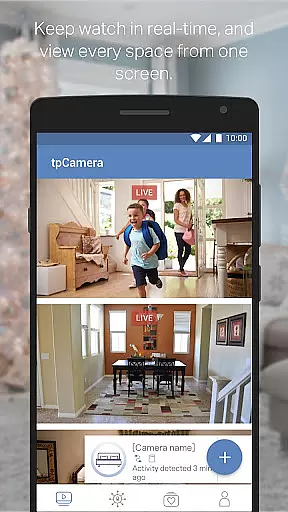
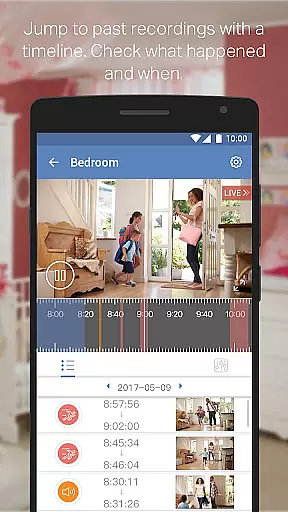
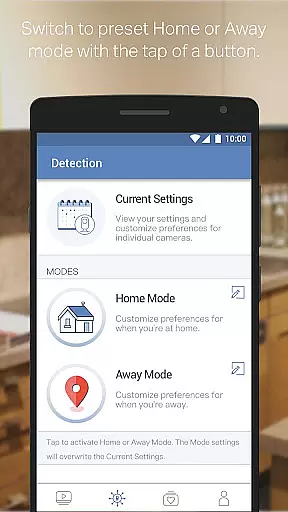
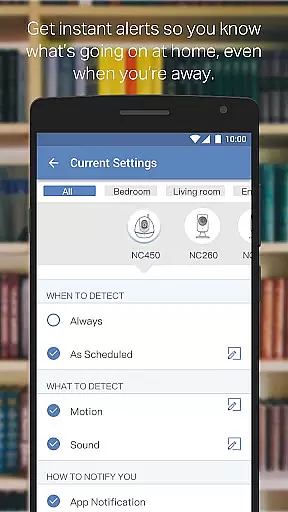
TP-LINK tpCamera is a cloud-based video monitoring app that allows users to stay connected with their home, family, or pets remotely. With this app installed on your smartphone, you can access your cloud cameras anytime and from anywhere over the Internet. This ensures you never miss an important moment.
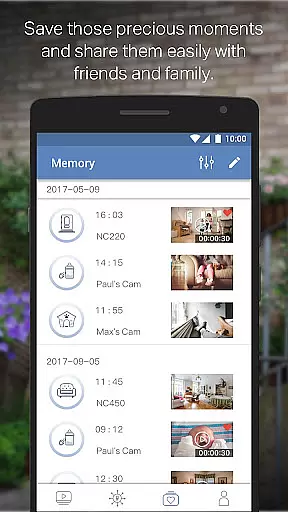
The app offers free cloud service for life, quick registration and setup, and supports managing and streaming live videos from multiple cameras. It also allows storing photos and videos, making it easy to relive precious moments. Compatible devices include models NC200 through NC260 and NC450.
TP-LINK tpCamera stands out with its comprehensive feature set tailored for remote video monitoring. The app provides a free lifetime cloud service, ensuring users can store and access their footage without worrying about subscription fees. Its quick registration and setup process makes connecting to your home or office simple and hassle-free.
Users can manage and stream live videos from multiple cameras simultaneously, offering a versatile monitoring solution. The ability to store photos and videos adds another layer of functionality, allowing users to capture and revisit key moments. These features collectively enhance security and peace of mind, making TP-LINK tpCamera a reliable choice for remote surveillance needs.
TP-LINK tpCamera offers a comprehensive suite of functionalities that ensure users can effectively monitor their spaces. The app provides essential features such as live video streaming, motion detection alerts, and two-way audio communication.
With support for a wide range of compatible devices including NC200, NC210, NC220, NC230, NC250, NC260, and NC450, the app ensures broad device coverage. This compatibility allows users to manage multiple cameras within a single platform, streamlining the monitoring process.
The functionality extends to managing and storing photos and videos, which means users can relive important moments or review footage as needed. Additionally, the free cloud service for life guarantees that data is securely stored and accessible from anywhere.
Usability is a core focus of TP-LINK tpCamera, designed to provide an intuitive and seamless user experience. The app boasts quick registration and setup processes, enabling users to swiftly connect to their home or office cameras with minimal hassle.
Its interface is crafted to facilitate easy navigation and operation, ensuring that even those who are not tech-savvy can manage their surveillance system without difficulty. The simplicity of connecting to your cameras and streaming live videos is one of the standout aspects.
Moreover, the app supports multiple languages including English, French, German, Spanish, Portuguese, Italian, Russian, Polish, Traditional Chinese, and Korean, making it accessible to a global audience. This multilingual support enhances its operational smoothness by catering to diverse user bases.
User-friendly interface
Free lifetime cloud storage
Quick setup process
Multi-camera support
Reliable connectivity
Limited device compatibility
No advanced analytics
Basic UI design
Occasional connectivity issues
Few customization options

Wireless reverse charging using phone now is possible
 4.30
4.30
With Endoscope Camera Connector you can connect your phone with endoscope cam
3.70
Easily evaluate the performance of Scandit's barcode and ID scanning SDK
4.10
Block, disable and secure phone camera from secretly taking photos by spyware.
4.50
Explore The Holy Quran Majeed for Muslim. Listen to MP3 Quran & Al Quran Kareem.
4.80
Manage apps & elevate your gaming experience with Game Launcher: Gaming Hub app.
4.30
Endoscope camera an app to connect with endoscope cam or any device
3.30
Mirror phone to TV effortlessly! Stream, share & connect with Airplay ease.
3.60
Expo is a free & open source platform to build apps using JavaScript and React.
4.70
TV USB connector app provides you a seamless cast option from your phone to tv.
4.70
The Free Catholic Latin American Bible in complete Spanish
4.60
Tune your game graphics with our GFX optimizer for optimal gaming experience
4.50
Phone Software Update Quick Checker helps you to keep your phone apps up to date
4.50
Recite Quran Majeed القران with special 16 line real Kuran page in hand
4.30
The best PS2 games from your childhood come to life in their mobile version!
4.00
Sad ringtones full of feeling, sad music ringtones
3.90
Connect and Find your smart tag via our app.our app is compatible with smarttag.
3.30
Enjoy hours of entertainment with our Roblox mobile games app
4.4
Mirror Link Car Display to share your screen with car dashboard wirelessly
4.1


User Reviews