
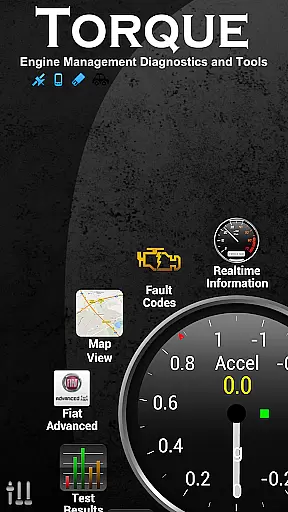
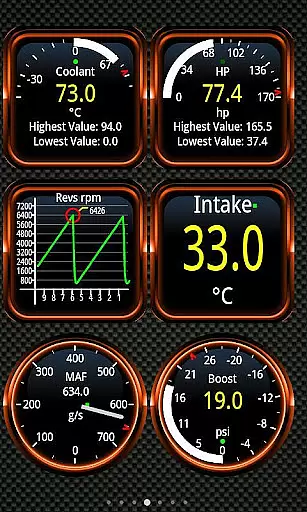
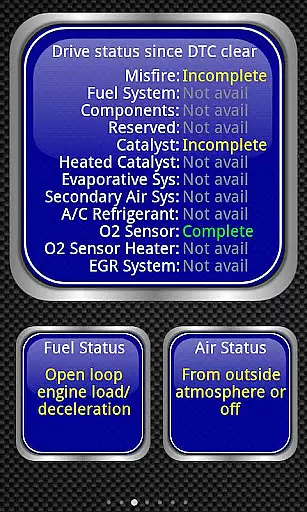
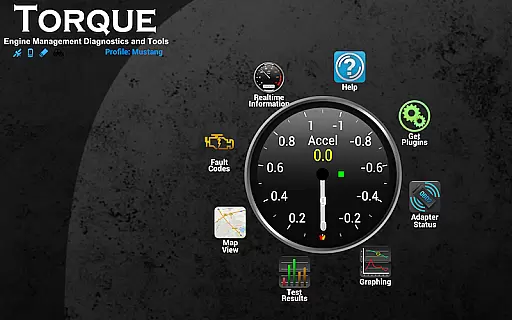
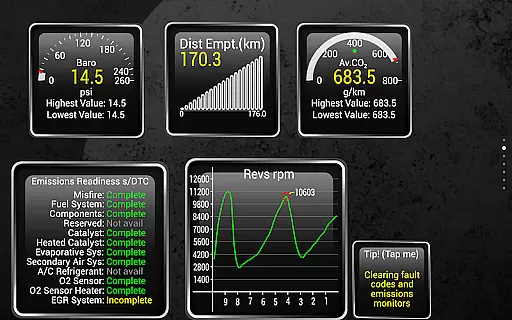
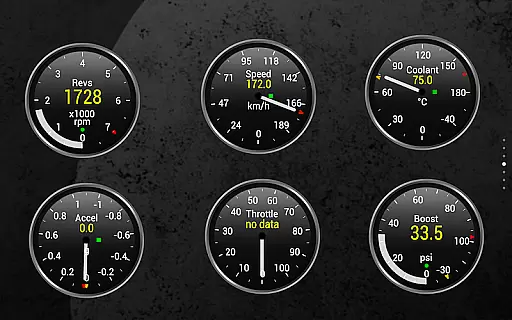
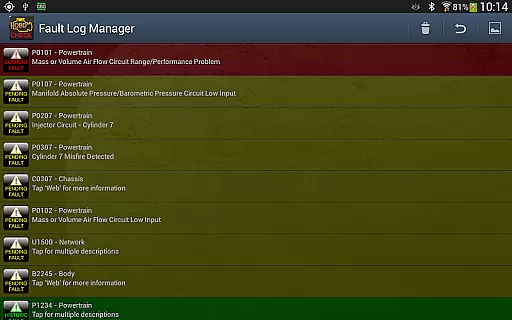
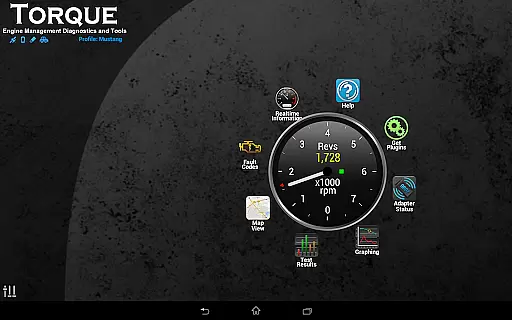
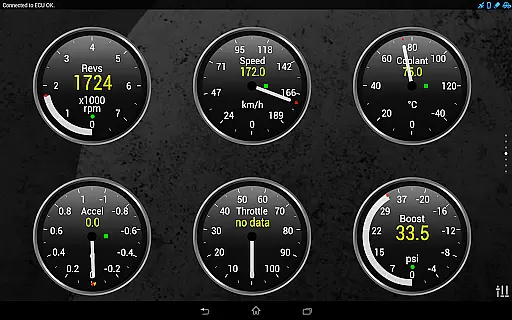
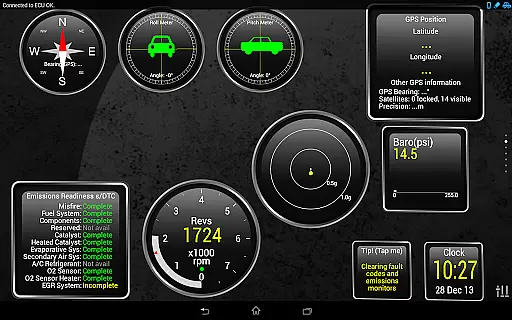
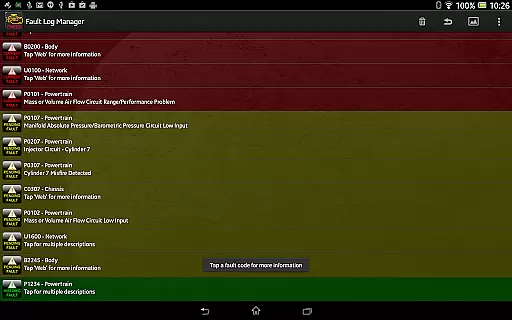
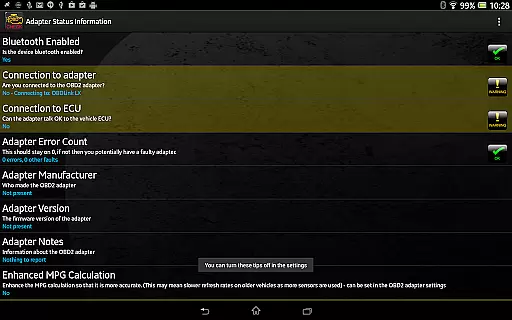
Torque Pro is a comprehensive vehicle diagnostics and performance monitoring tool designed for car enthusiasts and professionals alike. This app utilizes an OBD II Bluetooth adapter to connect to your vehicle's engine management system, providing real-time data on fault codes, car performance, and sensor readings. With its customizable dashboard, users can create personalized layouts with desired widgets and gauges, making it easy to monitor specific parameters that matter most to them.
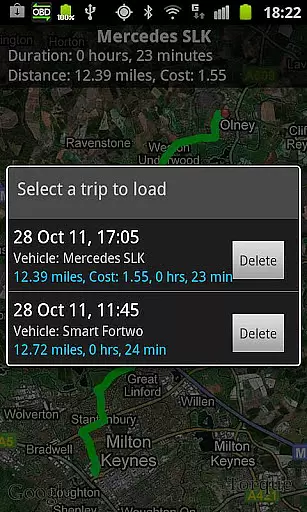
One of the standout features of Torque Pro is its ability to log and track GPS-tagged journeys, allowing users to review their driving history alongside corresponding engine data. Whether you're diagnosing issues or simply tracking your vehicle's performance over time, this app offers invaluable insights. Additionally, Torque Pro supports advanced functionalities such as dyno testing, transmission temperature readings, and CO2 emissions tracking, catering to a wide range of automotive needs.
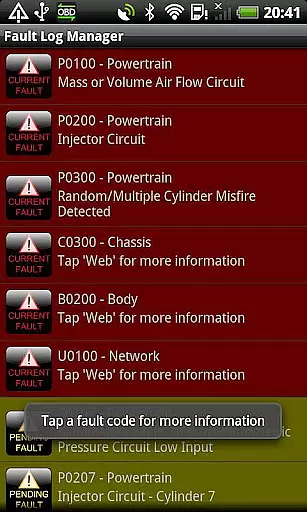
The app is compatible with a variety of vehicles manufactured after 2000, including models from Ford, VW, GM, Chrysler, Mercedes, Audi, and many others. By offering detailed diagnostic information and tools like DTC code reading and resetting, Torque Pro empowers users to better understand and maintain their vehicles, potentially saving on repair costs. Its versatility extends to both personal and professional use, making it an essential tool for anyone invested in automotive care.
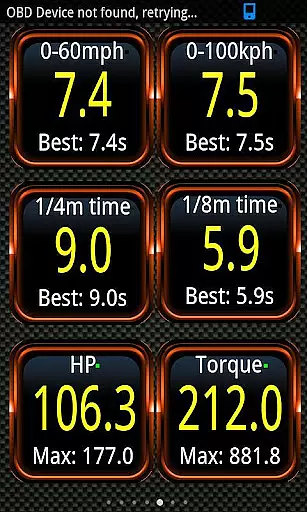
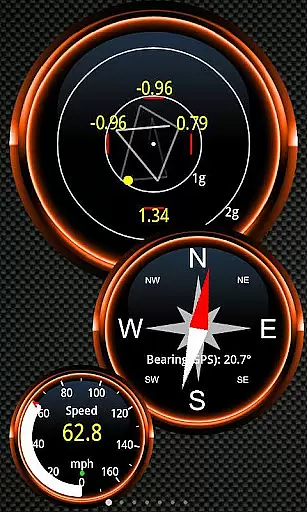
Torque Pro stands out with its extensive array of features tailored for vehicle diagnostics and performance analysis. The app provides real-time monitoring of various engine parameters through an intuitive interface, which includes customizable dashboards. Users can select from a wide range of widgets and gauges to display data such as RPM, speed, coolant temperature, and more. This level of customization ensures that each user can tailor the app to their specific needs and preferences, enhancing the overall user experience.
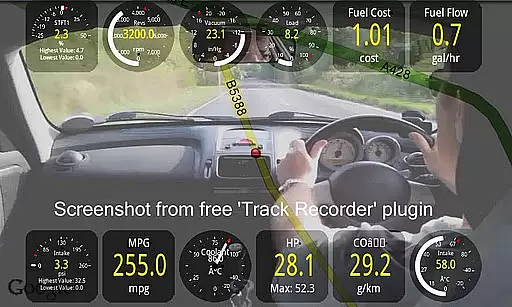
In addition to basic monitoring, Torque Pro offers advanced functionalities such as dyno testing, which allows users to measure horsepower and torque. It also supports turbo boost features for vehicles equipped with MAP and MAF sensors, providing even more detailed insights into engine performance. The app's ability to read and reset fault codes makes it an invaluable tool for troubleshooting and maintaining vehicle health. Furthermore, Torque Pro includes a video recording feature with on-screen OBDII data overlay, serving as a black box for your car or truck.
Torque Pro's compatibility with a wide range of vehicles and its support for multiple adapters underscore its versatility. Whether you're using a Scantool.net adapter, OBDKey, or PLX Devices, the app ensures seamless connectivity and reliable data transmission. With regular updates and a dedicated community forum, Torque Pro continues to evolve, adding new features and improving existing ones based on user feedback. This commitment to innovation and user satisfaction solidifies Torque Pro's position as a leading solution in the automotive diagnostics market.
Real-time messaging speed and reliability are crucial for any communication app, especially one that connects to your vehicle's OBD II system. Torque Pro ensures that the data from your car is transmitted instantly to your device without delays.
The application uses a Bluetooth adapter to establish a stable connection with the vehicleu2019s engine management system. This allows users to receive real-time updates on their car's performance, fault codes, and sensor data as they happen.
For drivers, this means no waiting to see critical information about their vehicle. Whether you're monitoring transmission temperatures or conducting 0-60 speed timings, the immediacy of data delivery can enhance both driving experience and safety.
Furthermore, the reliability of Torque Prou2019s messaging system ensures that there are no dropped connections or lost data packets, which is essential when diagnosing issues or tracking your journey with GPS logging.
Media sharing support in Torque Pro extends beyond just text-based messages; it includes the ability to share various types of media related to your vehicle diagnostics. Users can capture and share screenshots of their customized dashboards, displaying vital stats and performance metrics.
In addition to static images, Torque Pro offers video recording capabilities through its Track Recorder plugin. This feature overlays OBDII data onto videos of your journeys, creating a comprehensive record that serves as a black box for your car or truck.
The app also supports exporting logging information via email in CSV or KML formats. These files can be analyzed using spreadsheet software like Excel or OpenOffice, providing an in-depth look at your vehicle's performance over time.
Sharing these logs and videos not only helps individual users but also contributes to a community-driven knowledge base where enthusiasts and professionals alike can learn from each otheru2019s experiences and findings.
Comprehensive diagnostics
Real-time data monitoring
Customizable dashboard
Advanced performance metrics
Wide vehicle compatibility
Requires separate adapter
Complex for beginners
Occasional connectivity issues
Limited free version
High cost for full features

We’re taking the yada yada out of wireless—now we’ve taken it out of your app.
 4.70
4.70
Google's fast and secure browser
4.10
Welcome to the future of phone service.
4.60
Call Blocker app: Identify unknown callers, block spam calls, fraud & robocalls
4.30
Create a secure hotspot on-the-go with Portable WiFi - Mobile hotspot.
4.40
Auto Reply SMS, Text Messaging, Away SMS Response, Busy SMS messages, Block Text
3.10
An app dedicated solely to marriage, not dating, and supported by a rigorous verification mechanism to ensure seriousness.
4.4
Manage your mobile phone plan, check unlimited 5g data usage and track rewards
4.50
Telegram is a messaging app with a focus on speed and security.
4.00
فیلتر شکن قوی پرسرعت کلید جدید برای اندرویدسریع ترین وی پی ان برای همه اپراتورها
4.70
A browser that does more than load page, like keeping your privacy safe.
4.70
Fast internet with AI, Adblock & VPN. Browse on a safe, incognito web browser.
4.70
Useful. Social. Expressive.
4.70
Build your web browser around you with private search, and more.
4.60
Talk & text free with a second phone number plus unlimited 5G data, no fees.
4.50
Get through your inbox faster with the mail app designed to simplify your life.
4.40
A web browser that respects your privacy.
4.30
Caller ID, Spam Call & SMS Blocker
3.80
A Browser with powerful ad blocker to help focus on what really matters.
3.00


User Reviews