
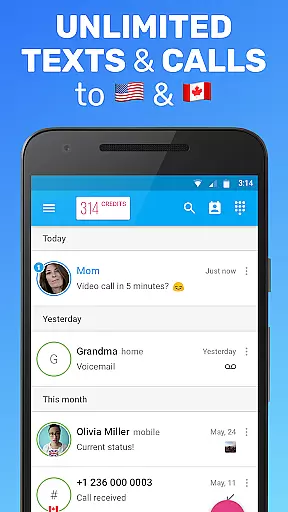

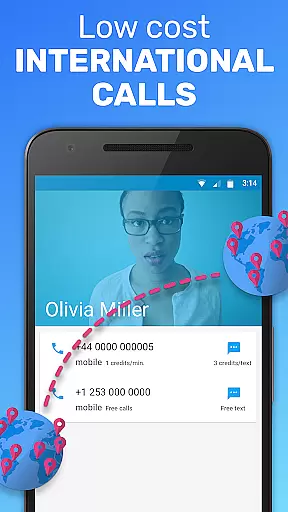
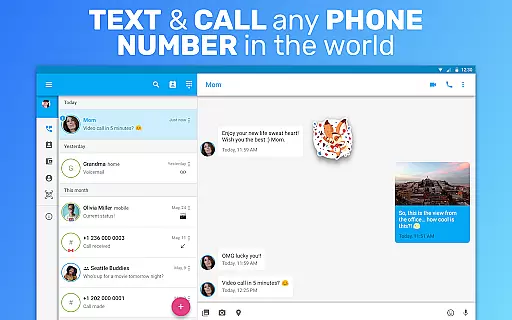
Text Me is a versatile social communication app that offers free texting and calling services across the USA and Canada. The app provides users with a real phone number, enabling them to send unlimited free texts and make voice calls without any charges. It stands out by allowing users to turn their Android tablets into communication devices, offering features such as group chat, voicemail, and even international calling at low rates.
One of the key highlights of Text Me is its ability to operate on Wi-Fi only, eliminating the need for a cellular data plan. This makes it an ideal solution for those seeking a secondary or burner number for anonymous communication. With added privacy features like passcode protection and customizable settings for tones and wallpapers, the app ensures both functionality and personalization. Whether you're looking to save on your mobile plan or need a dedicated number for specific purposes, Text Me delivers practical value while maintaining high-quality service.
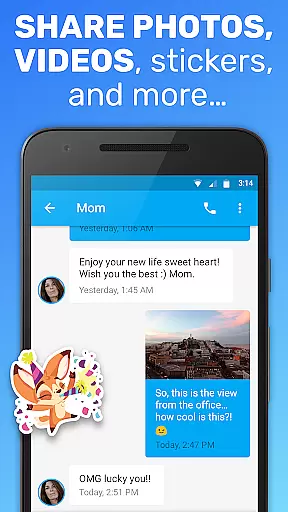
Text Me boasts an impressive array of features designed to enhance user experience in social communication. One standout feature is the provision of a real, anonymous phone number that allows users to make calls and send texts without revealing their identity. This is complemented by unlimited free messaging within the USA and Canada, alongside support for multimedia messages (MMS) and group chats, making it suitable for both personal and professional use.
In addition to basic calling and texting, Text Me includes advanced functionalities such as call forwarding, voicemail customization, and contact-based filtering options. Users can also share GPS locations via text messages and preview conversations directly from the lock screen. Privacy controls are robust, with options to hide messages and set up passcodes. Furthermore, compatibility with other major texting apps ensures seamless integration into existing workflows. These comprehensive features collectively position Text Me as a competitive player in the Social category, appealing to tech-savvy individuals who prioritize flexibility and security in their communications.
User profile customization is a crucial aspect of any social application, allowing users to express their individuality and establish trust within the community. Text Me offers a comprehensive suite of customization options that enable users to personalize their profiles with real phone numbers, customizable signatures, and unique ringtones for calls and messages.
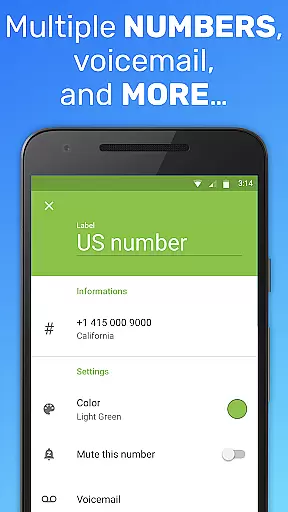
The app ensures authenticity verification through features like anonymous texting and calling, disposable numbers, and privacy controls. These functionalities not only protect user identity but also provide peace of mind when interacting with new contacts. By offering a second or even multiple numbers, Text Me allows users to maintain separation between personal and professional lives while still engaging in meaningful communication.
Users benefit from advanced privacy settings such as passcode protection, hidden conversations, and filtered calls. The ability to preview messages on a locked screen and set reminders for unread texts enhances both security and convenience. These features collectively create a robust platform where users can confidently manage their social interactions without compromising their personal information.
Connection discovery in social applications refers to the mechanisms that help users find and connect with relevant contacts. Text Me excels in this area by providing multiple avenues for users to expand their networks while maintaining control over their privacy. The app supports sign-ups through popular platforms like Facebook and Google, streamlining the onboarding process and enabling users to quickly import existing contacts.
The application's compatibility with major texting services such as Google Voice, Talkatone, and TextNow creates a seamless experience for users who want to integrate their communication channels. This interoperability ensures that users can maintain their existing connections while exploring new ones within the Text Me ecosystem. Additionally, features like international calling and number lookup facilitate global connections without geographical limitations.
Text Me's implementation of group messaging and chat functions further enhances connection discovery by enabling users to participate in community discussions and collaborative conversations. The app's support for multimedia sharing, including pictures and GPS locations via MMS, adds another dimension to social interactions, making them more engaging and informative. These capabilities ensure that users can build meaningful relationships while enjoying a feature-rich communication experience.
User-friendly interface
Free US/Canada calls
Anonymous texting
Customizable settings
Voicemail included
Limited free SMS
International fees
Occasional bugs
Ads present
Requires Wi-Fi

Meet Strangers Online, Live Video Chat & Make Random Video Calls on Joi!
 4.30
4.30
Honest dating app where real people find genuine love and real matches.
4.20
Get notifications of FREE Stuff for Nextdoor, Letgo, offerup & TrashNothing
4.70
Find your next obsession.
3.50
Chat and make new friends around the world!
3.90
Unlimited messages, WiFi Calling, Texting app. Text now with Second Phone Number
4.10
Calling and texting app. 2nd virtual line plus new phone number. Txt & talk now.
4.40
A warm, simple dating app for adults seeking real connection.
4.20
Create & share photos, stories, & reels with friends you love
3.90
Widget Together, Share Whatever! Keep Pets & Share Sleep, Poop, Moods on Screens
4.70
This version of Facebook uses less data and works in all network conditions.
4.60
A little connection can go a long way
4.60
Watch 24/7 great live stream, or go live to boost your social followers!
4.50
Watch 24/7 live stream, and make real friends nearby
4.30
A gathering place for 300 million people's life interests and hobbies
4.30
Build Your Team With One App
4.30
The official Skool app. Stay connected to your communities on the go.
4.20
Instant messaging — simple, fast, secure, and synced across all your devices.
4.00
Go Live, Chat & Meet New People! Friends. And more than friends.
3.80


User Reviews