



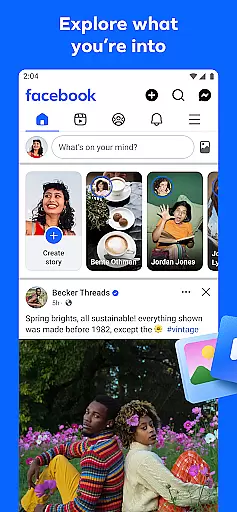

Facebook is a leading social networking platform that connects people globally. It allows users to share content, join communities, and engage with others through various interactive features. The app offers personalized feeds, AI-driven insights, and creative tools for content creation.
With Facebook, users can shop on Marketplace, participate in groups, make video calls, and use generative AI for custom content. It serves as a versatile tool for both personal connection and professional networking, making it indispensable for modern digital communication.
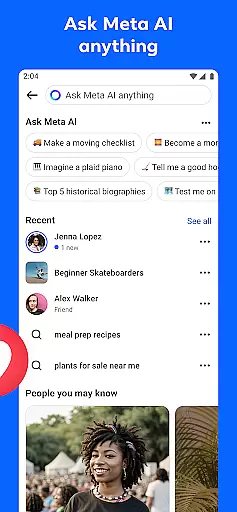
Facebook stands out with its comprehensive feature set tailored for diverse user needs. The platform's AI integration provides instant answers and personalized suggestions, while the Marketplace allows users to discover unique items.
Creative expression is enhanced through advanced editing tools for reels and stories, alongside AI-generated stickers. Users can control their privacy settings, manage friend lists, and customize their profiles to reflect their personal brand, ensuring a tailored social experience.
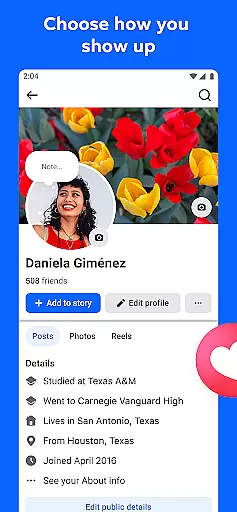
User profile customization is a crucial aspect of any social platform, allowing individuals to express their identity and control their online presence. Facebook offers extensive options for users to personalize their profiles, from choosing profile pictures and cover photos to detailed 'About' sections.
The platform provides granular privacy settings that enable users to determine who can see their posts and personal information. This ensures users maintain the desired level of privacy while engaging with different circles within their network.
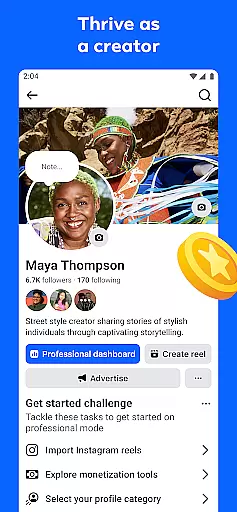
Authenticity verification on Facebook adds a layer of trust to the community. Through blue verification badges and two-factor authentication processes, the platform certifies the legitimacy of profiles, particularly for public figures and businesses.
This combination of customization and verification features empowers users to create genuine connections while maintaining control over their digital footprint, making their social interactions more meaningful and secure.
Connection discovery is fundamental to expanding one's social network and finding like-minded communities. Facebook employs sophisticated algorithms to suggest relevant connections based on mutual friends, shared interests, and interaction patterns.
The platform's recommendation engine analyzes user behavior to suggest groups, events, and pages that align with individual preferences. This helps users discover new communities and engage with content that resonates with their interests.
Facebook's 'People You May Know' feature uses various data points, including workplace, education history, and location, to recommend potential connections. These suggestions often lead to valuable professional and personal relationships.
By facilitating meaningful connections and community discovery, Facebook enhances its role as a vital tool for networking and social engagement, helping users build richer, more diverse social circles.
User-friendly interface
Extensive community reach
Versatile content sharing
Advanced AI features
Robust privacy controls
Privacy concerns
Ad-heavy interface
Regional restrictions
Complex settings
High data usage

This is to support the developer of Infinity for Reddit. No exclusive features.
 4.0
4.0
Match, chat & date with singles nearby. The dating app to find true love
4.50
Watch 24/7 live stream, and make real friends nearby
4.30
Meet Strangers Online, Live Video Chat & Make Random Video Calls on Joi!
4.30
Follow the Truth! Join America's leading free-speech social platform.
3.10
Dating for singles. Meet lonely people nearby online. Find your match here!
4.20
Live pics from your friends - Only the photos you want to see
4.60
Random chat & meet online. Find your soulmate or someone special and have fun!
3.90
Reddit is where you’ll find your people and feel at home in every conversation.
4.60
Watch super live shows 24/7, chat & meet friends in Plamfy social networking app
4.70
Get notifications of FREE Stuff for Nextdoor, Letgo, offerup & TrashNothing
4.70
TikTok Lite - Designed for speed, simplicity, and saving your phone’s space!
4.40
Looking for a date or a friend? Swipe to match and meet open-minded singles.
4.20
The official Skool app. Stay connected to your communities on the go.
4.20
The world's leading social networking app for gay, bi, trans, and queer people.
4.10
Connect and share ideas
4.10
Meet online & chat with people! Talk, have fun, make connections in real time!
4.00
Instant video chat with cool people. Live video call & make friends with Monkey!
3.80
Resonate & Date with New Match
3.70


User Reviews