
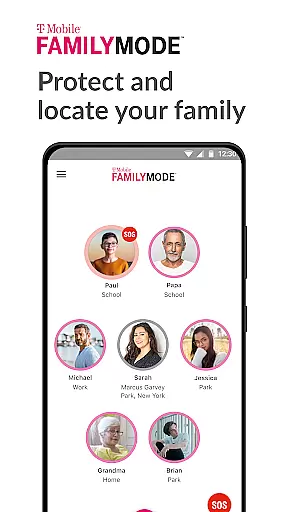
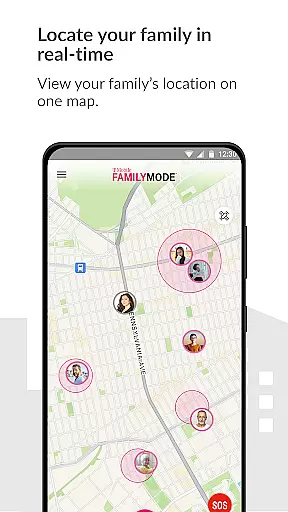
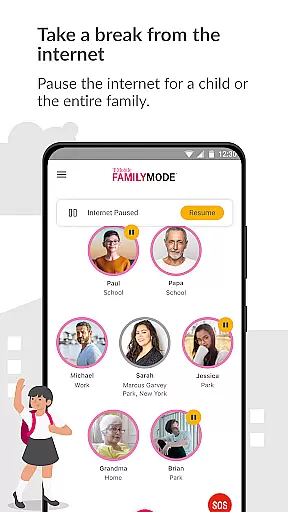
T-Mobile FamilyMode is a comprehensive family safety solution designed to help parents manage their children's digital habits while ensuring their safety. The app allows real-time location tracking of family members, helping you stay connected and informed about your loved ones' whereabouts. With features like Internet access control, content filtering, and screen time management, FamilyMode makes digital parenting more manageable.
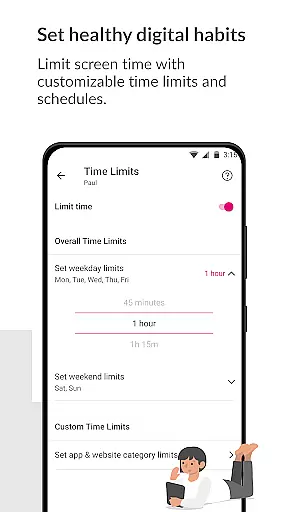
One of the standout capabilities is its ability to set healthy digital habits by allowing parents to establish time limits, pause Internet access during important family moments, or reward good behavior with extra screen time. Additionally, new features such as device locating, SOS alerts, and easy location sharing enhance family safety and communication. Whether it's for monitoring online activity or ensuring physical safety, T-Mobile FamilyMode provides an all-in-one solution that empowers parents to create a safer digital environment for their families.
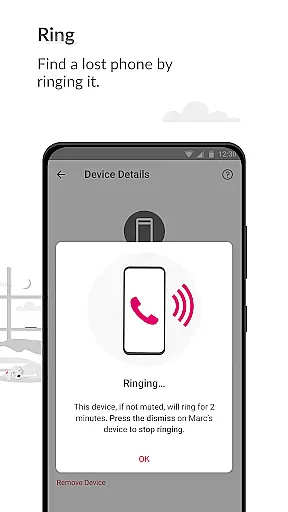
T-Mobile FamilyMode offers a robust set of features tailored to modern parenting needs. One of the key functionalities is the real-time location tracking, which lets you see where your family members are at any given moment. This feature not only helps in locating a lost device by ringing it but also ensures peace of mind by providing a path history of your kids' movements.
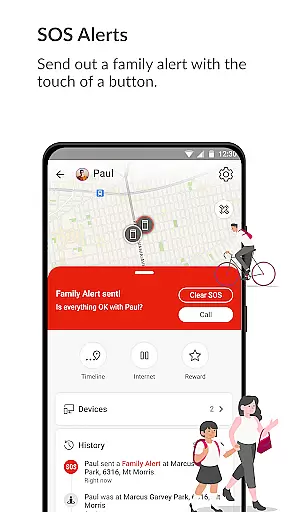
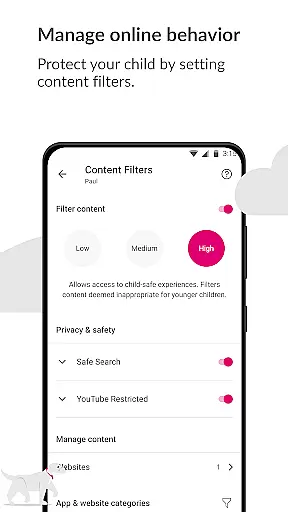
Beyond location services, FamilyMode excels in digital habit management. Parents can set specific time limits for device usage, pause the Internet during family dinners or study times, and even reward positive behavior with additional screen time. The app also includes content filters that allow parents to block inappropriate websites and ensure age-appropriate online experiences. Moreover, the SOS alert feature adds another layer of security, enabling family members to send out emergency alerts with just a touch of a button. These comprehensive tools collectively make T-Mobile FamilyMode an indispensable app for today's digitally-connected families.
When it comes to parenting apps, the credibility of content and expert validation are paramount. T-Mobile FamilyMode understands this need and provides a suite of features designed with input from child safety experts. The app allows parents to set healthy digital habits by configuring time limits, pausing internet access, and even rewarding screen time for positive behavior like good grades.
The real-time location tracking feature is not just about knowing where your kids are but also understanding their routines and ensuring their safety. By using pre-set or custom filters, parents can shield their children from age-inappropriate online content. These filters have been carefully crafted based on expert recommendations to ensure they meet the needs of concerned parents.
FamilyMode also leverages Google Accessibility Services API to enable parental controls that protect children from unwanted or dangerous content. This integration ensures that all restrictions placed by parents are both effective and reliable. With these features, T-Mobile FamilyMode stands as a credible solution backed by expertise in child online safety.
Growth tracking in the digital age isn't just about physical growth; it's also about monitoring a child's digital footprint and ensuring they develop healthy online habits. T-Mobile FamilyMode offers accurate tools for parents to track their children's usage patterns across devices, providing insights into how much time is spent on various activities.
With the ability to pause Internet access during dinner or other family times, parents can ensure that there are designated tech-free periods. This feature helps in fostering real-world connections and responsibilities, which are crucial for balanced growth. Additionally, the app's SOS alert function allows family members to communicate their need for help instantly, adding another layer of security.
Location sharing within FamilyMode provides an accurate record of a childu2019s whereabouts and the paths taken, giving peace of mind to parents. By combining these practical tools with expert-validated content filters, T-Mobile FamilyMode delivers an accurate and comprehensive approach to tracking both digital and physical growth milestones.
Real-time location tracking
Internet access controls
Content filtering options
SOS alert functionality
Customizable screen time
Limited to T-Mobile users
Requires constant internet
Dependent on Google API
Privacy concerns
Subscription fees may apply

Happiest Baby App replaces the SNOO App (the mobile companion to SNOO & SNOObie)
 3.20
3.20
Parental Control including Screen time control, GPS tracking, App/Game blocker.
3.90
Cherish every beat - capture your baby's heart sounds with our app
4.30
Track your pregnancy, kick & contraction counter, baby & mom's heartrate monitor
4.60
Fun Ideas for Parents
4.70
Watching baby, helping parents
4.10
The 10 development leaps of your baby | newborn milestones & leap days tracker
4.10
Reliable phone tracker by number & locate phone app. Protect your family.
4.50
The Most Trusted Co-Parenting App.
4.60
Daily Routine & Timer for kids, ADHD, & Autism
4.80
Family GPS locator app — child location tracker. GPS kids tracker, family safety
4.70
Real-time family location with consent, check-ins & SOS—private by default.
4.40
Keep track of your stored breastmilk
4.40
Fake call application designed for parents and adults to discipline their children through the children's police.
4.20
Family parental control app: limit screen time, block apps, GPS tracker.
4.20
Findnumber: Real-time location tracker for ultimate family security
4.20
Keep Your Family Safe with Pollog Family Assistants
4.10
Screen Time, App and Web Block & Monitoring, Location Tracker
3.60
SemLog aims to raise awareness among families and their children
3.40


User Reviews