

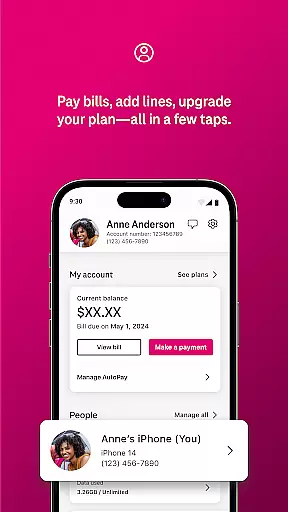
T-Life is a comprehensive lifestyle app designed to enhance the digital experience of T-Mobile users. The app serves as an all-in-one platform for managing mobile accounts, exploring exclusive benefits, and shopping for new devices. With its user-friendly interface, customers can conveniently pay bills, track usage, and configure their T-Mobile Home Internet gateway directly from their smartphones.
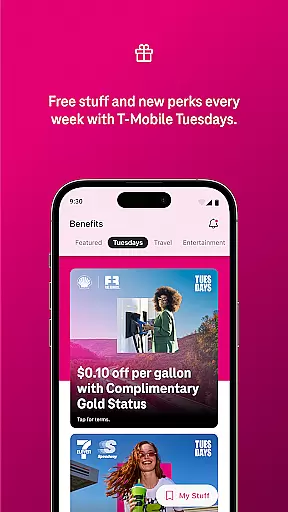
One of the standout features of T-Life is its ability to provide users with access to exclusive perks such as Netflix On Us, travel and dining savings, and the chance to win epic prizes through T-Mobile Tuesday. Additionally, non-T-Mobile customers can take advantage of a limited-time trial offering some of the carrier's best benefits for free. This makes T-Life not just a management tool but also a valuable resource for maximizing the T-Mobile experience.
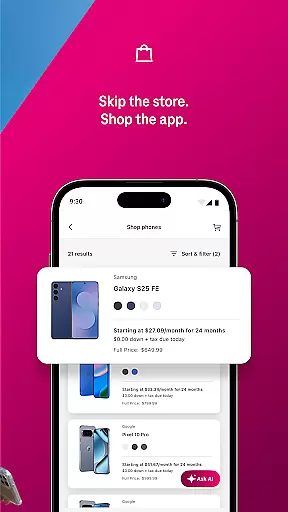
The T-Life app boasts a wide array of features that cater to both existing T-Mobile customers and those considering a switch. Users can shop for new devices from the comfort of their homes, explore rate plans, and manage their accounts with ease. The inclusion of T-Mobile MONEY® and T-Life VISA® accounts adds a financial management aspect, while Scam Shield provides protection against spam and robocalls.
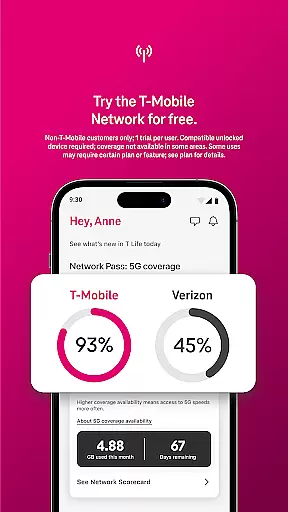
Another notable feature is the T-Mobile Trial, which allows non-customers to test America’s Best Network along with popular benefits for 30 days at no cost. To access the 5G network during this trial period, a compatible device is required. Furthermore, SyncUP devices offer seamless connectivity options for home, car, and family use. These robust functionalities make T-Life a versatile tool in the Lifestyle category, empowering users to stay connected and make the most out of their T-Mobile services.
T-Life offers an extensive range of services and features that cater to various aspects of everyday life, ensuring users have access to tools and benefits that enhance their lifestyle.
From shopping for new devices from the comfort of your home, accessing exclusive benefits such as Netflix On Us, to savings on travel and dining, T-Life positions itself as a comprehensive lifestyle companion.
Additionally, with offerings like T-Mobile Tuesdays, users can enjoy freebies, fun perks, and even enter for a chance to win epic prizes, further enriching the user experience.
This broad spectrum of services ensures that whether you're managing your account, staying connected with SyncUP devices, or accessing financial services through T-Mobile MONEYu00ae and T-Life VISAu00ae accounts, T-Life has a feature that fits seamlessly into your daily routine.
The content provided within the T-Life app is not only diverse but also authentic, drawing from partnerships and verified sources to ensure users receive credible information and benefits.
For instance, the inclusion of services like Scam Shield, which protects users from spam and robocalls, underscores T-Life's commitment to providing safe and reliable content.
Moreover, by offering trials of Americau2019s Best Network, based on analysis by Ooklau00ae of Speedtest Intelligenceu00ae data, T-Life demonstrates its reliance on expert-backed claims to promote its services.
This dedication to authenticity and expert validation ensures that users can trust the quality and reliability of the content and services available through T-Life, enhancing both the user experience and the app's overall value proposition.
User-friendly interface
Exclusive benefits
Comprehensive account management
Free trial for non-customers
Robust security features
Limited to T-Mobile users
Device compatibility required
Some features are region-specific
Occasional bugs reported
Dependent on network quality

Big bold digital watch face with 30 colors, 6 complications and AOD.
 4.3
4.3
The all-new Cync app. The simple, connected app for Cync and C by GE.
4.50
Tap to the beat with interactive videos — warm up your reflexes & have fun
4.70
Good magnifier app to see tiny things bigger and more clearly!
4.80
SmartHQ: Your Connected Home Command Center
4.10
Communicate with your vehicles and Powerwalls anytime, anywhere
3.60
A smart Siddur with halachic times
4.50
Mixing Colors for Menswear
4.20
Going above and beyond known spirit communication
3.60
Get roadside help, discounts, travel tools & more — AAA is with you everywhere.
4.80
Digital smart watch face made for Wear OS.
4.70
Crochet made easy: step-by-step tutorials, beginner patterns & projects
4.60
Colorful selection floral watch face with gyro for Wear OS
4.60
Discover your Nationality, Family Origin, and Ancestry from one selfie
4.50
Material You inspired colors with BIG and Bold looks for Wear OS watches.
4.20
Spirit Communicator is a real paranormal ghost hunting app with many fun modes.
3.90
Paranormal EVP, Ghost Box, Spirit box, ITC, Haunted, Spirit communication device
3.70
An Eerie Musical Trigger Toy for Spirits to Play with!
3.50
Unique Dark Analog style for Wear OS watches.
4.4


User Reviews