
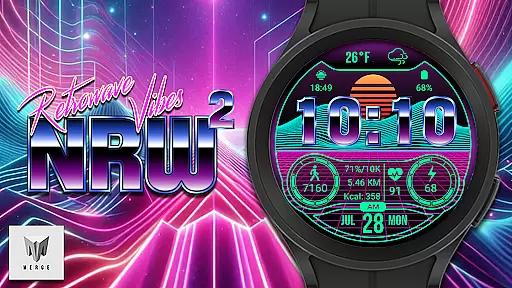
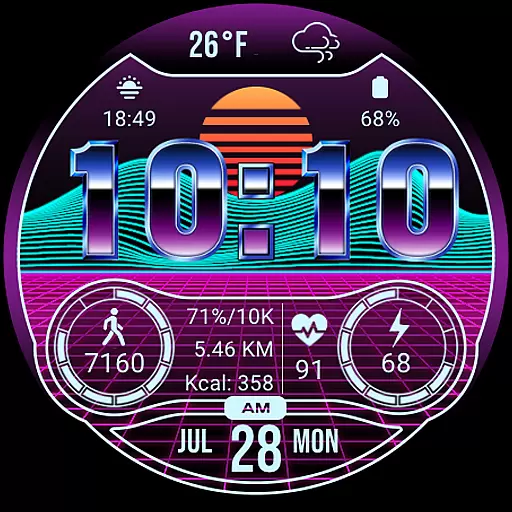
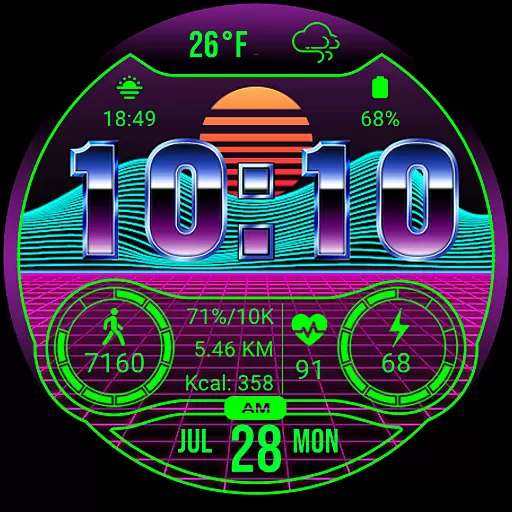
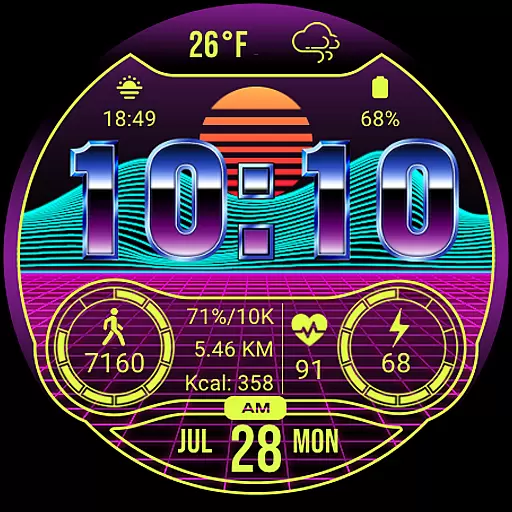
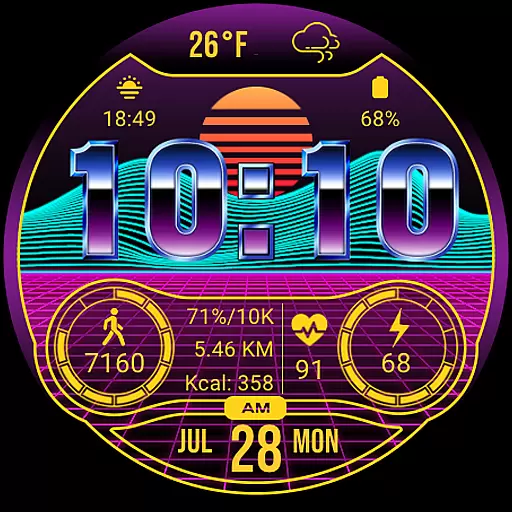
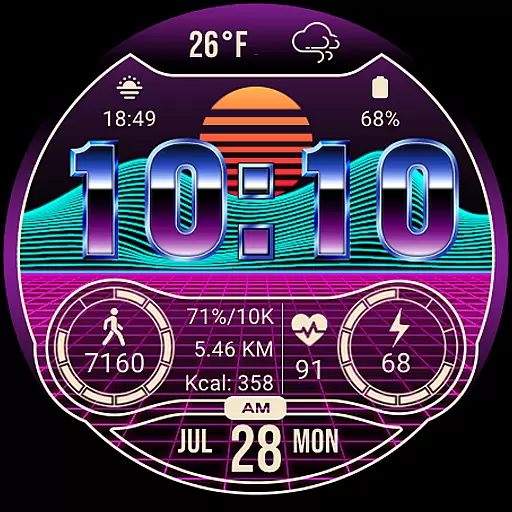
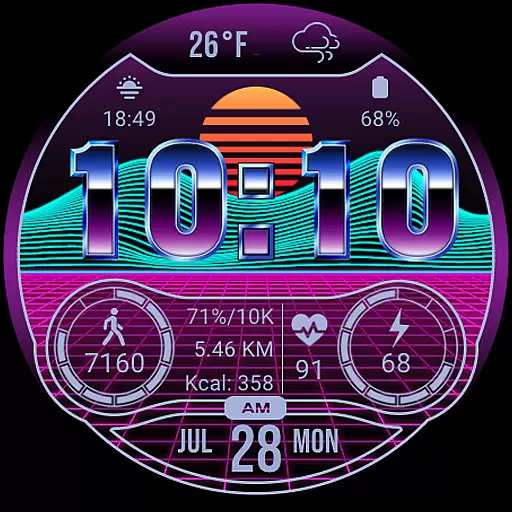
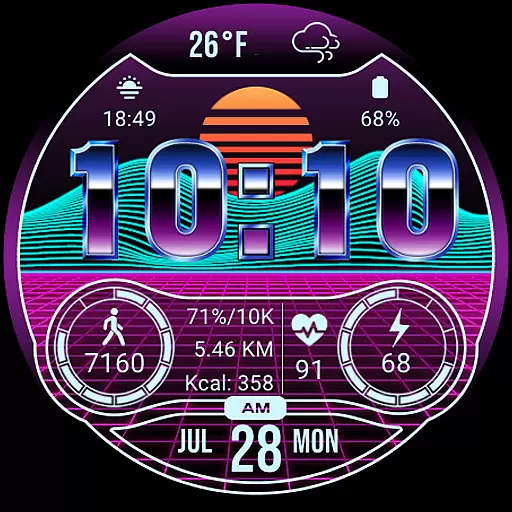
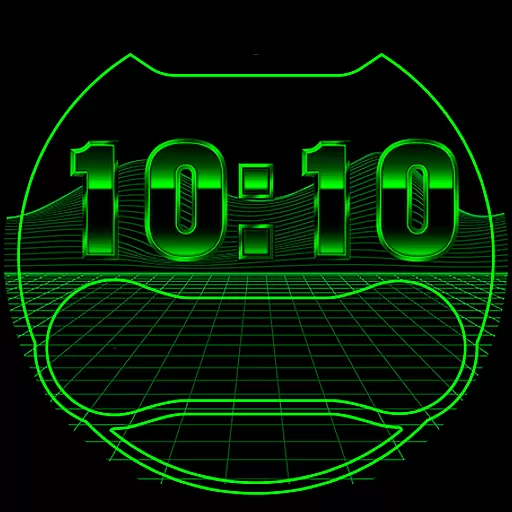
Merge Labs NRW2 is a distinctive smartwatch face designed for Wear OS devices, offering a Retro wave/Synth wave aesthetic that appeals to fans of this music and fashion genre. This app transforms your smartwatch into a personalized gadget with its custom-made features and vibrant design elements.
Core functionalities include a unique 'chromed' font, 17 color options, customizable complications, and comprehensive health tracking displays such as heart rate, step counter, and calories burned. Additionally, it provides practical features like weather updates, battery level indicators, and app integrations, making it not just stylish but also highly functional for everyday use.
Ideal for users who appreciate a blend of retro style with modern technology, Merge Labs NRW2 enhances both the visual appeal and utility of your smartwatch, ensuring you stay connected and informed in style.
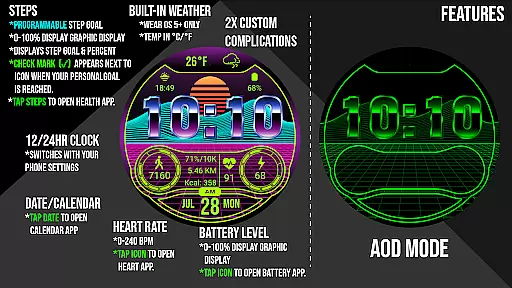
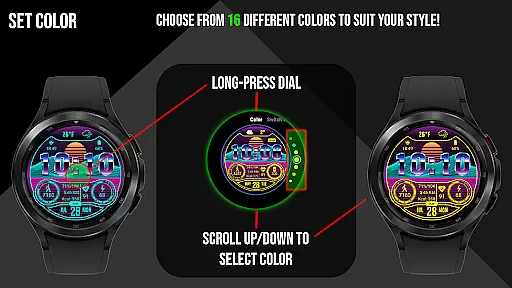
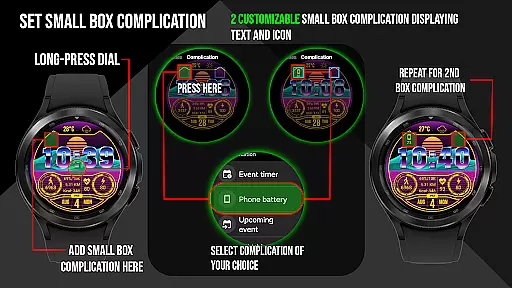
Merge Labs NRW2 stands out with its array of specialized features tailored for Wear OS users. The watch face boasts a custom 'chromed' font and 17 different color choices, allowing for personalization that suits individual tastes. Users can enjoy two small box customizable complications (Text & Icon), adding a layer of personal touch and functionality.
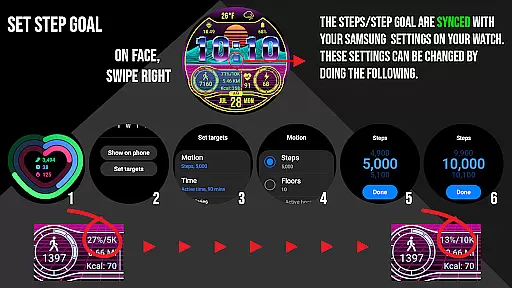
Health and fitness tracking are robust, displaying daily step counters, calories burned, distance traveled, and heart rate (BPM). These metrics sync with Samsung Health or default health apps, providing a seamless experience. The step goal feature includes a graphic indicator and syncs with your device's health app, while the heart rate area can launch the default Heart Rate App.
Practicality extends to features like built-in custom weather temperature and icons, a numerical watch battery level display, and a 12/24 HR clock based on device settings. Tap actions open relevant apps, enhancing user interaction and convenience. With these capabilities, Merge Labs NRW2 offers a versatile and engaging smartwatch experience.
Merge Labs NRW2 offers extensive coverage of lifestyle categories, making it a versatile choice for Wear OS users. The watch face is designed with Retro wave and Synth wave aesthetics, appealing to fans of these music and fashion genres.
With 17 different color options and customizable complications, users can tailor the watch face to their personal style. This includes custom fonts and icons created by Merge Labs, adding a unique touch to the overall design.
The watch face also integrates practical features such as weather updates, displaying temperature and custom icons. Users can tap the weather area to access the Weather App, which provides additional information like sunrise and sunset times.
The authenticity of Merge Labs NRW2 content is evident in its custom-made elements. The u201cchromedu201d font and built-in weather icons are crafted specifically for this watch face, ensuring a distinctive appearance on your device.
Expertise is demonstrated through comprehensive health tracking features. The watch displays daily step counters, heart rate (BPM), calories burned, and distance traveled. These metrics are synced with health apps like Samsung Health, providing reliable data.
Furthermore, the watch face supports customization for units and measurements, such as KM/Miles, and includes practical indicators like battery level and time in 12/24 HR format. This attention to detail underscores the credibility of the content provided by Merge Labs NRW2.
Unique Retro Design
Customizable Features
Comprehensive Health Tracking
Integrated App Launchers
Vibrant Color Options
Limited to Wear OS
Complex Setup Required
Battery Consumption High
No Advanced Analytics
Occasional Sync Issues

Healthy eating timer app to track meal pace, improve habits, and eat slowly.
 4.5
4.5
Countdown to Christmas 2025 with festive games & activities in a virtual village
4.80
Bring the warm colors of fall directly to your wrist with Autumn Leaves!
4.1
Customize your Wear OS watch with festive Christmas figures and colors!
4.2
Make money, get paid cash rewards & gift cards for every survey. Earn today!
4.60
Crochet made easy: step-by-step tutorials, beginner patterns & projects
4.60
Kasa Smart is your portal to your TP-LINK Smart Home.
4.70
Vehicle ownership simplified. Get the myChevrolet® app today.
4.60
Remotely monitor the time and temperature of food cooking on your grill.
4.60
See wait times and check into a hair salon ahead of time with Online Check-In.
4.80
Pay your rent, submit work orders and much more with the RentCafe Resident App.
4.70
Tap to the beat with interactive videos — warm up your reflexes & have fun
4.70
The App can control Roborock vacuum cleaners from anywhere with rich features.
4.60
Discounts, savings, and rewards
4.20
SmartHQ: Your Connected Home Command Center
4.10
Unique informative Dial with Live Moon Phase at a glance!
3.60
Communicate with your vehicles and Powerwalls anytime, anywhere
3.60
BILT interactive 3D instructions help you get the job done right
3.50
Falling Fruit is a massive collaborative map of food in our cities.
3.20


User Reviews