
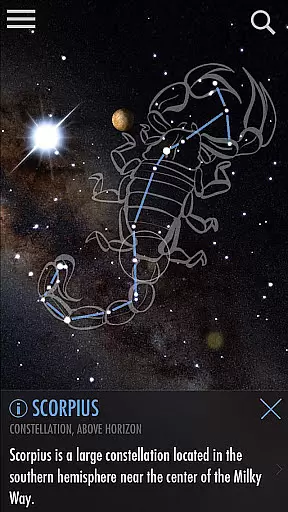
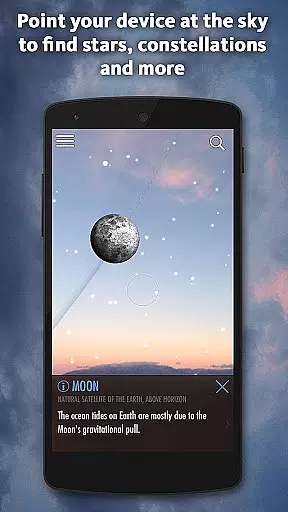
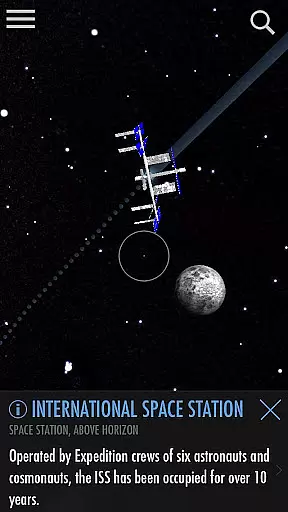


SkyView Explore the Universe is an educational app designed to make astronomy accessible to everyone. By leveraging augmented reality technology, this app allows users to simply point their device at the sky to identify celestial objects such as stars, planets, constellations, and even satellites like the ISS.
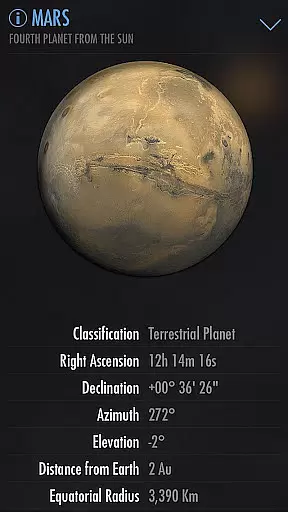
What sets SkyView apart is its user-friendly interface and powerful features. Whether you're a student learning about astronomy, a teacher planning lessons, or a parent introducing your child to the wonders of the universe, this app serves as an invaluable tool. It includes over 88 constellations, detailed planetary information, and even tracks satellite fly-bys.
This app is particularly useful for educational purposes, offering interactive ways to engage with the cosmos. Users can capture and share stunning images of the night sky, making it both a learning and social experience.
SkyView Explore the Universe offers an innovative way to learn about astronomy through augmented reality. The app's core functionality lies in its ability to use your device's camera to accurately identify stars, planets, constellations, and satellites in real-time.
One standout feature is the 'Time Travel' option, which allows users to view the sky on any given date and time. This is complemented by the 'Sky Paths' tool, enabling precise tracking of celestial objects. Additionally, the app provides thousands of interesting facts about space, enhancing the educational experience.
The app also includes practical features such as Night Mode, which helps preserve night vision during stargazing sessions. Its offline capability makes it perfect for outdoor adventures where internet connectivity may not be available.
SkyView Explore the Universe provides an authoritative and accurate platform for identifying celestial objects in the sky. The app uses advanced augmented reality technology to precisely locate stars, constellations, planets, and even satellites, ensuring that users receive correct information about their positions and identities.
With features like Time Travel, users can explore the sky on different dates and times, offering a dynamic learning experience that is both engaging and educational. This feature not only enhances user understanding of astronomical movements but also ensures the content remains relevant and precise over time.
The app includes thousands of stars, planets, and satellites, accompanied by interesting facts, making it a comprehensive tool for education. These details are curated to provide users with a deeper knowledge of the universe, reinforcing the app's commitment to content accuracy and authority.
While SkyView Explore the Universe doesn't offer traditional personalized learning paths, it does provide unique features that allow users to tailor their stargazing experiences. By using the app's AR capabilities, users can point their devices at the sky to identify celestial bodies, effectively creating their own exploratory learning journey.
The app supports individual pacing through its Time Travel feature, enabling users to jump to different dates and times. This allows learners to progress at their own speed, exploring the night sky in a way that suits their personal interests and educational needs.
Additionally, SkyView offers social sharing options, allowing users to capture and share their discoveries on social networks. This interactive element fosters a collaborative learning environment where users can engage with friends, family, or classmates, further customizing their educational experience.
Easy-to-use interface
Augmented reality features
Offline functionality
Educational value
Interactive sky maps
Requires clear skies
Limited offline content
Premium features locked
Ads present
Occasional inaccuracies

A magical world of fun, building, and learning with Mickey Mouse and more!
 4.20
4.20
Perform physics experiments with your phone. (by the RWTH Aachen University)
4.70
Monkey Preschool Lunchbox: 7 exciting educational games for your preschooler.
4.30
Astronomy Guide To Night Sky
4.30
Discover Your Place in the Universe
4.70
An aviator’s preparation, study and test tool for FAA Knowledge Exams.
4.30
Hasbro’s classic CANDY LAND game is now a gorgeous interactive storybook app.
2.30
Cool math games & learn to read activities- loved by kids, approved by teachers.
4.50
Plant identifier: Identify plants, trees, weeds, flowers. Disease diagnosis.
4.30
Childcare Management App: Daily sheets, sign in-out, billing and learning tools
4.70
Gain new skills in 10 minutes
4.70
A fast and fun way to learn guitar - works with any guitar.
4.60
An interactive enhancement of the Sesame Street classic.
4.50
Designed for Calculator 84 users
4.20
Skelly is a fully poseable, anatomically correct reference skeleton for artists.
4.10
Watch and Play Elmo's World!
4.00
Master the NRP with 700+ questions, rationales, and updated NREMT scenarios.
3.00
MONOPOLY JUNIOR brings Hasbro's classic the board game to life.
3.00
Your best partner for learning Japanese words. Based on a best-selling textbook.
2.80
Honest Duolingo review—energy system problems, hidden costs, what works for language learning, and whether the free version is still viable.



User Reviews