
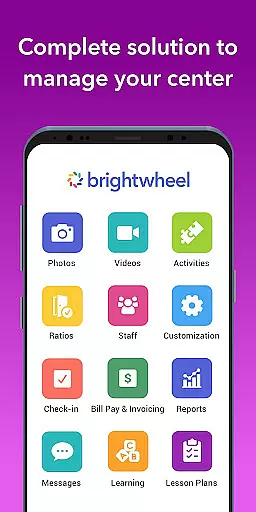
Brightwheel is a comprehensive childcare management software designed to streamline operations for early education providers. This all-in-one platform combines essential features such as billing, attendance tracking, family communication, lesson planning, and reporting into a single, user-friendly interface. Trusted by millions of educators and families worldwide, brightwheel ensures reliable performance with advanced security measures like two-factor authentication and 99% uptime.
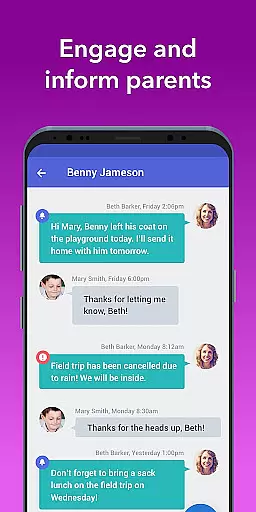
The application's intuitive design allows for quick setup and ease of use for both staff and families. With dedicated support available 24/7 through chatbot, tutorials, webinars, and community access, users can efficiently manage their childcare needs. Brightwheel also facilitates real-time family connections through messaging, photo and video sharing, and daily activity reports, allowing educators to focus more on children and less on administrative tasks.
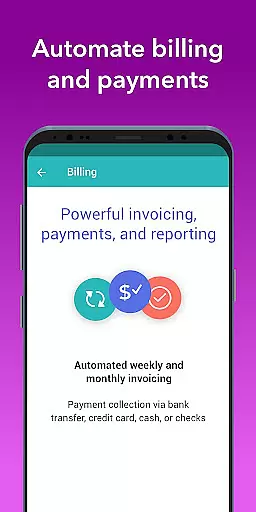
Brightwheel offers an extensive range of features tailored for early education providers. The platform includes automated billing and payment processing for tuition and fees, customizable financial reports, and expense tracking to simplify financial management. Its family communication tools centralize messaging, newsletters, and alerts, ensuring seamless interaction between educators and families.
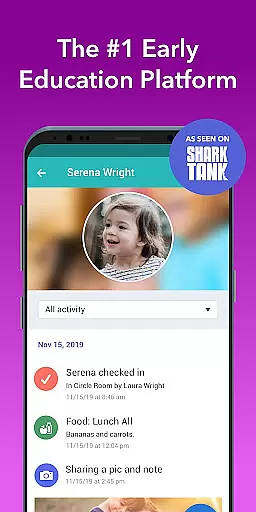
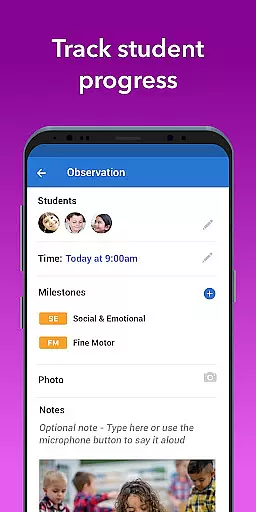
In addition to financial and communication tools, brightwheel provides robust classroom management features. Educators can log daily activities such as naps, meals, and bathroom visits, which are then shared with families through personalized feeds. The app also supports lesson planning and curriculum development, including digital lessons and hands-on learning materials through Experience Curriculum. Assessment tools with pre-loaded state standards and DRDP functionalities allow teachers to track student progress effectively.
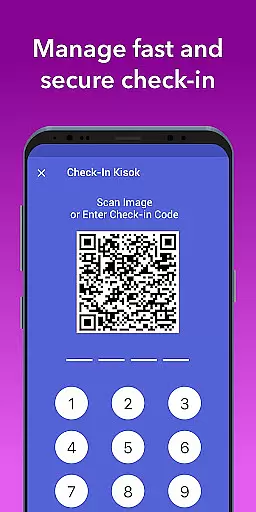
Brightwheel's commitment to security and reliability is evident through its advanced features like two-factor authentication and compliance with top data protection standards. The platform ensures virtually uninterrupted availability with 99% uptime, making it a dependable choice for early education providers seeking efficient and secure childcare management solutions.
In the realm of early education, content accuracy and authority are paramount. Brightwheel stands out by providing a robust platform that ensures all educational materials and communications are precise and reliable. The app's lesson planning and assessment tools come pre-loaded with state standards, offering educators a trustworthy framework to build upon.
Brightwheel's dedication to authoritative content is further demonstrated through its DRDP tool and observation features. These allow educators to track student progress against recognized benchmarks, ensuring that developmental milestones are met with evidence-based practices. By centralizing these tools within an intuitive interface, brightwheel empowers teachers to maintain high educational standards effortlessly.
Moreover, the platform facilitates seamless sharing of this authoritative content with families. Daily reports, photo and video sharing, along with real-time messaging, create transparent communication channels. This not only reassures parents of their childu2019s accurate developmental tracking but also fosters a collaborative environment where educators and families work together towards common educational goals.
Brightwheel revolutionizes personalized learning paths in early education by leveraging advanced technology to cater to individual student needs. Through its comprehensive lesson planning and customizable curriculum options, educators can design tailored educational experiences that adapt to each child's unique pace and interests. This flexibility ensures that every learner receives the attention necessary for optimal growth.
The app enhances personalization further with its assessment and observation functionalities. Educators can document progress, achievements, and activities using pre-loaded state standards, which help in crafting personalized strategies. By tagging students in photos and videos, teachers capture specific moments of learning and development, creating a rich tapestry of personalized educational narratives.
Additionally, brightwheel supports Experience Curriculum, an upgrade that enriches program quality with digital lessons and hands-on learning materials. This feature allows educators to implement diverse teaching methods that resonate with different learning styles. As a result, children engage more deeply with their education, leading to improved outcomes and satisfaction for both students and their families.
User-friendly interface
Comprehensive feature set
Reliable performance
Advanced security measures
Dedicated support team
Premium features come at a cost
Initial setup may require time
Limited offline functionality
Some features need further customization
Dependent on internet connectivity

FAR/AIM, FAR for Flight Crew and FAR for Aviation Maintenance Technicians
 3.80
3.80
Astronomy app ? Discover the universe scope, explore solar system model in 3D.
4.20
Explore myths and gods across cultures with in-depth insights and stories.
5.00
An easy to use yet powerful and full-featured flashcard study app.
4.50
Hebrew Vocab
4.90
The Fighter Verses Bible memory system helps you memorize God's Word.
4.50
For medical training - Visualize complex vein maps and structures in real-time.
4.10
Master note reading with StaffWars….
4.00
Learn & Speak New Languages
4.70
Turn scrolling hours into improving your knowledge, communication, intelligence
4.50
Professional Award-Winning Astronomy Star Map App With Telescope Control
4.40
Monkey Preschool Lunchbox: 7 exciting educational games for your preschooler.
4.30
A magical world of fun, building, and learning with Mickey Mouse and more!
4.20
Designed for Calculator 84 users
4.20
An aviator’s preparation, study and test tool for FAA Knowledge Exams.
4.10
Explore the City of the Sun in Augmented Reality
3.70
A must-have app for mastering Japanese verb/adjective conjugations.
3.60
Bebefinn and Baby Shark educational, animated videos & games for kids
3.40
Your best partner for learning Japanese words. Based on a best-selling textbook.
2.80
Honest Duolingo review—energy system problems, hidden costs, what works for language learning, and whether the free version is still viable.



User Reviews