
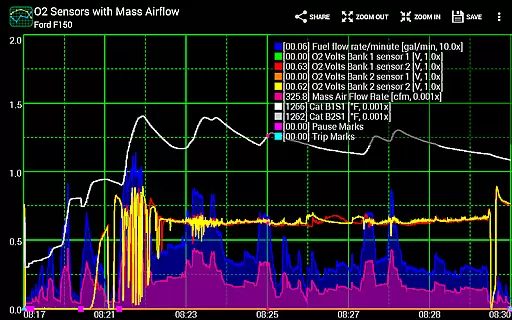
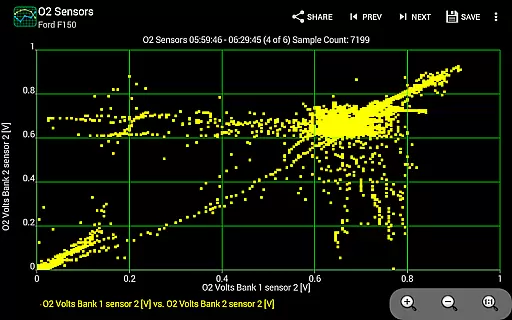
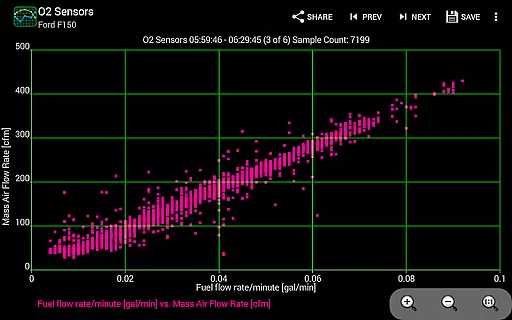
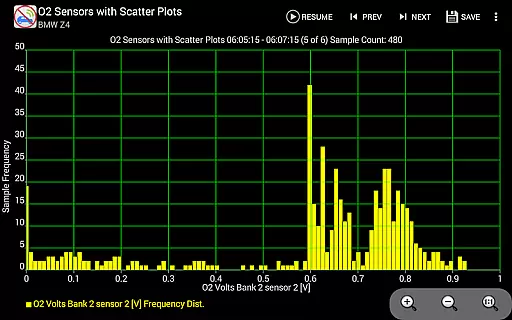
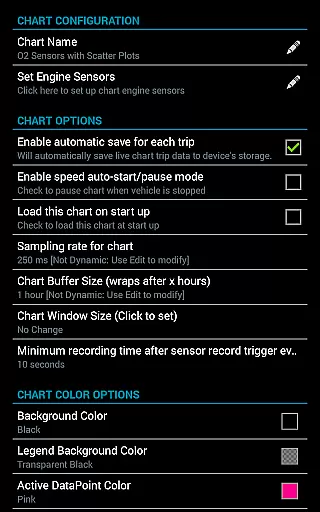
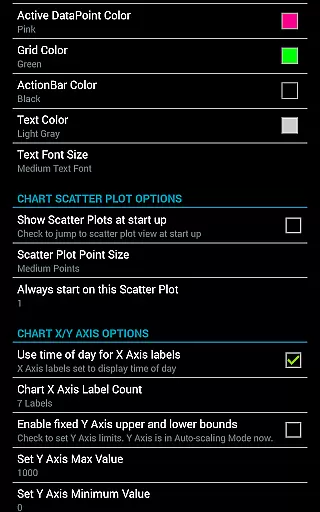
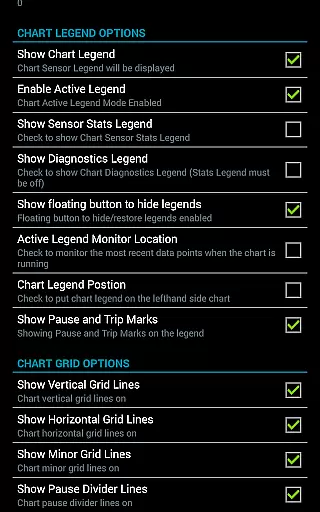
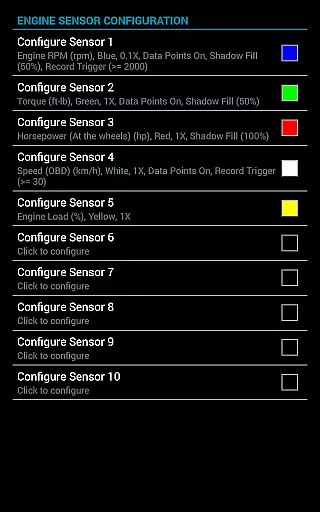
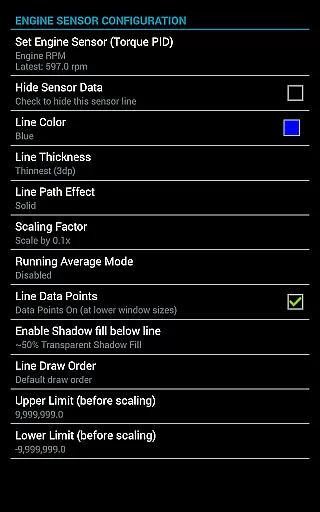
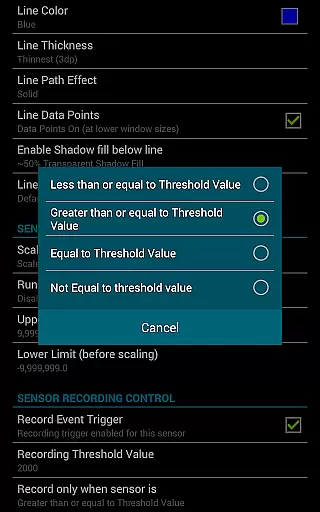
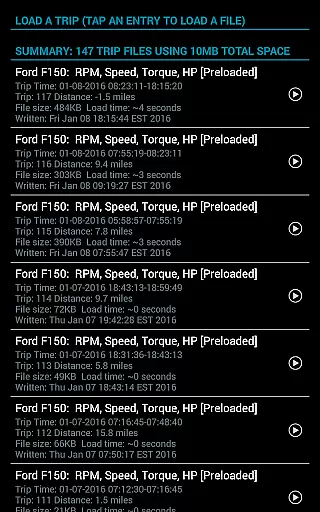
Realtime Charts for Torque Pro is a specialized plugin designed for automotive enthusiasts who require detailed monitoring of their vehicle's performance. This app allows users to graph up to 10 engine sensors simultaneously, providing real-time data visualization on Android devices. Key functionalities include custom chart creation, scatter plot analysis, and sensor data capture based on specific criteria.
The application supports advanced features such as dynamic scaling, running averages, and session management. It is particularly useful for hobbyists and professionals looking to analyze engine parameters like RPM, speed, and torque. By offering extensive customization options and seamless integration with Torque Pro, it delivers an in-depth diagnostic tool that enhances vehicle performance monitoring.
With its ability to save and share data, Realtime Charts becomes an essential tool for those invested in automotive tuning and diagnostics. The app caters to users seeking professional-grade analysis capabilities on their mobile devices, making it invaluable for both casual hobbyists and serious mechanics.
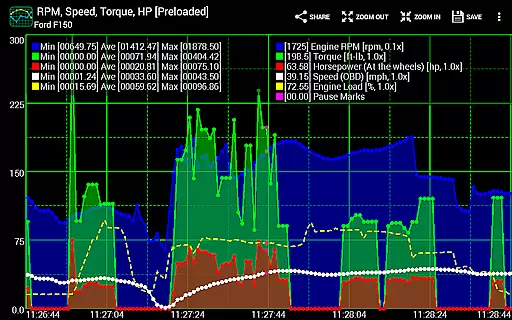
Realtime Charts for Torque Pro stands out with its comprehensive feature set tailored for automotive diagnostics. Users can monitor and graph multiple engine sensors in real time, including RPM, speed, and MPG. The app supports up to 100 custom charts, each capable of displaying different sensor combinations with adjustable sampling frequencies ranging from 100ms to 10 seconds.
Advanced analytical tools include scatter plot analysis and frequency plot capabilities, allowing detailed examination of engine performance. The app provides dynamic scaling options, auto-pause functionality when the vehicle is stationary, and trigger-based data capture. These features ensure accurate and relevant data collection, which can be exported as Excel CSV files for further analysis.
Additional highlights encompass automatic trip storage management, simulation mode for chart design without ECU connection, and sharing capabilities for chart configurations. With support for both English and Metric units, along with customizable color schemes and zoom functionalities, this app offers unparalleled flexibility and precision in vehicle performance monitoring.
Realtime Charts for Torque Pro offers unparalleled access to detailed vehicle information, making it an essential tool for automotive enthusiasts and professionals. The app allows users to monitor up to 10 engine sensors simultaneously, providing real-time data on critical parameters such as RPM, speed, MPG, horsepower, and torque. This level of detail enables users to gain comprehensive insights into their vehicle's performance characteristics.
The application's ability to graph multiple engine sensors as distinct series enhances the monitoring process. Users can create custom charts, tailoring sensor combinations, sampling frequencies, and visual attributes to suit specific analysis needs. With support for features like scatter plot analysis and dynamic scaling of data points, the app ensures that every aspect of vehicle performance can be scrutinized in detail.
By offering advanced functionalities such as trigger-based data capture and auto-pause options when the vehicle is stationary, Realtime Charts provides a sophisticated platform for in-depth vehicle analysis. These features not only improve diagnostic accuracy but also allow users to focus on particular performance metrics that matter most to them.
While Realtime Charts for Torque Pro itself does not directly deal with monetary transactions, it promotes price transparency through its requirement of compatible third-party hardware. Users need a wireless OBD2 adapter, which they can choose based on clear pricing and feature comparisons from various vendors. This setup ensures that users are aware of all associated costs upfront.
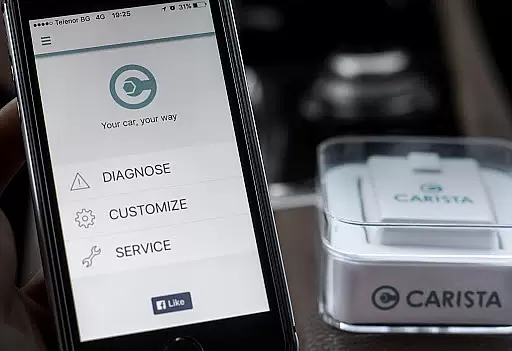
The app supports a range of adapters, including recommended options like the Carista OBD2 Bluetooth Adapter. By listing these options and linking to resources for purchasing, the app facilitates informed decision-making regarding additional equipment needed for optimal functionality. Such openness about necessary investments helps users plan their purchases wisely.
Furthermore, by being available on Google Play with a transparent description of its features and requirements, Realtime Charts ensures that potential users understand exactly what they are getting before downloading. There are no hidden fees or in-app purchases, reinforcing trust through clear communication about product capabilities and limitations.
User-friendly interface
Highly customizable charts
Real-time data visualization
Extensive sensor support
Professional-grade analytics
Requires separate OBD adapter
Dependent on Torque Pro app
Complex for beginners
Limited to Android platform
No iOS version available

Ferrari inspired analog & digital watch face with quick access and premium style
 4.5
4.5
DIY Vehicle Wheel Alignment
4.2
Listings of Tesla's with FSD - Included package
4.60
CVT diagnostics with ELM327 for Nissan-based vehicles
4.40
Buy and sell your boat
4.70
Boost profits and hit your goals faster with GigU's amazing tools for gigworkers
4.00
View your car’s service records and find out when maintenance is due.
4.70
O'Reilly Pro will streamline your parts lookup and ordering process!
3.20
A smarter way to park and reserve your spot ahead of time.
4.40
Take Control of Your Car
4.80
The Texaco App allows you to pay for fuel from the comfort of your car!
4.80
7-Day Returns on All Cars
4.80
Shop, finance, or sell today.
4.80
Quick and easy car diagnostics to get you the right fix.
4.70
Find Fast EV Chargers | Charge Your Vehicle at 1,100+ Fast Car Charging Stations
4.60
Get price alerts, vehicle history details and more for cars near you!
4.50
* This app needs an adapter cable and a certain OBD2 adapter to work *
4.20
OBD diagnostics, Live Data, DPF regeneration for BMW
4.00
Better fuel to help keep you on the road
3.20


User Reviews