
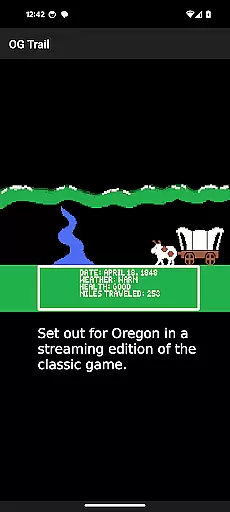
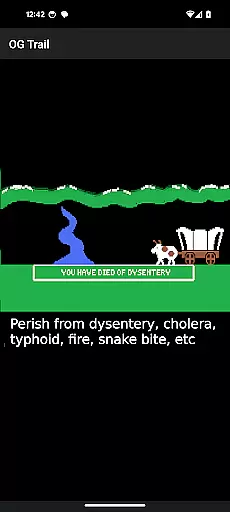
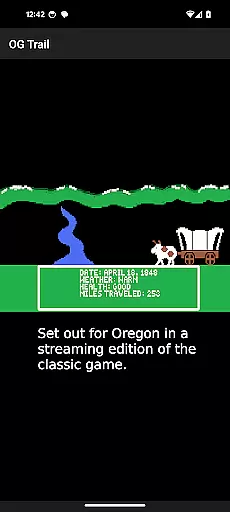
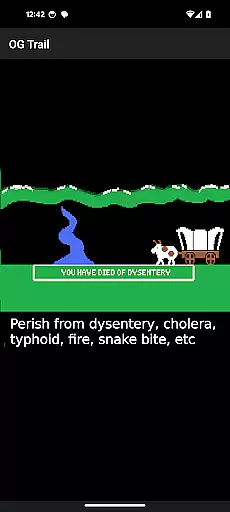
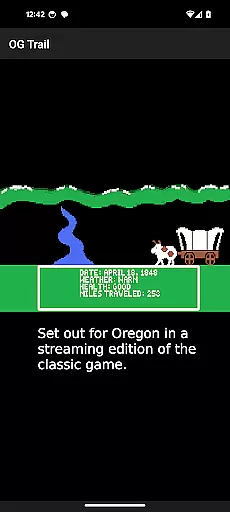
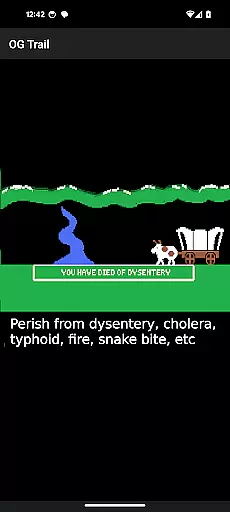
OG Trail is an educational app that brings the classic Oregon Trail simulation to Android devices. This app provides a seamless interface for users to access and play the original game directly from the Internet Archive. The platform allows students and history enthusiasts to experience this iconic educational game without the need for ROM files or complex setup.
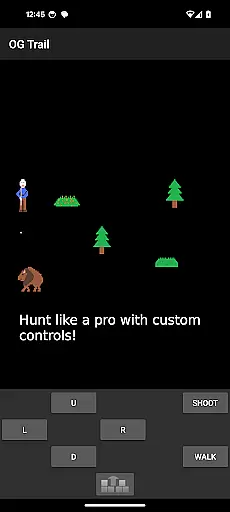
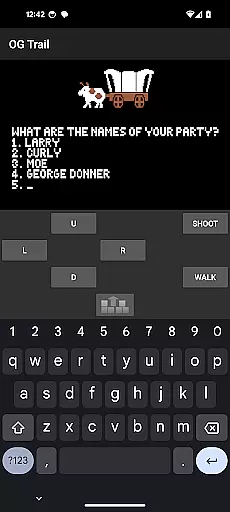
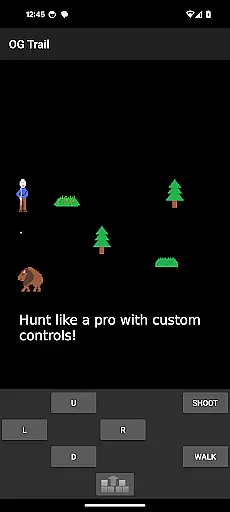
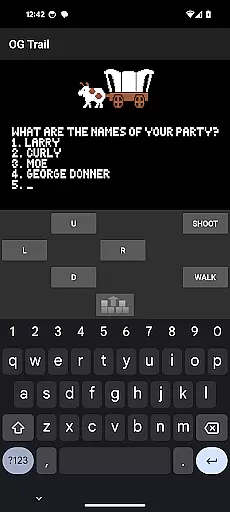
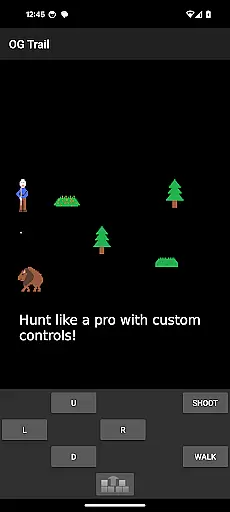
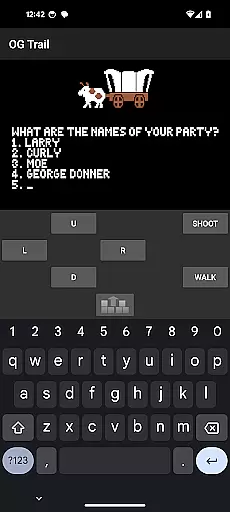
The app's main feature is its ability to stream the unmodified version of The Oregon Trail (TM) game, maintaining the authenticity of the original experience. While internet connection is required for loading, the app operates offline afterward. Users interact with the game through an onscreen keyboard and control pad, designed specifically for touchscreen devices.
This application is particularly valuable in educational settings, where teachers can use it to demonstrate historical concepts and pioneer life in 19th-century America. The combination of gaming and learning makes OG Trail an engaging tool for modern classrooms.
OG Trail offers several distinctive features that enhance the classic Oregon Trail experience on mobile devices. The app provides a dedicated streaming interface that connects directly to the Internet Archive's preserved version of the game. This ensures users can access an authentic, unmodified version of the original Oregon Trail simulation.
A key feature is the specially designed onscreen control system. The virtual keyboard and control pad enable precise interaction with the game's text-based interface, allowing players to input commands and make choices as they would on the original DOS version. The app also includes helpful visual indicators for yes/no responses, making gameplay more intuitive on touchscreens.
Additional features include comprehensive instructions for new users and direct links to the original user manual. These resources help players understand both the technical aspects of using the app and the historical context of the game itself. The app's lightweight design and efficient data usage make it suitable for various educational environments.
In the realm of educational gaming, content authority and curriculum alignment are crucial for ensuring that learning is both accurate and relevant. OG Trail - Travel to Oregon offers an authentic experience by providing access to an unmodified version of The Oregon Trail (TM) game, which has been a staple in educational settings for decades.
This application leverages the publicly available Internet Archive posting of the streaming version of the game, ensuring that the content remains true to its original form. By doing so, it maintains the integrity of the historical simulation, allowing users to engage with a piece of educational history while learning about the challenges faced by pioneers traveling westward in the 19th century.
For educators and learners, this means that OG Trail can be used as a supplemental tool within history and social studies curricula. It provides a hands-on approach to understanding historical events, decision-making processes, and the consequences of choices made during that era.
By preserving the classic gameplay and requiring interaction through an onscreen keyboard or control pad, OG Trail ensures that players develop critical thinking and problem-solving skills akin to those required in real-world scenarios. This method of engagement aligns well with educational standards that emphasize experiential learning and the development of analytical skills.
Gamification-learning integration represents the fusion of game mechanics with educational content to enhance user engagement and facilitate learning. OG Trail - Travel to Oregon exemplifies this integration by transforming the historically text-based Oregon Trail simulation into an interactive experience suitable for modern Android devices.
The app retains the core mechanics of the original game, where players must make decisions regarding resource management, health, and navigation, among other survival aspects. These mechanics serve as practical lessons in economics, health awareness, and geography, all while keeping the learner engaged through the narrative and progression of the game.
OG Trail's use of onscreen controls adapts the traditional computer-based inputs to touchscreen functionality without altering the fundamental gameplay. This adaptation allows users to focus on the educational aspects of the game, such as understanding the consequences of their choices and planning strategies for successful travel, rather than being distracted by complex control schemes.
Furthermore, the requirement for internet connectivity only during the initial load ensures that once the game is running, students can immerse themselves in the experience without interruptions. This seamless integration of gaming elements with educational objectives creates an environment conducive to learning, where enjoyment and education go hand-in-hand, encouraging repeated play and deeper exploration of the subject matter.
User-friendly interface
Authentic game experience
Educational value maintained
Offline functionality
Touchscreen optimized
Requires initial internet
No game modifications
Complex for beginners
Text-heavy interface
Limited device support

Learn and practice multiplication and division
 4.2
4.2
A logic puzzle game for 1 - 3 players
4.1
Kids letter tracing technique, which is the first step in learning how to write.
4.30
Pro Doctor Dentist for PetsGame
4.60
Play educational games for preschool toddlers—plus more to discover ►AdsFree◄
4.60
Welcome to the dollhouse! Unboxing, doll games, dress up & cute pets await!
4.00
Glow Doodle! Baby Coloring & Drawing games for toddlers: Color and Learn! NoAds!
4.40
Kids math games, abc games for kids 4-5 years old. Kindergarten learning games
4.50
Fun baby games for kids. Play baby piano, musical instruments & nursery rhymes.
4.50
Toddler Learning Games, Learn: Colors, Shapes, Puzzles, ABC ... ►NoAds!◄
4.50
Pretend play in Pepi City: become a doctor or a patient. Our city, your stories!
4.30
Fun drawing games with coloring book, glow and paint by numbers! Color for kids.
4.20
Fun educational game: Learn, imagine, create, draw and color!
4.20
The Squirrels have been learning how to look after animal, now it's your turn!
3.90
Create, design & explore Mia’s avatar game world! Dress up a dreamhouse you love
3.80
Find the hidden Numberblocks, add them together and see what happens.
3.50
Play the fun healthy habits game for kids with Cocobi the little dinosaurs.
3.40
Draw shapes, mix colors, and dodge traps to defeat foes in the vibrant Art Zone!
4.2
Little Explorer – Garage, Kitchen and Bathroom
4.5


User Reviews