
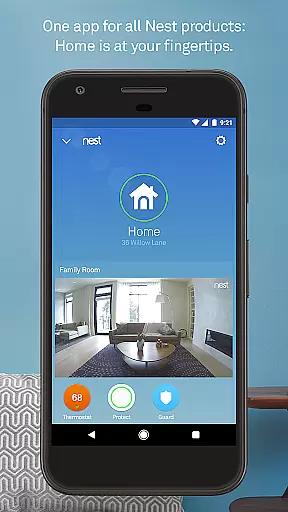
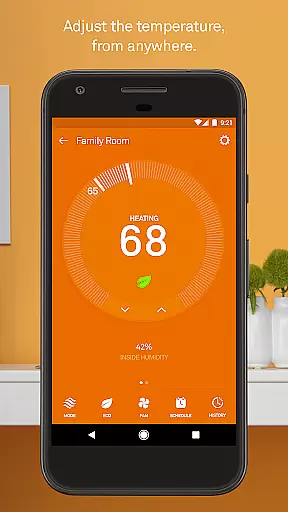
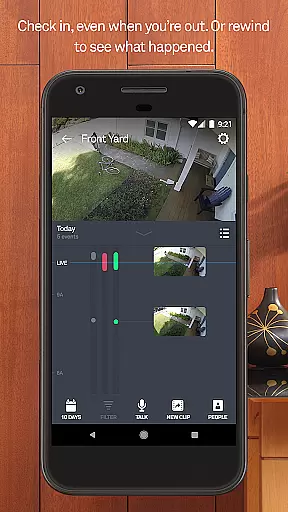
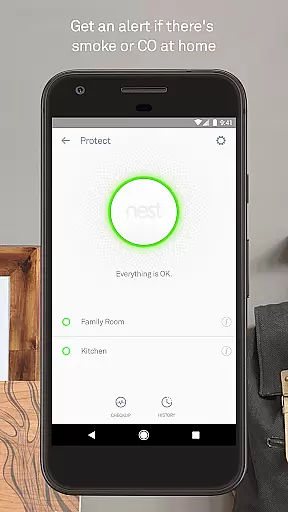
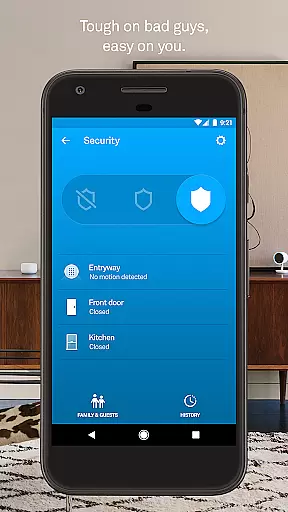
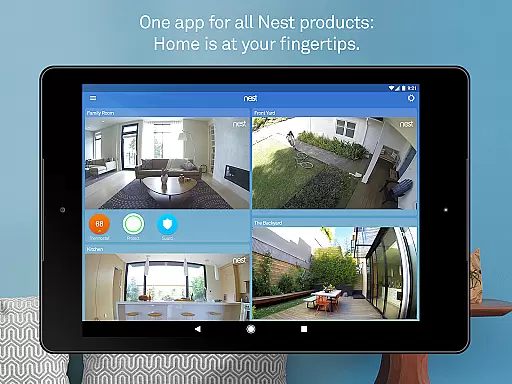
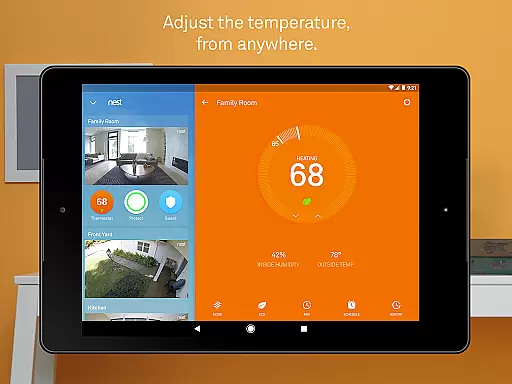
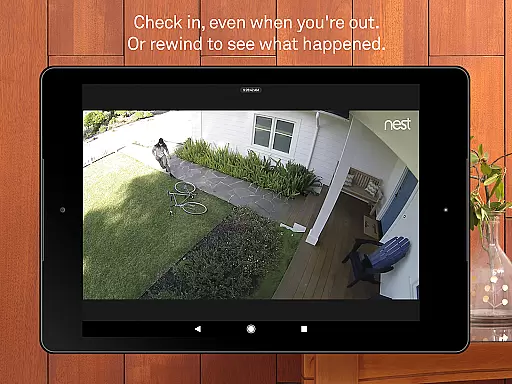
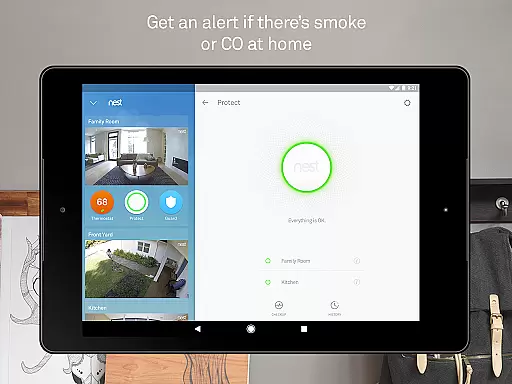
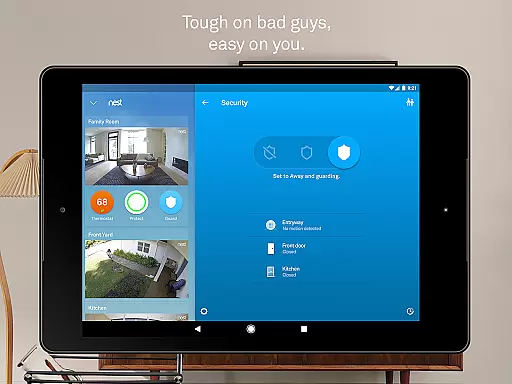
Nest is a comprehensive smart home management application that allows users to control various Nest devices from a single interface. The app enables you to adjust your Nest thermostat, manage your Nest Secure alarm system, view live footage from Nest Cam, and receive alerts from Nest Protect. With its intuitive design, the app provides seamless integration between multiple devices, ensuring your home remains comfortable, secure, and energy-efficient.
One of the standout features of the Nest app is its ability to automate tasks based on your daily routine and location. For instance, it can automatically lower the thermostat and activate security cameras when you leave the house. If you forget to arm your security system, the app will send you a reminder. This automation not only enhances convenience but also helps save energy and ensures your home is always protected.
The app is particularly useful for homeowners who want to monitor and manage their smart home devices remotely. Whether you're at work or on vacation, you can easily check in on your home, adjust settings, and respond to alerts through your smartphone or tablet. This level of control and awareness offers peace of mind and makes managing your home simpler than ever before.
The Nest app boasts an impressive array of features designed to enhance your smart home experience. One of its key functionalities is the ability to control multiple Nest devices such as thermostats, security systems, cameras, and alarms from one centralized platform. This includes adjusting the temperature, arming and disarming your security system, viewing live camera feeds, and receiving notifications about potential hazards detected by Nest Protect.
In addition to device control, the app leverages advanced algorithms and sensors to automate many aspects of home management. For example, it can learn your schedule and preferences to optimize energy usage, alerting you to unusual activity or extreme temperature changes. The app also supports remote monitoring and management, allowing you to interact with your devices from anywhere in the world. This means you can change the thermostat setting while commuting or check your security cameras while on vacation.
Another notable feature is the app's robust notification system, which keeps you informed about important events in real-time. You'll receive alerts for things like motion detection, smoke or carbon monoxide warnings, and even reminders to set your alarm if you forget. These timely updates ensure you're always aware of what's happening at home, providing an added layer of security and convenience.
In the realm of smart home technology, Nest stands out by offering comprehensive lifestyle category coverage. This app integrates various aspects of home management into one platform, allowing users to control thermostats, secure alarm systems, smoke detectors, and cameras effortlessly. The ability to manage these devices remotely from an Android phone or tablet ensures that homeowners can maintain a comfortable, safe, and energy-efficient environment regardless of their location.
Nest's product ecosystem is designed to cater to multiple facets of daily life. From adjusting the temperature with Nest Thermostats to monitoring your property with Nest Cams, each feature addresses specific needs within the home. Users can receive alerts for unusual activities, extreme temperature changes, or even when someone enters a room. This holistic approach to home automation provides peace of mind and convenience, making it easier to focus on what truly matters.
Furthermore, Nest goes beyond basic functionality by incorporating advanced features like Home/Away Assist and Auto-Lock for doors. These innovations demonstrate Nest's commitment to enhancing lifestyle categories through thoughtful design and cutting-edge technology. Whether it's receiving reminders to set the alarm or assigning passcodes via the Nest x Yale Lock, the app empowers users to customize their living spaces according to their unique preferences and schedules.
When it comes to smart home solutions, content authenticity and expert credibility are paramount. Nest ensures that all information provided through its app is accurate and reliable, leveraging sophisticated sensors, algorithms, and machine learning to deliver precise updates about your home. For instance, the Nest Learning Thermostat not only adjusts based on user behavior but also offers detailed insights into energy usage patterns, helping consumers make informed decisions.
The credibility of Nest's content is further reinforced by its partnerships with industry leaders such as Yale for smart locks and Google for seamless integration across devices. Each notification, alert, or recommendation generated by the app undergoes rigorous testing and validation processes to ensure accuracy. Whether it's detecting smoke with Nest Protect or identifying familiar faces using Nest Cam IQ, users can trust that the data they receive is both timely and trustworthy.
Moreover, Nest's dedication to transparency extends to its educational resources and customer support. By providing clear explanations of how each device functions and offering expert advice on optimizing home security and efficiency, Nest establishes itself as a credible authority in the smart home market. This commitment to authenticity and expertise fosters confidence among users, encouraging them to fully embrace the benefits of connected living.
User-friendly interface
Comprehensive device integration
Advanced automation capabilities
Real-time alerts and notifications
Remote access and control
Requires stable internet connection
Premium features need subscription
Limited third-party device support
Occasional connectivity issues
Higher cost for full setup

Fly your Solo like a boss.
 4.10
4.10
Paranormal EVP, Ghost Box, Spirit box, ITC, Haunted, Spirit communication device
3.70
Get your life organized with My Agenda!
4.30
Tap to the beat with interactive videos — warm up your reflexes & have fun
4.70
Big bold hybrid watch face with 30 colors, 5 fonts & 5 complications.
4.1
Unique "Isometric" style digital watch face for Wear OS
4.50
Discover the "To Be a Christian" App: Your Guide to Deepening Faith!
5.00
Good magnifier app to see tiny things bigger and more clearly!
4.80
Connect to your Shark ROBOT™ from anywhere using the SharkClean™ App.
3.60
Get roadside help, discounts, travel tools & more — AAA is with you everywhere.
4.80
Daily lessons from A Course in Miracles with scheduled reminders
4.80
Made To Order Faves
4.70
Simple, stylish & fresh watch face. Customize colors, gradients & complications.
4.70
The Work of Byron Katie— the mobile app for inner peace.
4.40
Play fun games, complete quick surveys, and earn money. It's fun and easy!
4.40
Chat, meet genuine singles in your area. Real connections start with being real.
4.30
This is a simple and highly functional alarm clock "Smart Alarm" paid version.
4.20
The Miracle Box includes methods used by Steve Huff of Huff Paranormal.
3.20
Designed to delight, impress and energize your festive spirit every single day
4.4


User Reviews