
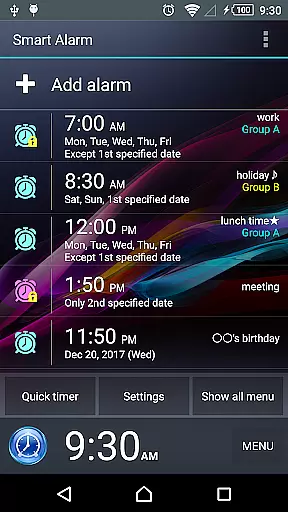
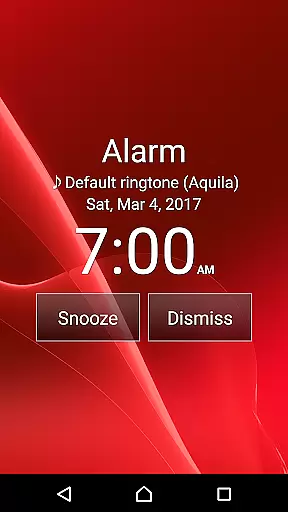
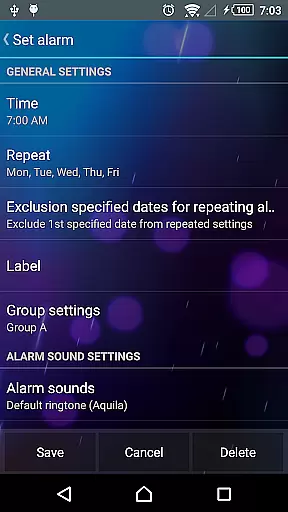
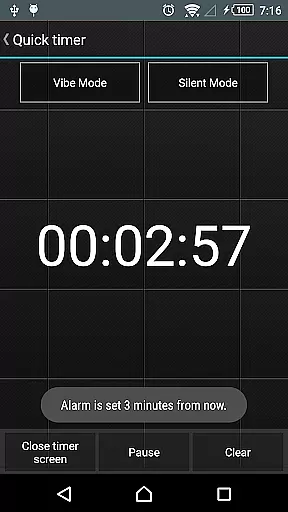
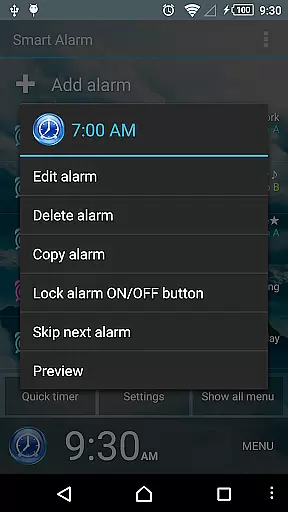
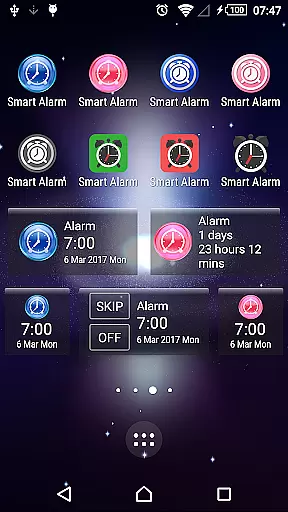
Smart Alarm is a premium alarm clock application designed for users seeking advanced functionality with simplicity. This app offers a highly customizable and user-friendly interface, allowing you to tailor your wake-up experience according to your preferences. With features like snooze function, weekly repeat settings, and transparency options that blend with your device's wallpaper, it ensures both practicality and personalization.
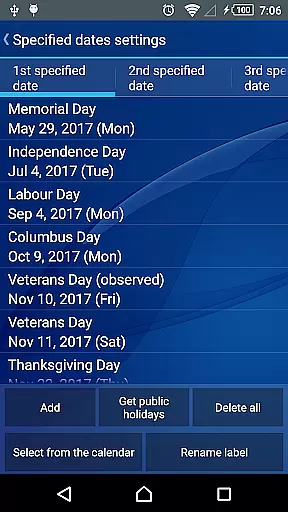
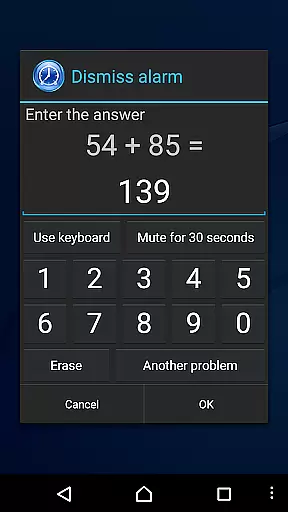
The app stands out with its intelligent design elements such as holiday-specific alarm exclusion, SD card music integration, and gradual volume increase. It also includes dual-stage vibration settings and math problem-solving alarms to prevent oversleeping. These features make Smart Alarm not just an ordinary alarm clock but a comprehensive tool for managing your daily routines effectively.
Smart Alarm boasts an array of sophisticated features that cater to diverse user needs. One notable aspect is its ability to integrate seamlessly with your device's existing system by displaying the wallpaper as the app background. The transparent setting allows for a visually appealing interface while maintaining essential functionalities like setting alarms with remarkable ease.
Additionally, this app provides unique capabilities such as excluding public holidays from repeat alarms, selecting custom ringtones from an SD card, and adjusting vibration strength in two stages. Moreover, users can modify button sizes, solve math problems to stop alarms, customize hardware keys, toggle sound/vibration in silent mode, and control audio output when headphones are plugged in. Each feature is meticulously crafted to enhance user convenience and ensure a smooth, uninterrupted experience every day.
Smart Alarm offers comprehensive lifestyle functionality that goes beyond basic alarm features. With support for holiday exclusions, customizable alarm sounds from SD cards, and various alert modes, the app caters to diverse user needs.
The application provides practical solutions such as gradually increasing alarm volume, two-stage vibration strength settings, and multiple alarm stop options including math problems or number entry. These features demonstrate its commitment to serving various lifestyle preferences.
Additional customization options include button size adjustment, key function assignment, and sound/vibration settings in silent mode. The app also supports headphone usage scenarios, making it suitable for different lifestyle contexts.
Smart Alarm demonstrates content authenticity through its transparent approach to app limitations and requirements. The developers clearly state the need for device power at alarm time and provide guidance on using the app with task killers and power-saving applications.
The app's documentation includes detailed disclaimers that establish realistic user expectations. By acknowledging potential compatibility issues across devices and limiting liability for damages, the developers maintain honest communication with users.
Furthermore, the application requests specific permissions that directly relate to its core functions. Each permission serves a clear purpose, from preventing sleep during alerts to managing vibration and boot-time configurations, establishing credibility through transparent functionality.
User-friendly interface
Highly customizable settings
Gradual alarm sound increase
Dual-stage vibration control
Math-based alarm dismissal
Paid version only
Requires device power-on
No guaranteed functionality on all devices
Potential compatibility issues with task killers
Default ringtone if SD card unmounted

Pay your rent, submit work orders and much more with the RentCafe Resident App.
 4.70
4.70
Unique Dual Colors with 6 Custom Complications for Wear OS watches!
3.40
This minimalist yet classic board design brings a futuristic twist to your wrist
4.20
Discover the "To Be a Christian" App: Your Guide to Deepening Faith!
5.00
Kasa Smart is your portal to your TP-LINK Smart Home.
4.70
Colorful selection floral watch face with gyro for Wear OS
4.60
Celebrate the holidays with Advent Calendar: daily surprises and festive fun!
4.4
Your store’s deals, where you are.
4.80
Earn money for every survey and game you play, and get real rewards every time
4.50
A smart Siddur with halachic times
4.50
Discover your Nationality, Family Origin, and Ancestry from one selfie
4.50
Paranormal Spirit Bell Trigger Device
4.30
Connect to your Shark ROBOT™ from anywhere using the SharkClean™ App.
3.60
Take Hobby Lobby with you wherever you go!
3.40
Discover how to help puppies stay calm around noise with this helpful app.
4.2
Duo Watch Face (animated)
4.4
Bring the warm colors of fall directly to your wrist with Autumn Leaves!
4.1
Big bold hybrid watch face with 30 colors, 5 fonts & 5 complications.
4.0
Wear your favorite memories, loved ones, pets or travel photos on your watch
4.0


User Reviews