
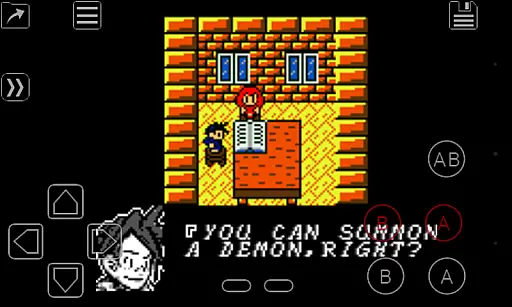
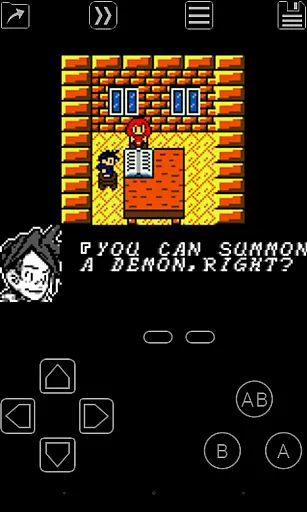
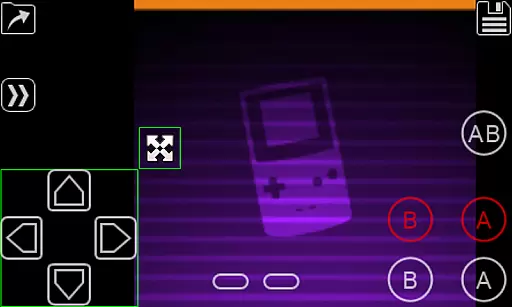
My OldBoy! is a high-performance Game Boy and Game Boy Color emulator designed for Android devices, offering an authentic retro gaming experience. It supports a wide range of Android smartphones and tablets, ensuring compatibility across various hardware specifications. The app accurately emulates nearly all aspects of the original Game Boy hardware, including advanced features like link cable, rumble, and tilt sensor support.
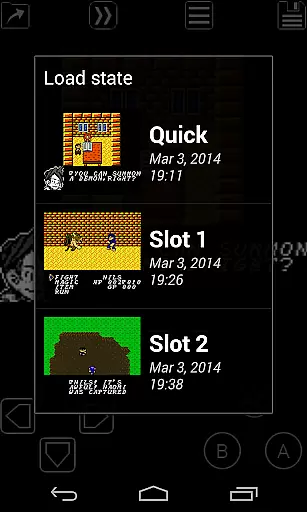
One of the standout features of My OldBoy! is its ability to enhance classic games with custom color palettes, bringing new life to monochrome titles. Additionally, the save state system allows users to save their progress at any point and instantly return to it later. With fast-forward functionality, players can skip through lengthy storylines or challenging sections, making gameplay more flexible and enjoyable. Whether you're reliving childhood memories or discovering these classics for the first time, My OldBoy! delivers a seamless and immersive experience.
My OldBoy! boasts an impressive array of features that cater to both casual gamers and retro enthusiasts. The emulator utilizes ARM assembly code to deliver fast and smooth performance, achieving 60 FPS even on low-end devices without frame skips. This ensures a consistent and enjoyable gaming experience across a broad spectrum of Android hardware. The app also supports link cable emulation, allowing multiplayer gaming either on the same device or across devices via Bluetooth or Wi-Fi.
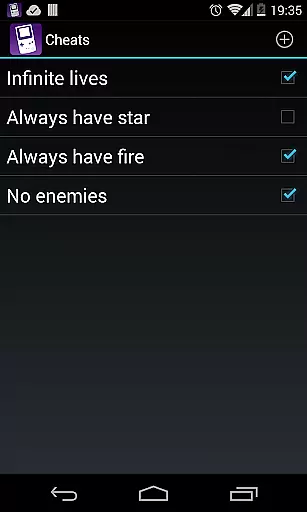
In addition to its core emulation capabilities, My OldBoy! offers several enhancements to improve gameplay. Users can take advantage of the tilt sensor and rumble emulation, which leverage the device's hardware sensors and vibrator for a more interactive experience. The app also includes support for Game Boy Camera and Game Boy Printer emulation, as well as Super Game Boy palettes, adding more depth and color to classic games. Advanced features such as cheat code support, ROM patching, and customizable screen layouts provide further customization options, while cloud save synchronization with Google Drive ensures that progress is never lost.
Arcade authenticity is crucial for users seeking a genuine retro gaming experience. My OldBoy! emulator brings the nostalgia of Game Boy and Game Boy Color to Android devices with remarkable accuracy.
The app meticulously emulates nearly every aspect of the original hardware, including support for special features like link cable, rumble, and tilt sensor. This dedication to detail ensures that classic games behave as they did on the original consoles.
Players can relive their childhood memories or discover classic games for the first time, all while enjoying modern conveniences such as save states and customizable controls.
This commitment to authenticity not only preserves the integrity of beloved classics but also enhances them with contemporary features, making it an ideal choice for both nostalgic gamers and newcomers alike.
Control responsiveness is essential for an immersive gaming experience. My OldBoy! delivers exceptional performance through optimized ARM assembly code, ensuring smooth gameplay even on low-end devices.
The emulator supports various input methods, including on-screen keypads and external controllers. Users can customize control layouts and sizes, creating a personalized setup that maximizes comfort and efficiency.
Advanced features like fast-forward and slow-motion modes allow players to adjust game speed according to their preferences, providing unprecedented control over their gaming sessions.
This combination of responsive controls and customizable options creates an unparalleled arcade experience that satisfies both casual players and hardcore enthusiasts.
Fast emulation speed
Wide device compatibility
Advanced feature support
Customizable controls
Cloud save integration
No included games
Complex setup required
Legal gray area
Ads in free version
Occasional bugs

Nostalgia.GBC is a high quality GBC emulator.
 4.50
4.50
Snake Legacy, sans pub, repensé pour une expérience fluide et élégante.
4.0
Motorcycle racing games! Prove your paperboy can win in the bike race 3D!
4.50
Collect layers in running game & build the biggest slinky toy to beat the giant!
4.30
Venture into the galaxy to fight against the invasion of space invaders.
4.60
Join the breathtaking chase!
4.80
Jump and fly your way through danger in this rythm-based action platformer!
4.70
Addictive basketball game with challenging one-touch controls
4.50
Crazy games: Kick your buddies, beat the boss, and turn the office into chaos!
4.40
Punch your way through the Streets of Rage once again!
4.80
Catch ghosts, shoot monsters and defeat bosses in this RPG idle shooting game.
4.70
Gameboy Color Emulator
4.60
Flip and flail a rag doll through endless levels and plunge into outlandish fun!
4.60
Flip the bottle! Do tricks and don't let the bottle fall!
4.50
Running game: dance in a twerk battle and become the twerk hero in our fun race!
4.30
Enter Double Dragon Trilogy, a compilation of the beloved arcade series
4.10
John GBA is GBA emulator. This emulator is easy to use.
3.10
Monster Run its a game for relax.
4.0
M64Pro FZX Classic Emulator for Android
4.1


User Reviews