
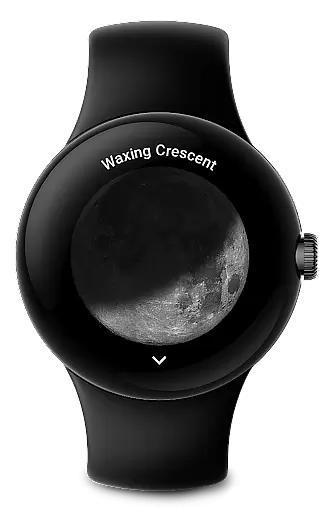
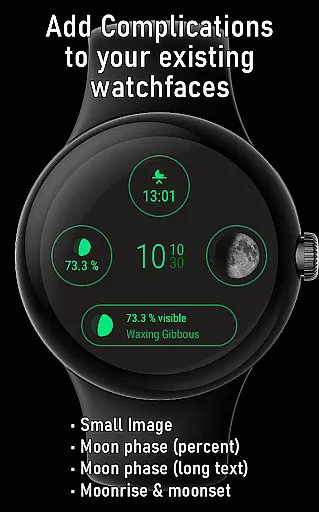
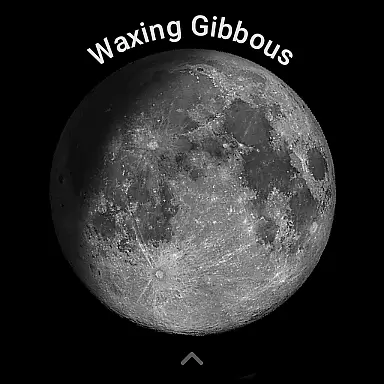
Moon on Wear is a specialized application designed for Wear OS, providing users with an accurate and visually appealing representation of the moon's current phase. The app displays a large, realistic moon image that rotates according to the user's geographical location, ensuring precision in its lunar depiction.
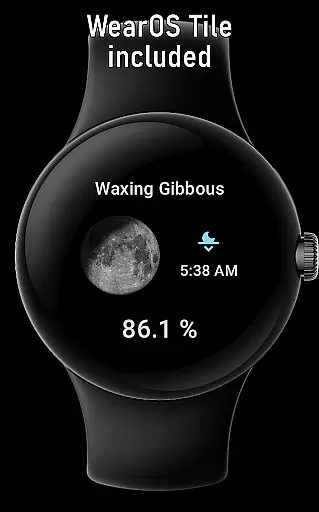
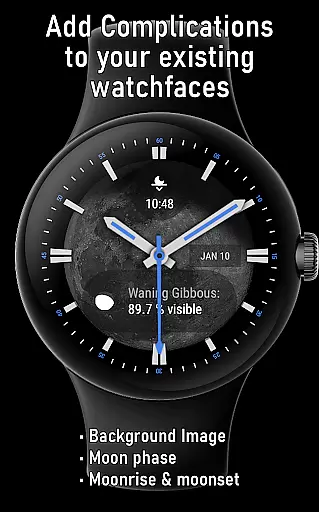
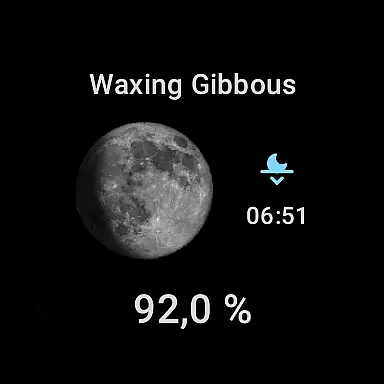
Alongside its core functionality, Moon on Wear offers various complications that can be integrated into custom watch faces. These include moon phase percentages, small and large images suitable for wallpapers, as well as moonrise and moonset times. Additionally, it features a Moon-Tile view that complements your watch face with essential lunar information.
This app proves particularly useful for astronomy enthusiasts or anyone interested in tracking lunar activity directly from their smartwatch. By delivering detailed moon data such as rise/set times, cycle age, distance from Earth, and upcoming phases, Moon on Wear enhances user engagement with celestial events.
The Moon on Wear app stands out through its comprehensive feature set tailored specifically for lunar enthusiasts. One notable aspect is its collection of complications designed to enrich any compatible watch face. Users can choose from options like Moon Phase (with descriptions), Small Image, Large Image (suitable as wallpaper if supported), and Moonrise/Moonset indicators.
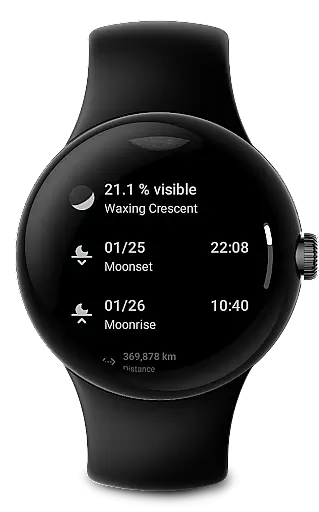
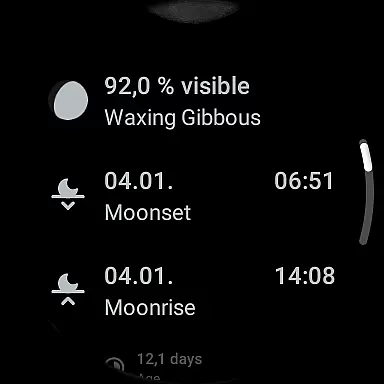
Beyond these visual enhancements, the app provides valuable insights through its main interface. It details critical information including the moon's illuminated percentage, rise and set timings, cycle duration in days, current Earth-to-moon distance, and predictions for future phases and super moons. This depth of content ensures users stay informed about ongoing and forthcoming lunar phenomena.
A unique advantage lies in its optimization for battery efficiency while maintaining calculation accuracy comparable to reputable sources like timeanddate.com and mooncalc.org. Furthermore, the optional coarse location permission allows precise moon rotation based on user location without compromising privacy—all processing occurs offline on the device itself.
Moon on Wear offers a unique take on lunar information, akin to an e-book of moon knowledge. The app provides users with a vast array of lunar data comparable to comprehensive e-book content.
It includes detailed moon phases, rise and set times, cycle information, distance from Earth, and upcoming super moons, all serving as chapters in a lunar encyclopedia.
The authenticity of the content is guaranteed by algorithms designed for accuracy and efficiency, ensuring that the information aligns with authoritative astronomical sources.
Users can trust the data provided, as it's designed to be as reliable as popular websites like timeanddate com and mooncalc org, making Moon on Wear a credible digital reference.
Moon on Wear ensures optimal format compatibility across various platforms, especially within the Wear OS ecosystem.
The app supports different display formats including text descriptions, small and large images suitable for watchfaces, and even wallpapers if supported by the device.
With its range of complications, Moon on Wear integrates seamlessly into a multitude of watchfaces, providing flexibility in how lunar information is displayed.
This compatibility extends to include a Moon-Tile feature, enhancing user interface customization and offering a versatile viewing experience tailored to individual preferences.
Realistic moon visuals
Customizable complications
Offline calculations
Battery-efficient design
Comprehensive lunar data
Location detection delay
Limited watchface support
Dependent on third-party apps
Occasional inaccuracies
Requires permissions

Cute bedtime story for kids
 4.30
4.30
Find, discuss, and organize your world of books and shows.
4.60
Bible Spiritual Companion
4.40
8 Dr. Seuss short stories in 1 app!
4.70
F9 Cookbook Mobile App
4.60
Unlock more features in Lithium and show your support. Expand for details.
4.00
Full text, sheet music, and recordings of the print edition
4.60
Holy Bible with verses and audio for studying and prayer
4.30
Identify birds of North America by call or picture | Bird Identification
4.20
Daily thoughts, meditations, and prayers for living a sober life in recovery.
4.90
“I am the Lorax. I speak for the trees.”
4.80
Personalized Chat with Bible
4.80
Discover Stars and Planets: Live Map Shows Current Constellations in Full Detail
4.70
Read aloud texts, audiobooks, PDFs or any eBook with text to speech AI audio
4.60
Scan. Price. Grade.
4.60
Werewolf novels & romance stories in audiobooks for book lovers! Werewolf storie
4.60
The ultimate military vehicle identification (Equipment ID) guide.
4.40
Bilingual dictionary with English translations of Modern Standard Arabic words.
4.30
A companion for prayer, with Azan alarm, Quibla direction, and Holy Quran book
4.10


User Reviews