
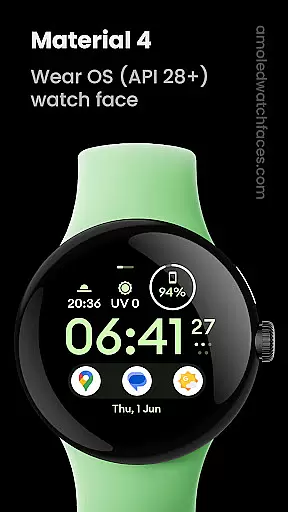
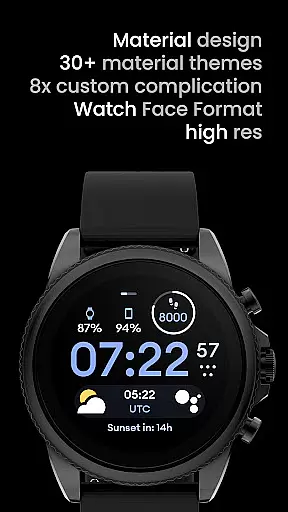
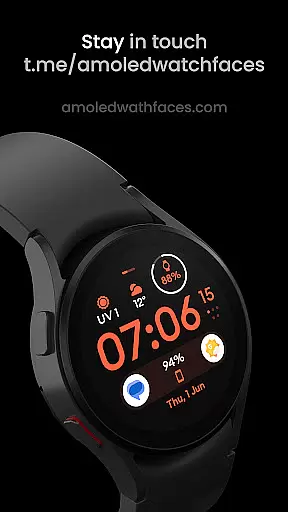
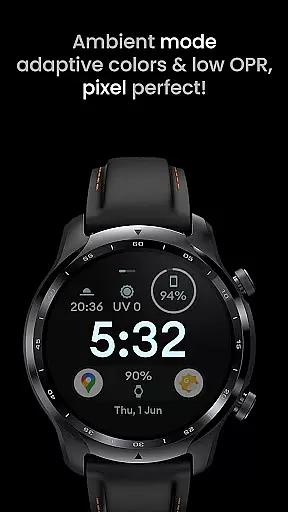
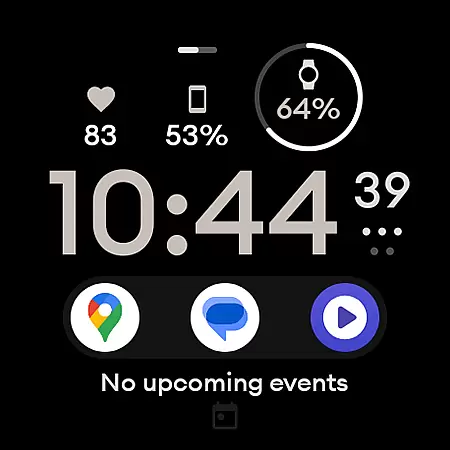
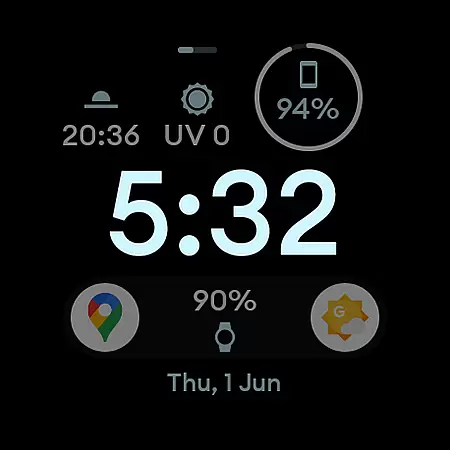
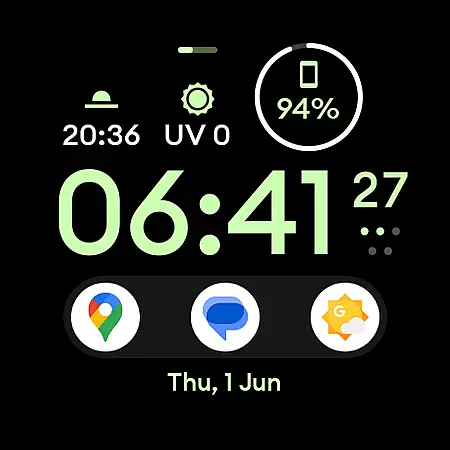
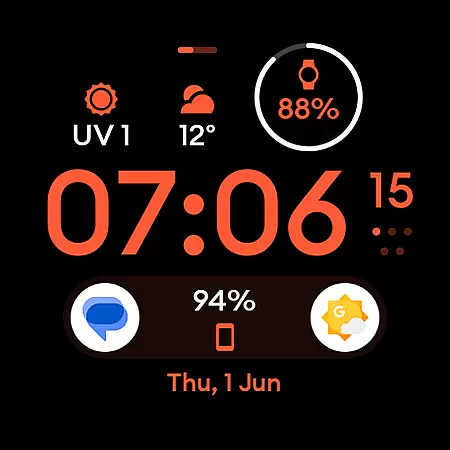
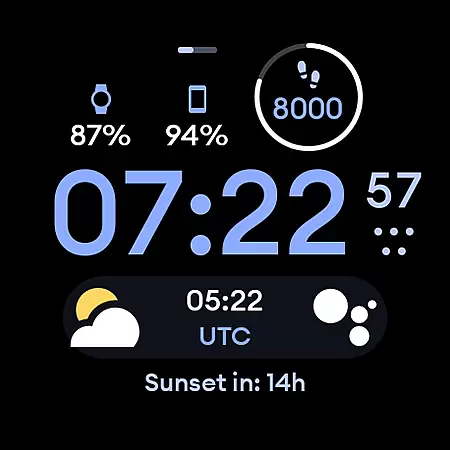
Material 4: Watch face is a feature-rich watch face app designed exclusively for Wear OS API 28+ devices. It offers a modern material design with Euclid font and true black background, making it both visually appealing and battery-friendly. The app supports hi-res displays and includes eight customizable complications, providing users with personalized timekeeping options. Its unique ambient mode features low OPR and adaptive color, ensuring optimal visibility in all lighting conditions.
This watch face stands out with its extensive user configuration options. Users can customize the Am-Pm Indicator, choose between two AOD modes, select from 35 color options, and configure custom complications. These features make it highly versatile, catering to individual preferences while maintaining a sleek and professional appearance. Whether you want a minimalist look or a feature-packed display, Material 4 delivers an exceptional user experience tailored to your needs.
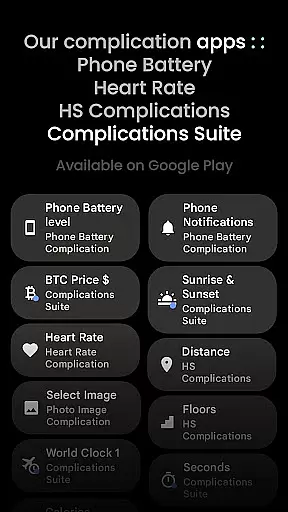
One of the standout features of Material 4: Watch face is its support for custom complications, allowing users to display up to eight different data points on their watch face. This functionality is enhanced by integration with third-party apps like Complications Suite, giving users access to a wide range of information at a glance. The app also provides multiple user configuration options, including three styles of Am-Pm Indicators, thin time toggle, dual AOD settings, and 35 color choices, all optimized for API 33+ devices.
The app's commitment to quality is evident in its attention to detail. With true black backgrounds for AMOLED screens, Material 4 ensures minimal power consumption while delivering stunning visuals. Its high-resolution support guarantees crisp and clear graphics, and the unique ambient mode intelligently adjusts colors based on ambient light conditions. These thoughtful design elements create a seamless and enjoyable user experience that combines aesthetics with practicality.
In the realm of wearable technology, lifestyle applications play a pivotal role in enhancing user experience by offering a blend of functionality and personalization. Material 4: Watch face stands out by providing an extensive range of features tailored for Wear OS API 28+ devices, ensuring it covers significant aspects of a modern lifestyle.
This application offers true black backgrounds, hi-res visuals, and battery-friendly operations, making it not only aesthetically pleasing but also practical for everyday use. The inclusion of eight custom complications allows users to tailor their watch faces to display the information most relevant to their daily lives, from weather updates to fitness tracking.
Moreover, unique ambient modes with low OPR and adaptive color settings ensure that the watch face remains visually appealing and readable in various lighting conditions. This level of customization extends to user configurations such as Am-Pm indicators, thin time toggles, and multiple color options, catering to individual preferences and needs.
By integrating these comprehensive lifestyle features, Material 4: Watch face empowers users to maintain an organized and stylish digital life, enhancing both productivity and personal expression on their Wear OS devices.
Authenticity and credibility are crucial factors when evaluating lifestyle applications, especially those involving wearable tech like Material 4: Watch face. This app assures users of its content's legitimacy through several means, establishing trust and reliability.
Firstly, Material 4 is powered by Watch Face Format, indicating a standardized and legitimate development process. Its association with amoledwatchfaces.com further reinforces this authenticity, as the website serves as a hub for various credible watch face designs and related apps.
The app provides clear guidance and support channels, including installation tutorials and troubleshooting guides available on their official site. Users can also reach out directly via support@amoledwatchfaces.com for any issues or inquiries, ensuring they receive expert assistance when needed.
Additionally, the integration of third-party complication apps like Complications Suite adds another layer of expert validation, as these are recognized tools within the smartwatch community. By combining these elements, Material 4: Watch face establishes itself as a trustworthy and authoritative choice for enhancing your Wear OS device with authentic and expert-endorsed content.
User-friendly interface
Highly customizable
Battery efficient
Modern design
Unique ambient mode
Not for rectangular watches
API 33+ required
Third-party complications needed
Limited free options
Complex setup

Unique BIG BOLD TIME with amazing colors and customisations.
 3.70
3.70
Design and brew great homebrewing beer, mead, cider and wine recipes on the go!
3.60
Get roadside help, discounts, travel tools & more — AAA is with you everywhere.
4.80
Smart controls for your Ember Smart Mugs
4.10
A watch face with transparency and fluid visuals inspired by liquid glass design
4.2
View over 160,000 line dance stepsheets from the CopperKnob website.
3.30
This minimalist yet classic board design brings a futuristic twist to your wrist
4.20
Use your device sensors to detect energy and convert it into spoken words.
4.10
Spirit Communicator is a real paranormal ghost hunting app with many fun modes.
3.90
My Diary - Daily Journal with lock: Diary journal app and secret diary with lock
4.80
Simple, stylish & fresh watch face. Customize colors, gradients & complications.
4.70
Smart & Healthy Living
4.60
Colorful selection floral watch face with gyro for Wear OS
4.60
Earn money & gift cards when you take surveys, play games, scan receipts & more.
4.50
Material You inspired colors with BIG and Bold looks for Wear OS watches.
4.20
Mixing Colors for Menswear
4.20
Connect to your Shark ROBOT™ from anywhere using the SharkClean™ App.
3.60
An Eerie Musical Trigger Toy for Spirits to Play with!
3.50
Discover how to help puppies stay calm around noise with this helpful app.
4.5


User Reviews