
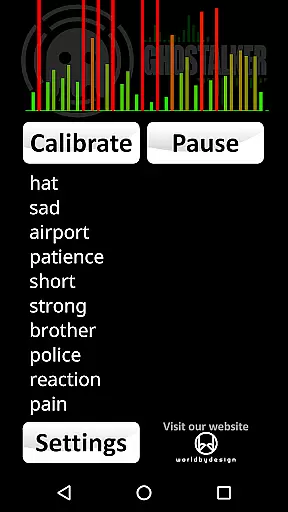


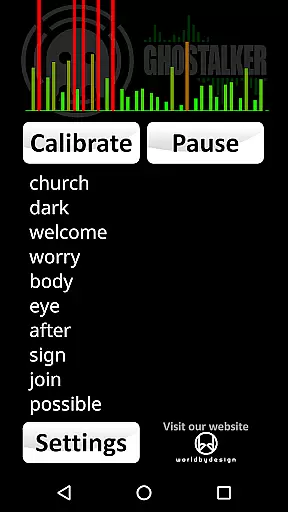

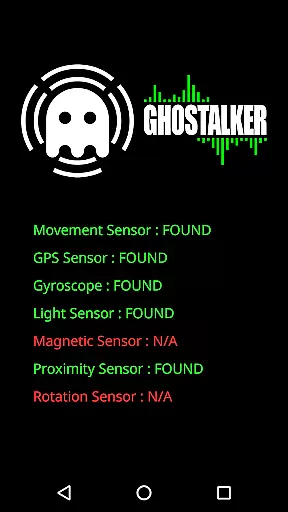
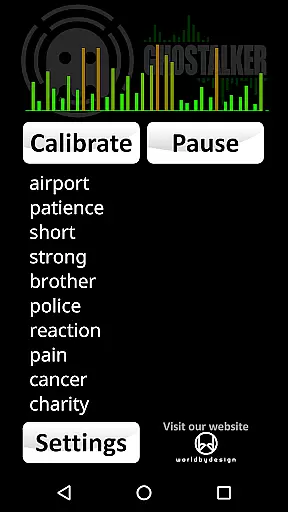
Ghostalker is a unique paranormal investigation app designed to convert environmental energy into spoken words, functioning as a digital 'Spirit Box'. With a database of over a thousand commonly used words, the app utilizes all available device sensors - including vibration, rotation, GPS, gyroscope, light, magnetic fields, and proximity - to detect minute changes in energy patterns. This sensory data is then translated into meaningful words that are both displayed and spoken aloud.
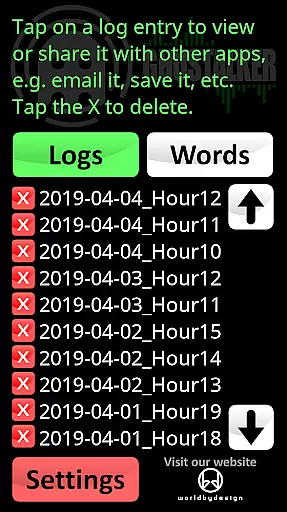
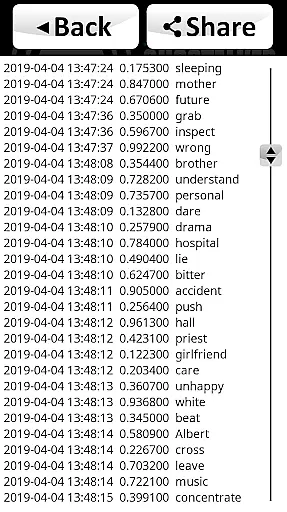
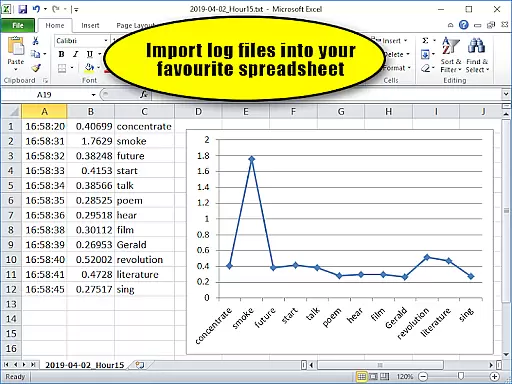
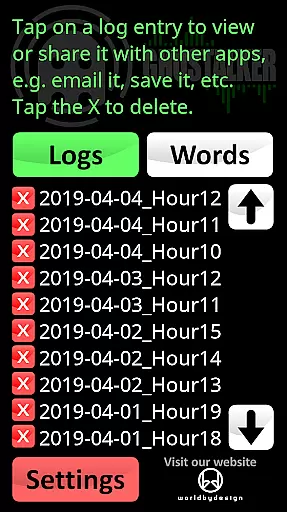
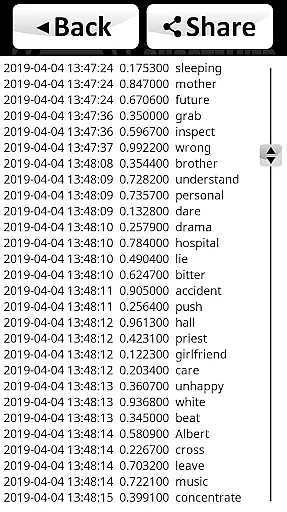
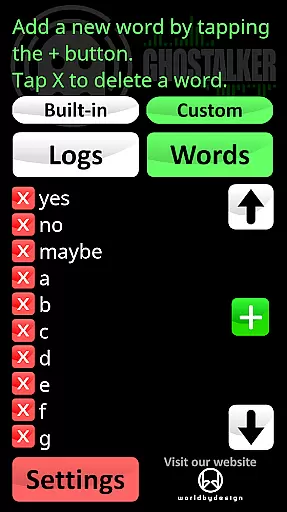
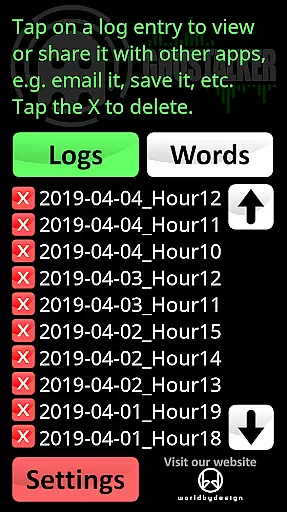
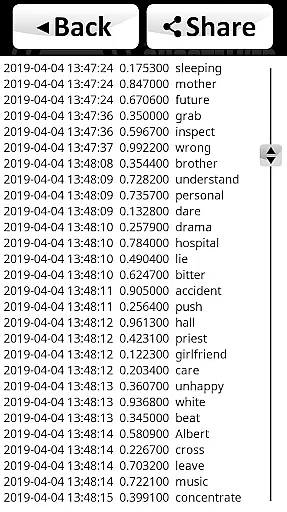
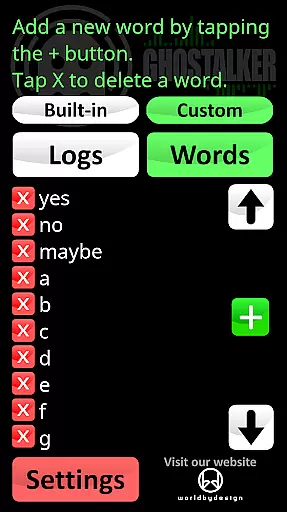
The application's logging feature allows users to save, view, email, or delete spoken word records for future analysis. These logs, saved in CSV format, include timestamped entries with sensor reading changes and corresponding words, making it easy to import into spreadsheet software like MS Excel or Google Sheets. Additionally, Ghostalker offers a customizable dictionary feature where users can create personalized word lists of up to 10,000 entries, enabling specialized response patterns for different investigation scenarios.
This lifestyle app finds particular value among paranormal enthusiasts who use it during investigations to interpret potential spirit communications. Its sophisticated sensor integration and customizable features make it suitable for both professional investigators and hobbyists seeking to explore the paranormal realm.
Ghostalker distinguishes itself through its comprehensive utilization of device sensors and advanced logging capabilities. The app intelligently processes raw sensor data from multiple sources, including vibration, rotation, GPS, gyroscope, light, magnetic fields, and proximity sensors, converting these inputs into meaningful words rather than relying on random selection algorithms.
A key feature is its robust logging system, which records spoken words alongside detailed sensor reading changes and timestamps. These logs are stored in CSV format, allowing seamless integration with spreadsheet applications for further analysis. The app also includes a built-in log viewer for immediate access to recorded sessions. Furthermore, Ghostalker provides users with complete control over their investigation experience through its custom dictionary functionality, supporting up to 10,000 user-defined words.
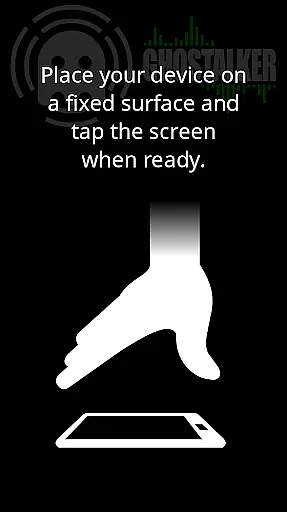
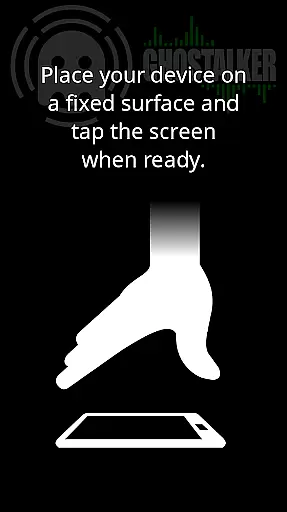
Additional notable features include individual sensor enable/disable options to prevent interference, calibration tools to adjust background variance, and support for importing/exporting word lists via text files. The app operates entirely offline, making it ideal for remote location investigations, and offers specialized investigation tips for optimizing paranormal communication attempts.
Ghostalker offers a unique approach to lifestyle applications by bridging the gap between technology and paranormal exploration. This app is designed for those intrigued by the supernatural, providing tools that convert environmental energy into spoken words, thus covering an unconventional yet fascinating niche within the lifestyle category.
The application leverages over a thousand commonly used words and utilizes device sensors such as GPS, gyroscopes, and magnetic field detectors to interact with users. By doing so, it expands the scope of lifestyle apps beyond traditional health, fitness, or productivity realms into the realm of paranormal investigation.
With features like logging, which allows users to save and review sessions, and a customizable dictionary supporting up to 10,000 words, Ghostalker ensures comprehensive coverage of its niche market. Users can tailor their experience for specific inquiries or explorations, making it a versatile tool in the lifestyle category.
In terms of content authenticity, Ghostalker stands out by using actual sensor data rather than random word generation, ensuring that the interactions are based on real-time environmental inputs. This method provides a layer of credibility to the app's output, distinguishing it from other apps that may rely solely on pre-programmed responses.
While Ghostalker doesn't claim to have expert endorsements in the paranormal field, its design reflects an understanding of sensor technology and user interaction. The developer's attention to detail is evident in the appu2019s ability to calibrate and adjust sensitivity according to different devices and environments.
Moreover, the provision for users to manage their custom dictionaries adds another dimension of personalization and authenticity. By allowing tailored responses, the app empowers users to create meaningful and contextually relevant interactions, enhancing both the credibility and value of the content provided.
User-friendly interface
Comprehensive sensor integration
Advanced logging capabilities
Customizable word dictionary
Offline functionality
No sentence formation
Sensor sensitivity varies
Occasional interference issues
Requires careful calibration
Device compatibility differences

Discover how to help puppies stay calm around noise with this helpful app.
 4.2
4.2
What is my face shape? Find out your face shape from picture, see fitting frames
3.90
BILT interactive 3D instructions help you get the job done right
3.50
View over 160,000 line dance stepsheets from the CopperKnob website.
3.30
Discover the "To Be a Christian" App: Your Guide to Deepening Faith!
5.00
Discover your Nationality, Family Origin, and Ancestry from one selfie
4.50
Play. Earn. Repeat. Get rewarded for playing mobile games. Welcome to Mobius!
4.80
Play fun games, complete quick surveys, and earn money. It's fun and easy!
4.40
Celebrate the holidays with Advent Calendar: daily surprises and festive fun!
4.0
Get roadside help, discounts, travel tools & more — AAA is with you everywhere.
4.80
Crochet made easy: step-by-step tutorials, beginner patterns & projects
4.60
Earn money & gift cards when you take surveys, play games, scan receipts & more.
4.50
This is a simple and highly functional alarm clock "Smart Alarm" paid version.
4.20
Material You inspired colors with BIG and Bold looks for Wear OS watches.
4.20
Connect to your Shark ROBOT™ from anywhere using the SharkClean™ App.
3.60
An Eerie Musical Trigger Toy for Spirits to Play with!
3.50
Big bold digital watch face with 30 colors, 6 complications and AOD.
4.1
Customize your Wear OS watch with festive Christmas figures and colors!
4.0
The cutest Autumn watchface featuring the adorable Mr. Squirrel
4.5


User Reviews