
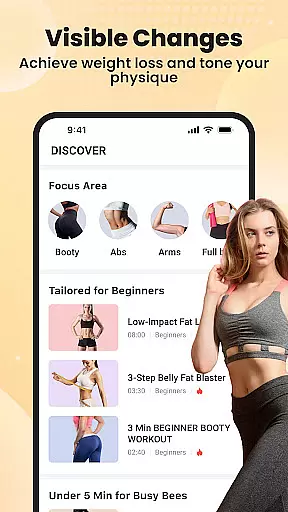

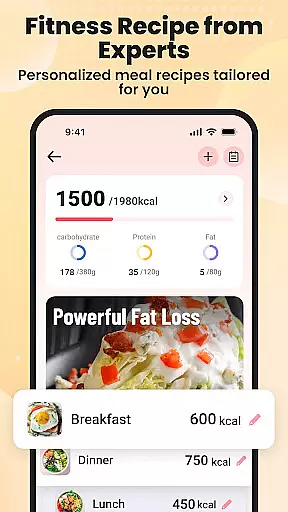
Lazy Exercise at Home is a comprehensive fitness application designed to help users achieve their weight loss and body toning goals without the need for any equipment. The app provides personalized workout plans that focus on key areas such as arms, glutes, abdomen, and legs, enabling users to effectively lose weight and shape their bodies from the comfort of their homes. With scientifically-backed workout routines and customizable meal plans, this app offers a holistic approach to health and fitness.
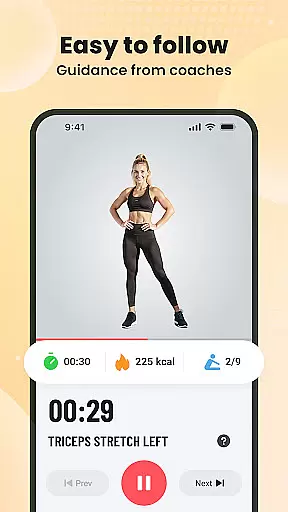
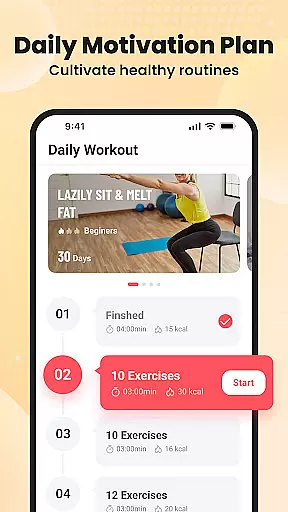
The app features detailed animations and video instructions to ensure proper form during exercises, making it accessible for users of all fitness levels. Whether you have only 4-8 minutes a day or more time to dedicate, Lazy Exercise at Home makes it easy to incorporate fitness into your daily routine. Its user-friendly interface and motivational tools like progress tracking and workout reminders help maintain consistency, while low-impact options cater to those in post-injury recovery.
One of the standout features of Lazy Exercise at Home is its completely equipment-free workouts, allowing users to exercise anytime and anywhere. This flexibility is ideal for people with busy schedules or those who prefer working out at home, outdoors, or even at work. The app offers customized plans targeting specific trouble spots, ensuring that users can focus on their unique fitness goals, whether it's losing weight, toning muscles, or both.
Another remarkable aspect is the app's smart progress tracker, which enables users to visualize their fitness journey by monitoring metrics like calories burned and weight loss over time. Daily reminders and motivational prompts keep users accountable, while diverse workout options crafted by fitness professionals provide high-quality routines tailored to individual preferences. Clear instructions for each exercise ensure correct form, reducing the risk of injury and maximizing results.
Personalized planning in fitness applications refers to the creation of tailored workout and nutrition plans that adapt to individual user needs, goals, and progress. This feature is crucial as it ensures that users engage in exercises that are best suited for their current fitness levels and objectives.
Lazy Exercise at Home offers personalized planning by providing structured workouts and customizable meal plans. The app focuses on key areas such as arms, glutes, abdomen, and legs, allowing users to target specific zones they wish to improve. With scientifically-backed routines, users can trust that their plans are not only personalized but also effective.
The benefit of this personalization is immense. Users receive a holistic approach to health and fitness, which includes detailed animations and video instructions to maintain proper form during each exercise. This maximizes the effectiveness of the workouts while minimizing the risk of injury, ensuring a safe and efficient path to weight loss and muscle toning.
Ultimately, personalized planning empowers users to achieve visible changes in their physique with just a few minutes of exercise per day. By focusing on trouble spots and offering low-impact options suitable for all fitness levels, Lazy Exercise at Home makes it easy for anyone to embark on a transformation journey right from the comfort of their home.
Progress visualization in fitness apps involves presenting users' achievements and advancements through clear and engaging graphical representations. This feature is important because it allows users to easily track their fitness journey, stay motivated, and make informed decisions about their workout intensity and frequency.
Lazy Exercise at Home incorporates progress visualization by offering a smart progress tracker. This tool enables users to monitor their weight loss and calories burned over time. Through this tracker, users can visualize their fitness milestones, which helps in maintaining motivation and consistency in their workout routine.
By having access to such visual data, users can see how their daily efforts contribute to long-term goals. The app's tracking system provides insights into workout effectiveness and highlights areas that may need more attention or adjustment. This ongoing feedback loop encourages continuous improvement and adaptation of personal fitness strategies.
In summary, progress visualization in Lazy Exercise at Home not only enhances user engagement but also reinforces commitment to a healthier lifestyle. With features like daily reminders and targeted workouts, users have all they need to stay dedicated and witness real transformations in their physical well-being.
User-friendly interface
Customizable workout plans
No equipment required
Detailed video guidance
Free to use
Limited advanced features
No live instructor support
Few social sharing options
Basic meal plan options
Occasional ads

“Overcoming pain based on EMDR” helps you to alleviate chronic pain and stress.
 4.10
4.10
Chair Workout: Women's Edition for safe, flexible, and personalized fitness.
4.40
Relax to calm sounds, white noise, music, guided meditation and bedtime stories
4.40
Create powerful subliminal audio with custom affirmations and background music.
4.00
Power-lifting, weightlifting and Wendler 531 app to track your workout program.
4.90
sobriety counter app to help and motivate people to stop drinking alcohol.
4.90
Mind on steroids - relaxation, productivity, meditation and sleep!
4.60
Load the bar with this barbell & plate calculator. It's leg day, not brain day!
4.70
Focus on BP & Health
3.80
Home workouts for fitness & fast bodybuilding at home - no equipment needed.
4.90
Easy to use step counter, calorie counter helps lose weight, count steps offline
4.80
Pilates, Calisthenics, Yoga
4.50
The most accurate heart rate app to monitor and track your heart rate & pulse.
4.40
Walk, track, and burn calories with step counter & GPS walking tracker
4.20
Your Health Assistant
3.90
Pupillary distance PD with camera quick and easy, checking glasses frames on you
3.70
The app helps you address digestive symptoms based on the Fast Tract Diet.
3.50
Transform your body and soul with DBFFitness, with a 40-day fitness journey.
4.3
Optimization for TRT & Enhanced Athletes
4.4


User Reviews