
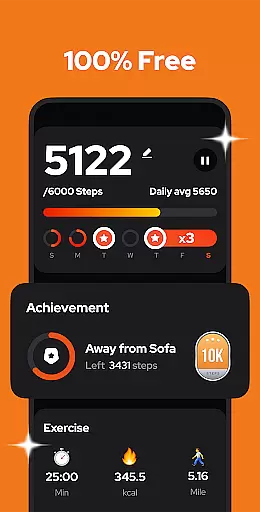
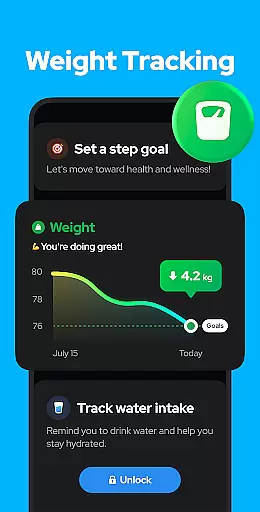
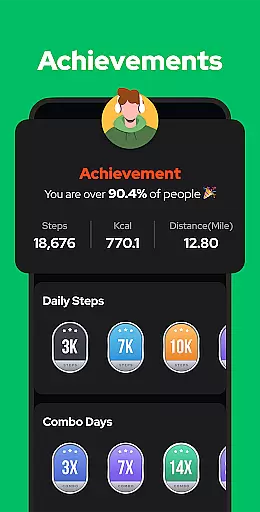
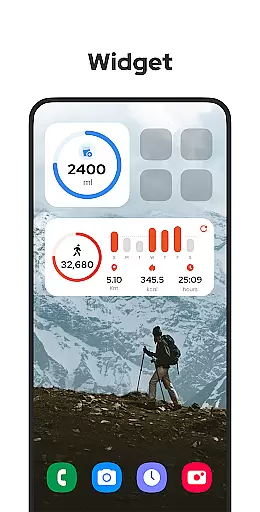
Step Counter - Pedometer is a premier health and fitness application designed to automatically track your daily steps, calories burned, walking distance, and duration. Compatible with all Android devices, this app leverages advanced built-in sensors for accurate tracking without the need for GPS or Wi-Fi, ensuring minimal battery consumption. Its user-friendly interface makes it easy to operate, whether you're using it in your hand or keeping it in your pocket.
This pedometer app stands out by offering comprehensive features such as pause and resume functionality, adjustable sensitivity settings, and robust privacy protections. Users can visualize their progress through detailed graphs categorized by day, week, month, or year. Additionally, the app supports data backup and restoration from the cloud, making it a reliable tool for maintaining your fitness goals over time.
Whether you aim to hit a daily target of 10,000 steps or simply wish to monitor your physical activity, Step Counter - Pedometer provides an essential suite of tools to help you stay fit and improve your overall well-being.
Step Counter - Pedometer boasts a variety of sophisticated features tailored to enhance your fitness tracking experience. One of its standout capabilities is the auto-tracking function, which accurately records your steps, calories, distance, and duration without draining your battery. This is achieved without the use of GPS, allowing for offline functionality that ensures your data is consistently captured regardless of your location.
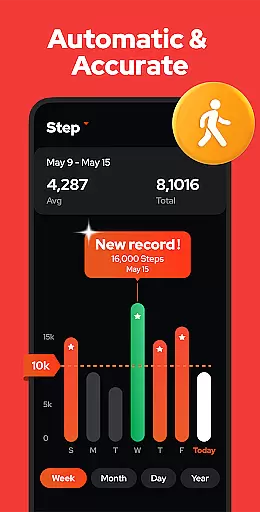
Beyond basic step counting, the app offers advanced functionalities such as customizable sensitivity settings and the ability to pause and resume tracking. These features ensure precise step counts even when you're not actively moving, such as during a commute. Furthermore, the app provides visual analytics through detailed graphs, enabling users to review their performance metrics over different timeframes—day, week, month, or year.
Additional notable features include cloud-based data backup and restoration, upcoming enhancements like training mode customization, and health reminders. With these comprehensive tools, Step Counter - Pedometer not only tracks your steps but also supports broader health objectives, making it an indispensable companion on your journey to better health.
Personalized planning in a fitness app refers to the ability to create tailored exercise and health plans based on individual user data. This feature is crucial as it adapts the fitness experience to each user's unique needs and goals.
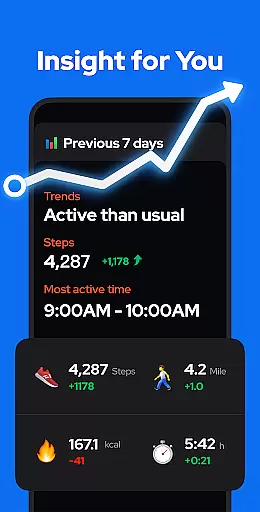
Step Counter - Pedometer achieves personalized planning by analyzing your daily activity metrics such as steps taken, calories burned, and distance covered. The app uses this data to offer insights into your activity trends over time, allowing for adjustments in your fitness routine.
Users benefit from this feature by receiving customized feedback and suggestions that align with their fitness objectives. Whether aiming to hit 10,000 steps a day or monitoring calorie expenditure, the app supports these goals with tailored recommendations.
The true value of personalized planning lies in its adaptability. As users progress in their fitness journeys, the app continuously updates its guidance to match their evolving requirements, ensuring sustained motivation and goal achievement.
Progress visualization is an essential aspect of any fitness application, providing users with graphical representations of their achievements and milestones. This feature helps maintain motivation by offering clear evidence of improvement over time.
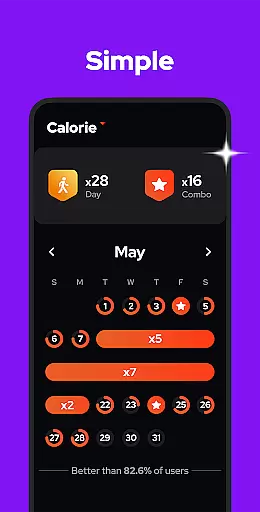
In Step Counter - Pedometer, progress visualization is executed through detailed charts and graphs. Users can view their step counts, calories burned, walking duration, and distance traveled, segmented by day, week, month, or year. These visual aids make it easier to comprehend long-term trends in personal fitness.
The advantage for users is significant; seeing tangible results of their efforts encourages continued engagement with their fitness routines. Moreover, the ability to analyze different time frames allows for strategic planning and setting realistic future goals.
By integrating comprehensive progress visualization tools, Step Counter - Pedometer not only tracks but also celebrates every step forward, reinforcing positive behavior and commitment to an active lifestyle.
Accurate Tracking
User-Friendly Interface
Offline Functionality
Comprehensive Analytics
Privacy Focused
Limited Wearable Integration
No iOS Support
Basic UI Design
Occasional Sensor Issues
Ads in Free Version

Your plan in your pocket 24/7
 3.00
3.00
sobriety counter app to help and motivate people to stop drinking alcohol.
4.90
Personal Measurements - Track your gains!
4.50
Enjoy the Gluten Free living with the best app. SCAN the barcodes & SEARCH.
3.60
A brain game that moves you
4.70
Load the bar with this barbell & plate calculator. It's leg day, not brain day!
4.70
Get lasting results with Chair Yoga, Wall Pilates, and Walking workouts!
4.60
Pilates, Calisthenics, Yoga
4.50
Monitor blood sugar, gain insights, and manage diabetes with ease.
3.20
Beauty Care, Makeup & Skin Care Scanner | Pregnancy App For A Mom | Healthy Baby
5.00
a fun app full of surprises :)
4.70
Point, scan, and unlock truth in every bite.
4.50
For Absolute Novices to Strength Training. Simple. Effective.
4.40
Get alert about getting out of desired heart rate zone.
4.10
Create powerful subliminal audio with custom affirmations and background music.
4.00
beat yesterday.
4.00
Your Health Assistant
3.90
Understand your body’s most meaningful messages and transform your health.
3.90
GloryFit is a companion app for the smart bracelet.
3.60


User Reviews