
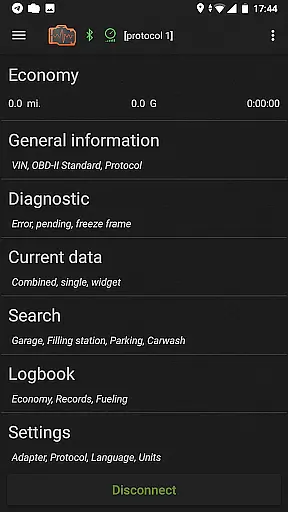
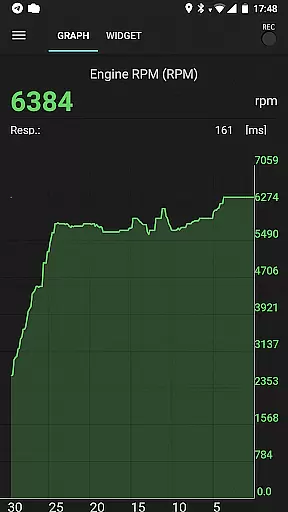
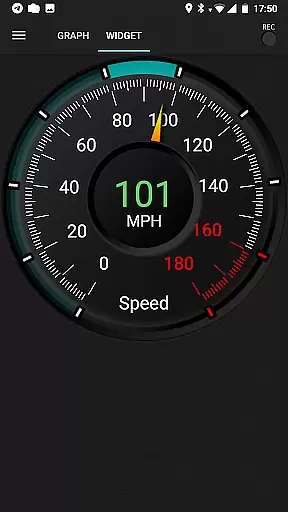
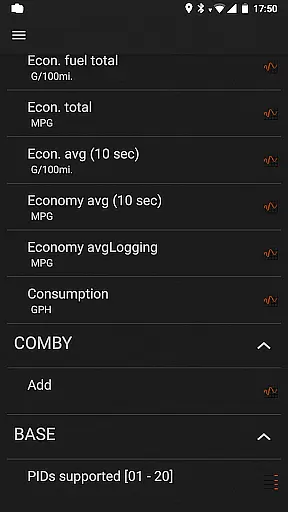
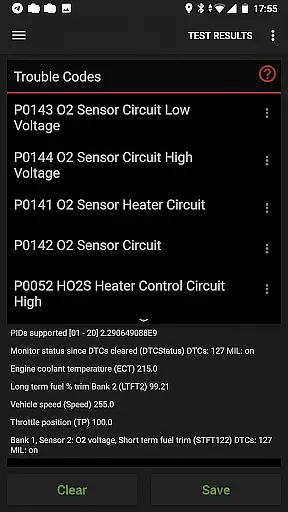
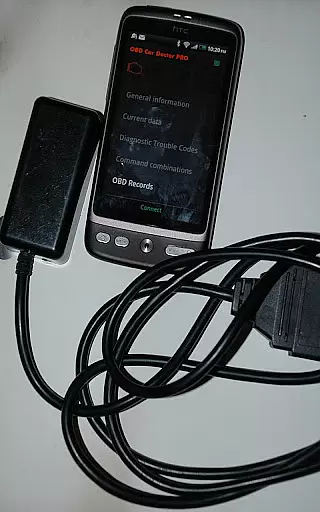
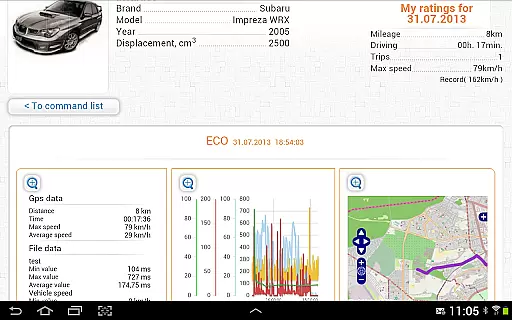
inCarDoc Pro is a comprehensive car diagnostics and monitoring tool designed for OBD-II compliant vehicles. This application serves as a virtual mechanic, allowing users to read real-time engine parameters, diagnose issues through fault code scanning, and maintain detailed vehicle logs. The app supports multiple connection methods including Bluetooth, WiFi, and BLE-enabled devices like Kiwi 3 and V-Gate iCar 3.
One of the standout features of inCarDoc Pro is its ability to function as an advanced trip computer, providing fuel economy statistics and performance metrics. Whether you're a professional mechanic or a car enthusiast, this app delivers critical data about your vehicle's health and performance directly to your mobile device. Its compatibility with various OBD scanners makes it a versatile choice for car owners seeking a deeper understanding of their vehicle's operational status.
inCarDoc Pro offers an impressive array of features that cater to both casual drivers and automotive professionals. The app provides real-time parameter recording, allowing users to monitor crucial engine metrics such as speed, RPM, coolant temperature, and oxygen sensor readings. These parameters can be displayed through customizable widgets and charts, giving users a clear visual representation of their vehicle's performance.
Another key feature is the comprehensive logbook functionality, which enables users to track fueling records, service history, and maintenance schedules. The GPS integration adds another layer of utility by providing altitude and speed data. Additionally, the pro version removes advertisements and allows background parameter recording, making it ideal for extended diagnostic sessions. With its ability to upload data to a server and present economy overlays on any application screen, inCarDoc Pro establishes itself as a complete solution for modern vehicle diagnostics and monitoring.
Accessing detailed vehicle information is crucial for effective car maintenance and diagnostics. inCarDoc Pro provides comprehensive data about your vehicle's performance by connecting to the OBD-II system, which is standard in most modern cars. The app reads real-time parameters from the ECU, presenting vital details such as engine speed, coolant temperature, and oxygen sensor readings.
The application supports multiple protocols including Bluetooth, WiFi, and BLE through devices like ELM327, Kiwi 3, and V-Gate iCar 3. This compatibility ensures that a wide range of car models can be diagnosed accurately. Users can view both current and stored diagnostic trouble codes (DTC), allowing them to understand ongoing issues and past problems within their vehicle.
With inCarDoc Pro, users benefit from advanced features like parameter recording, GPS traces, and background mode monitoring. These functionalities enable car owners to maintain a detailed log of their vehicleu2019s health over time. Such insights are invaluable when seeking professional repair services or tracking improvements after maintenance work.
Price transparency in automotive tools ensures users understand what they are paying for and helps them make informed decisions. inCarDoc Pro offers a free version with basic functionalities, allowing users to test compatibility with their vehicles before committing financially. This approach builds trust and demonstrates the app's value proposition upfront.
The Pro version removes advertisements and unlocks premium features such as real-time parameter recording, extended widgets, and server uploads. Each feature is clearly outlined on the appu2019s website, providing potential buyers with a transparent view of what they gain by upgrading. This clarity extends to additional costs related to necessary hardware like the ELM327 OBD scanner.
By offering a detailed comparison between free and paid versions, inCarDoc Pro empowers users to choose based on their specific needs and budget constraints. Whether itu2019s for personal use or professional diagnostics, customers know exactly what each tier offers, ensuring satisfaction and long-term engagement with the product.
Comprehensive diagnostics
Real-time monitoring
Customizable widgets
Detailed logbook
Multiple connection options
Requires compatible scanner
Complex for beginners
Separate free version
Limited without ELM327
Device compatibility issues

Theme for Car Launcher
 4.4
4.4
The Texaco App allows you to pay for fuel from the comfort of your car!
4.80
Car Values, Research and More
4.80
The ExtraMile App allows you to pay for fuel from the comfort of your car!
4.70
Mobile Phone Parking - So easy to park
3.70
Shop cars & see your financing
4.60
DMV practice test 2025: Driver License permit test & written test for all states
4.70
Your go-to app for car, truck & SUV parts, DIY tools, and expert repair help.
4.70
Browse millions of cars, track vehicle listings or sell your car today
4.70
MySubaru: Download. Connect. Love.
4.70
Buy and sell your boat
4.70
Quick and easy car diagnostics to get you the right fix.
4.70
CVT diagnostics with ELM327 for Nissan-based vehicles
4.40
* This app needs an adapter cable and a certain OBD2 adapter to work *
4.20
BlueDriver® is a Premium Diagnostic OBD2 Scan Tool. www.BlueDriver.com
3.90
Read and delete OBD codes with any ELM327 OBD scanner. Coding functions included
3.40
Theme for Car Launcher
4.1
Attention! This is the theme for the Car Launcher app
4.1
Theme for Car Launcher
4.2


User Reviews