
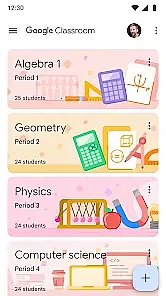
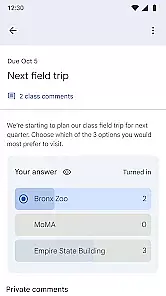
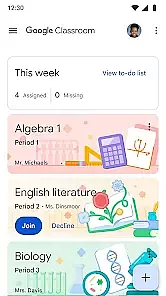
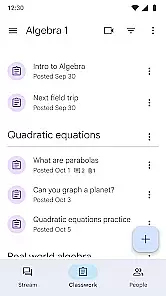
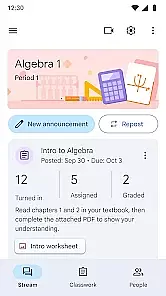
Google Classroom is an educational app designed to simplify teaching and learning processes. It enables teachers to create, distribute, and grade assignments in a paperless environment. Students can easily access course materials, submit their work, and receive feedback all in one place. This streamlines communication and enhances collaboration between educators and learners.
The app integrates seamlessly with other Google Workspace tools like Google Docs, Sheets, and Drive, providing a comprehensive educational ecosystem. Its intuitive interface ensures that both teachers and students can adapt quickly, making it suitable for various educational settings from K-12 to higher education institutions.
One of the standout features of Google Classroom is its ability to integrate with a wide range of educational tools. Teachers can utilize Google Forms for quizzes, Google Meet for virtual classes, and YouTube for sharing instructional videos. The app also supports third-party integrations, allowing educators to incorporate additional resources as needed.
Another key feature is the real-time collaboration capability. Multiple students can work on the same document simultaneously, fostering teamwork and enhancing project-based learning. Additionally, the grading system is robust, offering options for rubrics and comment banks, which streamline the evaluation process and provide consistent feedback to students.
In the realm of educational applications, content authority and curriculum alignment are paramount. Google Classroom ensures that all educational materials provided are vetted by educational experts and align with established curricula worldwide.
The app integrates seamlessly with Google Workspace for Education, allowing educators to utilize a vast repository of teaching resources that adhere to academic standards. This guarantees that assignments, lessons, and instructional materials are not only credible but also relevant to the prescribed educational benchmarks.
For students, this means access to accurate and authoritative content that supports their learning objectives. The assurance of curriculum-aligned resources aids in achieving better academic outcomes and prepares them effectively for assessments and real-world applications.
Gamification in learning introduces game-like elements into educational settings to enhance engagement and motivation. Google Classroom incorporates these principles through features that reward participation and track progress, making the learning process more interactive and enjoyable.
Teachers can create assignments with point systems, offer badges for completed tasks, and provide feedback that encourages continued student involvement. These gamified elements help maintain student interest and foster a competitive yet supportive learning environment.
By integrating gamification, Google Classroom not only makes education more appealing but also leverages proven psychological techniques to improve retention rates and overall academic performance. This innovative approach bridges traditional learning methods with modern motivational strategies.
Seamless Google integration
User-friendly interface
Real-time collaboration
Paperless environment
Free to use
Limited offline functionality
Dependent on Google services
Basic assignment features
No advanced analytics
Occasional bugs

Create stories and build your own virtual world for your avatar!
 3.00
3.00
Fun dentist game with Cocobi friends!
4.10
Welcome to the dollhouse! Unboxing, doll games, dress up & cute pets await!
4.00
Explore Dopples World, build your avatar life & create endless stories!
4.70
Join Rus and his friends to save Pear Island!
4.3
CASHFLOW - The Investing Game
4.00
The kids phonics and reading app that's helped millions of kids learn to read
4.00
OG Trail - Lets you play the classic Oregon Trail simulation game on Android
4.20
Create, design & explore Mia’s avatar game world! Dress up a dreamhouse you love
3.80
Tons of kids safety games, cartoons, and stories are included in one kids app!
4.70
Fun educational games for kids that teach number tracing, counting with modes!
4.50
Glow Doodle! Baby Coloring & Drawing games for toddlers: Color and Learn! NoAds!
4.40
Games, music, crafts and coloring with cats
4.10
Where Little Healers can Make a Big Difference!
4.00
Expert-designed fun interactive learning games to prep kids (2-5) for preschool.
4.00
A world to build at the tip of your fingers!
3.80
Magical girl game where dreams come true. Collect & care for cute princesses!
3.80
Master your phonics letters and sounds with the Alphablocks!
3.80
Fun step-by-step drawing & coloring app to learn and create art!
4.1


User Reviews