
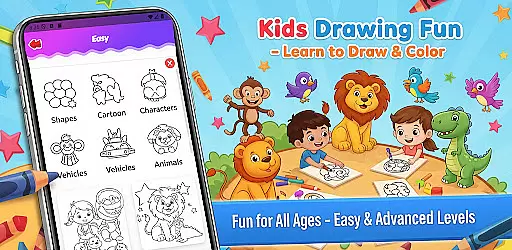
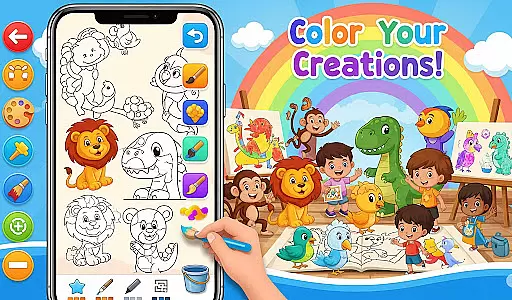
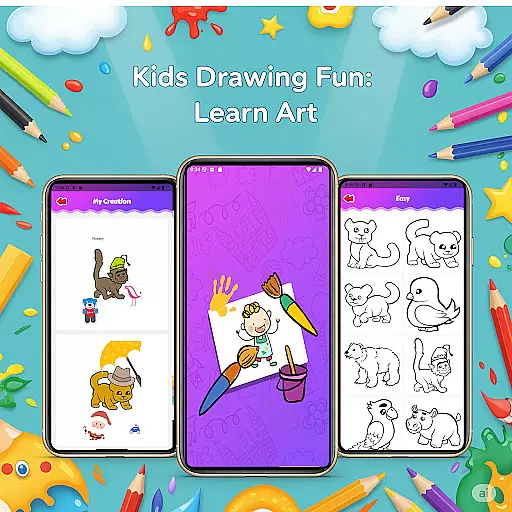
Fun Drawing & Color: Learn Art is an innovative educational app that brings the joy of art to users of all skill levels. Designed for both beginners and experienced artists, this app offers a complete suite of drawing tools and creative features. The app provides step-by-step drawing guides, making it easy to learn how to draw animals, vehicles, objects, food, and characters using simple shapes. With its rich selection of stickers, text styles, brush types, and vibrant color palettes, users can create unique artwork effortlessly.
One of the standout features of Fun Drawing & Color is its completely ad-free experience, allowing uninterrupted creativity. Whether you're looking to enhance your drawing skills or simply express your imagination, this app caters to various age groups and skill levels. It's compatible with both tablets and smartphones, ensuring a smooth user experience across all Android devices. The app also includes practical tools like erase, undo, redo, and a personal gallery to save and revisit artwork anytime.
This app is especially valuable for educational purposes, offering multiple skill levels from beginner to advanced. Its kid-friendly interface makes it ideal for young learners while still providing enough depth for adults to enjoy. By combining fun and functionality, Fun Drawing & Color creates an engaging environment where users can develop their artistic abilities at their own pace.
Fun Drawing & Color boasts an impressive array of features designed to enhance the creative process. One of its core strengths is the step-by-step drawing guides, which break down complex drawings into manageable steps using basic shapes. This feature is particularly helpful for beginners who are just starting their artistic journey. Additionally, the app offers a diverse selection of stickers that can be added to drawings, encouraging users to experiment with different decorative elements and unleash their creativity.
The app also includes robust text customization options, allowing users to add names or messages with various font styles, colors, and sizes. Another notable feature is the variety of brush types and pencil colors available, including pencil, brush, and magic brush modes. These tools enable users to create colorful and detailed artwork with ease. The color fill and palette tools further enhance the creative process by providing a full spectrum of colors and enabling quick coloring of large areas.
Practical editing tools such as erase, undo, and redo functions ensure that users can correct mistakes or try new ideas without frustration. All artwork is automatically saved in a personal gallery, where users can view, edit, or continue working on their creations anytime. The app's compatibility with both tablets and smartphones, combined with its ad-free environment, makes it a versatile and user-friendly choice for anyone interested in digital art.
In the realm of educational drawing apps, content authority and curriculum alignment are crucial for ensuring that learning is both effective and credible. Fun Drawing & Color: Learn Art positions itself as not just a creative outlet but also an educational tool.
The app offers step-by-step drawing guides that cover a wide array of subjects such as animals, vehicles, objects, food, and characters. These lessons are crafted to build foundational drawing skills using simple shapes, which aligns well with art curriculums aimed at developing basic artistic competencies in learners.
Moreover, the availability of multiple skill levels from beginner to advanced ensures that users can progress at their own pace, mimicking the structured learning path found in formal education settings. This makes the app suitable for supplementing school art classes or for self-paced learning at home.
By providing a comprehensive suite of drawing tools and lessons without interruptions from ads or locked features, Fun Drawing & Color: Learn Art establishes itself as a credible resource for art education, bridging informal practice with curriculum-based learning objectives.
Gamification has become a pivotal strategy in enhancing learning experiences by making them more engaging and interactive. Fun Drawing & Color: Learn Art incorporates gamification elements seamlessly into its platform to foster a love for learning art among its users.
One of the standout features is the use of playful stickers and fun fonts that allow users to decorate their drawings creatively. This feature transforms the process of learning to draw into an enjoyable game-like experience where creativity is rewarded with visually appealing outcomes.
Additionally, the app's color fill and palette tools serve as gamified elements by enabling users to experiment with colors and instantly see the results of their choices. The ability to undo and redo actions further enhances this trial-and-error approach, akin to solving puzzles in games, thus promoting active engagement with the content.
With all artwork saved in a personal gallery, users can track their progress over time, similar to achieving levels or milestones in games. This integration of gamification principles within an educational framework not only motivates users to continue practicing but also deepens their understanding and appreciation of art through play.
User-friendly interface
Variety of drawing tools
Step-by-step tutorials
Kid-friendly design
No ads or subscriptions
Limited advanced features
Fewer social sharing options
Basic color palette
No cloud backup
Offline only

Absorbing, highly visual, effective learning of multiplication, division
 4.2
4.2
Creating emotional connections
4.0
Pretend play in Pepi City: become a doctor or a patient. Our city, your stories!
4.30
Preschool learning games: 123 numbers game for kids, abc learning for toddlers
4.70
Fun dentist game with Cocobi friends!
4.10
Kids coloring games for boys! Fun drawing, painting & learning book for kids.
4.60
Glow Doodle! Baby Coloring & Drawing games for toddlers: Color and Learn! NoAds!
4.40
Find Carmen - Play the classic detective game, stop VILE and find Carmen
4.10
Safe, fun, ad-free games for kids! For babies, toddlers, & kids age 2-6
3.60
Cute coloring games for girls! Draw, paint & decorate with endless colors.
4.70
This will quickly become your kids' favorite animals game!
4.40
A fan of cute games? Try animal games & take care of fluffy virtual pets!
4.20
Fun baby care game for kids with dinosaur friends. Enjoy the fun kids game.
4.00
Daycare full of baby games! Take care of cute toddlers & play fun mini-games!
3.90
Dress up, Makeover, and Party! Design a Wonder World!
3.90
Cure the patients to create your hospital story!
3.90 2.80
2.80
Explore the world of reading and writing with Booker!
4.4
Draw shapes, mix colors, and dodge traps to defeat foes in the vibrant Art Zone!
4.3


User Reviews