
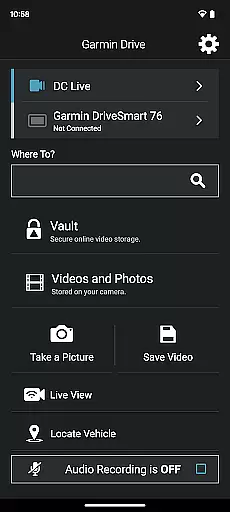
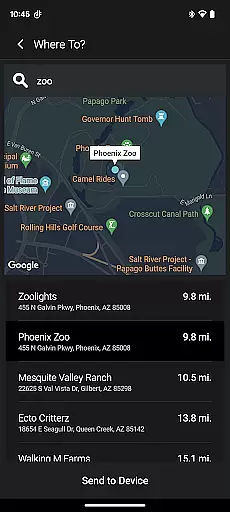
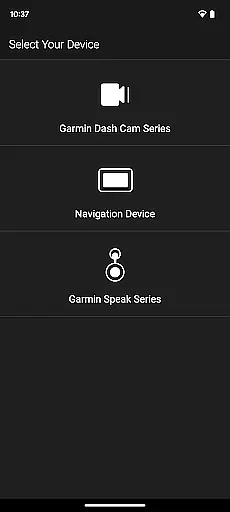
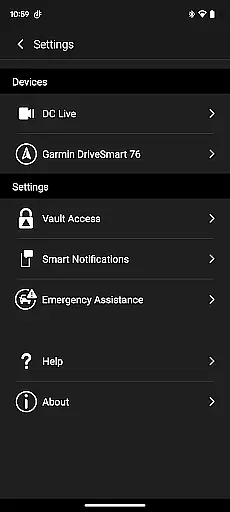
Garmin Drive is a versatile mobile application designed specifically for Garmin automotive navigators and dash cams. The app serves as a central hub for real-time traffic updates, parking information, advanced weather alerts, and access to photoLive traffic cameras. It also seamlessly integrates with your Bluetooth-enabled mobile device, allowing users to manage calls, texts, and notifications directly from their vehicle's navigator.
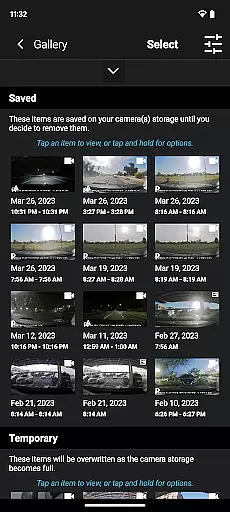
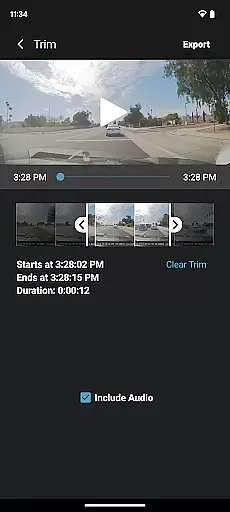
For dash cam users, the app provides intuitive controls for camera settings and recorded footage management. With support for up to four wireless dash cams through the Dash Cam Auto Sync feature, it ensures comprehensive vehicle coverage. Additionally, Garmin Drive offers unique functionalities like creating 'picture-in-picture' videos from multiple camera perspectives, making it easier to review and share footage with relevant parties such as insurance agencies or legal authorities.
This app is particularly beneficial for drivers who require reliable navigation tools and robust vehicle monitoring systems. By combining navigation, communication, and video management into one platform, Garmin Drive enhances both safety and convenience on the road.
Garmin Drive stands out with its diverse feature set tailored for modern drivers. One of its key highlights is the integration of real-time data services, including live traffic updates, parking availability, and advanced weather forecasts. These features ensure that drivers are well-informed about road conditions and can plan their routes accordingly.
The app's compatibility with Garmin dash cams introduces another layer of functionality. Through the Dash Cam Auto Sync feature, users can connect up to four cameras simultaneously, capturing different angles around the vehicle. This capability not only improves safety but also simplifies incident documentation. Furthermore, the 'picture-in-picture' video mode allows users to view and analyze footage from two cameras at once, enhancing the review process.
Another notable aspect is its seamless Bluetooth connectivity, which enables hands-free communication and notification management. For users of Garmin Speak with Amazon Alexa, the app extends voice-controlled capabilities, allowing drivers to interact with Alexa for music, news, and navigation prompts without taking their hands off the wheel.
Accessing detailed vehicle information is crucial for drivers who want to stay informed about their vehicle's status and surroundings. The Garmin Drive app excels in providing comprehensive data tailored specifically for automotive navigators and dash cams.
This application offers real-time traffic updates, parking availability, advanced weather conditions, and photoLive traffic cameras. These features ensure that drivers have the most up-to-date and relevant information to make informed decisions while on the road.
For dash cam users, the app allows quick access to camera controls, settings, and recorded footage. With support for up to four wirelessly connected dash cams, it provides extensive coverage around the vehicle. This multi-camera setup captures various viewpoints, enhancing safety and security.
By using the Garmin Drive app, users benefit from a holistic view of their driving environment, ensuring they are well-prepared for any situation they may encounter during their journeys.
Price transparency in automotive applications ensures that users understand all associated costs without hidden fees or surprises. While the Garmin Drive app itself is free to download, it provides valuable insights into potential expenses related to navigation and safety accessories.
The app supports devices that offer real-time information such as traffic and parking, which can help drivers save money by avoiding congested routes and finding affordable parking options quickly. Additionally, advanced weather updates enable users to plan trips more efficiently, potentially reducing fuel consumption.
For those utilizing dash cams, the ability to manage recordings and create 'picture-in-picture' videos from multiple perspectives adds significant value. Users can easily share these videos with insurance agencies or legal authorities if needed, possibly saving on insurance premiums or claims disputes.
Overall, the Garmin Drive app enhances cost awareness and management for drivers, making it an essential tool for maintaining financial prudence while enjoying enhanced safety features.
User-friendly interface
Real-time traffic updates
Multi-camera support
Voice command integration
Comprehensive vehicle coverage
Limited device compatibility
Requires stable internet
Premium feature costs
Complex initial setup
Battery consumption concerns

Ferrari inspired analog & digital watch face with quick access and premium style
 4.1
4.1
Theme for Car Launcher
4.2
Get your personalized financing options and shop for used cars today!
4.20
Get more out of your AAWireless adapter with this companion app | aawireless.io
4.80
Automotive Electrical Wiring Diagrams
4.40
Your Path to Driving Licensing Success Begins Here! Develop your driving skills.
4.40
Shop cars & see your financing
4.60
Trip computer+car diagnostic tool with widest variety of features and dashboard!
4.70
PayByPhone: A quick and easy way to pay for parking.
3.80
Buy and sell your boat
4.70
The ExtraMile App allows you to pay for fuel from the comfort of your car!
4.70
Get price alerts, vehicle history details and more for cars near you!
4.50
CVT diagnostics with ELM327 for Nissan-based vehicles
4.40
Taximeter; the professional's choice
4.30
* This app needs an adapter cable and a certain OBD2 adapter to work *
4.20
ODB2 based monitoring application for the Chevy Bolt (2017-2021)
4.00
By enthusiasts, for enthusiasts
4.00
Club Car Wash Mobile App—the fast lane to managing your wash membership.
3.30
Theme for Car Launcher
4.1


User Reviews