
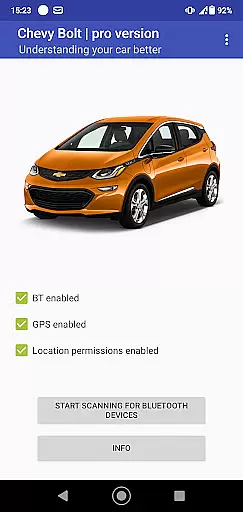
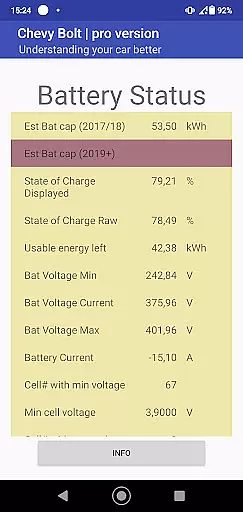
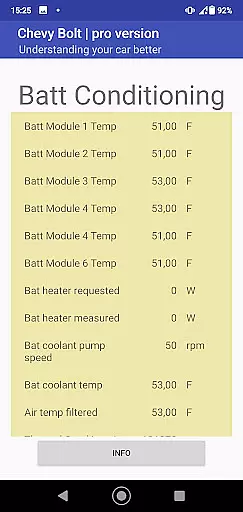
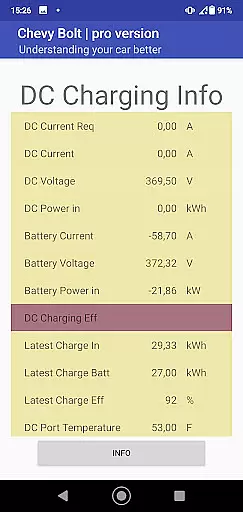
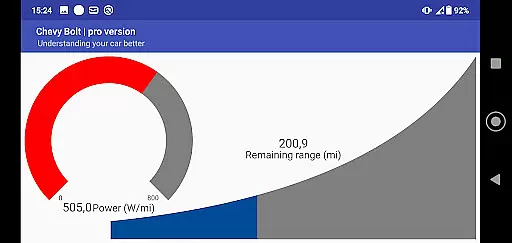
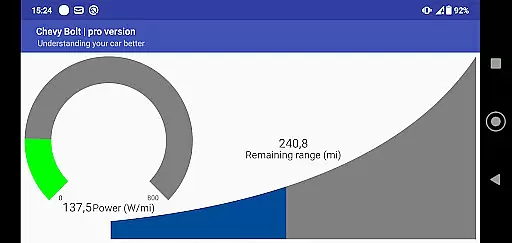
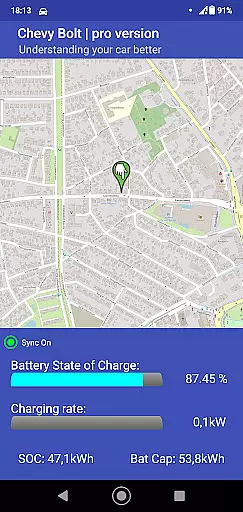
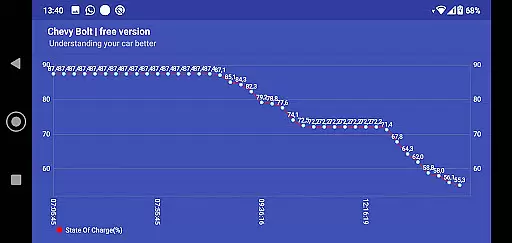
Chevy Bolt Monitor Pro is a specialized application designed for Chevy Bolt owners who want to gain deeper insights into their vehicle's performance. The app provides comprehensive monitoring of crucial parameters such as battery state of charge, battery temperature, and charging efficiency. This allows users to optimize their driving experience while ensuring their vehicle remains in top condition.
One of the standout features of this app is its dual monitoring capability. Users can monitor their vehicle locally via Bluetooth or remotely over the Internet. Whether you're at home or on the go, staying informed about your Chevy Bolt's status has never been easier. This functionality makes it an invaluable tool for both daily commutes and long road trips.
The app caters specifically to tech-savvy car owners who appreciate data-driven insights. By providing real-time updates and detailed analytics, Chevy Bolt Monitor Pro empowers users to make informed decisions about their driving habits and maintenance schedules. This ultimately leads to enhanced vehicle longevity and performance.
Chevy Bolt Monitor Pro boasts an array of sophisticated features that set it apart from other automotive apps. First and foremost, the app offers extensive monitoring capabilities. It tracks essential metrics like battery state of charge, battery temperature, and charging efficiency, giving users a holistic view of their vehicle's health.
In addition to its robust monitoring functions, the app supports both local and remote monitoring. Local monitoring is facilitated through Bluetooth connectivity, allowing users to access data when they're in close proximity to their vehicle. For those times when you're away, remote monitoring over the Internet ensures you're always in the know. This dual approach provides unparalleled convenience and peace of mind.
Another notable feature is the app's user-friendly interface, which presents complex data in an easily digestible format. Users can customize their dashboard to display the most relevant information, making it simple to track key metrics at a glance. With these powerful tools at your disposal, maintaining optimal vehicle performance has never been more straightforward.
Modern vehicle monitoring applications provide users with comprehensive insights into their car's operational parameters. Chevy Bolt Monitor Pro exemplifies this by offering detailed tracking of battery state of charge, temperature, and charging efficiency.
The app's dual-mode functionality supports both local Bluetooth connectivity and remote Internet-based monitoring. This ensures that users can access critical vehicle data regardless of their location, providing peace of mind for electric vehicle owners.
By delivering precise metrics about battery performance and thermal conditions, the application empowers drivers to optimize their charging routines and maintain optimal operating temperatures. These features help maximize both the vehicle's range and battery longevity.
While primarily a monitoring tool, Chevy Bolt Monitor Pro also contributes to cost management by providing clear data on charging efficiency and energy consumption. This level of price transparency helps users understand their true operating costs.
The application's detailed reporting on energy usage patterns enables owners to identify optimal charging times and adjust their habits accordingly. By analyzing these metrics, users can take advantage of off-peak electricity rates and reduce their overall charging expenses.
Furthermore, the availability of both free and premium versions of the app demonstrates its commitment to accessibility while offering advanced features for those seeking more comprehensive monitoring capabilities. This transparent pricing model allows users to choose the level of functionality that best suits their needs.
User-friendly interface
Comprehensive monitoring
Real-time updates
Dual connectivity options
Data-driven insights
Limited to Chevy Bolt
Requires Internet for remote use
Premium features may cost extra
Steep learning curve for beginners
Dependent on vehicle compatibility

Attention! This is the theme for the Car Launcher app
 4.4
4.4
Monitor specific TOYOTA parameters by adding this plugin to Torque Pro.
2.00
Practice the drills within MotoJitsu Master Riding Program Volume 1 & 2!
4.80
AlfaOBD software for Fiat Group cars native diagnostic
3.70
BlueDriver® is a Premium Diagnostic OBD2 Scan Tool. www.BlueDriver.com
3.90
Mobile Phone Parking - So easy to park
3.70
Your car is talking. Start listening.
4.30
7-Day Returns on All Cars
4.80
Get price alerts, vehicle history details and more for cars near you!
4.50
Trip computer+car diagnostic tool with widest variety of features and dashboard!
4.70
1M+ high-quality auto parts at your fingertips. Fitment guaranteed.
4.70
Your go-to app for car, truck & SUV parts, DIY tools, and expert repair help.
4.70
OBD1 ECMs application. Data log or tune directly from your phone or tablet!
4.60
Launcher for use in the car
4.40
A full featured, real-time transit locator system
4.30
Monitor your behind-the-wheel behavior to become a safer driver and save.
4.10
By enthusiasts, for enthusiasts
4.00
Club Car Wash Mobile App—the fast lane to managing your wash membership.
3.30
App Mirroring for Tesla Car's Browser
2.80


User Reviews